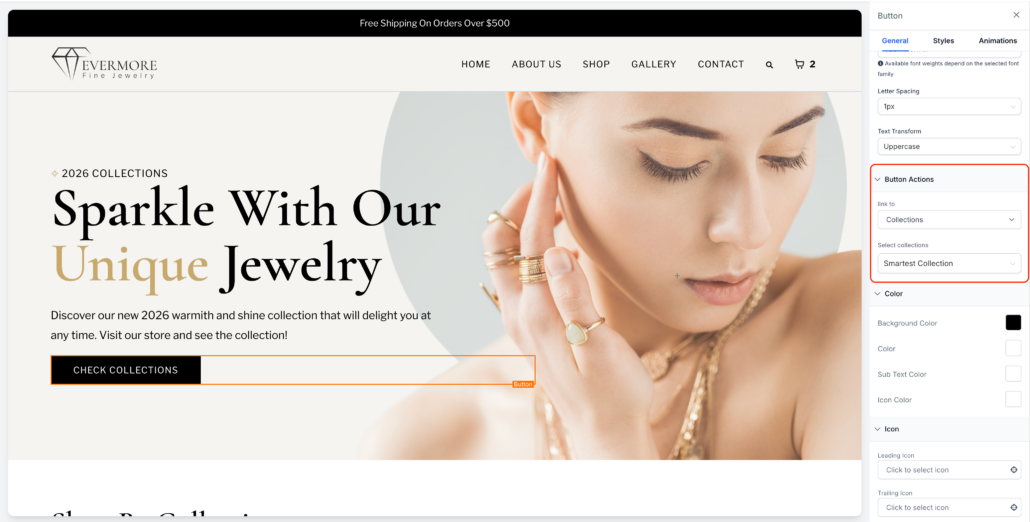
Ecommerce Actions in Button “Link To” Settings
Website buttons can now be directly linked to Ecommerce actions, enabling store owners to drive purchases and facilitate the discovery of collections from any page on their website.
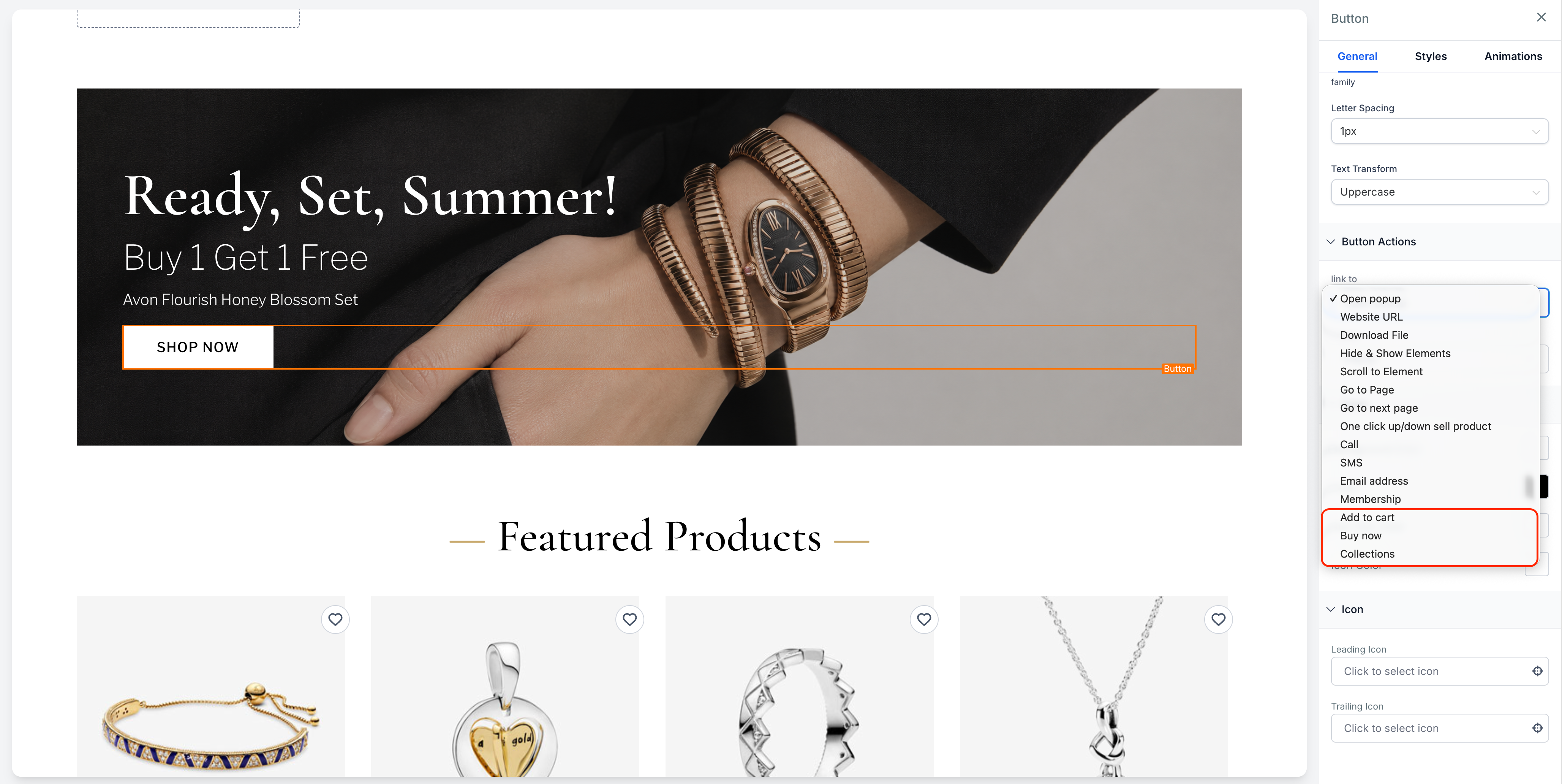
New Button “Link To” options include:
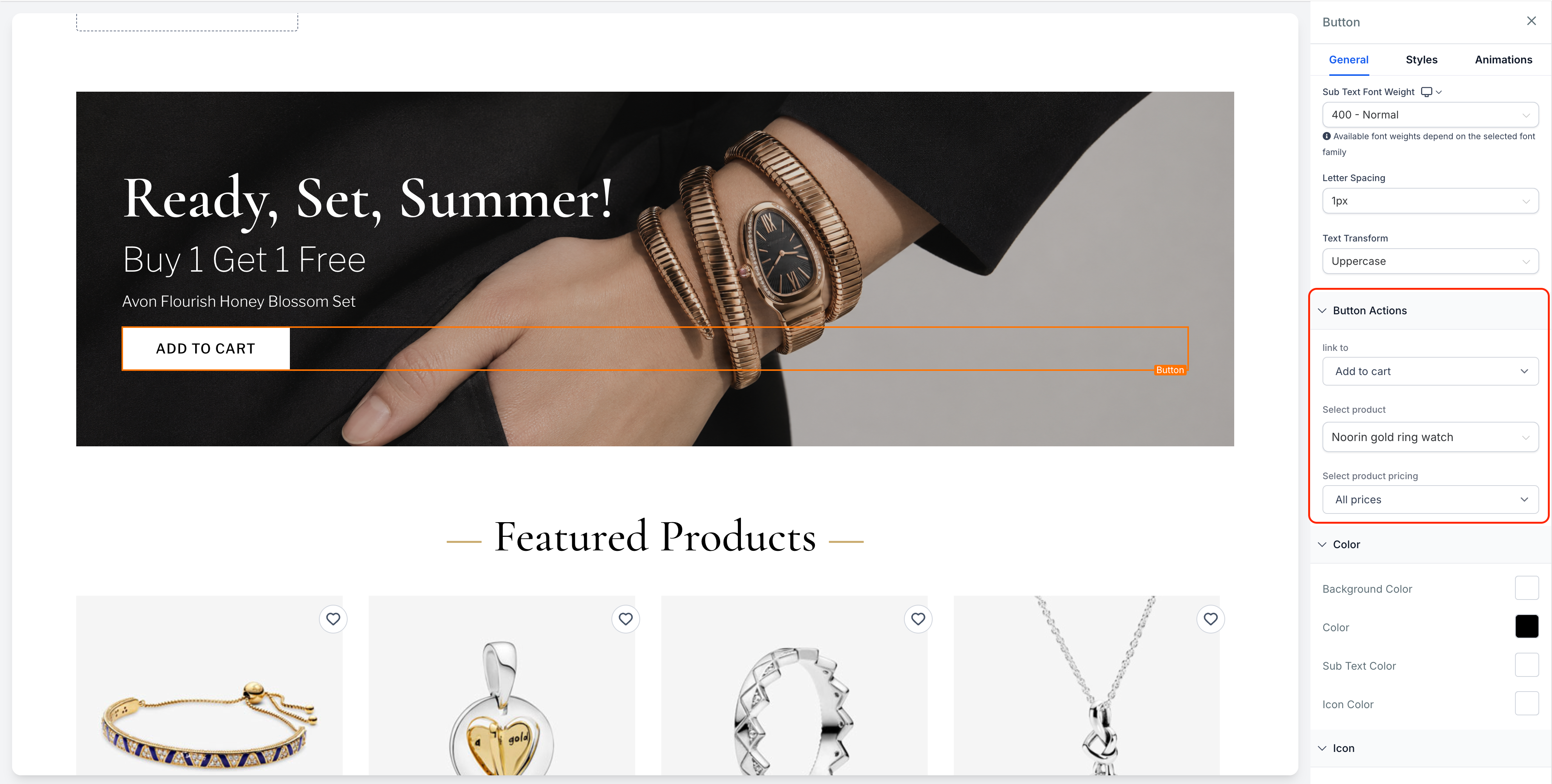
- Add to Cart:
- Select a product and its pricing option.
- “All Prices” opens a PDP-style modal for variant selection.
- “Single Price” adds the product directly to the cart with a quantity of 1.
- Buy Now:
- “All Prices” opens the PDP-style modal with Buy Now support.
- “Single Price” redirects customers directly to checkout with the product pre-loaded.
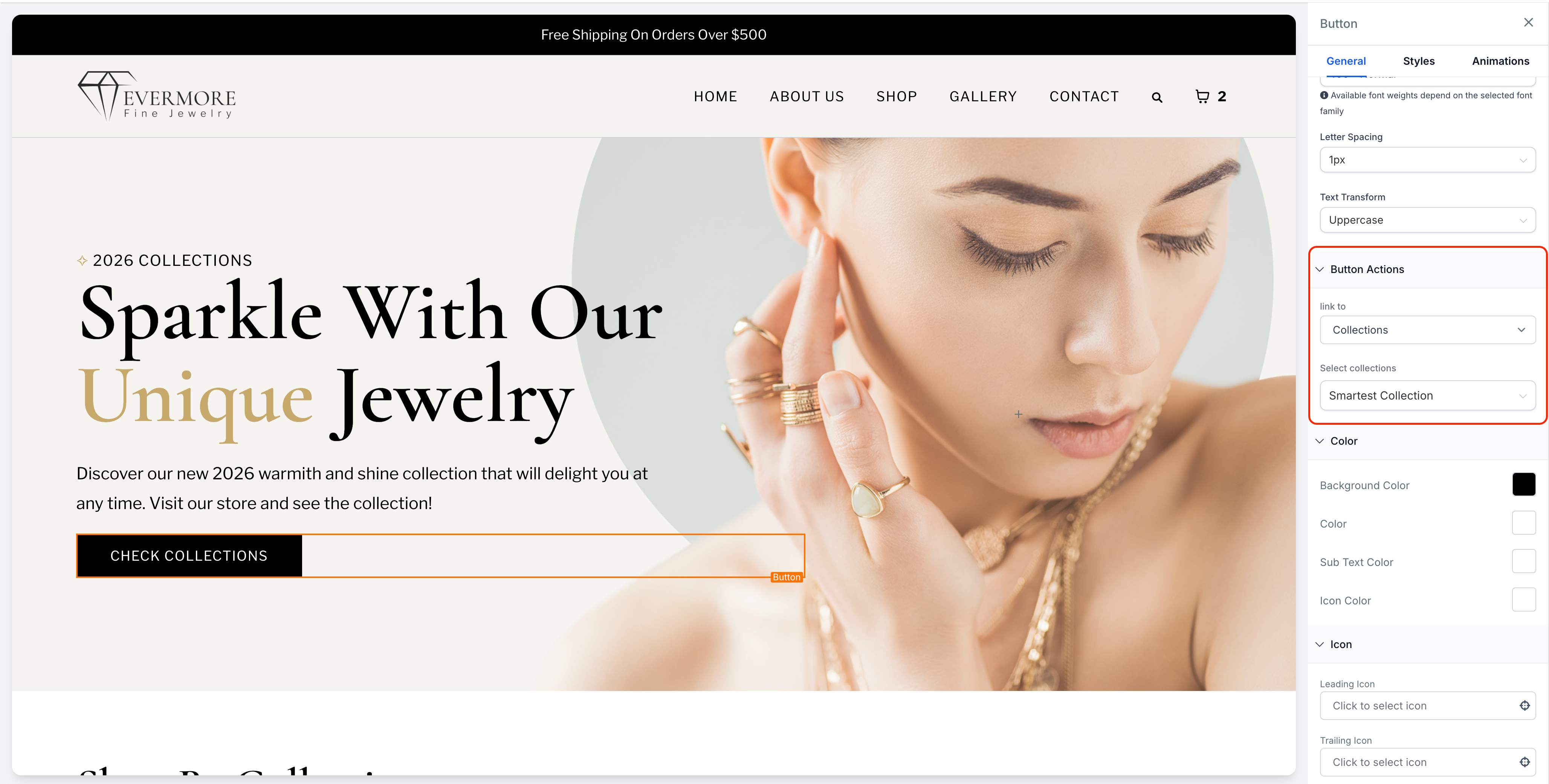
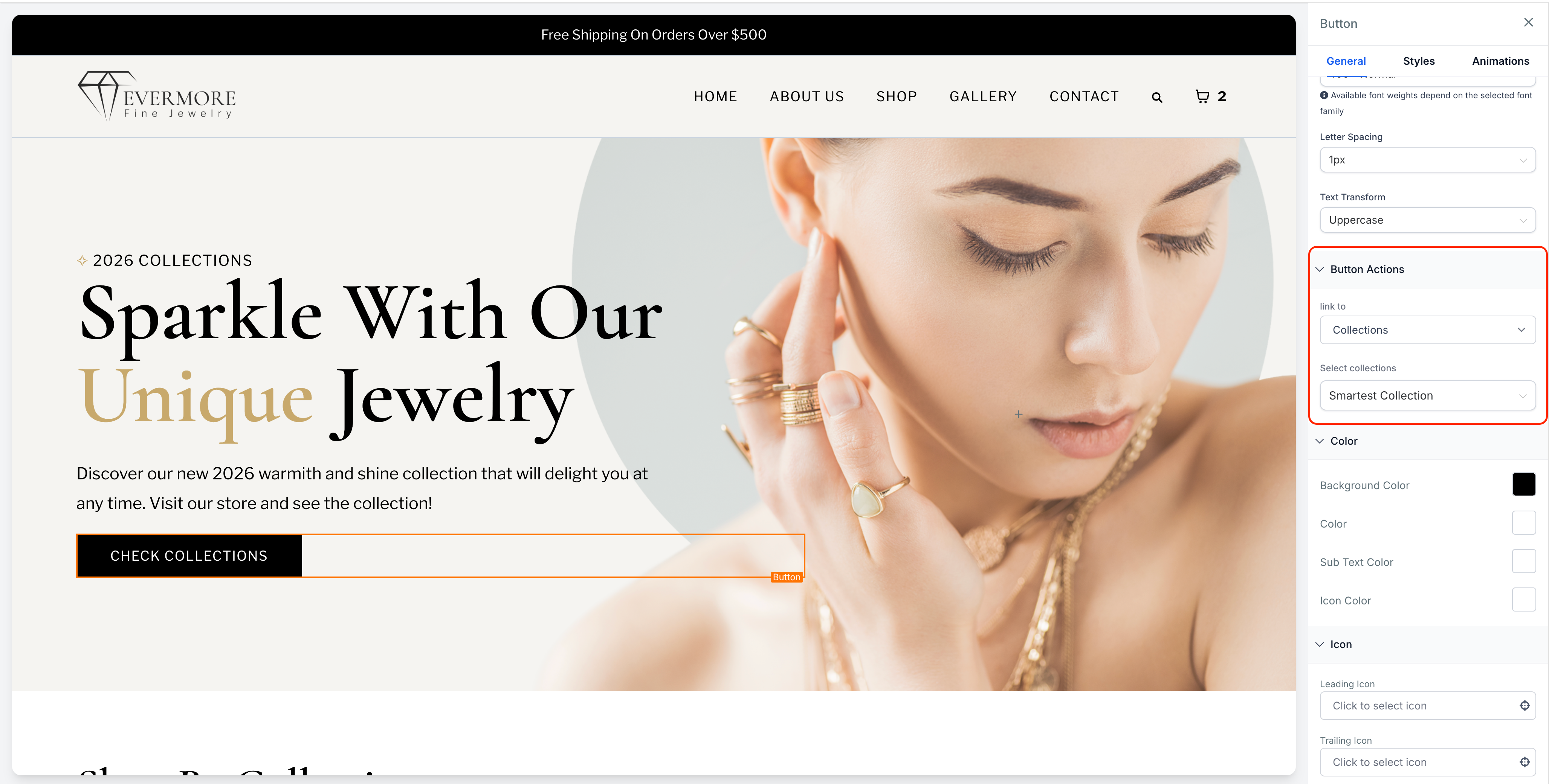
- Collection:
- Link a button to a selected collection’s filtered Product List Page.
- Open the Website Builder and select a Button element.
- In “Link To,” choose Add to Cart, Buy Now, or Collection.
- Select the required product, pricing, or collection.
- Save and publish.
- This feature is available only for Websites, not for Funnels.
- If no store exists, users will be prompted to create one.
- If the linked product or price is deleted, the button will be disabled.
- If the linked collection is deleted, customers will encounter a 404 page.