
Drip Action: Major Upgrades | Clixio Changelog
The Drip action has been enhanced with improved transparency and reliability, providing users with full visibility of their drip schedules and ensuring that pacing is maintained during workflow state changes.
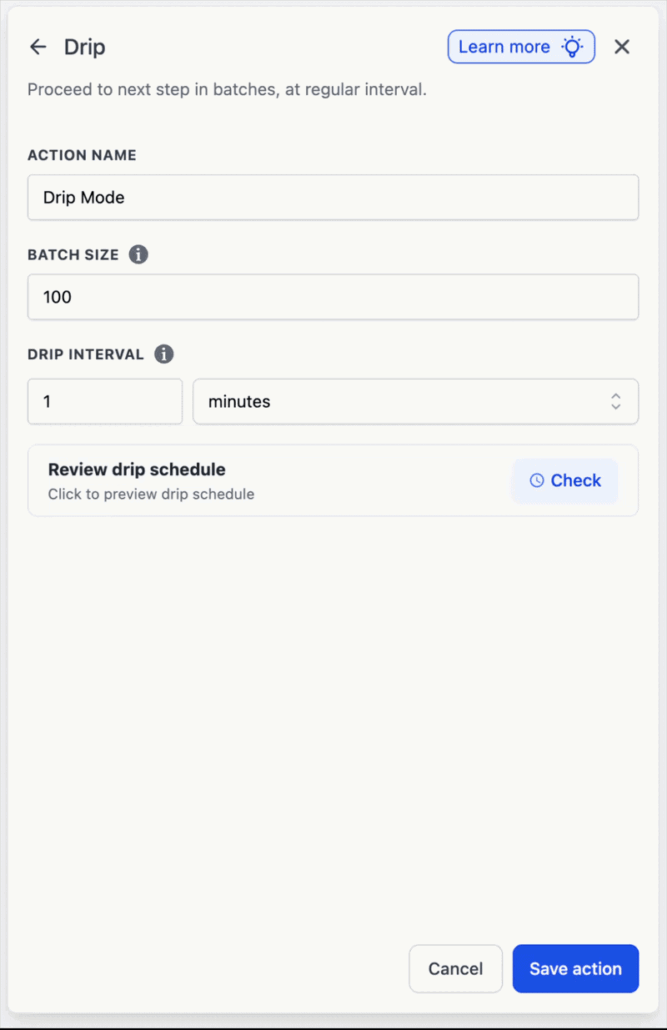
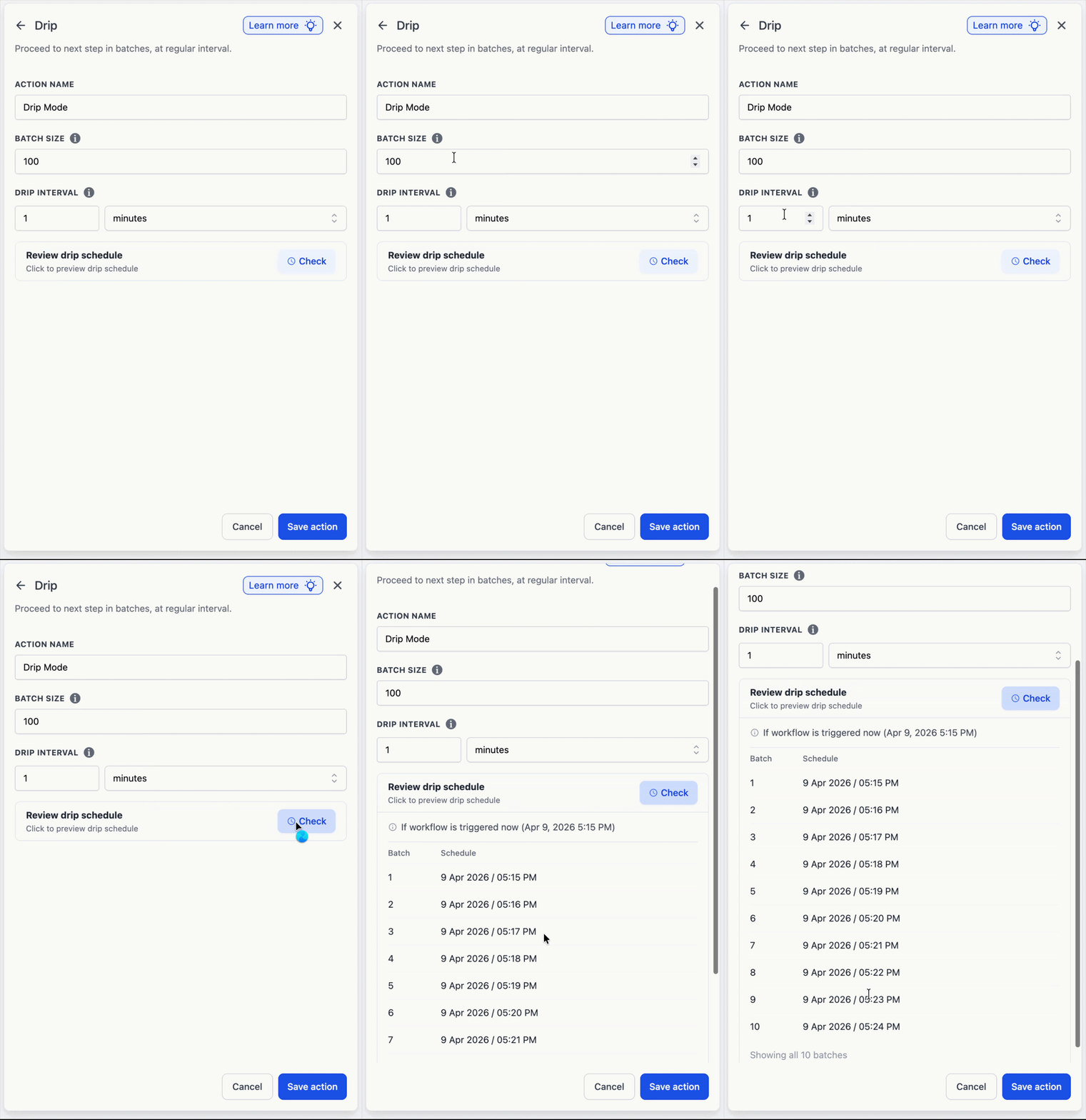
A live schedule preview is now available within the Drip action during configuration, allowing users to see exactly when each batch is expected to run before publishing.
- Batch table displaying the batch number and scheduled send time, with up to 10 batches previewed.
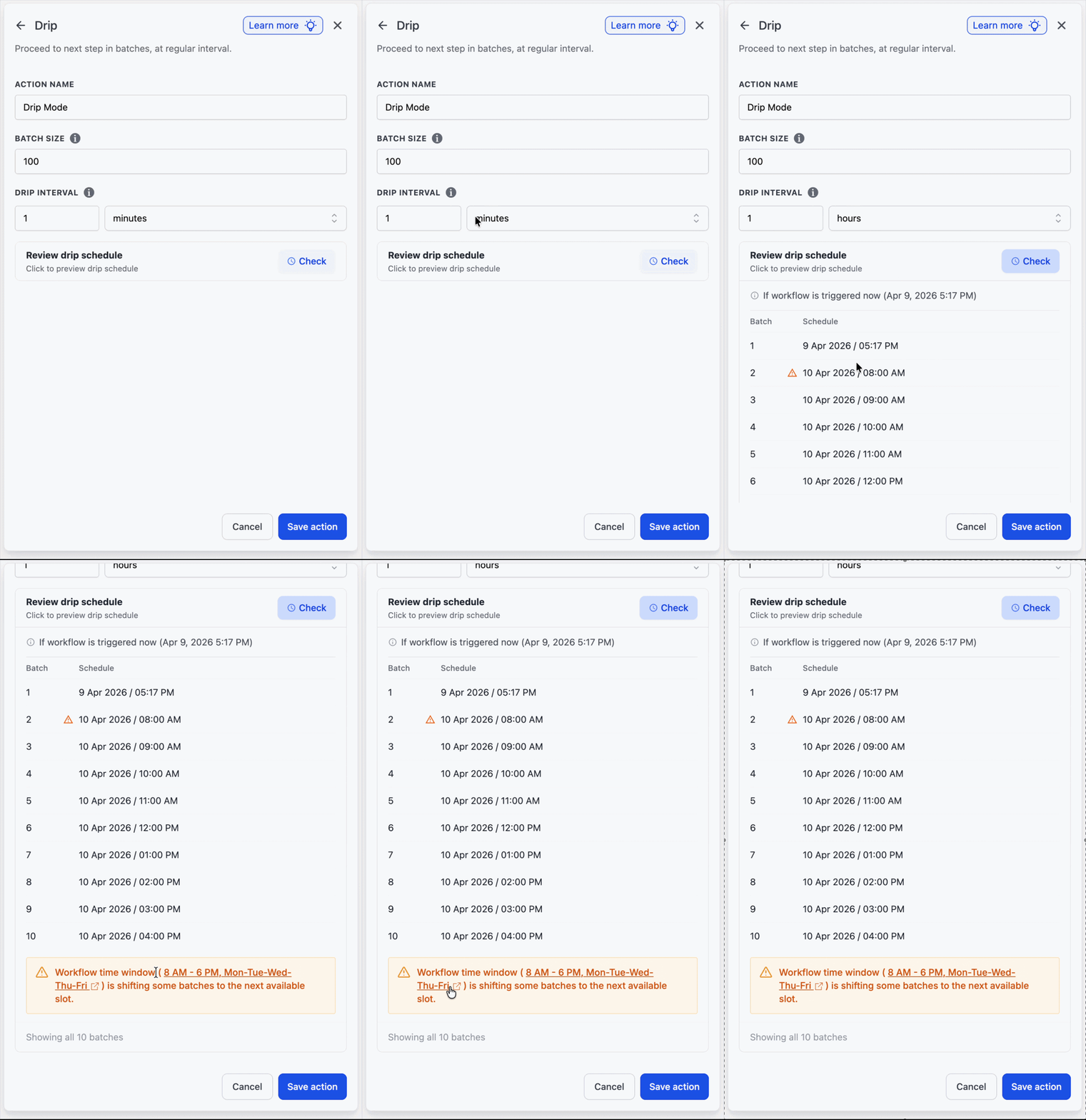
- Inline warnings appear when a Workflow Time Window is active, so any schedule conflicts are identified before publishing: “Workflow time window (8 AM – 7 PM, Mon-Tue-Wed-Thu-Fri) is shifting some batches to the next available slot.” The time window is a clickable link that navigates directly to the relevant setting.
- The preview is shown during the initial setup and is hidden when contacts are already queued in the drip, keeping the editing view uncluttered.
Action Statistics, Batch Schedule & Insights
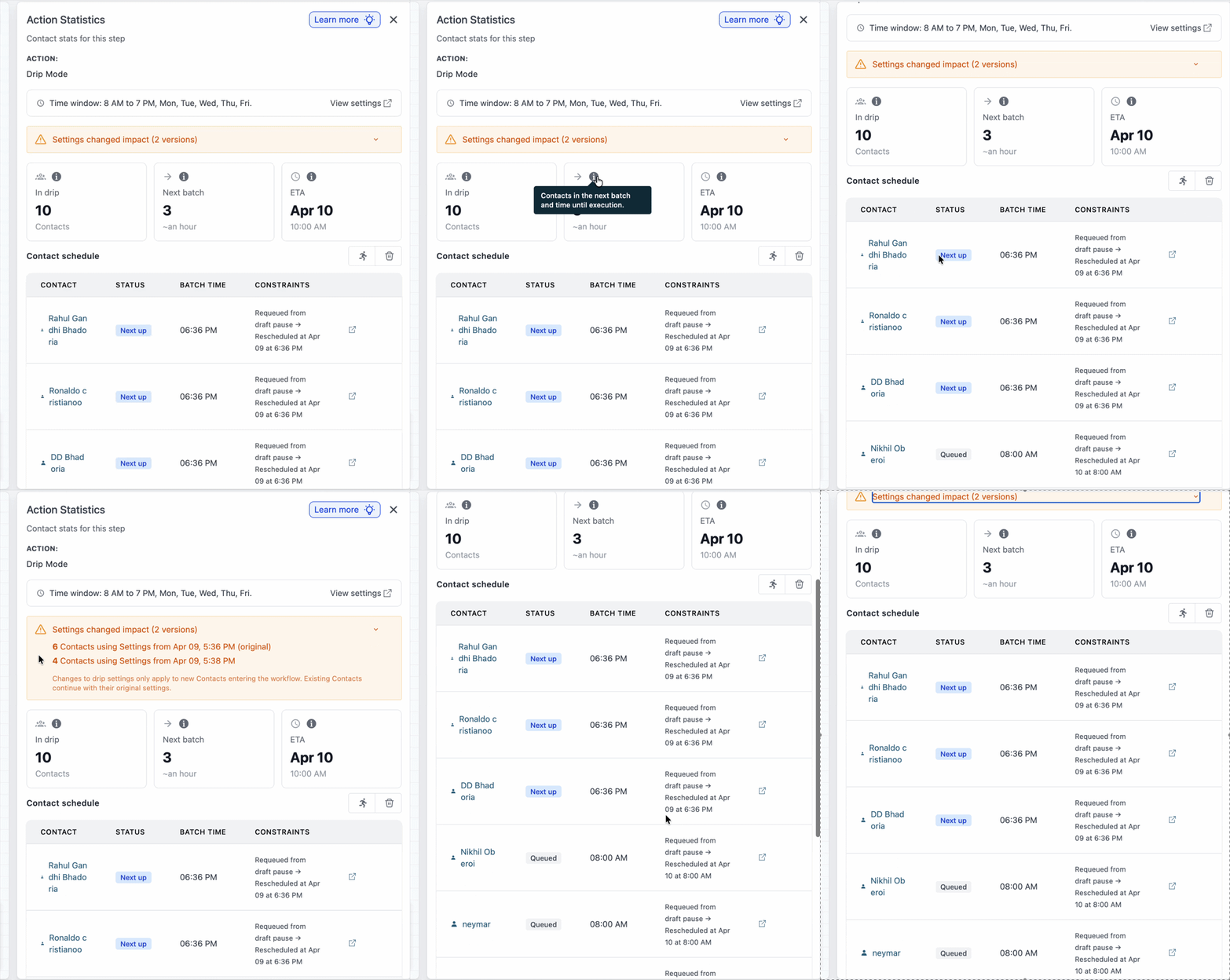
The statistics icon on the Drip action has been redesigned as a clear, discoverable button. Clicking it opens a detailed view of all activities within the drip.
- Summary cards displaying contacts currently in the drip, details of the next batch, and estimated times of arrival (ETAs).
- A full batch schedule table providing the scheduled send time and any active constraints affecting timing.
- The Time Window setting is accessible directly from this view, with a link to navigate to the setting without leaving the screen.
- A consolidated status column, pagination, and existing capabilities (move to next step, delete, contact hyperlink).
- When drip settings are modified on a workflow with contacts already queued, a clear note explains that updated settings will only apply to new contacts entering the workflow.
Batch Size Change Warning
When batch size is updated in a previously published workflow with contacts already queued, a gentle blue informational note will be displayed:
“Note: Contacts already queued in this drip will use the previous batch size. New contacts will adopt the updated batch size.”
This message appears only when the workflow has been published at least once and contacts are present in the Drip action, ensuring relevance without being intrusive.
Auto-Pause on Draft, Auto-Resume on Publish
When a workflow transitions from Published to Draft with contacts queued in a Drip action, those contacts are now paused for the entire duration the workflow remains in Draft. Once republished, the drip resumes from where it left off, avoiding a sudden release of all queued contacts at once. This preserves the original pacing and protects sender reputation.
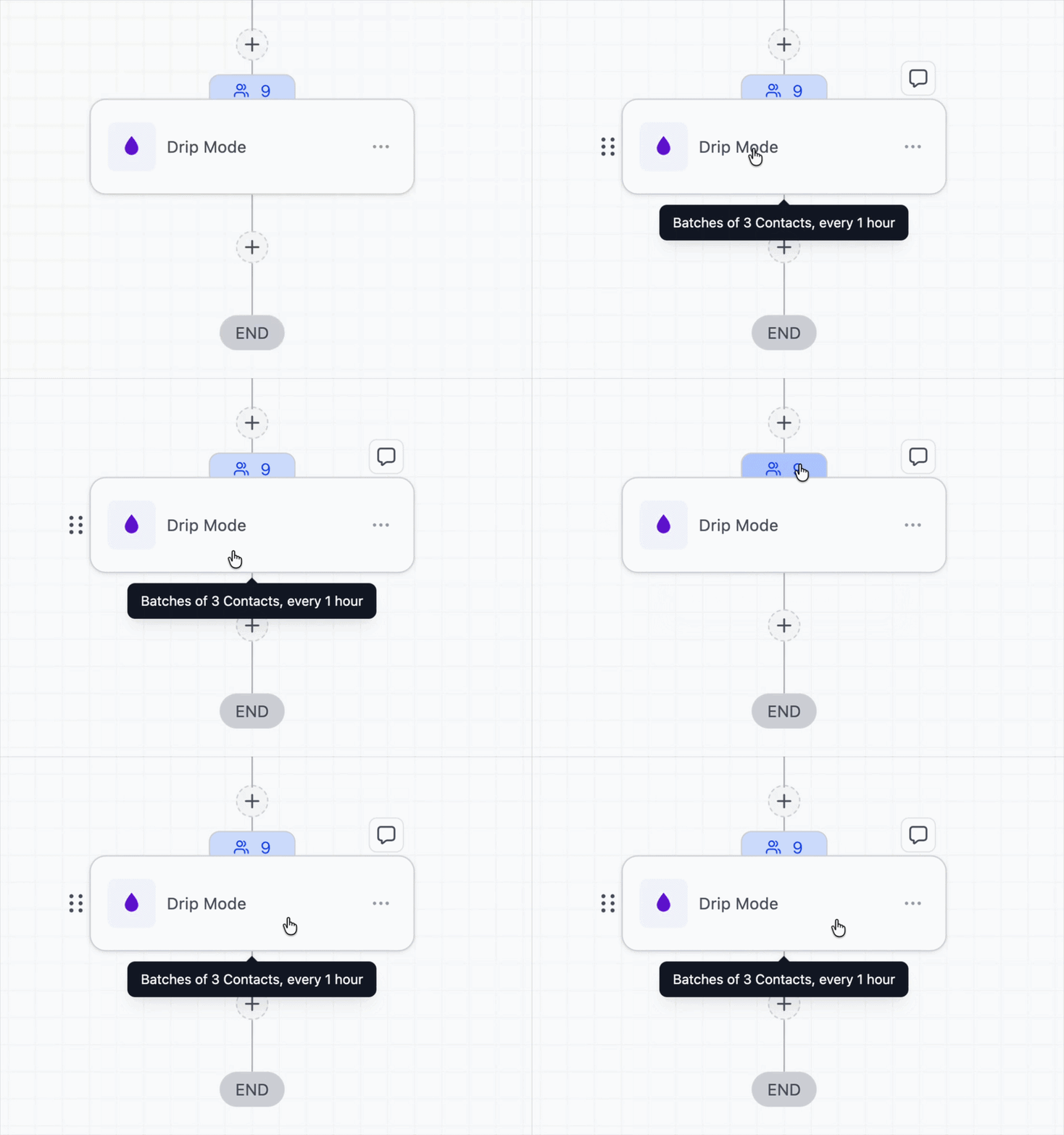
A tooltip now appears when hovering over the Drip action (similar to the Wait step), allowing users to read the full configuration without opening the action. Examples include:
- “Batches of 100 contacts, every 5 minutes.”
- “Batches of 1.5K contacts, every 30 minutes.”
Updated Field Tooltips Inside the Drip Action
Tooltips for each field inside the Drip action have been refreshed with clearer descriptions and examples, helping users understand the function of each field in context.
Previously, drip schedules exhibited behaviours that users struggled to explain, driven by three recurring gaps:
- Active Workflow Time Windows silently shifting batch times.
- Mid-run setting changes applying only to new contacts without clear notification.
- Workflows switching between Published and Draft, causing queued contacts to be released all at once.
This release addresses these gaps by making constraints visible in the product, maintaining drip pacing across changes in publish state, and reducing ambiguity regarding drip scheduling.
- The schedule preview displays a maximum of 10 batches; if fewer exist, all are shown.
- The preview is hidden while editing a Drip action that already contains contacts.
- The batch size warning only appears on workflows that have been published at least once and currently hold contacts in the drip.
- The “settings apply to new contacts only” note is displayed only when drip settings are edited on a workflow with contacts already queued.