

Documents and Contracts: Enabled Live Custom Value rendering for Better final PDFs and Element placement
-> You’d type a custom value within the document (Let’s say a description of a product) and place your signature element basis that. You’d then find out that when the final version was sent to the receiver, the signature element was completely misplaced because the description was 3 lines long.
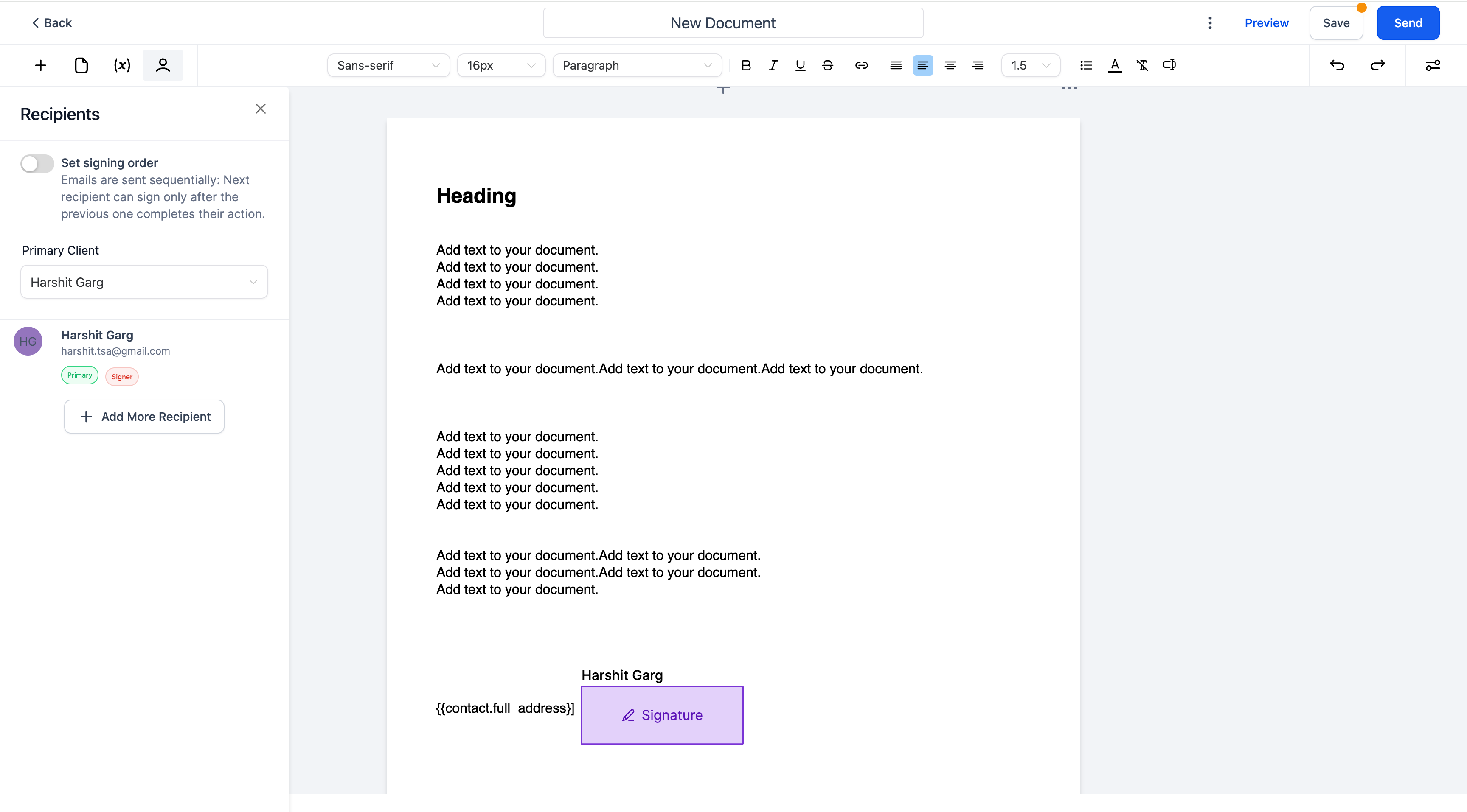
-> Not anymore!
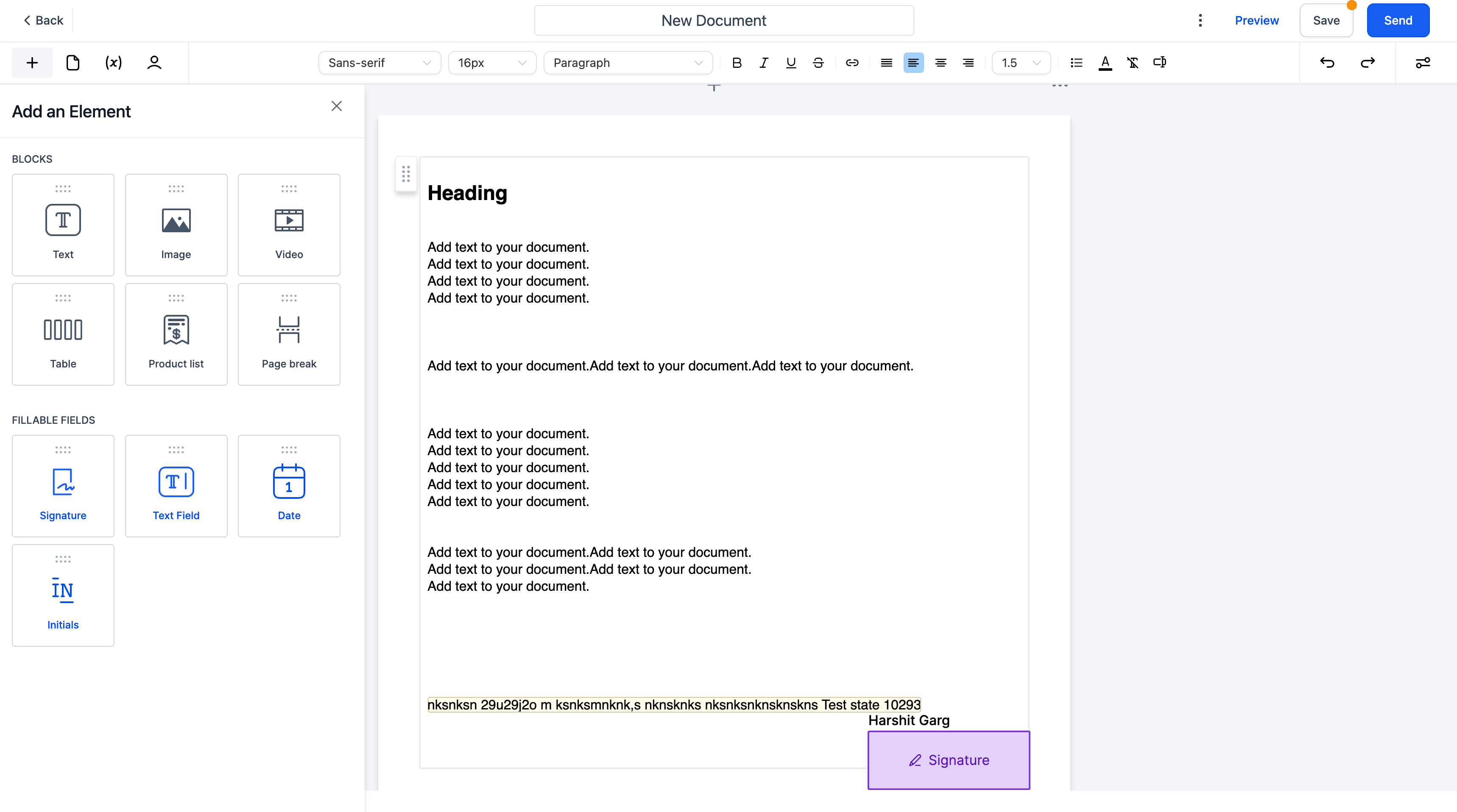
- Automatic Custom Variable Population in Document Builder
- Auto-populate Custom Variables: When you type a custom variable in the format {{custom_variable}}, the corresponding value is automatically populated. If no primary contact is selected, the custom variables will not render any values.
- Backspace/Delete Key Handling: When you press the backspace or delete key: If the cursor is within the populated value, the value is removed, reverting to the custom variable template.
- The custom variable template (e.g., {{name}}) can be edited seamlessly by removing characters from the end (e.g., {{name}} to {{name to {{nam).
- Editable Custom Variable Templates: You can edit the custom variable template, ensuring it remains in the format {{custom_variable}} until fully deleted.
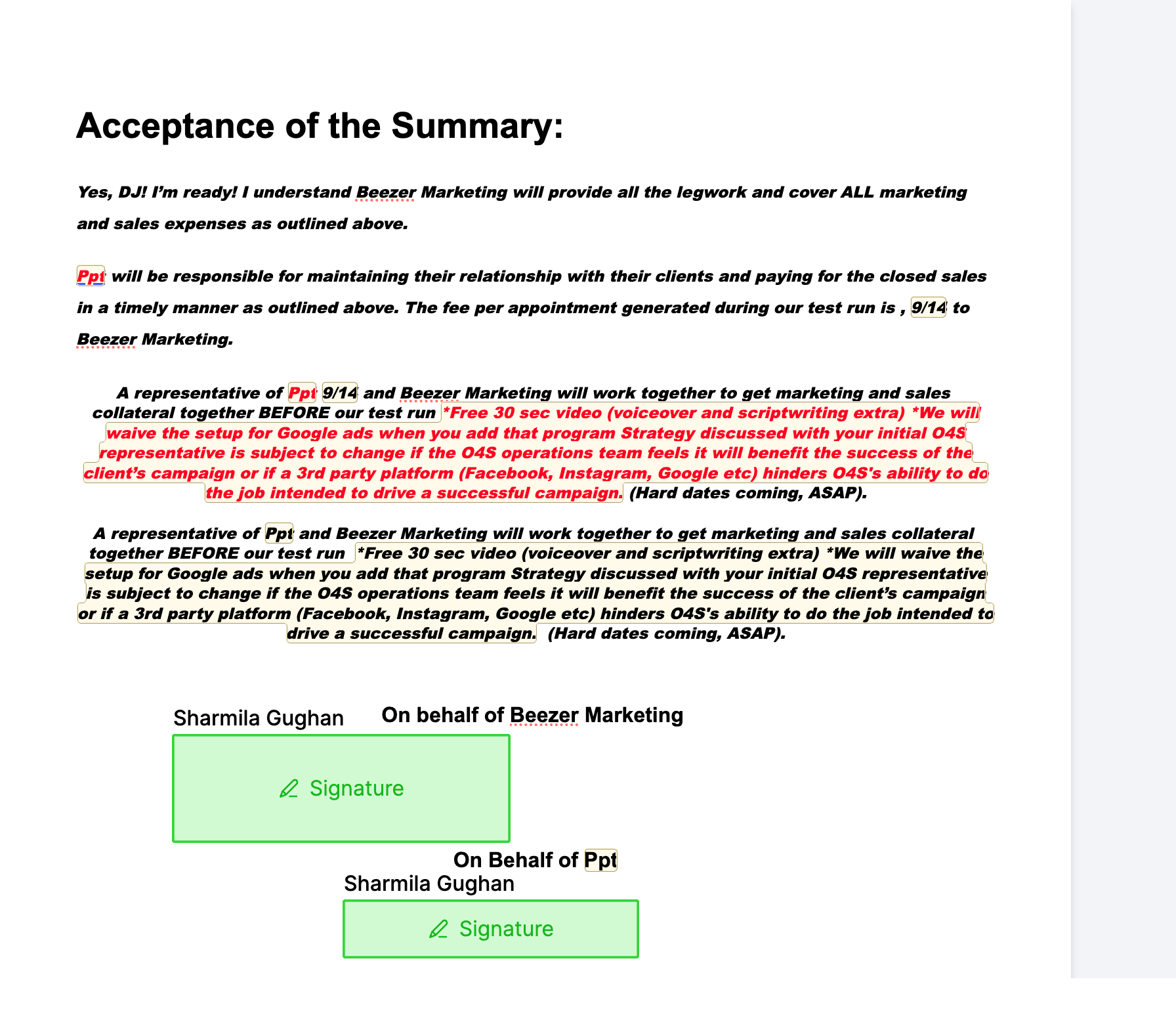
- Type a custom variable in the format {{custom_variable}} within the document builder. If a primary contact is selected, the custom variable will automatically populate with the corresponding value.
- If no primary contact is selected, the custom variable will remain as {{custom_variable}} without rendering any value.
- Handling Backspace/Delete Key: Place the cursor within a populated custom variable value and press backspace or delete to remove the value. The text reverts to the custom variable template. Edit the custom variable template by deleting characters, ensuring it remains editable and updates accordingly (e.g., {{name}} to {{nam}}).
Earlier, documents in the editing mode would look different than how it would come out in the final version as the custom values had variable lengths.
This would then distort the final PDF that would be sent to the customer as signature elements got misplaced.
This feature greatly improves the document builder’s functionality, making it easier and more efficient for users to work with custom variables.