
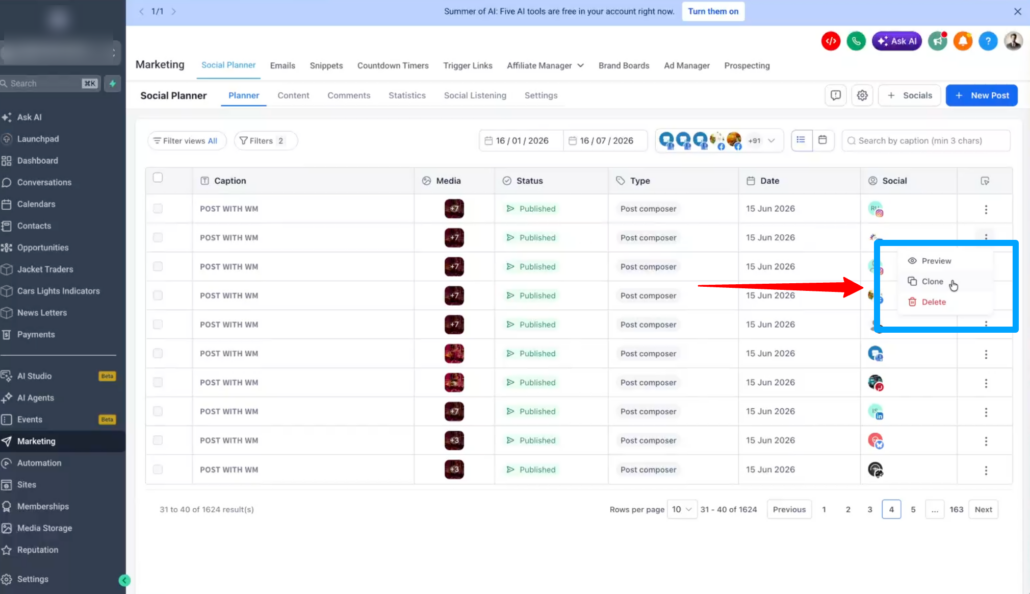
Delete Published Posts Directly from Social Planner
We didn’t merely add a delete button; we enabled the removal of published content directly from the social network itself, all without leaving Social Planner. ✨
Whether it’s a typo, outdated information, or a post published by mistake, you can now delete posts directly from Social Planner and, when supported, remove them from the social platform simultaneously. Say goodbye to switching tabs and logging into multiple networks. Manage your content lifecycle from just one place.
🚀 What’s New
- Delete Published Posts from Social Networks
- You can now delete published posts directly from Social Planner.
When deleting a post, you’ll see a new option:
- Delete from Social Planner only
- Delete from the social network (Facebook, LinkedIn, etc.)
- Works Across Multiple Platforms
Native deletion is supported for:
- Google Business Profile
- YouTube
- Threads
- Bluesky
- Community
For platforms that do not support third-party deletion (Instagram and TikTok), posts can still be removed from Social Planner while remaining live on the platform.
- Delete Any Post Status
The same deletion experience now works for:
- Draft posts
- Scheduled posts
- Published posts
- Built-In Reconnect Flow
If the connected social account has expired or become disconnected:
- A reconnect prompt appears automatically
- Reconnect without leaving the workflow
- Continue the deletion process once access is restored
- Consistent Experience Everywhere
The delete workflow is available from:
- Post List View
- Calendar View
👷 How to Use This Feature
- Go to Marketing → Social Planner
- Locate the post you wish to delete
- Open the 3-dot menu
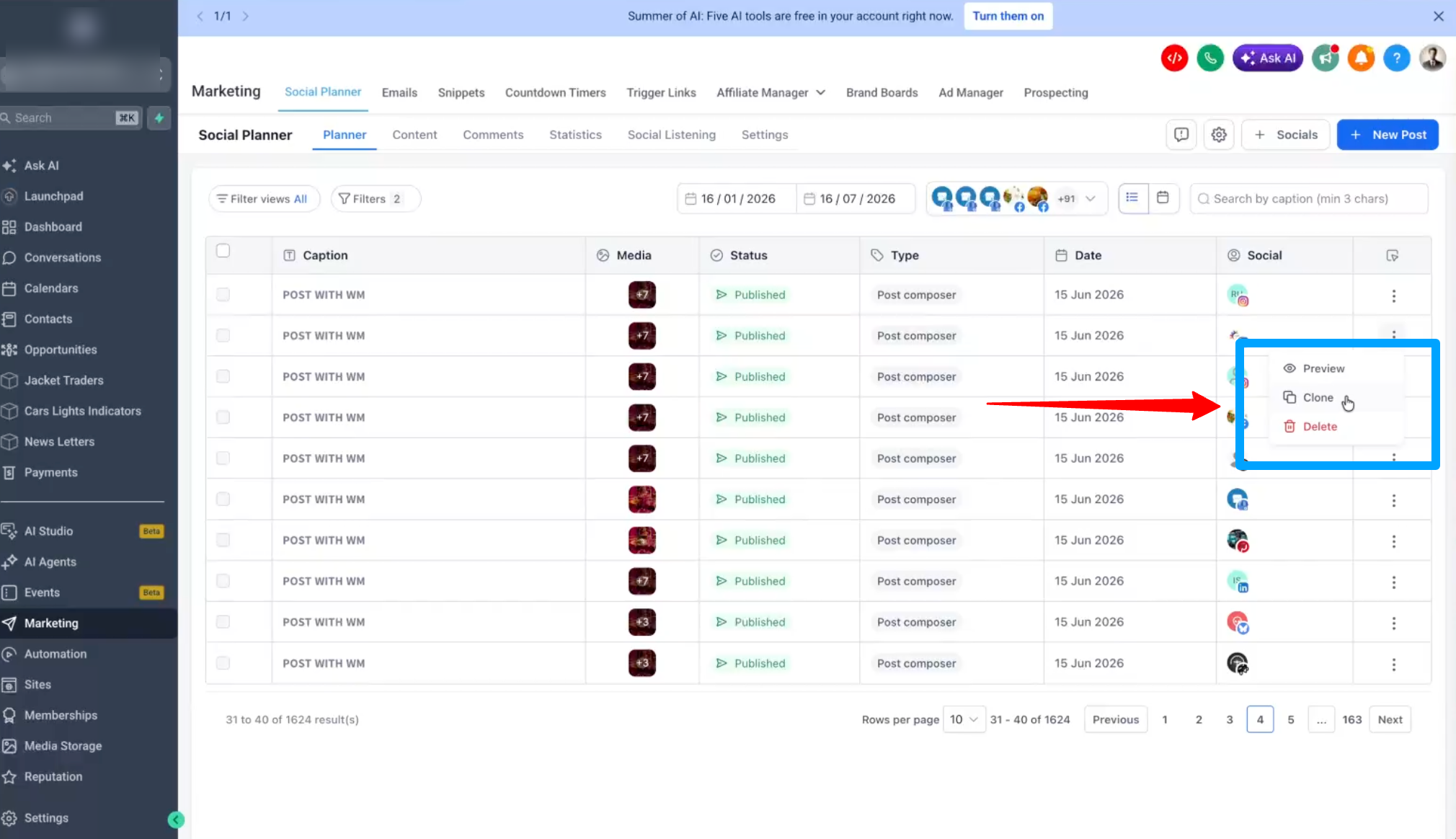
- Click Delete
- (Optional) Enable Delete this post from the selected social platform
- Confirm deletion
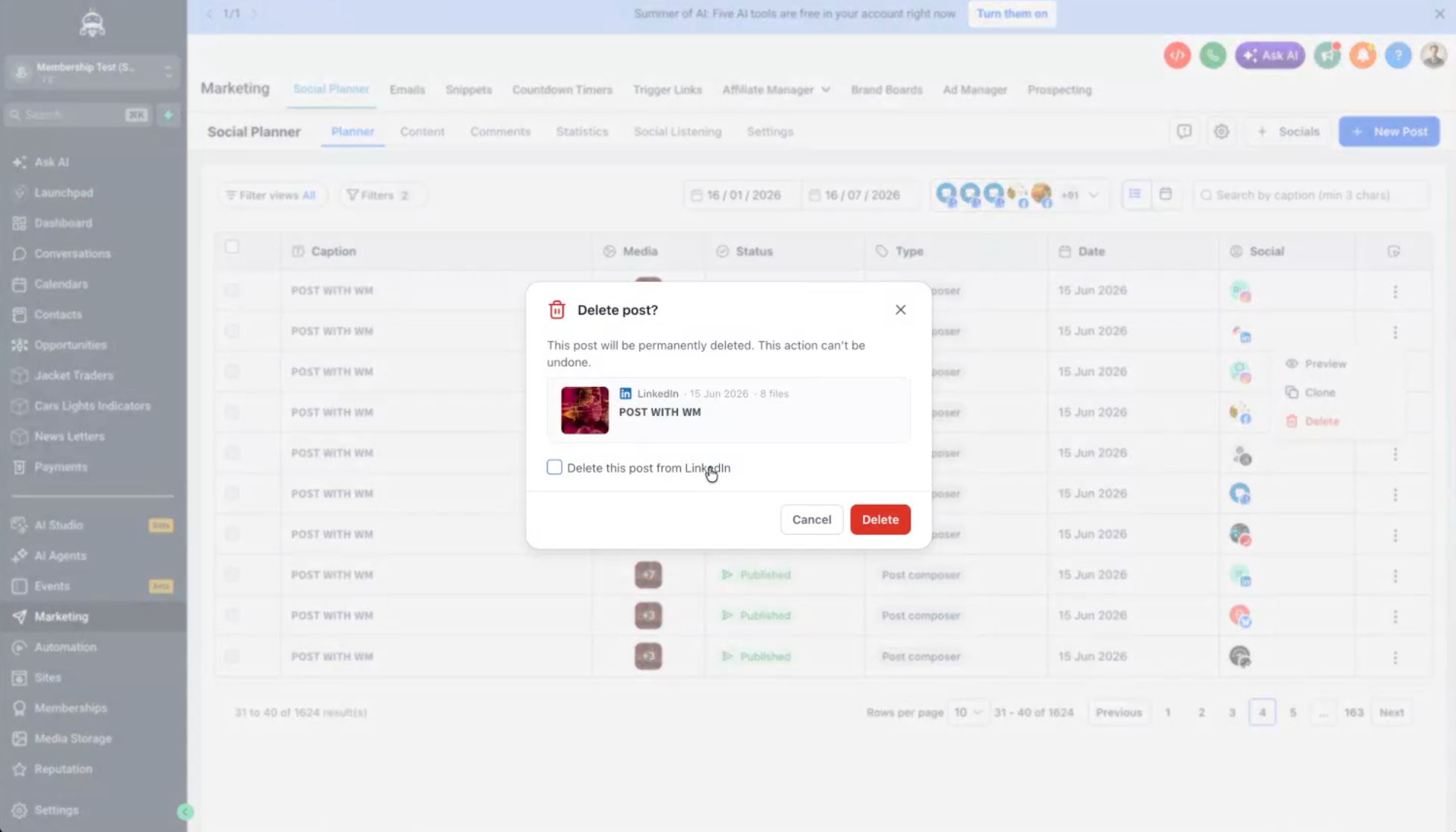
If the account requires reconnection, follow the prompt and continue the process.
💡 Why It Matters
- Quickly remove incorrect or outdated content
- Manage takedowns without switching platforms
- Save time for agencies handling multiple accounts
- Keep content management centralised in Social Planner
- Ensure “delete” genuinely means delete when platform APIs support it
📝 Notes
- Native platform deletion depends on platform API support
- Instagram and TikTok do not currently permit third-party post deletion
- Posts can still be removed from Social Planner on unsupported platforms
- Reconnect prompts appear automatically when account access expires