
• Shopping Cart Shopping Cart
    0Shopping Cart
Clixio
  • Features
  • Pricing
  • FAQ
  • Blog
  • Log in
  • Free Trial
  • Menu Menu

Custom Fields Grouping & Bulk Management – Forms, Surveys & Quizzes

August 19, 2026/in What's New? Forms, Surveys
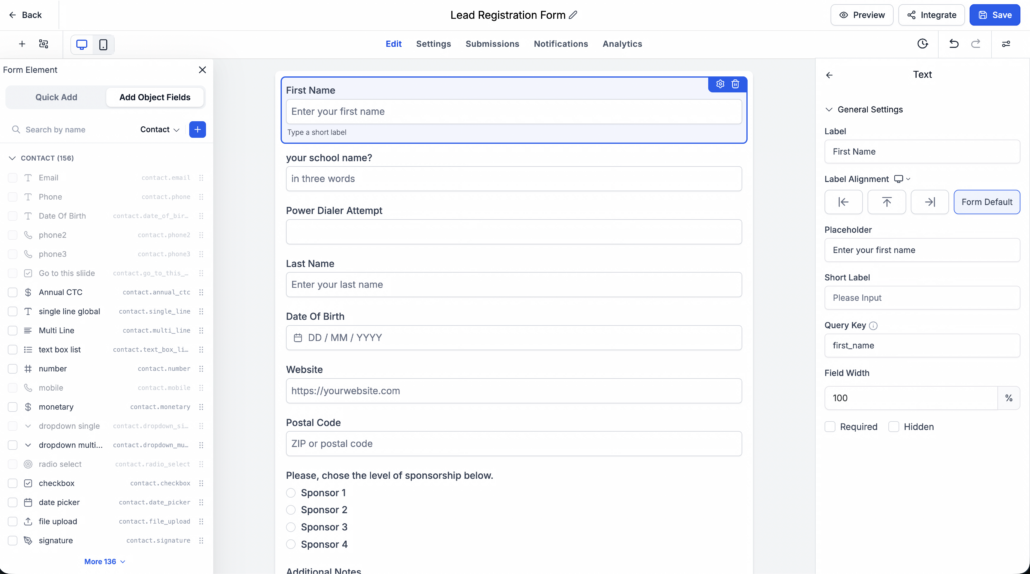
**Adding custom fields one at a time gets tiresome quickly — especially when you’re building a long form with dozens of contact, opportunity, or custom-object fields. We’ve overhauled the

Custom Fields

sidebar in the builder to be faster, smarter, and easier on the eyes. Now you can browse fields by object, search by name, select multiple at once, and drop them onto your canvas as a group. 🎉**

**The

Custom Fields

sidebar has been redesigned end-to-end with a focus on speed and clarity, and now brings a unified custom-field management experience across:**

**You can now select multiple custom fields at once and add them together — either by clicking “

Add N fields

” or by dragging the selection onto the canvas as a group.**

  1. Open any

    Form, Survey, or Quiz

    in the builder.

  2. Switch to the

    Add Object Fields

    tab in the left sidebar.
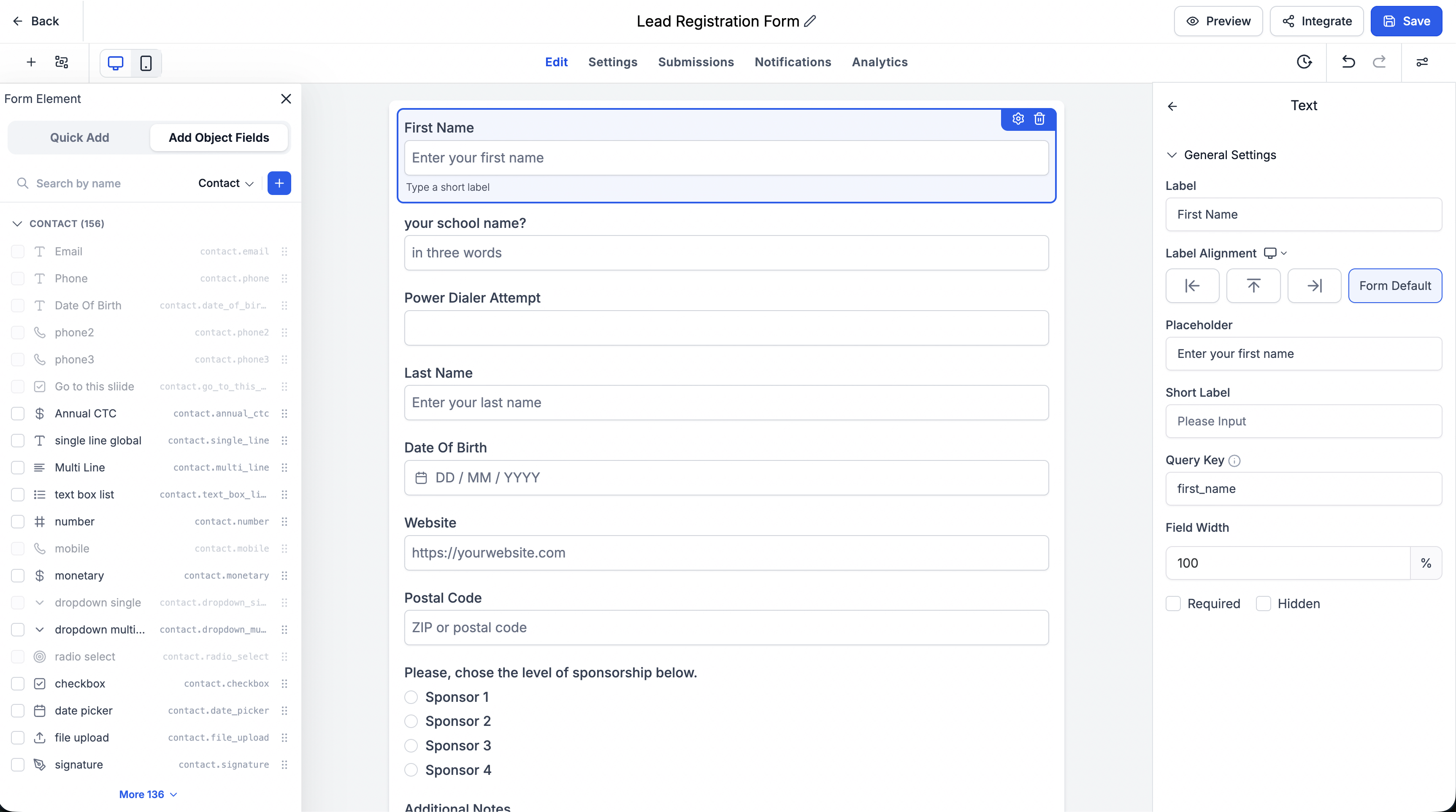
image (8)
  1. Pick an object (Contact, Opportunity, Business, or a custom object) from the dropdown.
  2. Optionally search by field name or expand a folder to browse.
  3. Check the fields you want using the checkboxes on the left of each row.
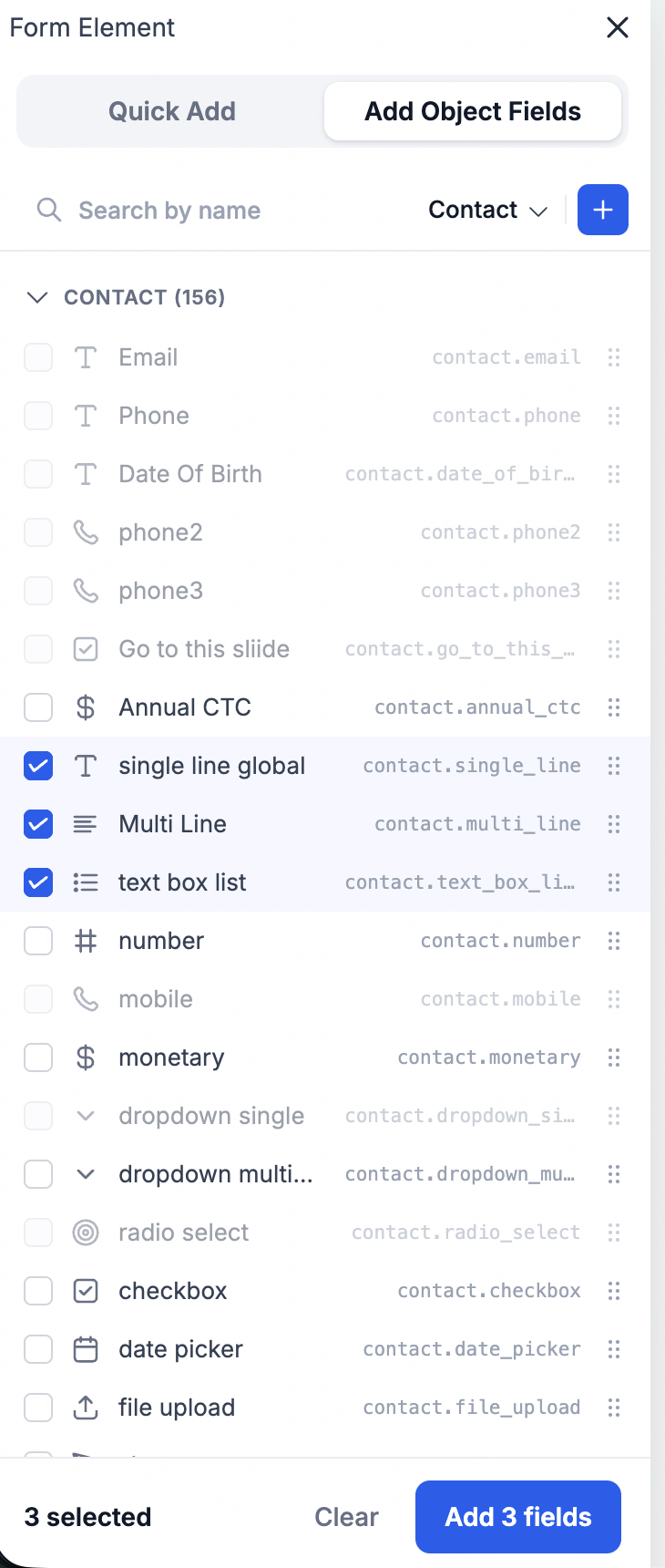
image (9)
  1. Either:
  • Click “

    Add N fields

    ” at the bottom of the sidebar to insert the whole selection at once, OR

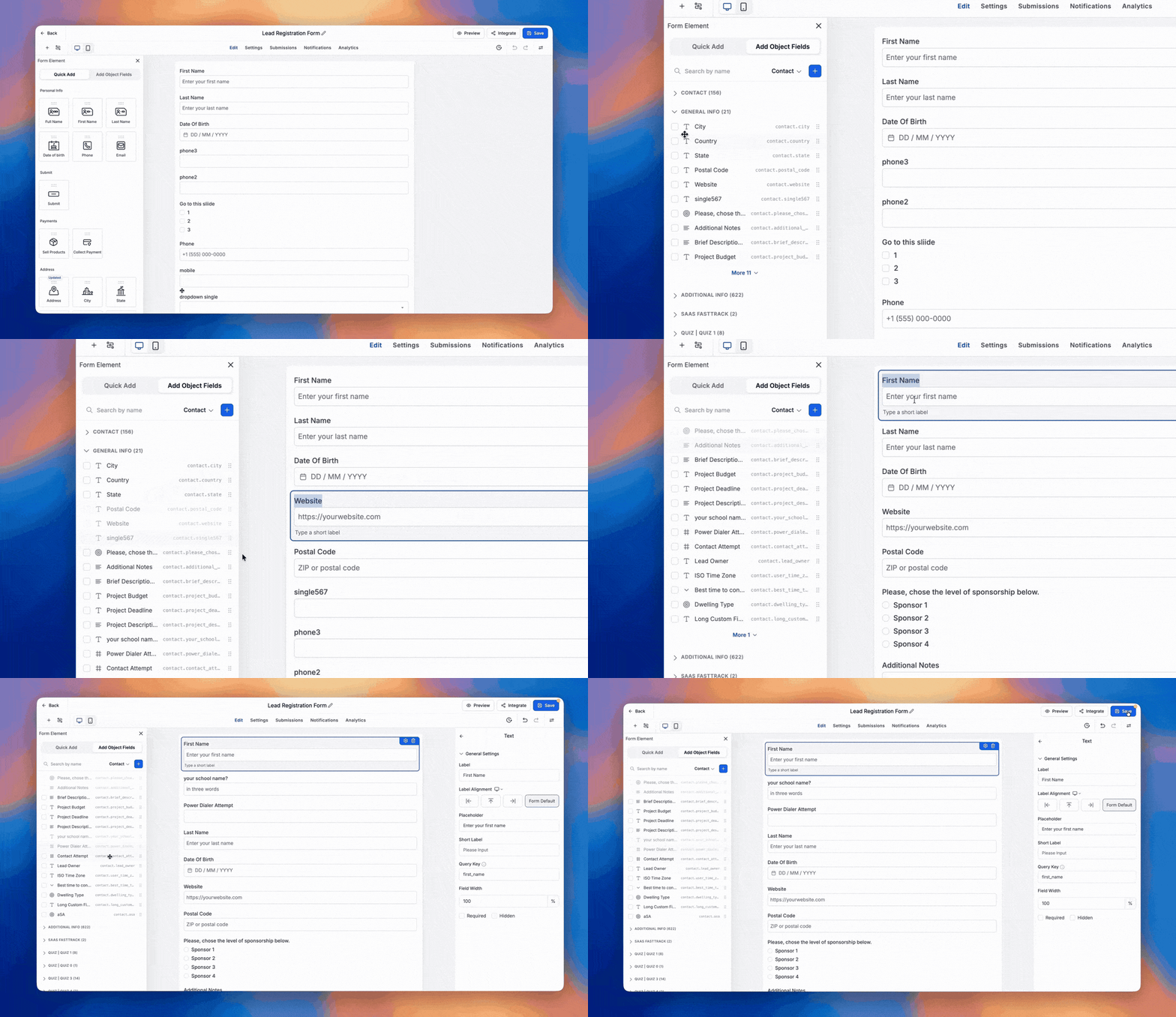
  • Drag

    any selected field onto the canvas — every checked field comes along as a group.
custom-field-management-compressed (1)
  1. The fields land on the canvas in the exact order they appear in the sidebar, right after whichever element you had active (or at the end of the slide/page if nothing was active).

That’s it — a full contact section that used to take a dozen clicks now takes two. 🚀

🎯

Selection Made Predictable

https://clixio.io/wp-content/uploads/2026/08/a9116aaf8d3ff69dc5afea8d09af89ae-scaled.png 1428 2560 Clixio.io https://clixio.io/wp-content/uploads/2023/08/clixio-logo-dark.png Clixio.io2026-08-19 00:05:002026-08-19 00:05:00Custom Fields Grouping & Bulk Management – Forms, Surveys & Quizzes

RSS feed: Latest Feature Updates Latest Feature Updates

  • Improved: Dynamic Value Chips with Improved error segmentation September 4, 2026
  • 📞 More Reliable Missed Call Text Back with Smarter Number Selection September 4, 2026
  • 🔐 Client Portal: “User login” Workflow Trigger Now Supports the New Client Portal Experience September 3, 2026
  • 📢 Carrier Fee Pricing Update – Effective October 1, 2026 September 3, 2026
  • Privacy Policy + T&C URLs on Toll-Free Verification September 2, 2026
  • Workflow Builder: Pick an Email Sender Domain for Each Workflow! August 28, 2026
  • Certificate AI Beta is now live August 27, 2026
  • 📅 Date Range Setting Can Now Count Only the Days You Actually Work August 27, 2026
  • Schedule Availability with Custom Open & Expiry Experiences – Form, Survey & Quiz August 27, 2026
  • WhatsApp messaging limits: now shown at the portfolio level August 27, 2026
Book a demo
See Clixio working
for your business, live.

30 minute call with our team. Personalised to your industry, no hard sell.

Book your free demo
14 day free trial · Cancel anytime
Clixio - Marketing and sales automation

Marketing & sales automation built for Australian service businesses. One platform, one flat rate, genuinely easy to use.

Product
Features Pricing How it works Latest updates
Company
Blog FAQ Get support Account transfers
Legal
Privacy Policy Terms & Conditions
© Clixio. All rights reserved. Made with ♡ in Australia.
Scroll to top Scroll to top Scroll to top