Conversations Usability Improvements | Clixio Changelog
We have introduced a range of usability improvements to the New Conversations UI. These enhancements aim to reduce friction during active conversations, particularly calls, enabling you to update contact details, switch channels, and navigate the interface more efficiently.
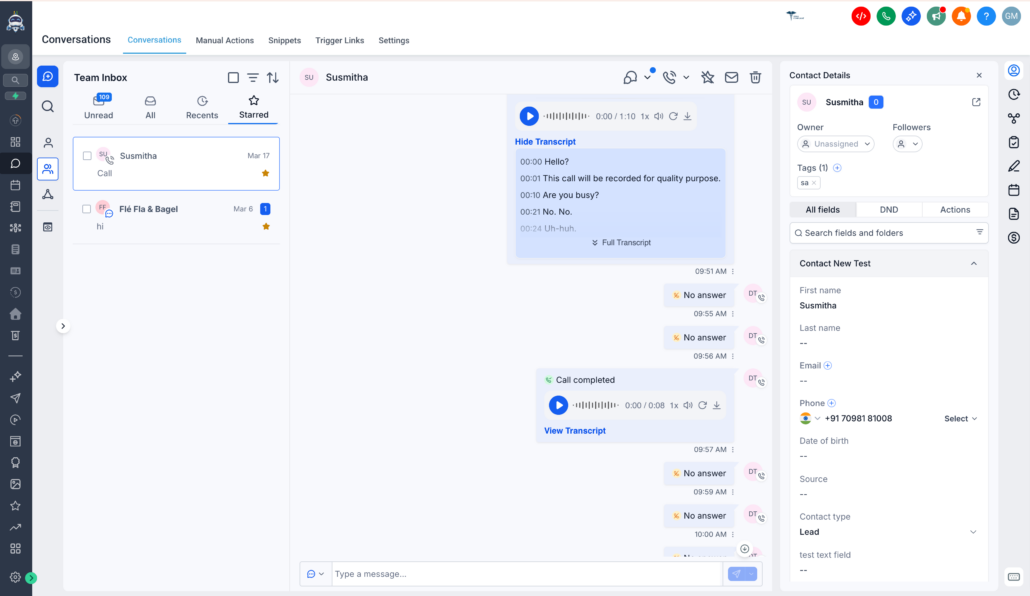
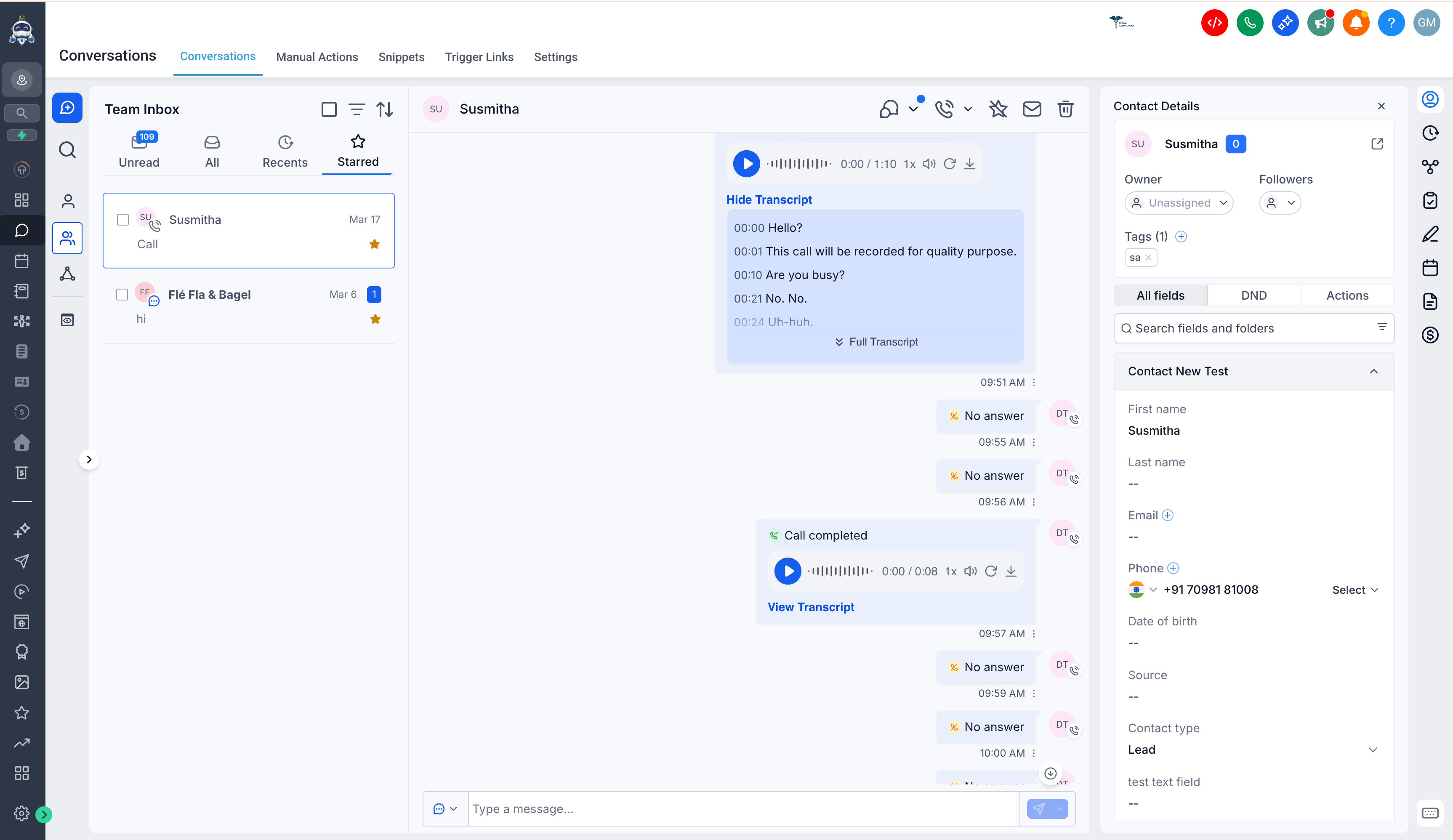
1. Update Contact Details While Viewing Call Transcripts:
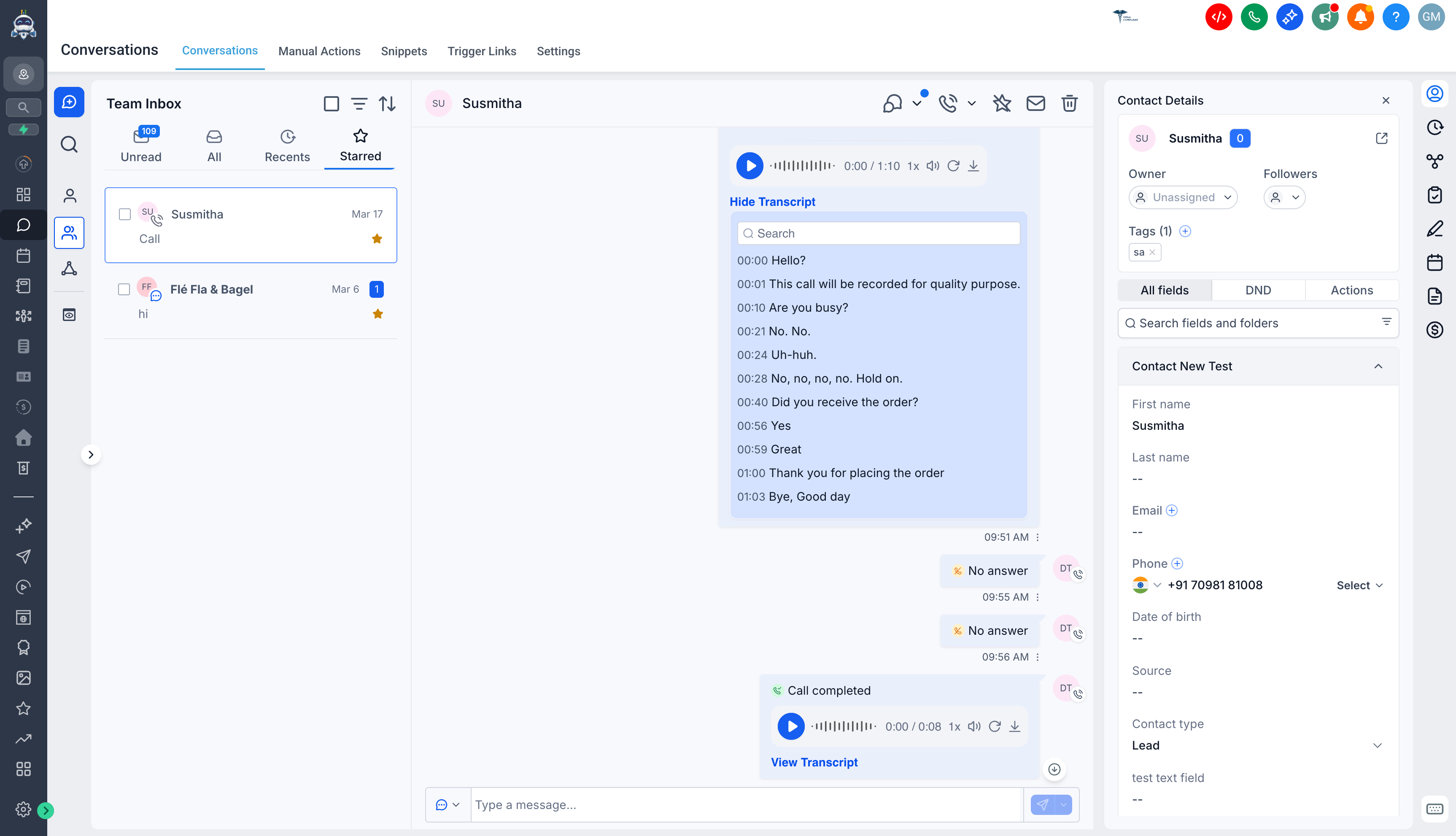
Previously, viewing a call transcript would overlay the contact details in the right panel, hindering users from updating information during a call. Now, transcripts open in the centre panel, allowing you to view transcripts and update contact details simultaneously without losing context.
2. Send Emails Instantly During Calls Without Refreshing:
Previously, when a contact shared their email address during a call, updating the email field did not enable the email channel in the composer unless the page was refreshed, which would disconnect the call. The composer now updates in real time, allowing you to continue the call and send emails without interruption.
3. Call Option Restored in New Conversation Flow:
When starting a conversation using the “Create New Conversation” button, the call option was missing from the centre panel. This has now been restored, enabling seamless call initiation from new conversations.
4. Improved Translations & Better Handling of Longer Text:
Previously, some parts of the page were not fully translated, and longer texts in certain languages caused UI issues. We have added the missing translations and improved text handling with truncation and tooltips, ensuring a consistent, fully translated, and stable UI across languages.