🚀 Conversations Usability Improvements | Clixio Changelog
We have introduced usability improvements in the Conversations new interface to reduce friction in everyday workflows. These changes specifically tackle challenges in bulk actions and internal comments, enabling users to work more efficiently.
1. Bulk Select Flow Improvement
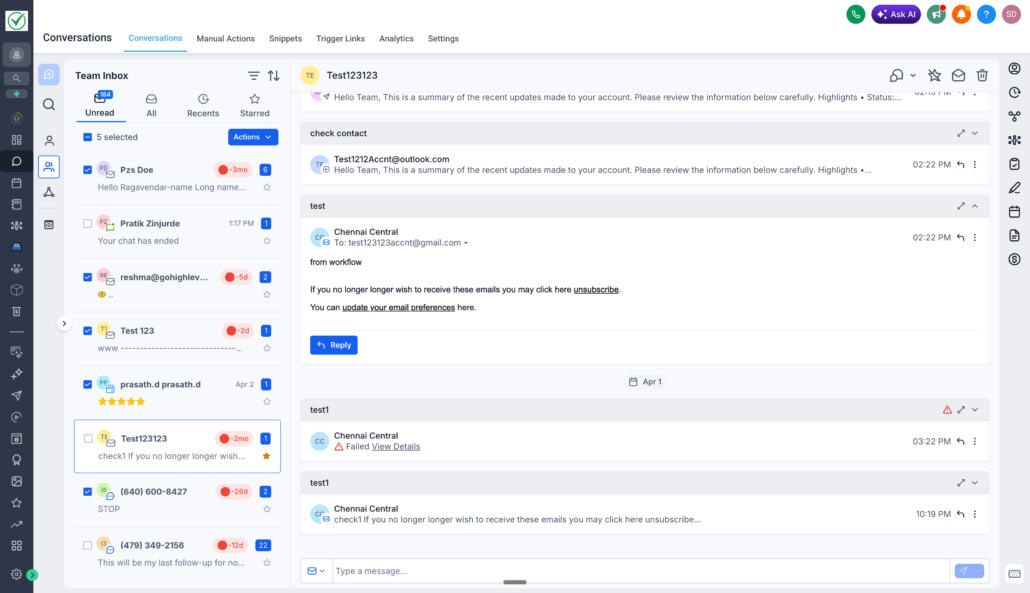
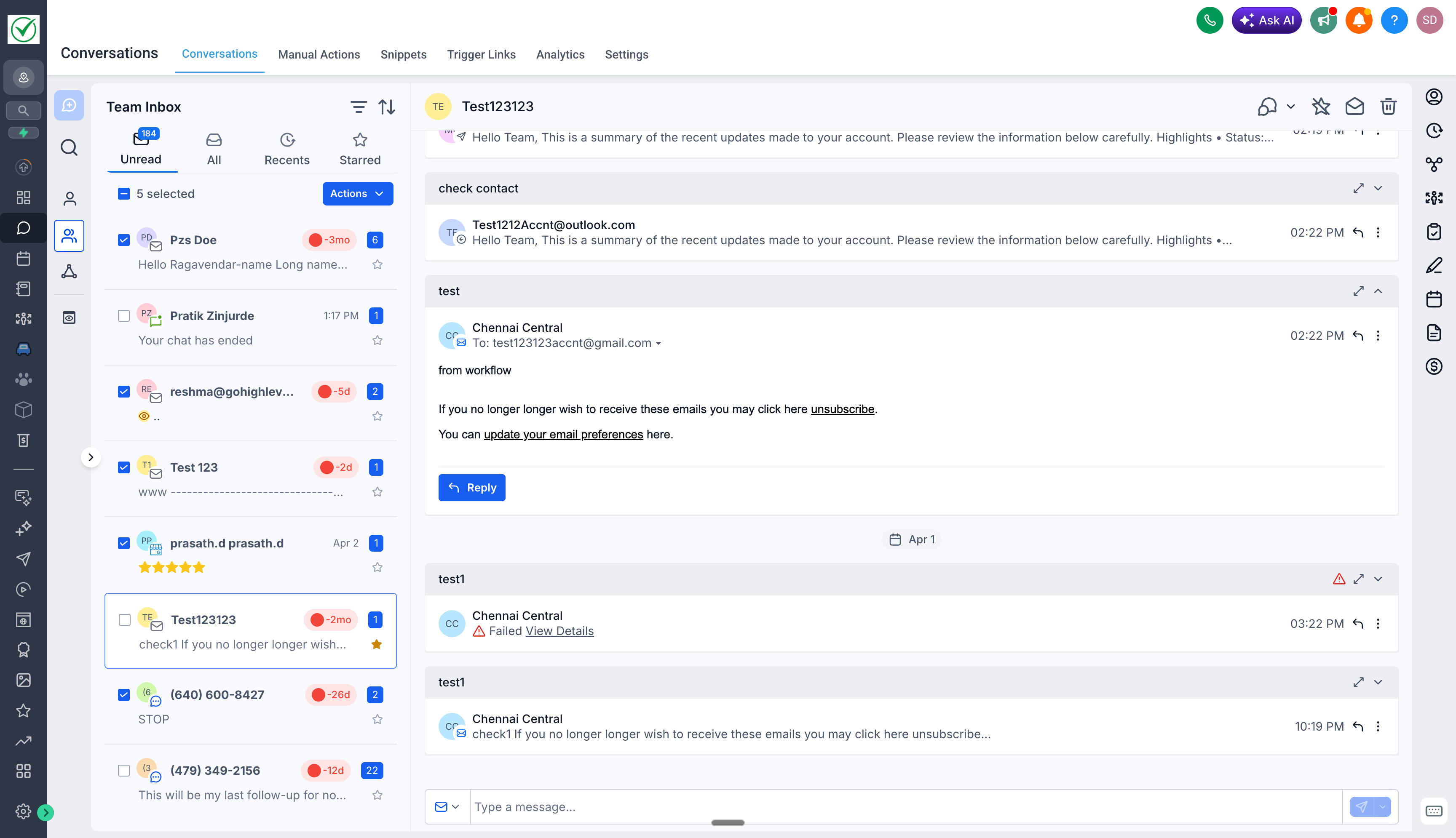
- Previously, bulk actions appeared in the centre panel, obscuring the chat history. This made it difficult for users to review conversations before making selections. Moreover, clicking anywhere outside the checkbox would clear the entire selection, leading to frustration and repeated efforts.
- Now, bulk actions are positioned at the top, allowing you to view conversations while selecting them simultaneously. Selections are maintained even if you click elsewhere on the card. Clicking on a chat card opens the conversation without losing your selection, while clicking the checkbox adds or removes it from the selection, resulting in a much smoother and more reliable flow.
2. Internal Comment – Faster Access
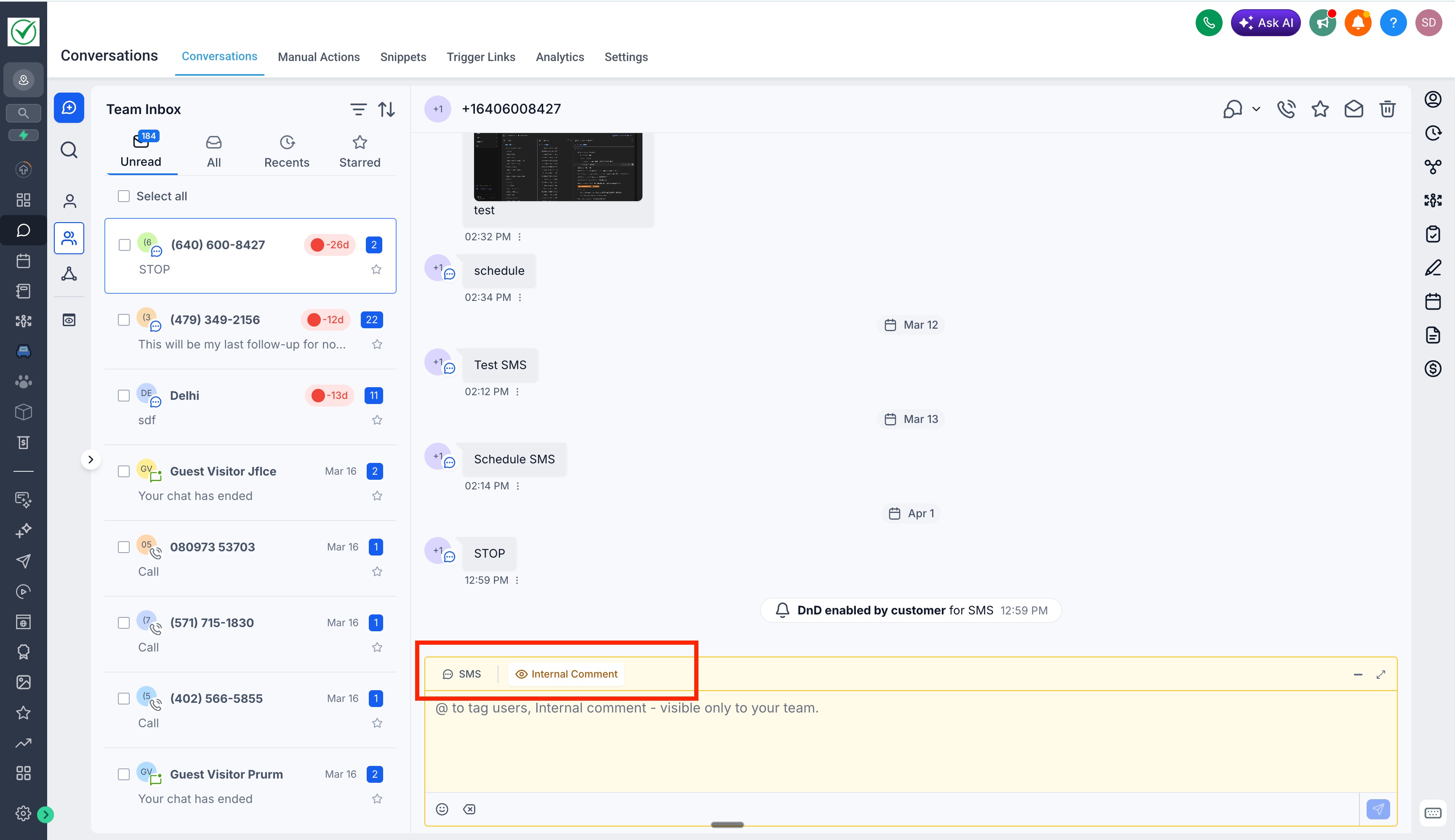
- Previously, adding an internal comment required users to open the channel selector, scroll to locate “Internal Comment”, add the comment, and then switch back to the original channel, which was slow and disruptive during active conversations.
- Now, Internal Comment is directly accessible within the composer with a single click. You can quickly toggle between replying to a customer and leaving an internal comment, making collaboration much faster and more seamless.