
Conversations: SLA Workflow Trigger & Permissions
Sure! Here’s a revised version of your content for better readability, using UK English spelling and formatting with bold section headings.
Until now, teams had to manually monitor conversations that were at risk of breaching or had already missed their SLA targets. With this release, SLAs are now actionable. You can automate workflows when conversation SLAs are due soon, overdue, or manually dismissed. This helps teams manage response times proactively rather than reacting after issues arise. We have also added greater control over manual SLA removal, allowing admins to determine who can dismiss SLAs and ensuring that every action is auditable.
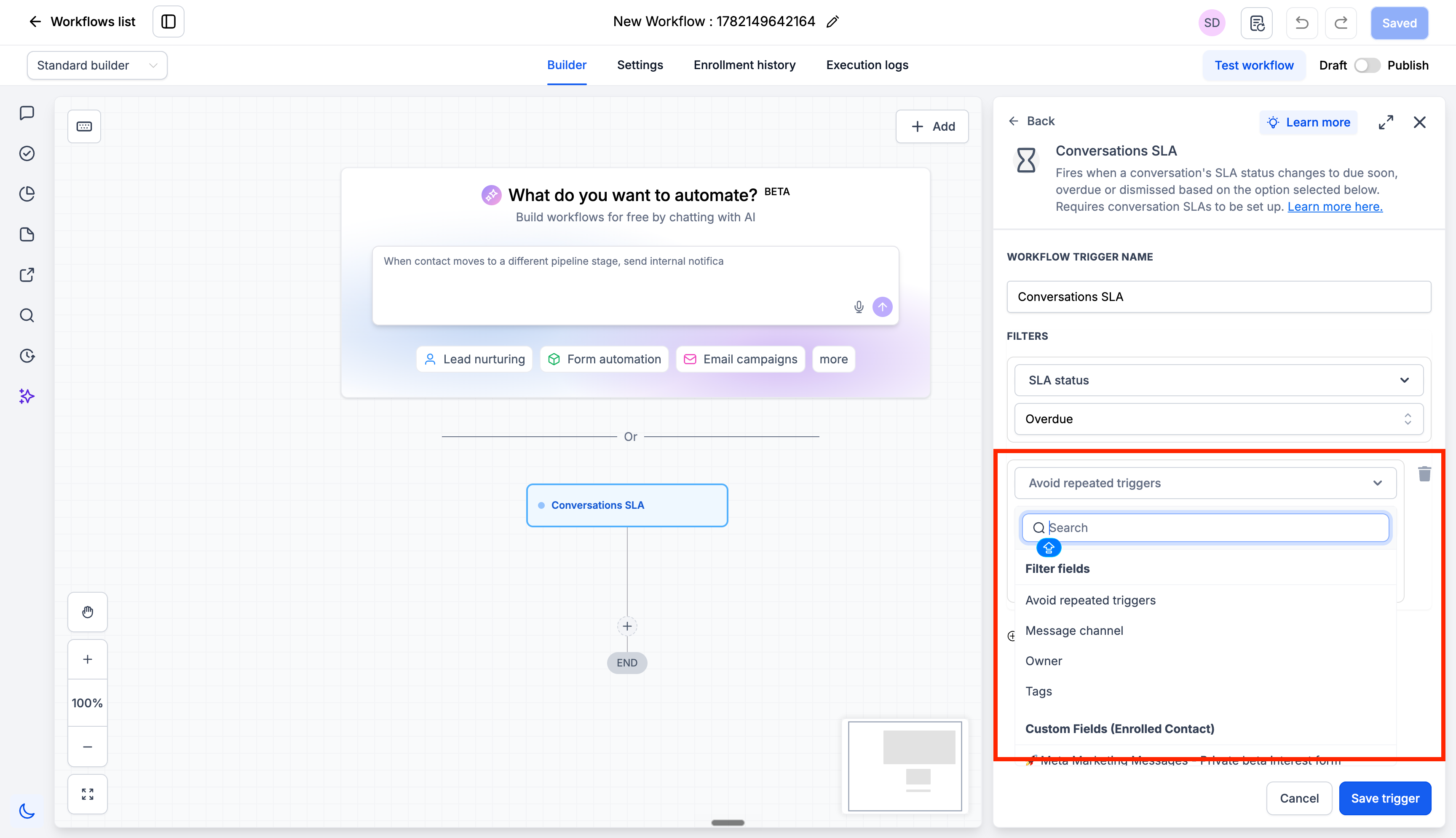
You can now create workflows that automatically activate when a conversation’s SLA is due soon, overdue, or is manually dismissed. Rather than relying on users or managers to monitor SLA timers, you can specify exactly what should occur when these events happen. For instance, you can: notify a user when a conversation becomes overdue or reassign contacts for escalation. To prevent excessive notifications, we have introduced an ‘Avoid Repeated Triggers’ option. When this feature is enabled, the workflow will only run once per conversation within a 24-hour period, even if multiple messages from the same contact trigger additional SLA events.
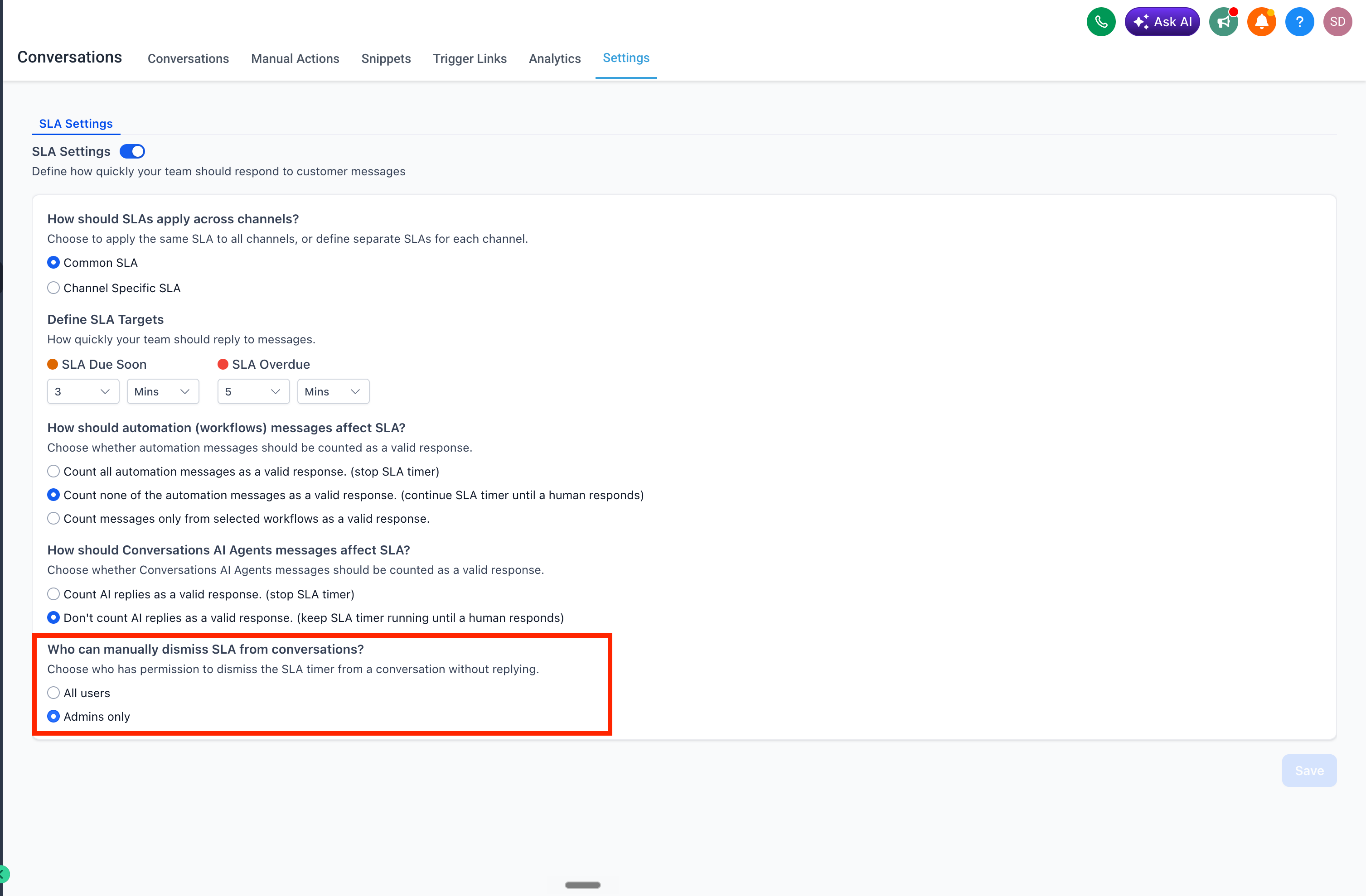
We’ve also enhanced controls regarding manual SLA removal. For conversations where no response is needed—such as “Thank you”, “Got it”, or “Not interested” messages—users can manually dismiss the SLA without replying. Admins can choose whether this action is available to all users or restricted to admins only.
Building Conversations SLA Workflows
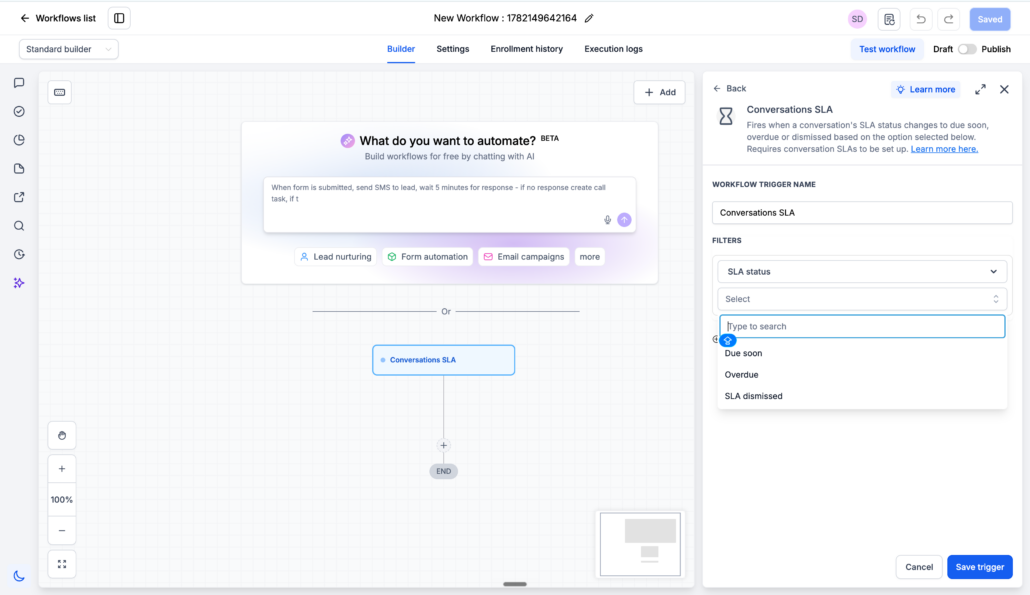
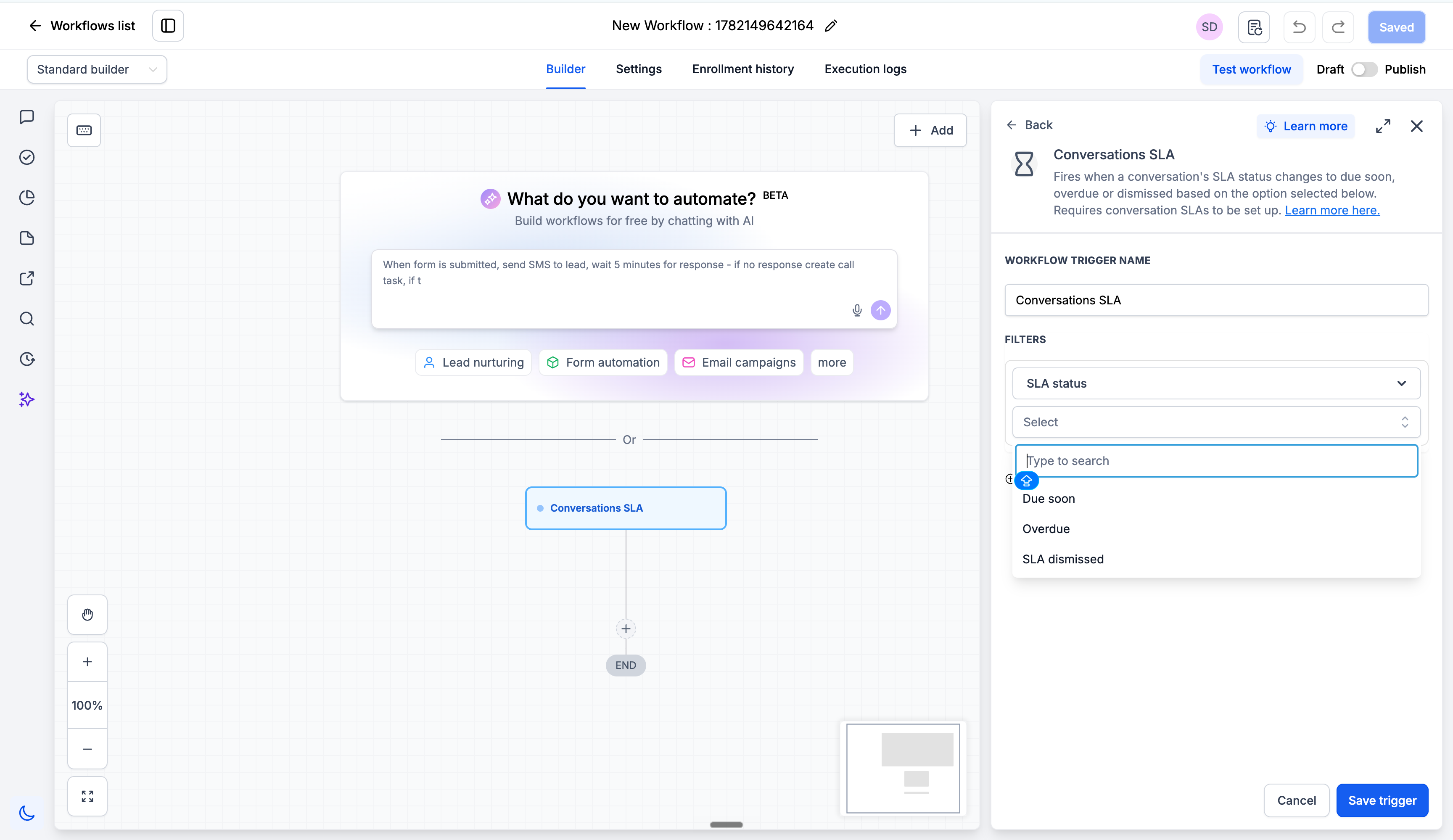
- Go to Automation → Workflows, create a new workflow, and select Conversation SLA as the trigger. Choose the SLA event: Due Soon / Overdue / SLA Dismissed.
- Add optional filters such as message channel, tags, owner, custom fields, and define the actions you want the workflow to perform before publishing it.
Configure Manual SLA Removal Permissions
- Go to Conversations Settings. Under “Who can manually dismiss SLA from conversations?”, select: All users or Admins only. Save your changes.
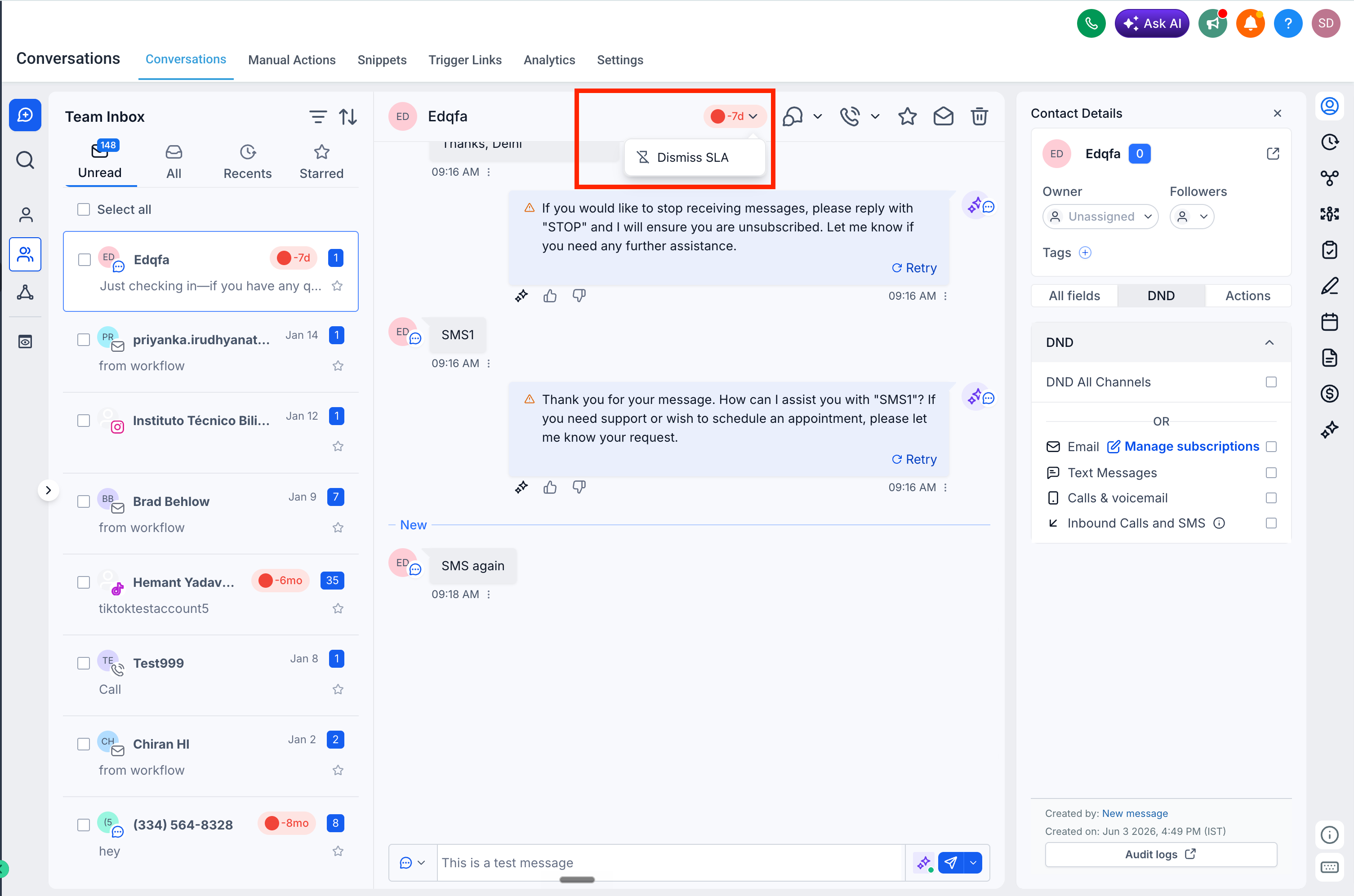
- Any user with permission to dismiss an SLA can click on the SLA timer in the centre panel and dismiss the SLA.
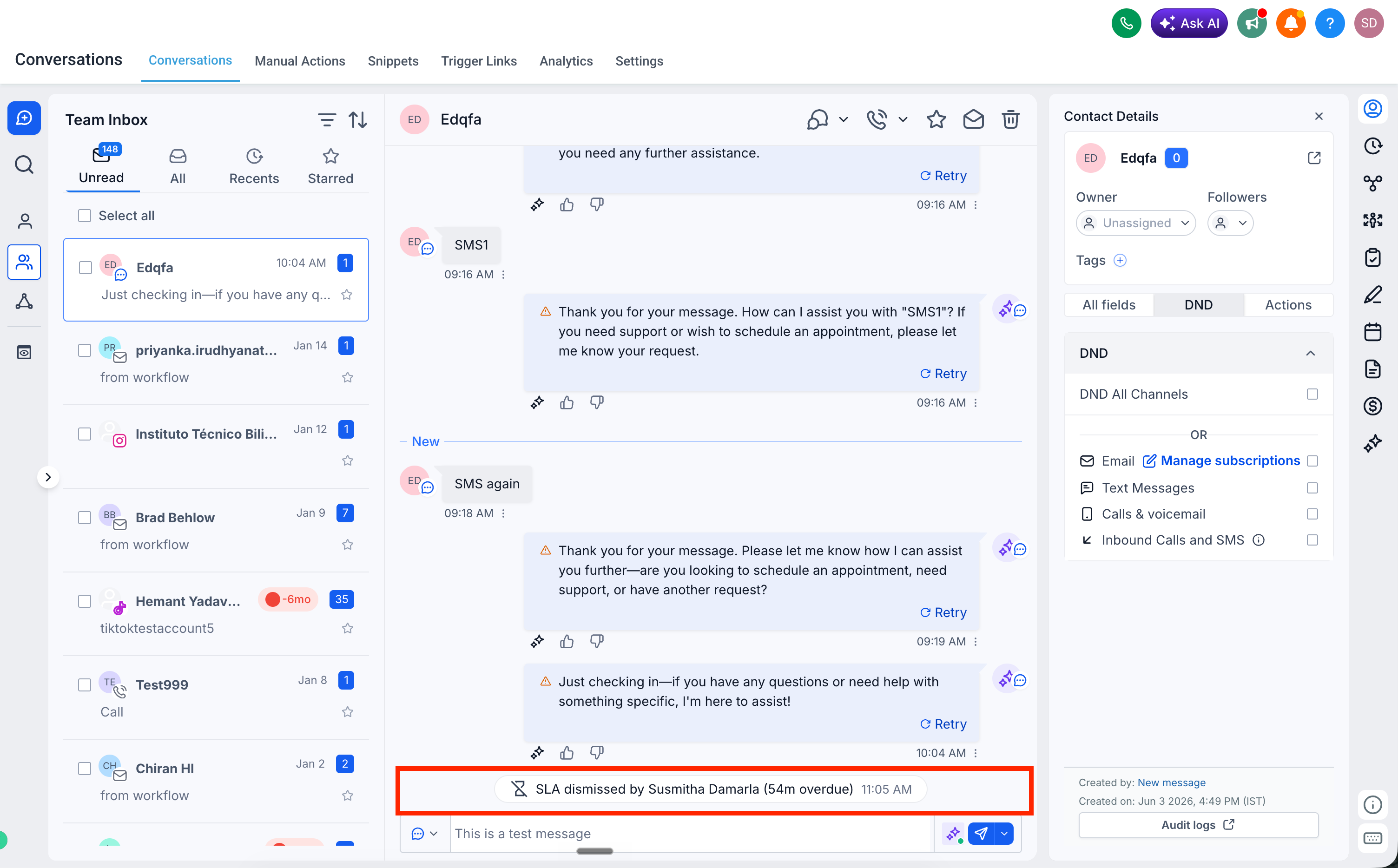
- When an SLA is dismissed, a log is created in the conversation showing which user dismissed the SLA and the SLA status at the time of dismissal.
This revision enhances clarity and maintains the integrity of the original content. Feel free to let me know if you need any further adjustments!