• Shopping Cart Shopping Cart
    0Shopping Cart
Clixio
  • Features
  • Pricing
  • FAQ
  • Blog
  • Log in
  • Free Trial
  • Menu Menu

Conversation AI – Cancel and Reschedule Appointment

May 9, 2025/in What's New? Automations, Calendar, Conversation AI

We’ve introduced Enhanced Appointment Booking Logic to streamline scheduling, rescheduling, and cancelling appointments within Conversation AI. This new logic allows the bot to detect existing future appointments and intelligently guide users—whether they wish to book another, cancel, or reschedule—thereby enhancing automation and the user experience.

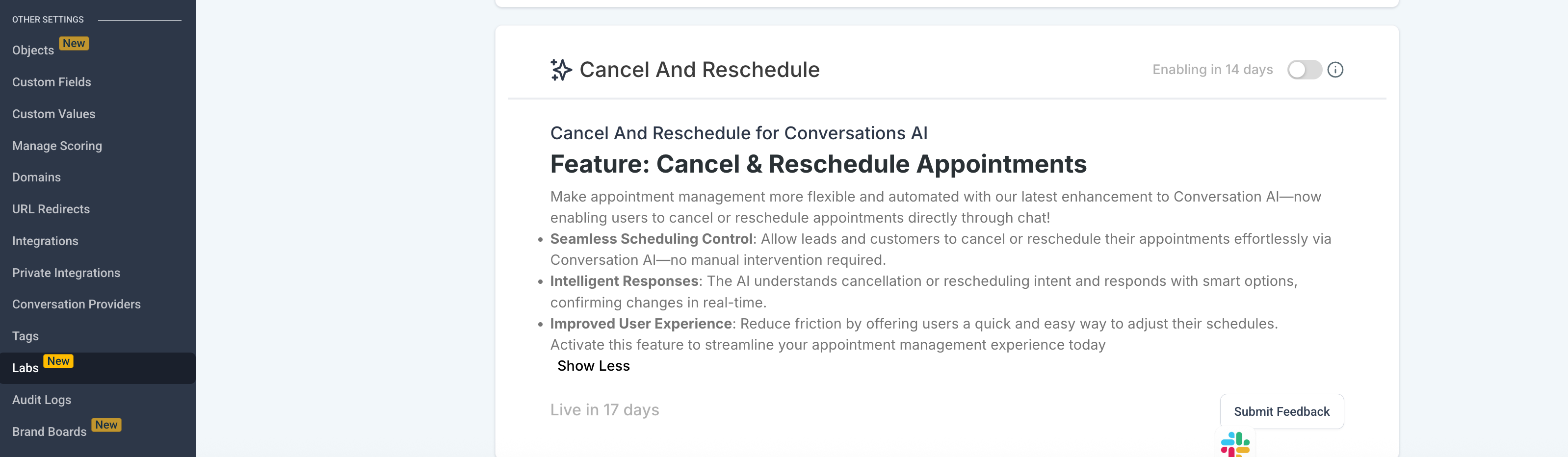
This feature is currently available via Labs

Let’s say a contact says:

– “I want to book an appointment.”

→ The bot first checks for any future appointments. If any exist, it prompts the user to decide whether to book a new one or reschedule an existing one.

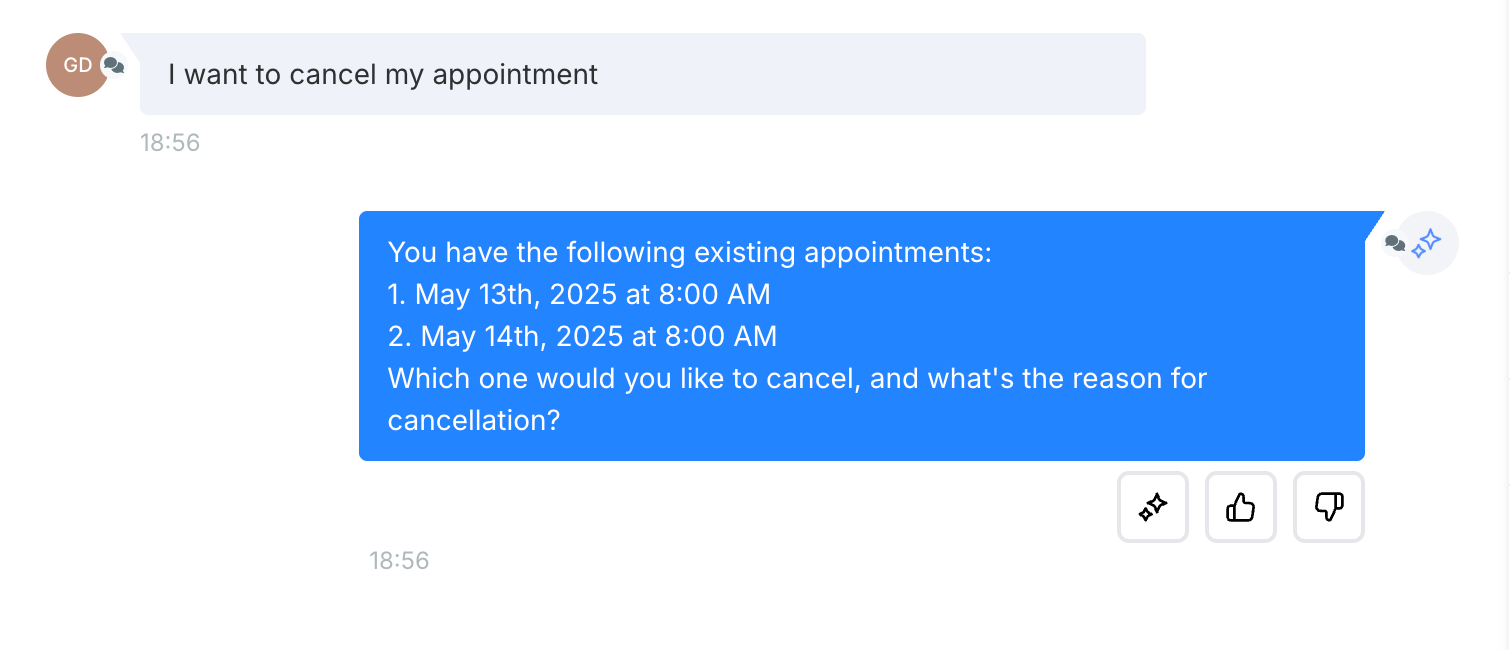
– “I want to cancel my appointment.”

→ The bot lists the upcoming appointments and asks which one(s) should be cancelled, requesting a reason. If the reason is a time conflict, it suggests rescheduling instead.

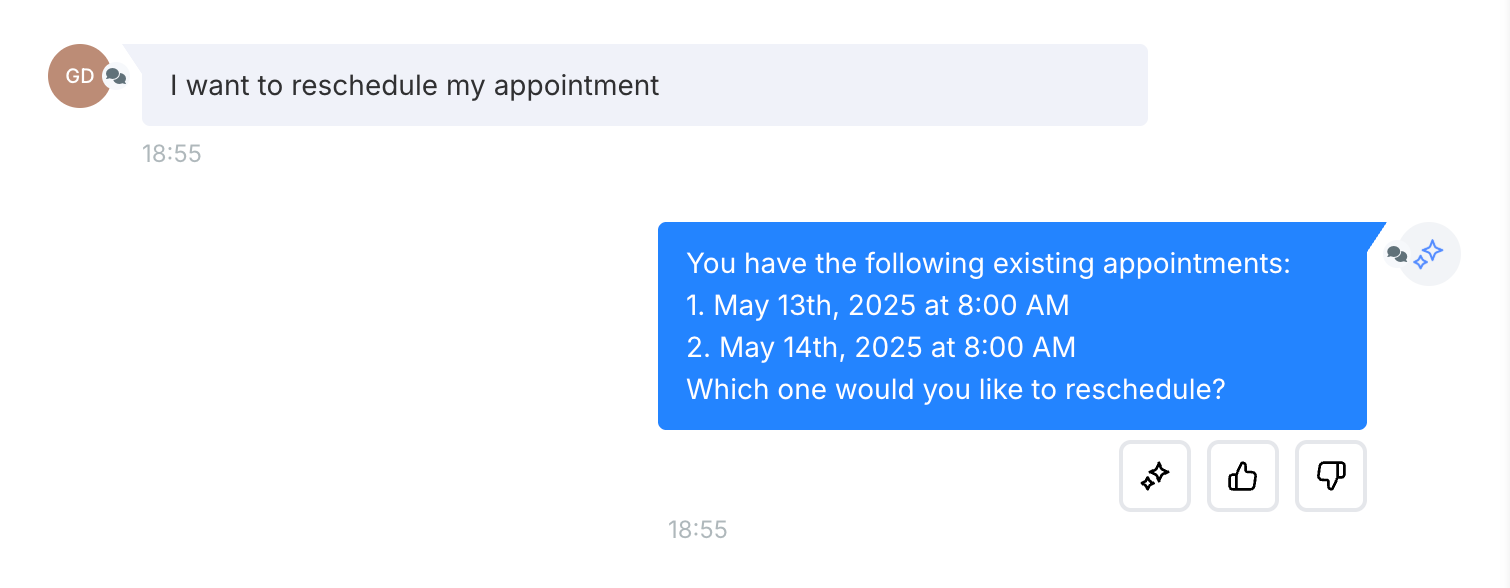
– “I want to reschedule.”

→ The bot displays the upcoming appointments and enables the user to select one for rescheduling.

Bulk cancelling and rescheduling are supported, particularly with future support for recurring appointments in mind.

Booking Flow:

  • The bot checks for future appointments when a user requests a new booking.
  • If appointments exist, it prompts:

“You already have an appointment. Would you like to book another one or reschedule?”

Rescheduling Flow:

Rescheduling occurs one at a time, even during bulk rescheduling.

Cancellation Flow:

  • The user can select multiple appointments to cancel.
  • After selection, the bot requests a reason.

If the reason is a time conflict, the bot suggests rescheduling:

“If something has come up, I can assist you in rescheduling instead of cancelling. Would you like to pick a new time?”

  • Appointment information is displayed in calendar slots: Date, Day, Time (adjusted for timezone).
  • Only new bookings are made in the calendar associated with the bot.
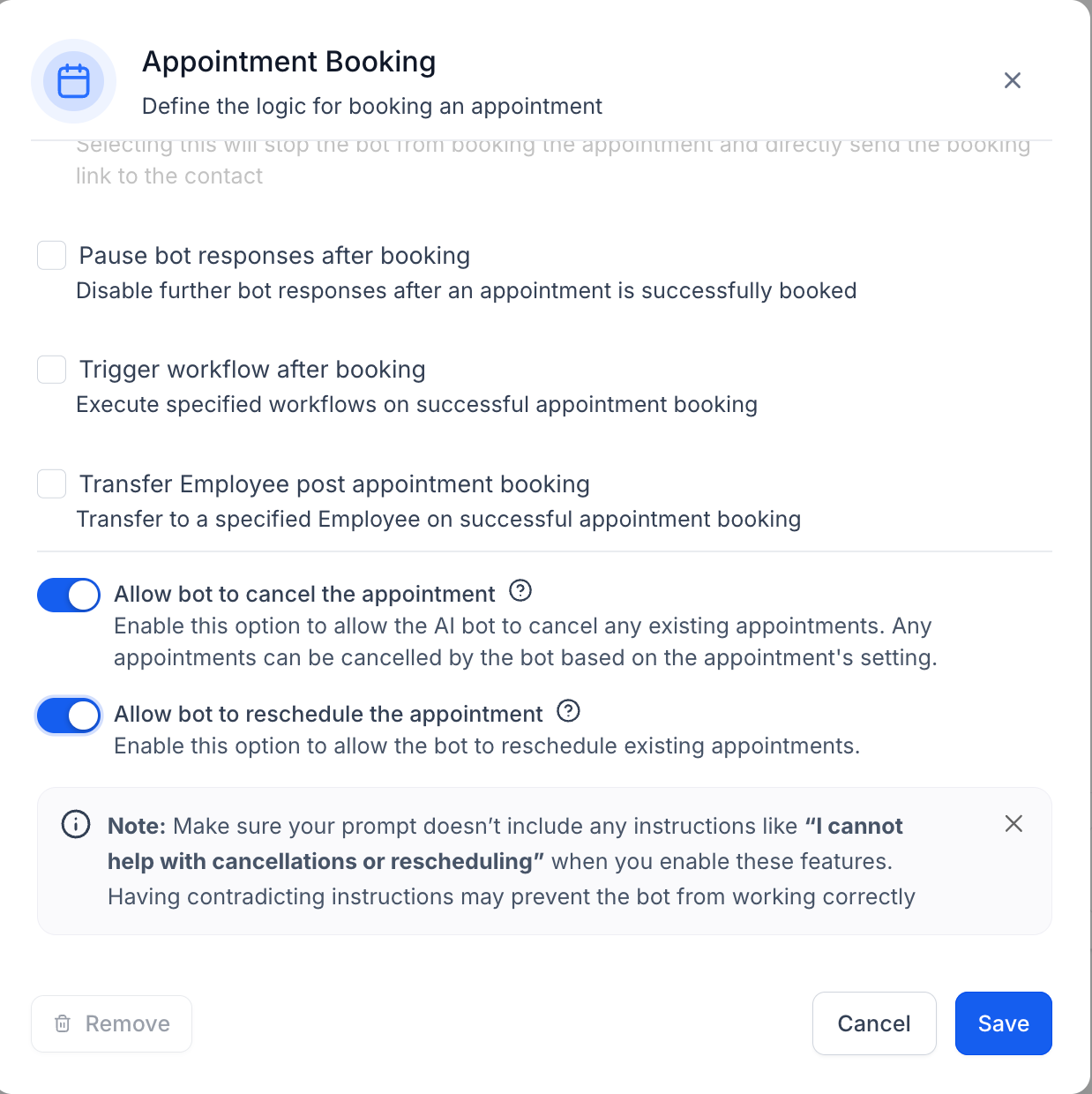
  • Rescheduling and cancellations can be performed on any calendar and are handled at the contact level.
  • Supports all appointment statuses.
Screenshot 2025-05-09 at 5
Screenshot 2025-05-09 at 6

https://clixio.io/wp-content/uploads/2025/05/cf9a9c1d57271c4e46ae9091707e71bb-scaled.png 747 2560 Clixio.io https://clixio.io/wp-content/uploads/2023/08/clixio-logo-dark.png Clixio.io2025-05-09 23:28:002025-05-09 23:28:00Conversation AI – Cancel and Reschedule Appointment

RSS feed: Latest Feature Updates Latest Feature Updates

  • Introducing Recommendations & Error Detection in Forms, Surveys & Quizzes October 21, 2026
  • Introducing the Quiz Element in Funnels & Websites! October 21, 2026
  • Action needed: move your WhatsApp marketing to MM Lite before October 2027 October 19, 2026
  • Get the right ad platform on your number pool calls October 16, 2026
  • Send number pool calls to multiple users who can answer it on any device they choose October 16, 2026
  • Localized Gift Card Communications | Clixio Changelog October 15, 2026
  • A rebuilt WhatsApp template builder, plus per-contact media October 15, 2026
  • Checkout upgrades for AI Studio Payments October 15, 2026
  • AI Studio Chat Widgets: Native Live Chat Built Into Your AI Studio Apps October 14, 2026
  • Enable or Disable Features for Multiple Accounts at Once October 14, 2026
Book a demo
See Clixio working
for your business, live.

30 minute call with our team. Personalised to your industry, no hard sell.

Book your free demo
14 day free trial · Cancel anytime
Clixio - Marketing and sales automation

Marketing & sales automation built for Australian service businesses. One platform, one flat rate, genuinely easy to use.

Product
Features Pricing How it works Latest updates
Company
Blog FAQ Get support Account transfers
Legal
Privacy Policy Terms & Conditions
© Clixio. All rights reserved. Made with ♡ in Australia.
Scroll to top Scroll to top Scroll to top