
🔐 Control Google Sign-In on Your Client Portal
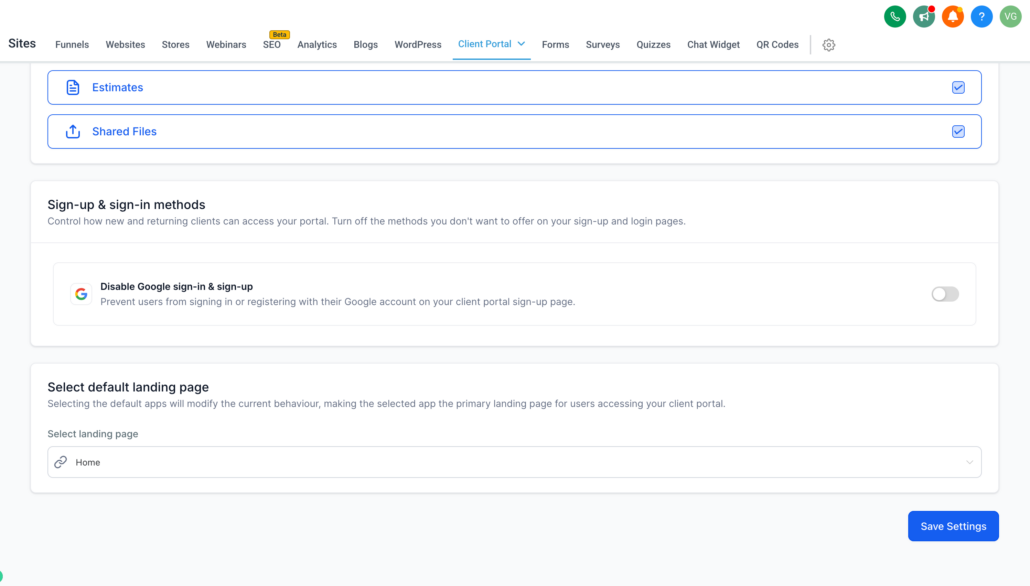
Clixio has introduced a new feature that allows sub-accounts to manage the visibility of the “Sign in with Google” option on the Client Portal sign-up and login pages. Administrators can now enable or disable Google Sign-In directly within the Client Portal app permissions, providing businesses with the flexibility to tailor their sign-up experience in accordance with their compliance and data-handling requirements (such as GDPR and other European regulations).
- Google Sign-In Toggle — Show or hide the Google button on your portal’s sign-up and login pages.
- Managed in App Permissions — Control is placed directly in the hands of the sub-account admin, eliminating the need for support tickets.
- Compliance Flexibility — Remove third-party sign-in options to adhere to regional privacy rules (e.g. GDPR).
- Navigate to your sub-account → Sites > Client Portal settings.
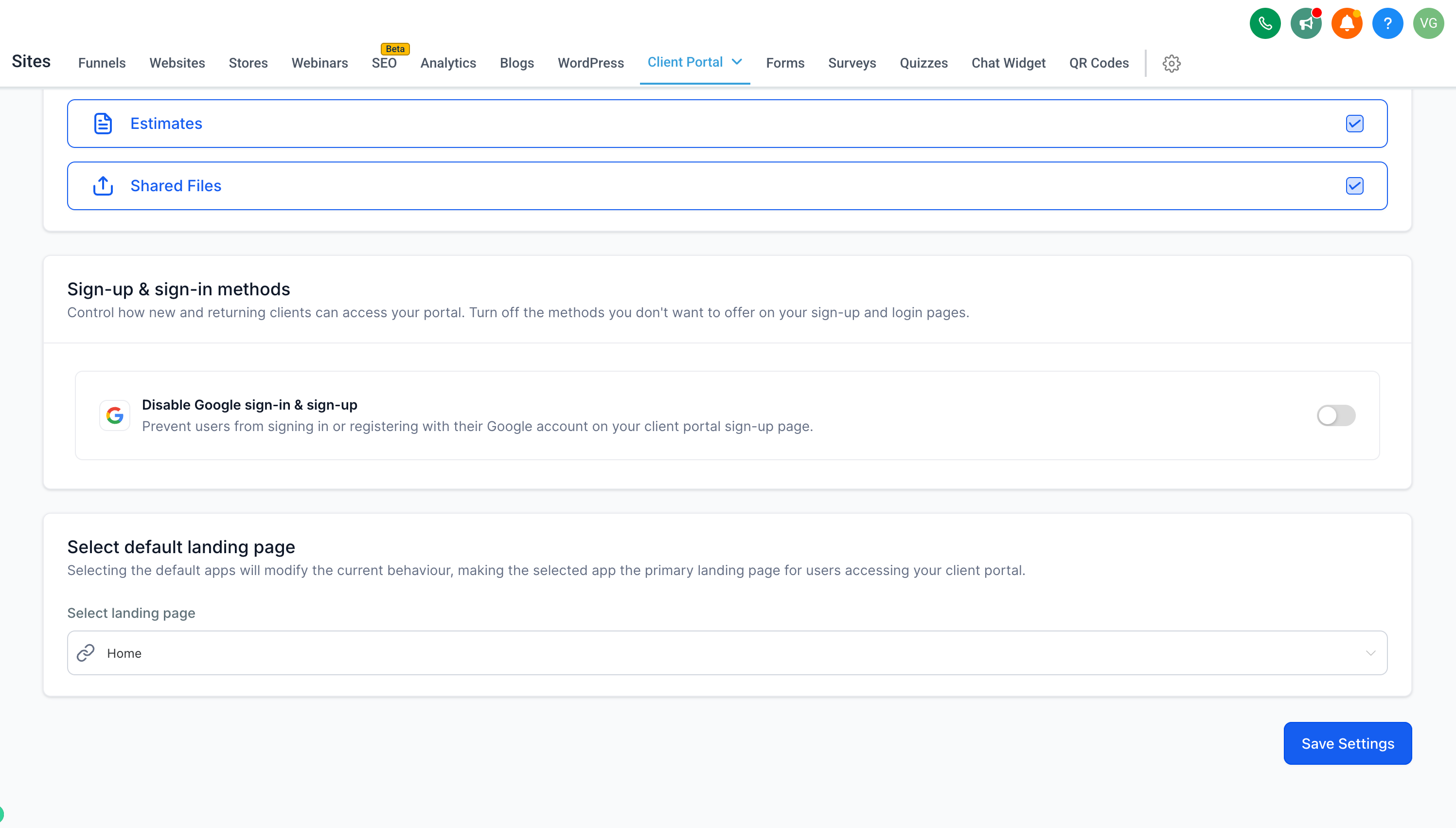
- Access App Permissions and scroll to Sign-up & sign-in methods.
- Toggle the Disable Google sign-in & sign-up option ON or OFF.
- Click Save Settings — and you’re done!
- Previously, Google Sign-In was permanently enabled, with no option to disable it — raising compliance issues for businesses that must adhere to European (GDPR) data-handling requirements.
- Now, sub-accounts have complete control over which authentication options are available on their portal, allowing for a sign-up experience that aligns with regulatory and business needs.
- When disabled, contacts can sign up or log in using only an email and password, or by entering a secure code.
- This configuration is managed per sub-account via Client Portal app permissions.
This feature is available on the Client Portal Web platform.