
Contact-to-Contact Association | Clixio Changelog
This release introduces the ability to associate multiple contacts with one another using custom labels, allowing users to define and manage relationships between contacts (e.g., Parent-Child, Spouse, Business Partner).
What’s New?
-
Custom Contact Associations:
Users can now associate two or more contacts using custom labels such as “Parent,” “Spouse,” or “Business Partner” and also pair of labels like “Husband-Wife”, “Manager-Employee”
-
Multiple Associations:
Contacts can have multiple associations, allowing for up to 10 custom labels per contact relationship.
-
View Linked Contacts:
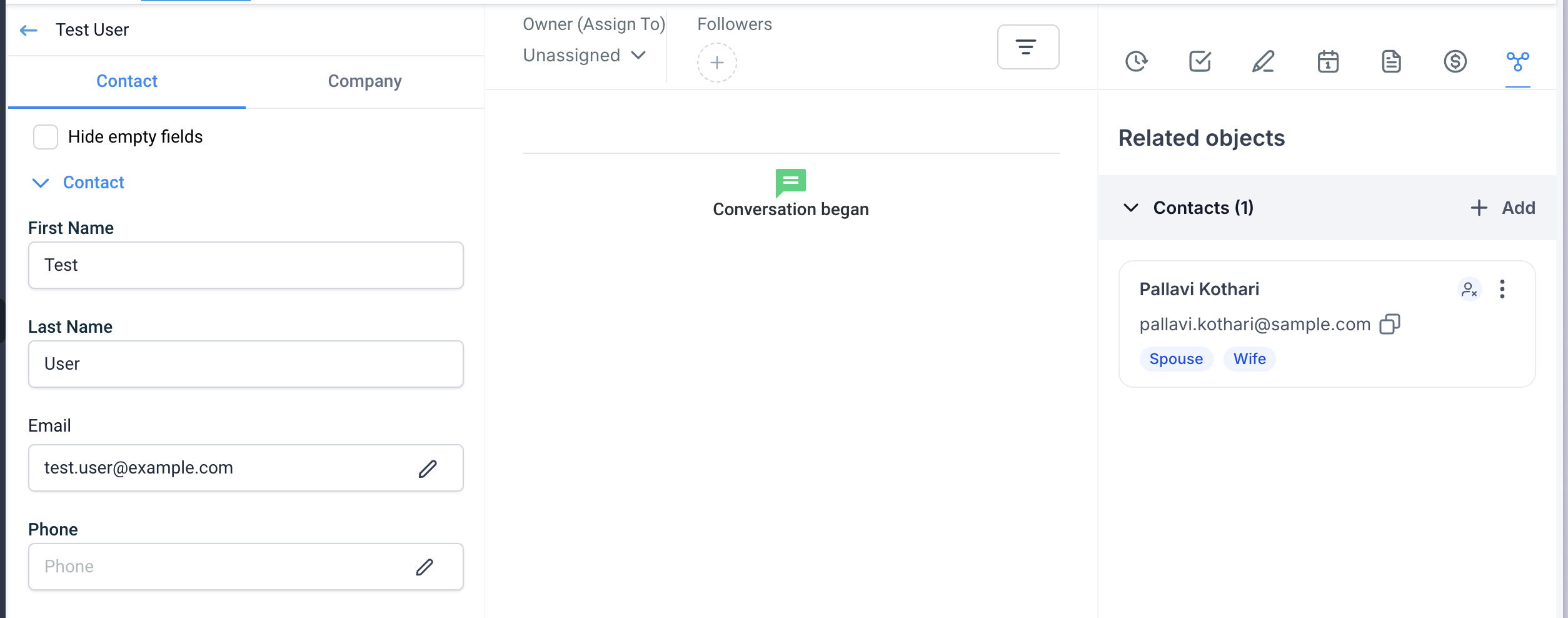
A new section in the contact details view displays all linked contacts, grouped by association labels. This provides a clear overview of all related contacts.
-
Manage Association Labels:
Users can manage labels, create new associations, and remove or edit existing labels for complete control over contact relationships.
How to Use:
1. Creating Associations:
- Admins can create custom labels by navigating to Settings > Objects > Contacts and clicking on “+ Create Association.”
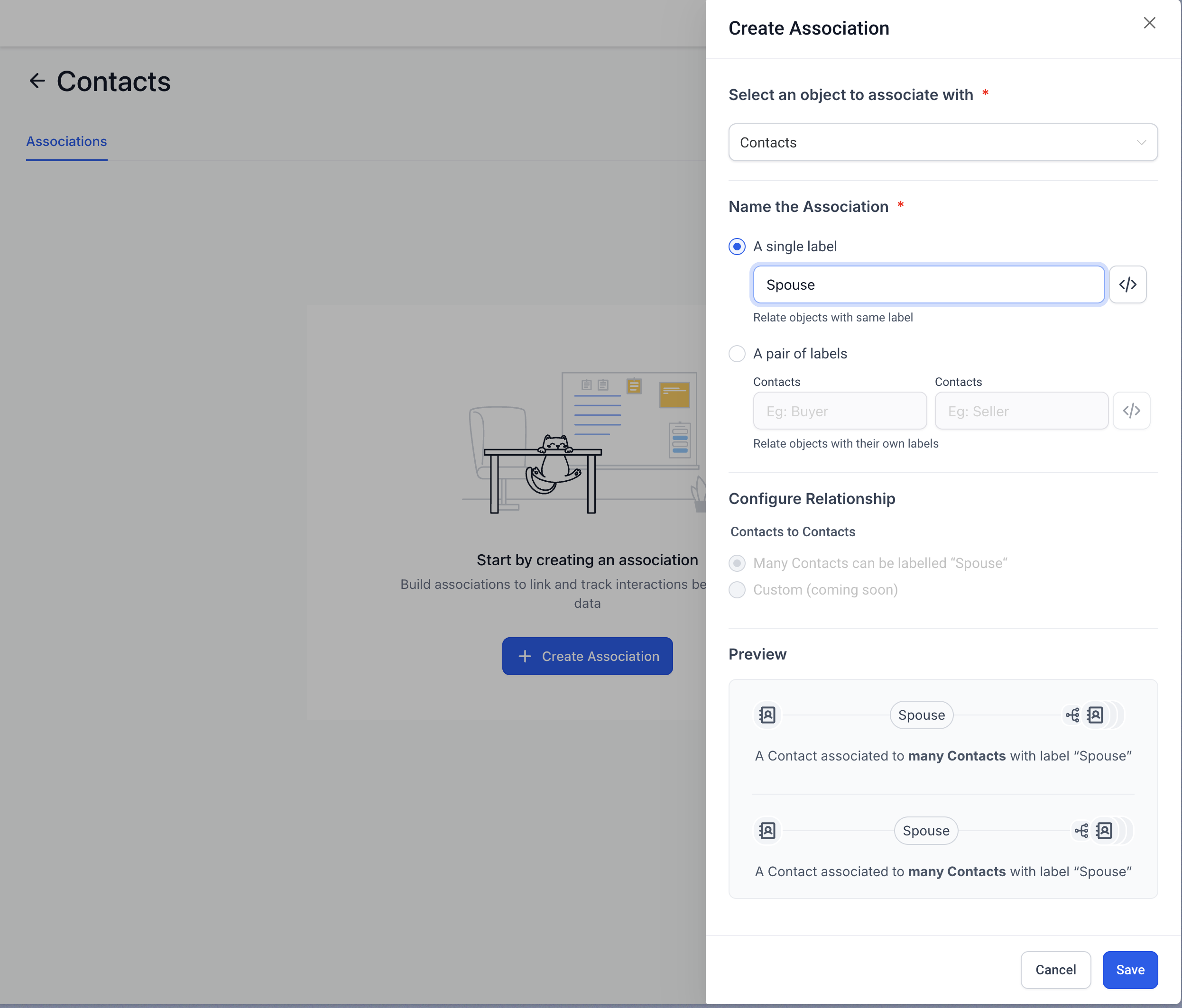
- Choose between a single label or pair of labels (e.g., Manager-Employee) and click Save.
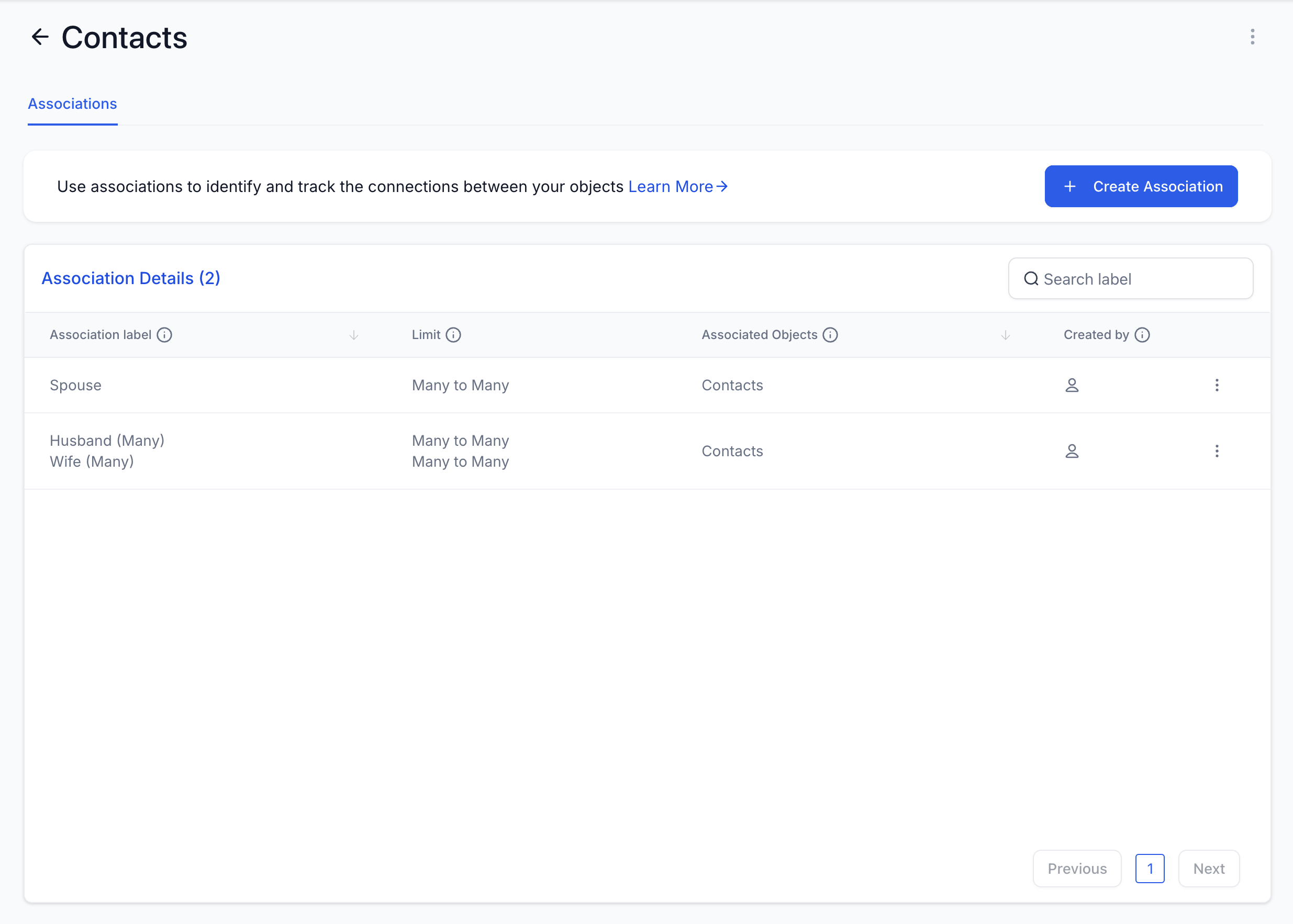
- The newly created association labels can be edited or deleted by using the kebab menu (three dots).

2. Linking and Viewing Linked Contacts:
- Open a contact’s detail page and go to the “Associations” section on the right panel.
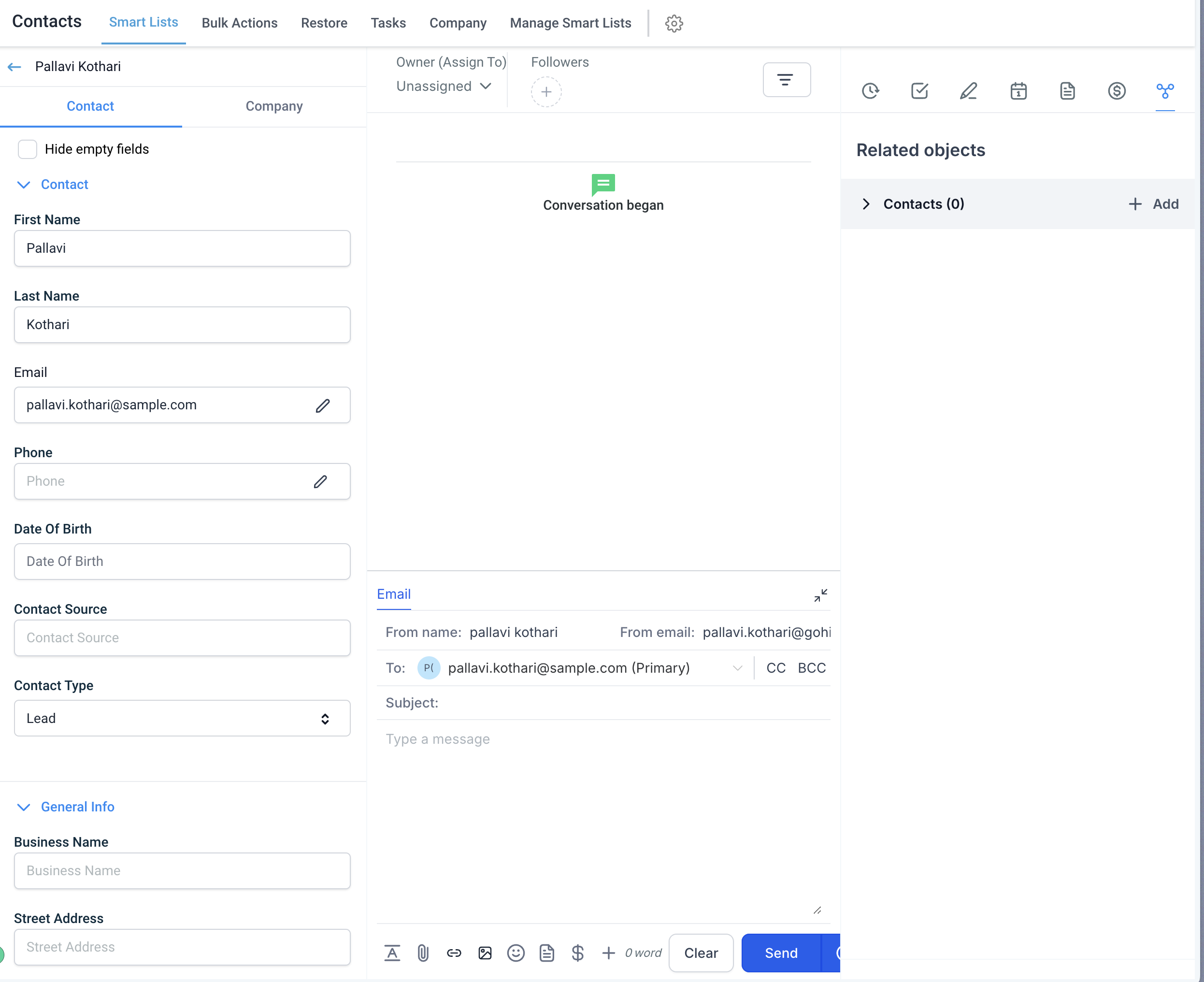
- Click “Add” next to Contacts to start linking another contact.
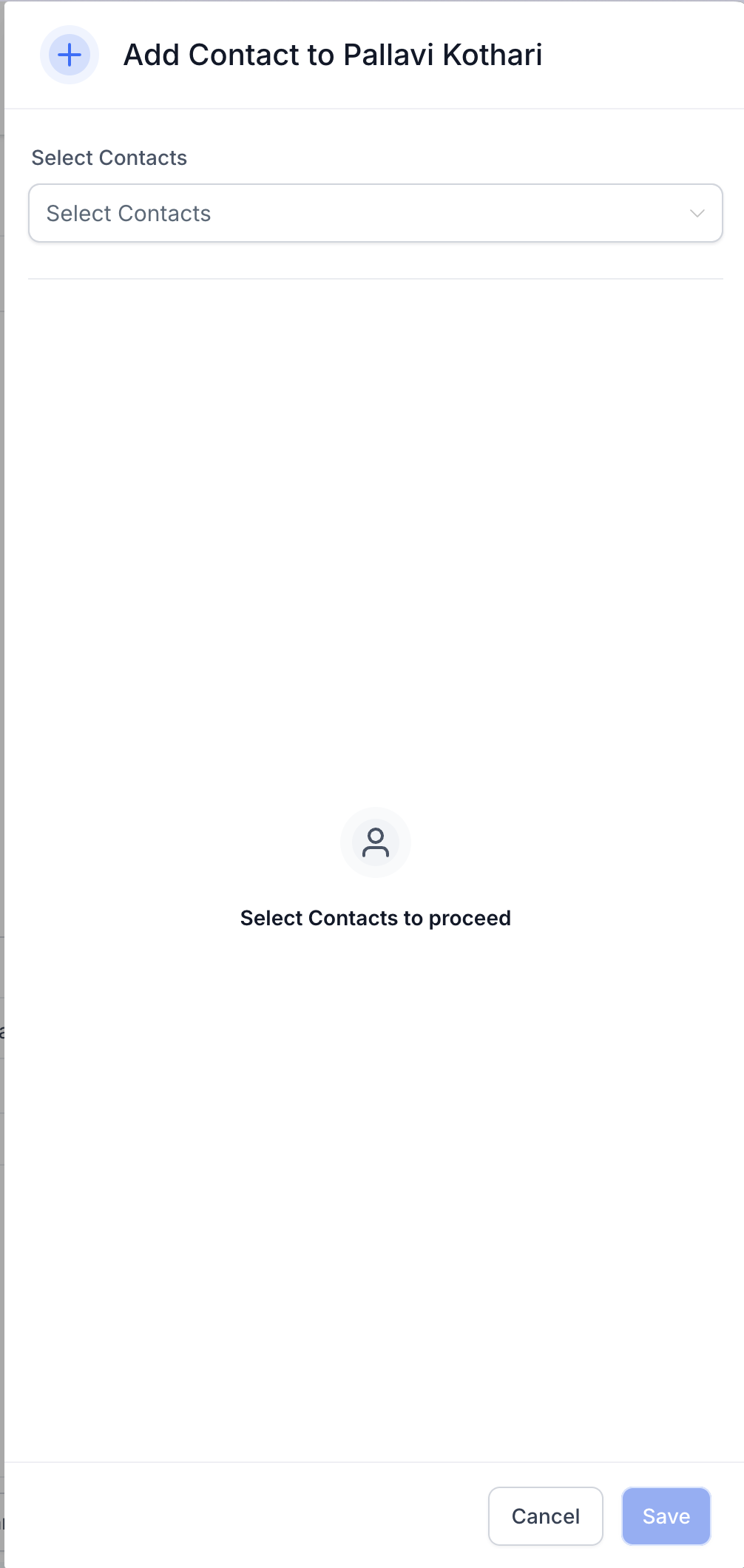
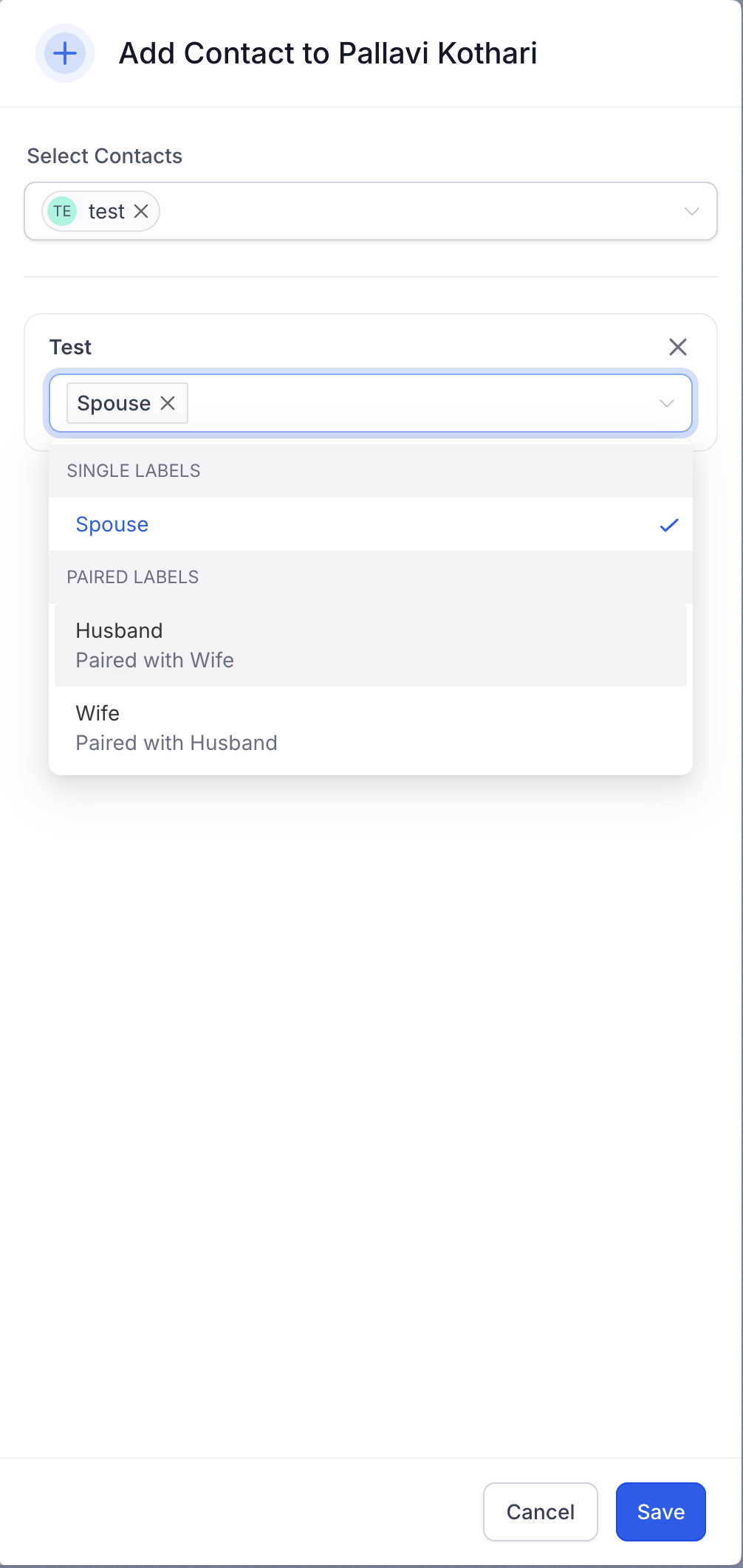
- Select the contact to associate and choose the relevant labels for the relationship.
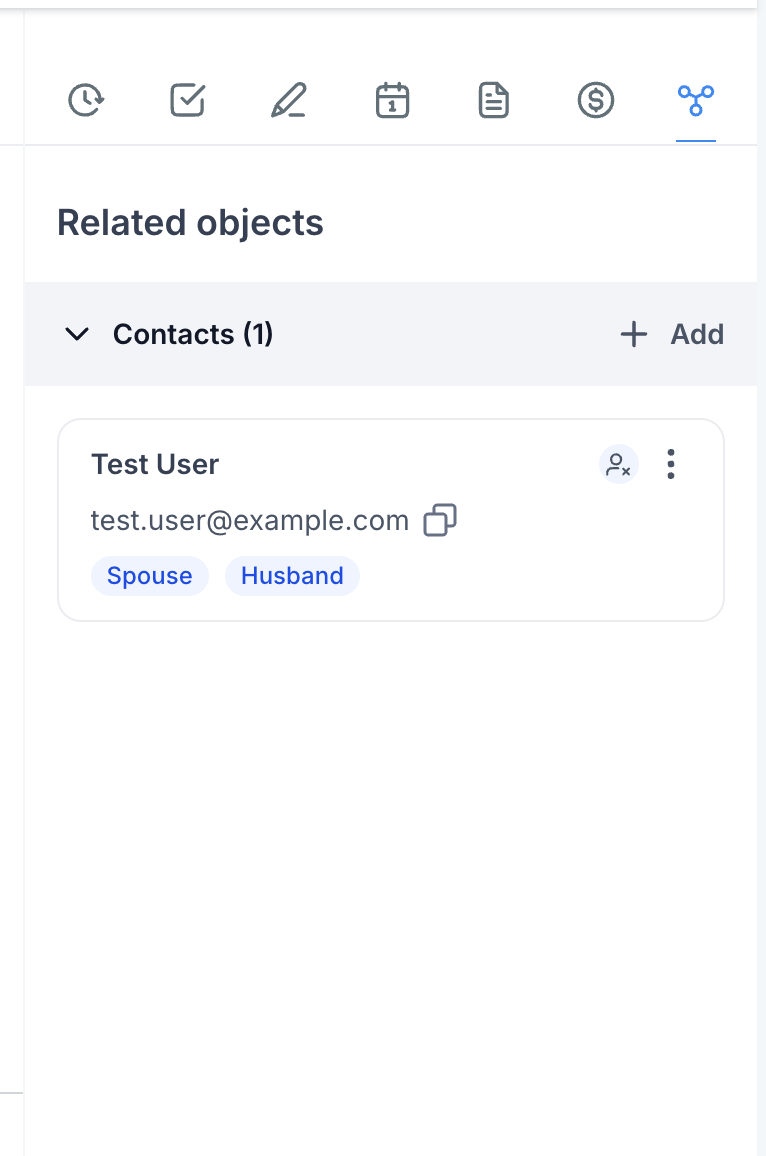
- The associated contact will now be visible in the contact’s details, and the linked contact will reflect the pairing at the other end.
What’s Next?:
- Enhanced Workflow Actions for Associated Contacts: Future updates will expand workflows to include more actions for associated contacts, such as automated contact creation and updates.
- Conversations with Linked Contacts: Easily manage conversations with associated contacts by CCing multiple linked contacts in emails or SMS and referencing custom fields in messages