• Shopping Cart Shopping Cart
    0Shopping Cart
Clixio
  • Features
  • Pricing
  • FAQ
  • Blog
  • Log in
  • Free Trial
  • Menu Menu

Configure payment provider by channel ⚙️

February 10, 2026/in What's New? Communities, Dashboard, Forms, Funnels and Websites, Payments
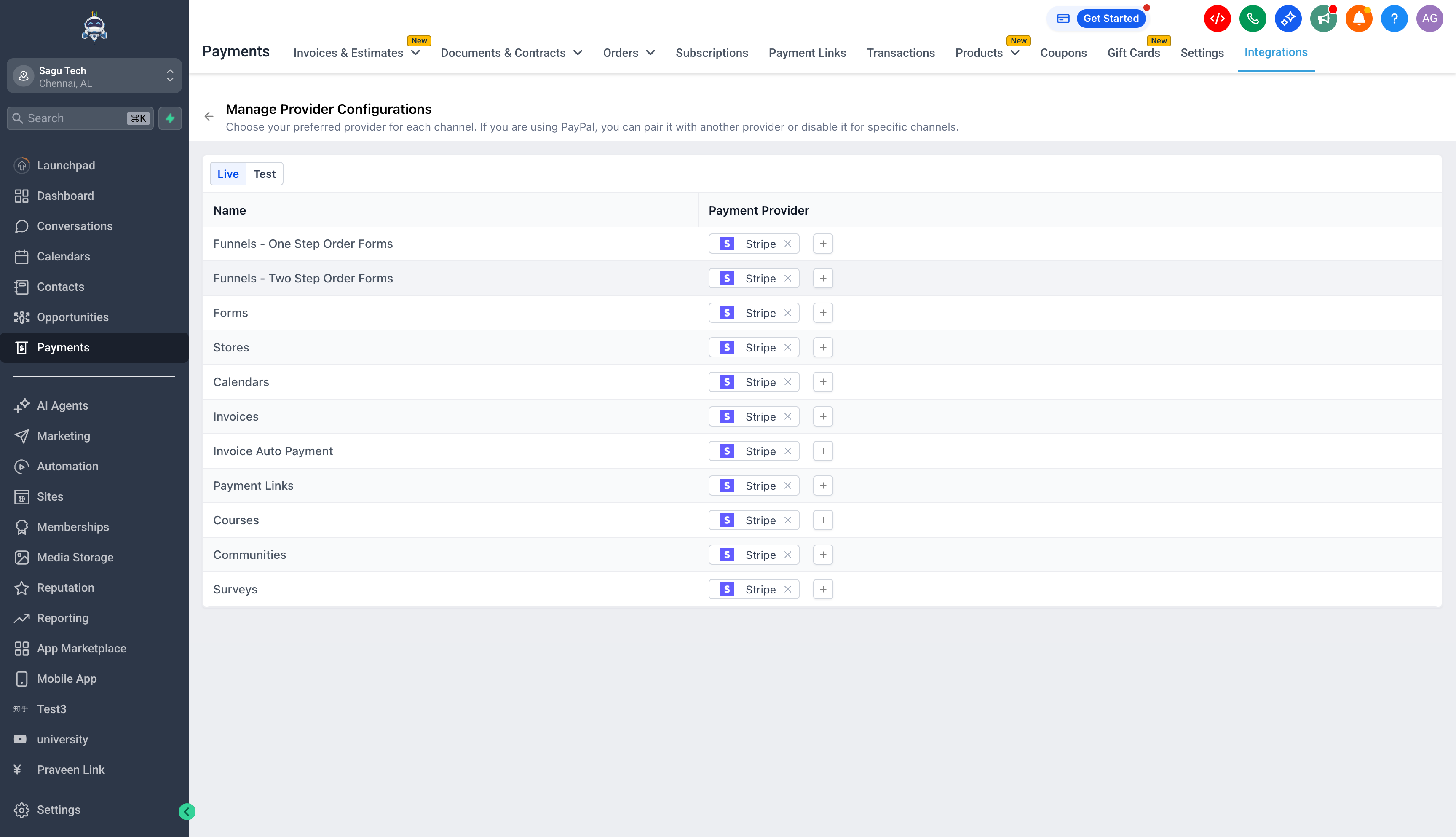
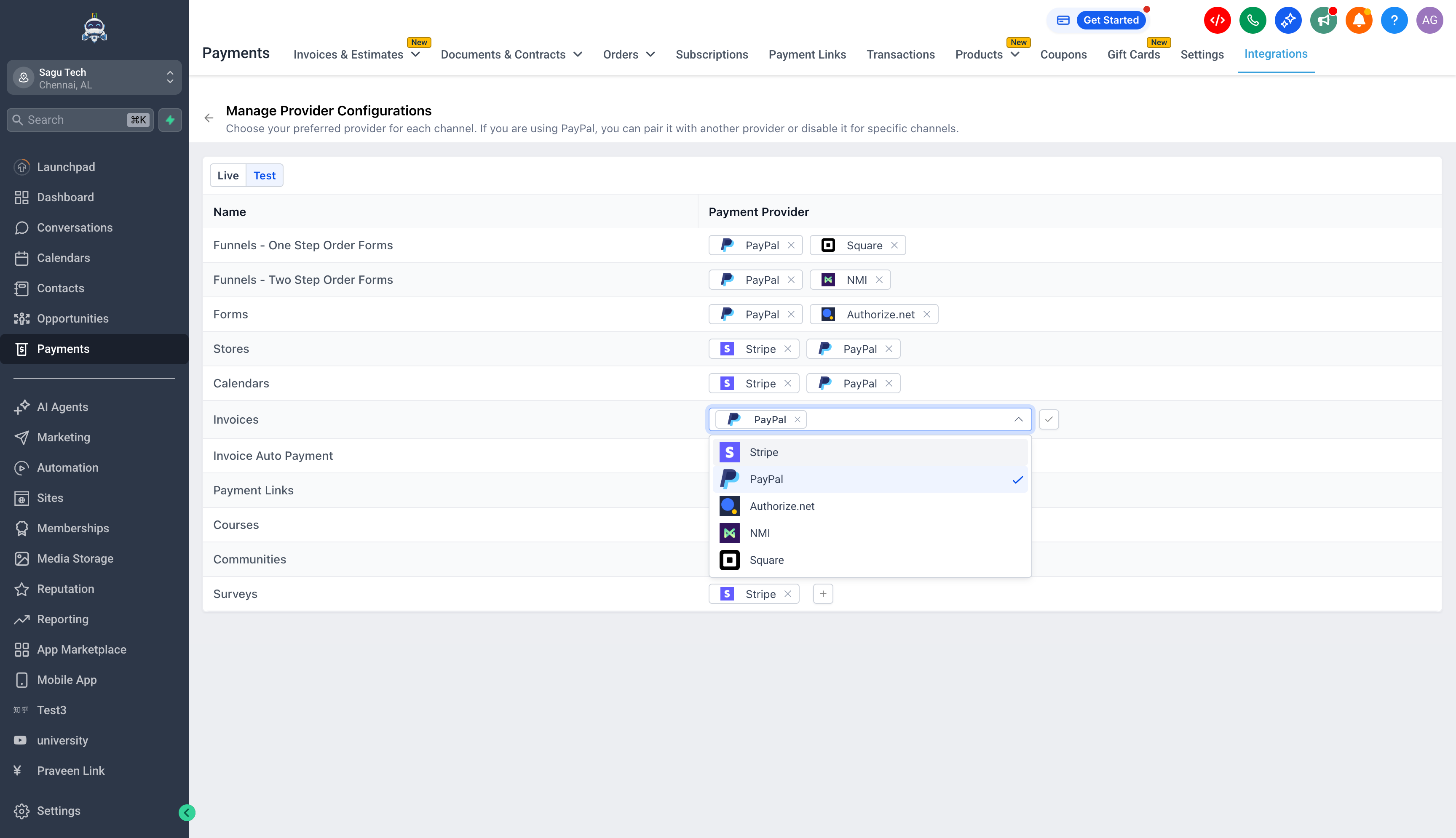
  • You can now set a default payment provider/processor for each channel, separately for Live mode and Test mode, at the subaccount level.
  • This channel-level configuration overrides the subaccount default payment provider, giving you greater control over where each payment processor is used.
  1. Log in to the Clixio dashboard
  2. Go to Payments from the left navigation
  3. Open the Integrations page
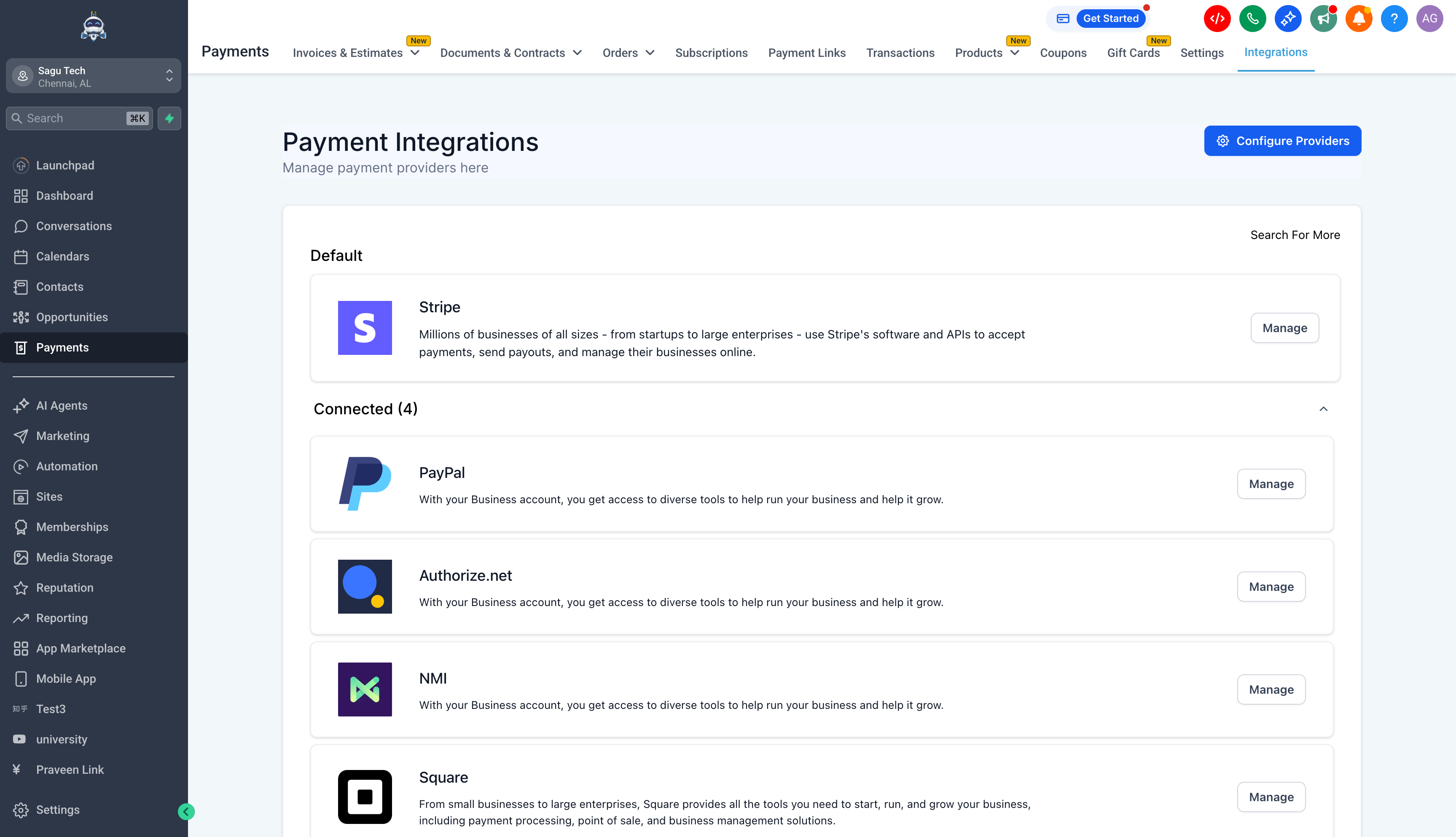
  4. Click the gear icon in the top right that says Configure Providers
  5. Use the dropdowns to select a provider for each channel in Live and Test mode

Notes

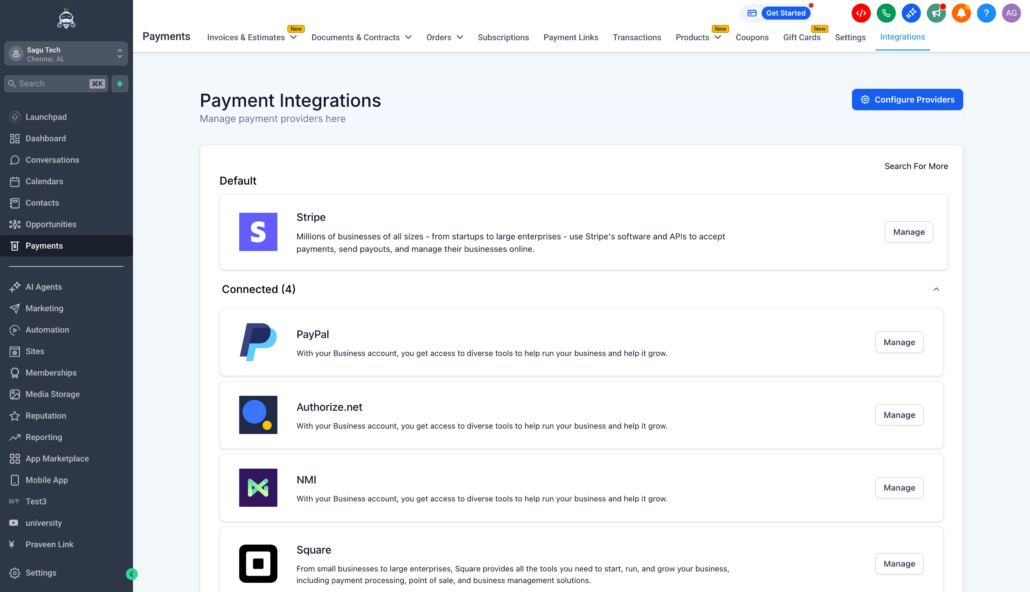
– The dropdown only displays providers that are already connected in the subaccount. See Help article and FAQs.

  • More flexibility and control: You can choose which payment processor is used per channel without altering your global default.
  • Cleaner operations: Route payments through the most suitable provider based on pricing, ticket size, and the intended use of that channel.
  • Safer testing: Keep the provider choices for Test mode separate from those in Live mode, allowing you to validate setups without affecting real transactions.
  • More channel options are on the way. Currently supported channels include: Funnels One Step Order Forms, Funnels Two Step Order Forms, Forms, Stores, Calendars, Invoices, Invoice Auto Payment, Payment Links, Courses, Communities, and Surveys.
  • Specific channels will soon have the capability to configure providers per offering. For example, Store 1 could use Stripe while Store 2 could utilise Square. This is under discussion and is planned for future expansion.
image
image
image
image

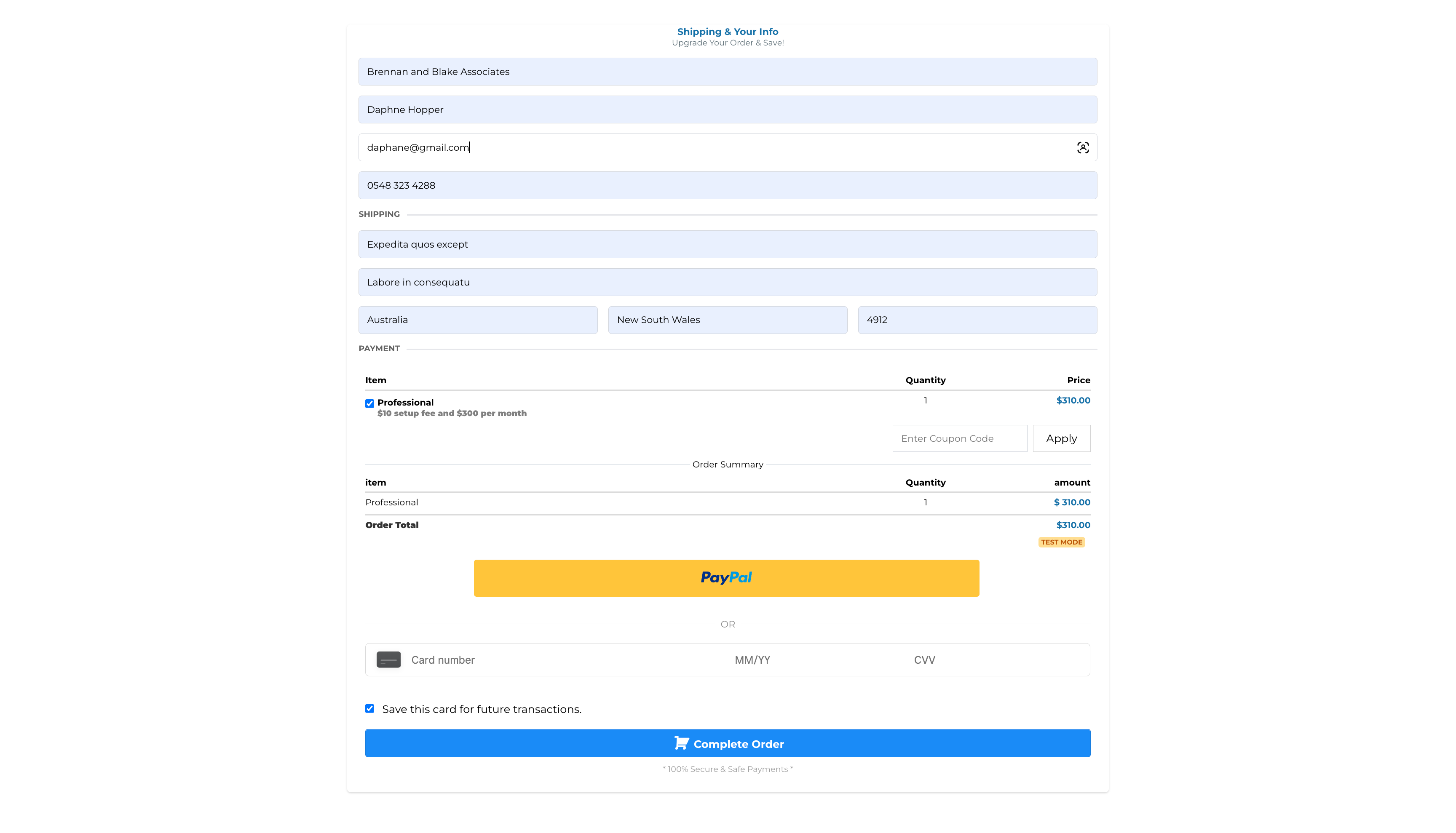
Checkout on Funnel with PayPal and Square both active
image

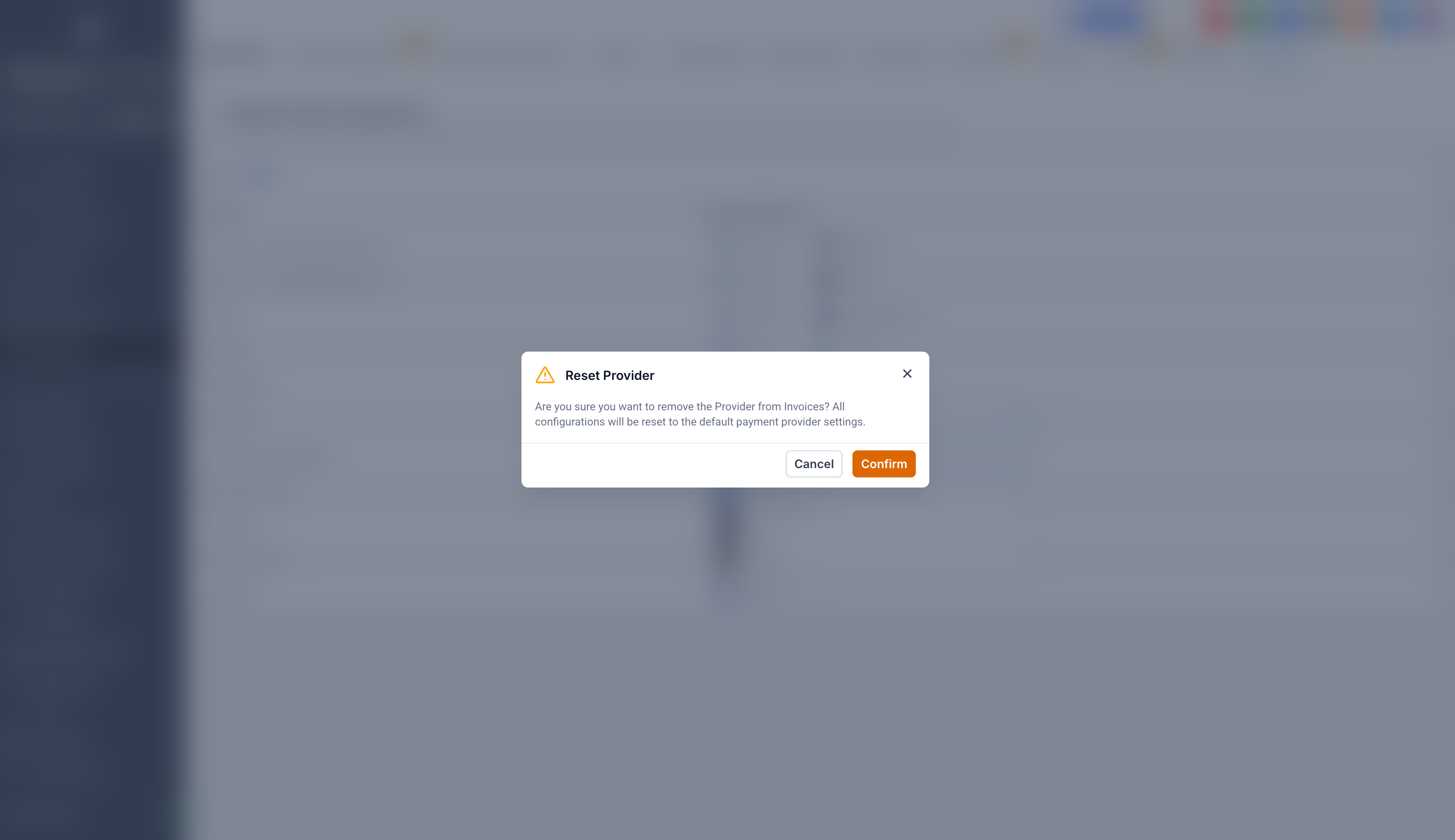
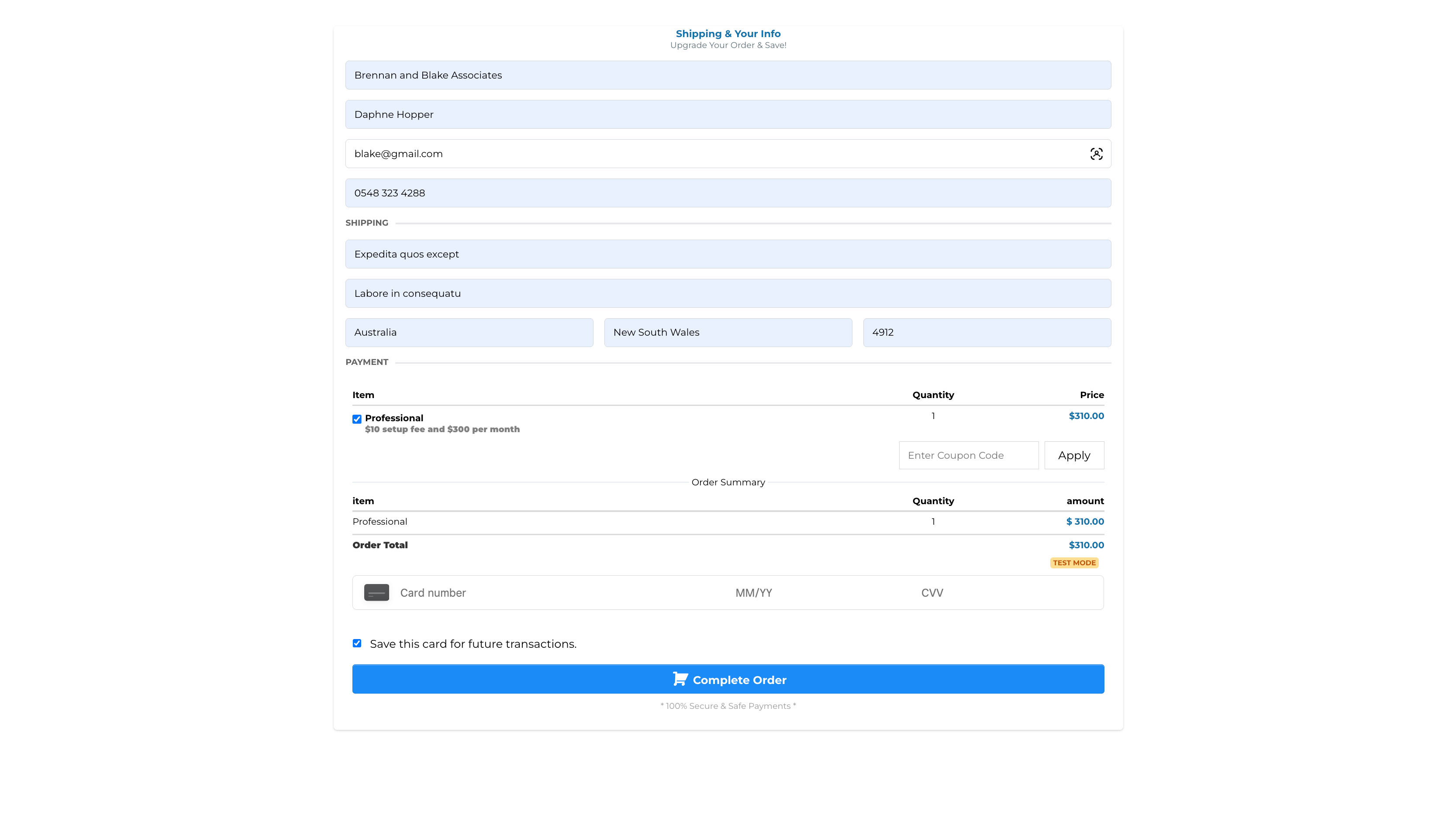
Checkout on Funnel when PayPal is removed from Configure Providers
image
https://clixio.io/wp-content/uploads/2026/02/c7567ec13984cac89df886b7614e7a5e-scaled.png 1472 2560 Clixio.io https://clixio.io/wp-content/uploads/2023/08/clixio-logo-dark.png Clixio.io2026-02-10 17:39:002026-02-10 17:39:00Configure payment provider by channel ⚙️

RSS Latest Feature Updates

  • Terms & Conditions Consent at Store Checkout April 23, 2026
  • Social Planner: Community now in Comment Management April 23, 2026
  • Opportunity Smart Lists | Clixio Changelog April 22, 2026
  • WhatsApp Calling (Closed Beta) | Clixio Changelog April 22, 2026
  • Printful Auto Shipping Profile & Live Rates at Checkout April 22, 2026
  • AI Pages — Customization & Content Enhancements April 21, 2026
  • Delete Schema Markup Feature | Clixio Changelog April 21, 2026
  • Custom Date Reminder: Now for Custom Objects, Opportunities and Companies April 21, 2026
  • Conversation AI – Services Calendar V2 Enhancements April 21, 2026
  • Affiliate Commission – Pay Per Sale (For Forms, Surveys and Calendars) April 21, 2026
Book a demo
See Clixio working
for your business, live.

30 minute call with our team. Personalised to your industry, no hard sell.

Book your free demo
14 day free trial · Cancel anytime
Clixio - Marketing and sales automation

Marketing & sales automation built for Australian service businesses. One platform, one flat rate, genuinely easy to use.

Product
Features Pricing How it works Latest updates
Company
Blog FAQ Get support Account transfers
Legal
Privacy Policy Terms & Conditions
© Clixio. All rights reserved. Made with ♡ in Australia.
Scroll to top Scroll to top Scroll to top