
Conditional Visibility Enhancements ✨ | Clixio Changelog
Conditional Visibility has become more flexible and easier to manage, now offering support for layouts and value-based conditions.
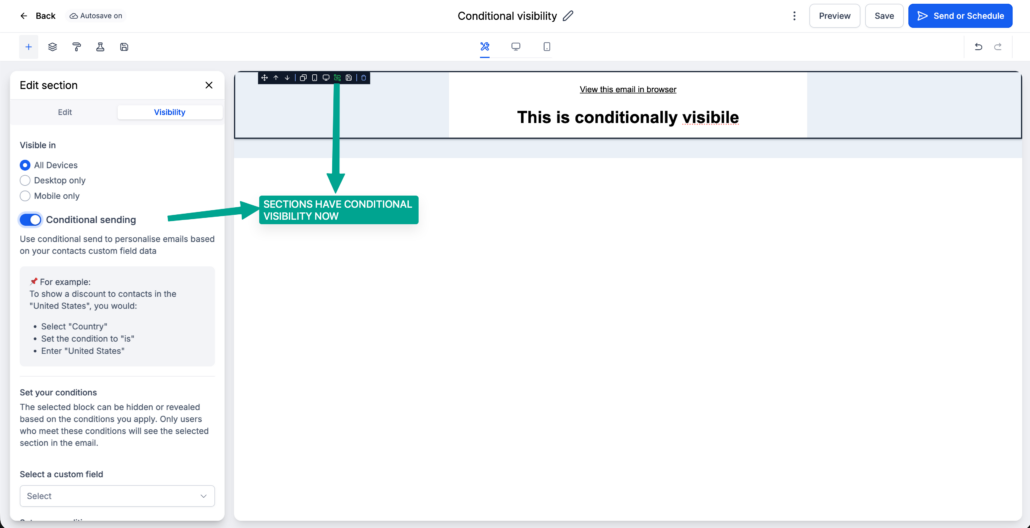
• Visibility Rules for Layouts
You can now apply conditional visibility to entire layouts instead of configuring each element individually. Layouts include a dedicated Visibility tab alongside Edit, with support also available in HighRise.
• New Value-Based Operators
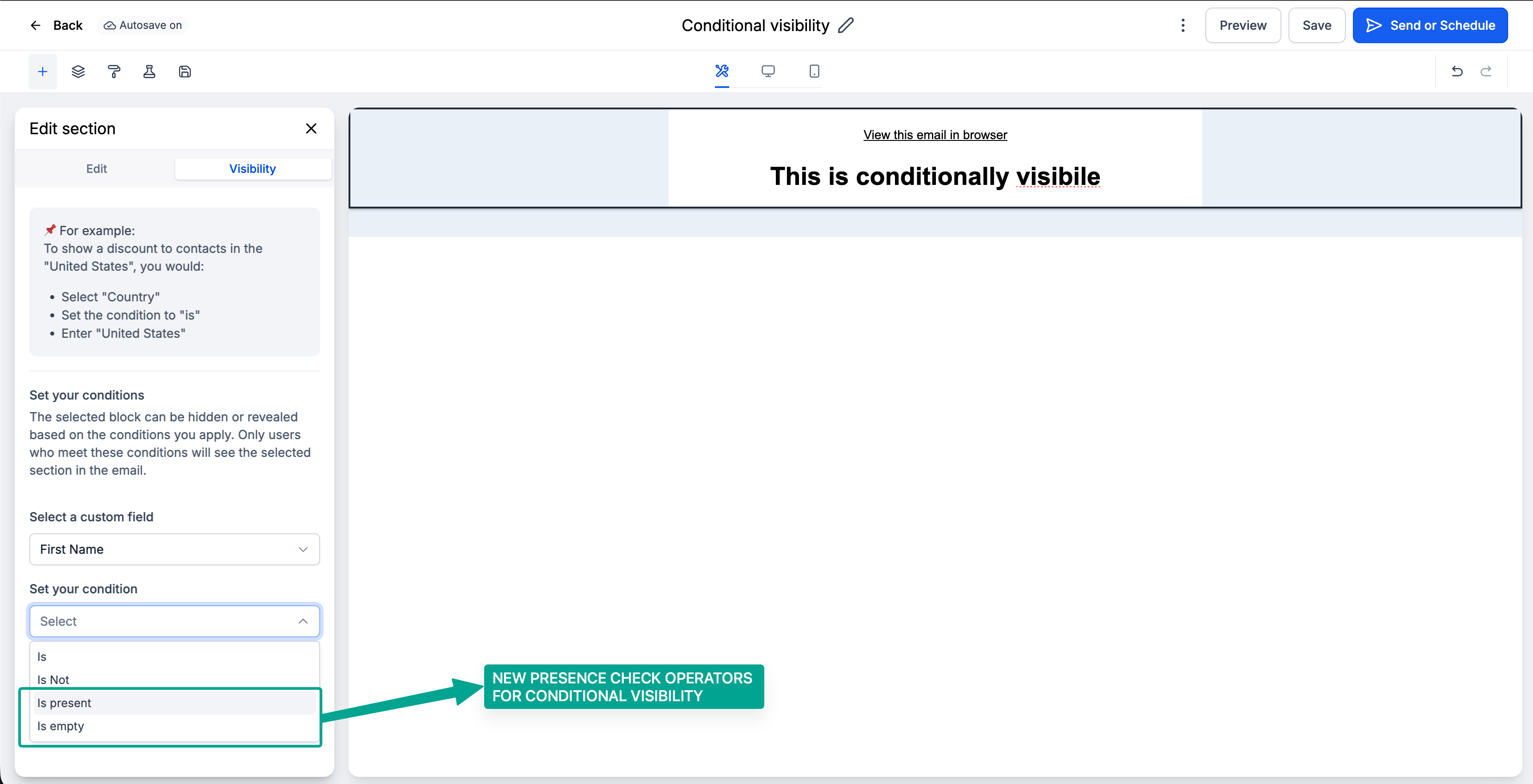
Added
IS EMPTY
and
IS PRESENT
operators for more dynamic conditions. All custom fields, including attachment fields, are now supported in the conditional visibility dropdown.
Example Use Cases
Show a “Download Invoice” button only when an attachment field
IS PRESENT
Hide a personalised greeting when first_name IS
EMPTY
- Eliminates repetitive rule setup across multiple elements
- Enables cleaner handling of empty or missing field values
- Allows entire sections to hide gracefully
- Makes Conditional Visibility significantly more powerful while preserving existing behaviour
- Select any layout or element inside the email builder.
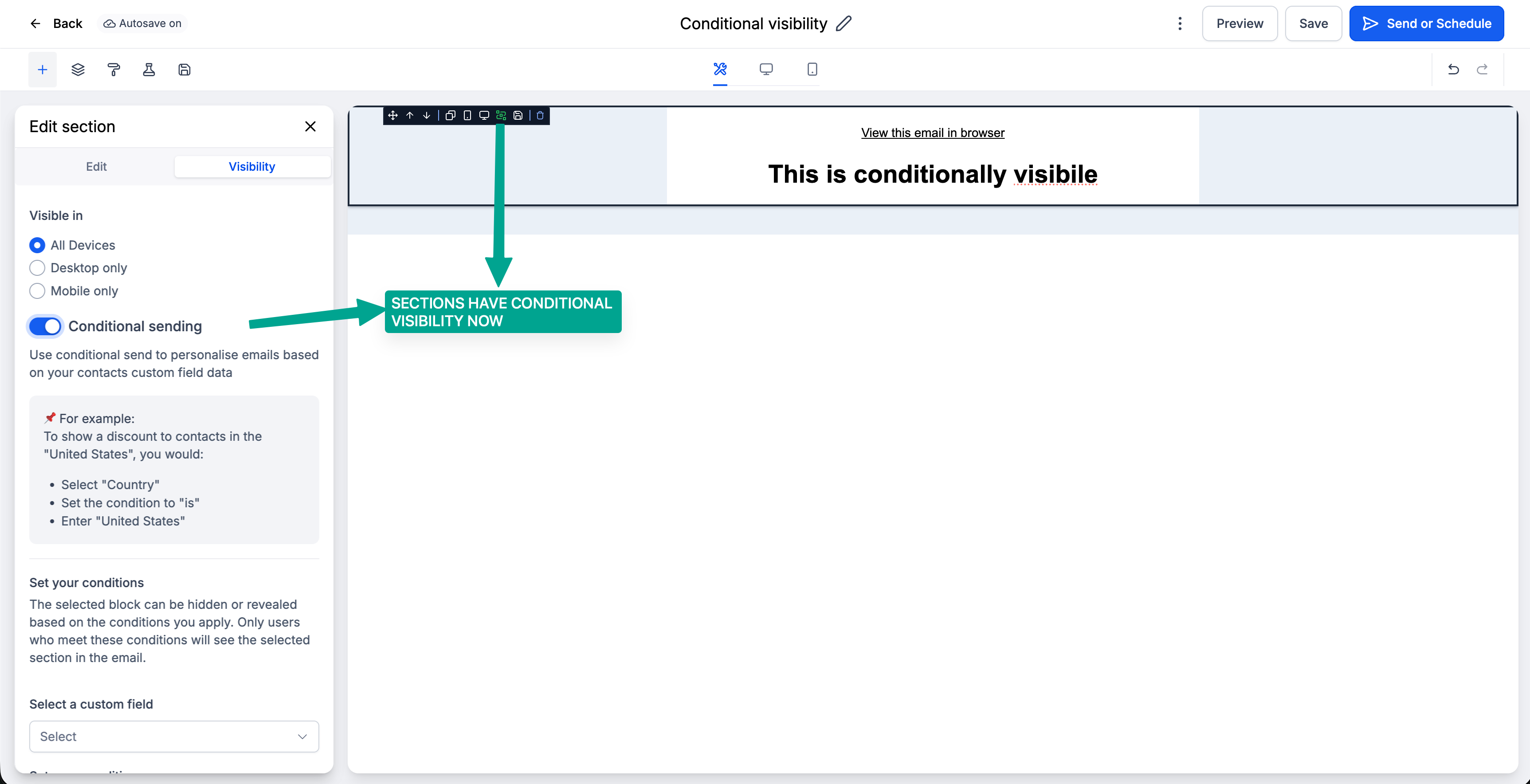
- Open the Visibility tab.
- Choose the field you want to evaluate.
- Select a condition:
IS/ IS NOT
and
IS EMPTY/ IS PRESENT
- Set the required value (if applicable) and save.