
• Shopping Cart Shopping Cart
    0Shopping Cart
Clixio
  • Features
  • Pricing
  • FAQ
  • Blog
  • Log in
  • Free Trial
  • Menu Menu

Conditional Custom Fields for Opportunities

August 11, 2026/in What's New? Automations, Forms, Opportunities and Pipelines, Reporting

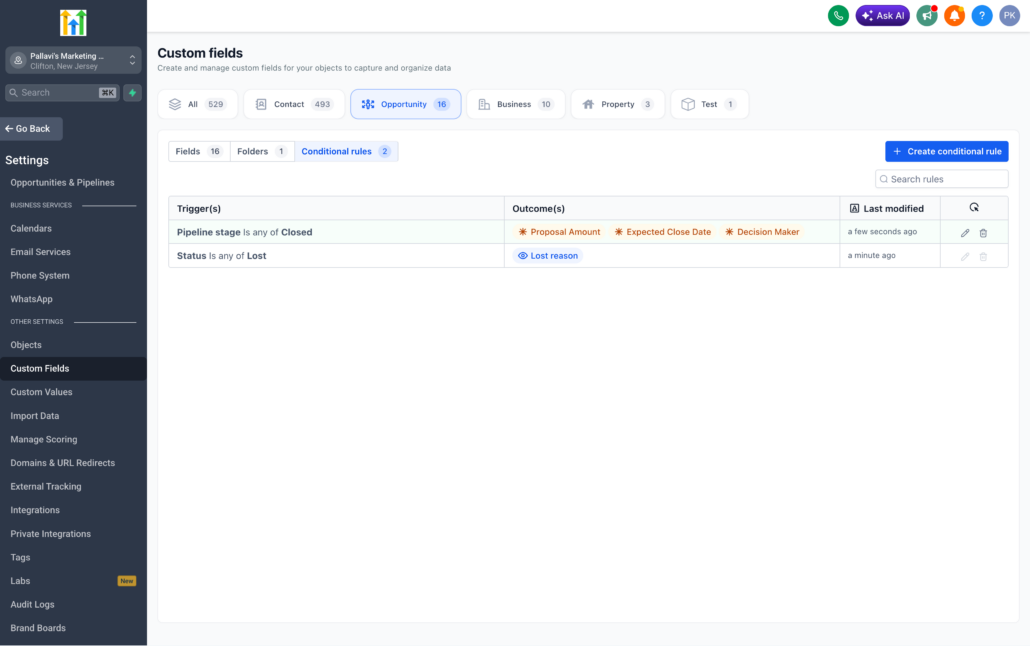
Opportunity forms can now automatically adapt based on each deal.

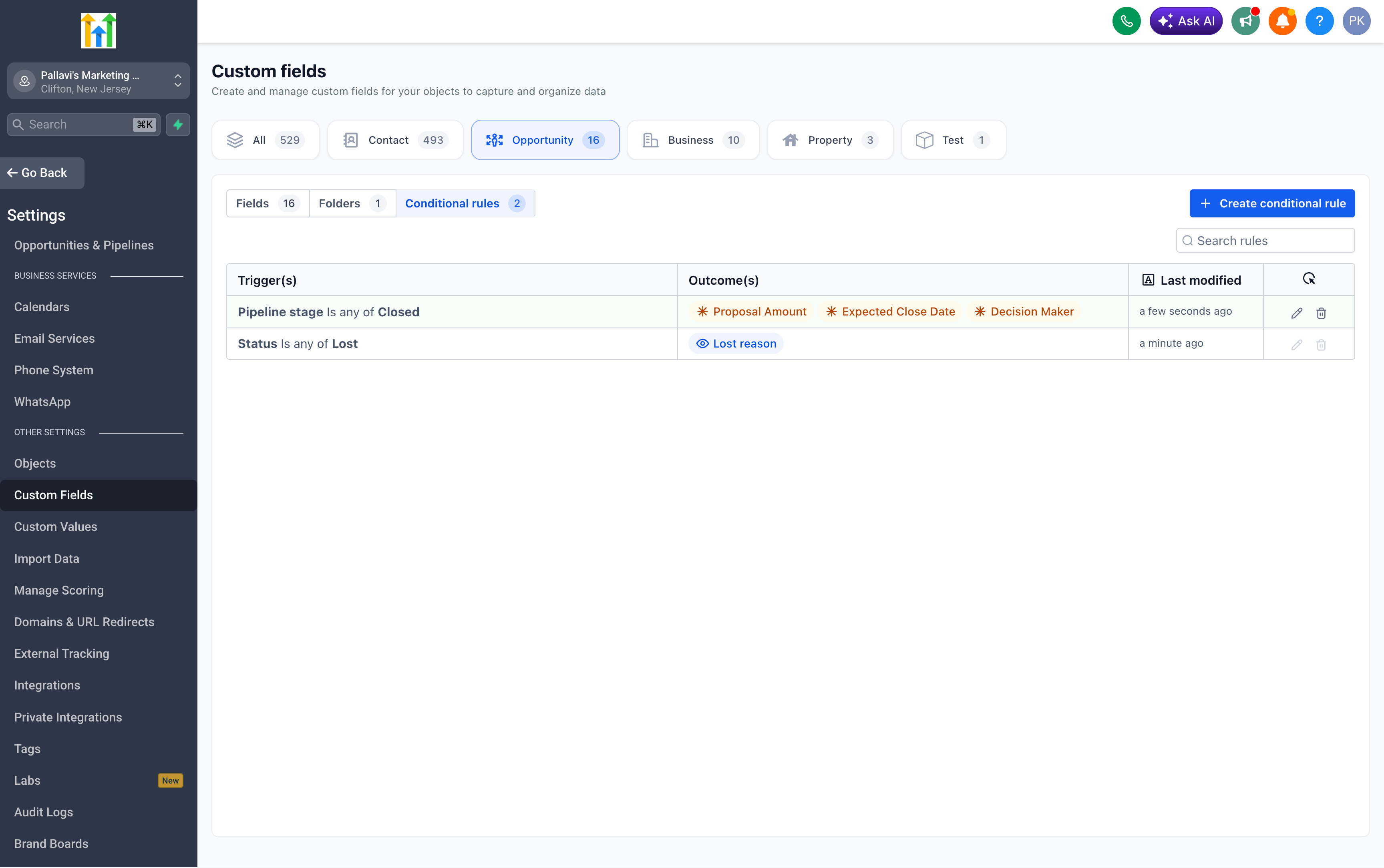
Admins have the capability to control which fields or folders are displayed, as well as which fields are mandatory, depending on an opportunity’s pipeline, stage, status, or other field values.
Screenshot 2026-08-11 at 12
  • Create rules using single conditions or AND/OR logic.
  • Utilise pipeline, pipeline stage, status, dropdown, radio, checkbox, and multi-select fields as triggers.
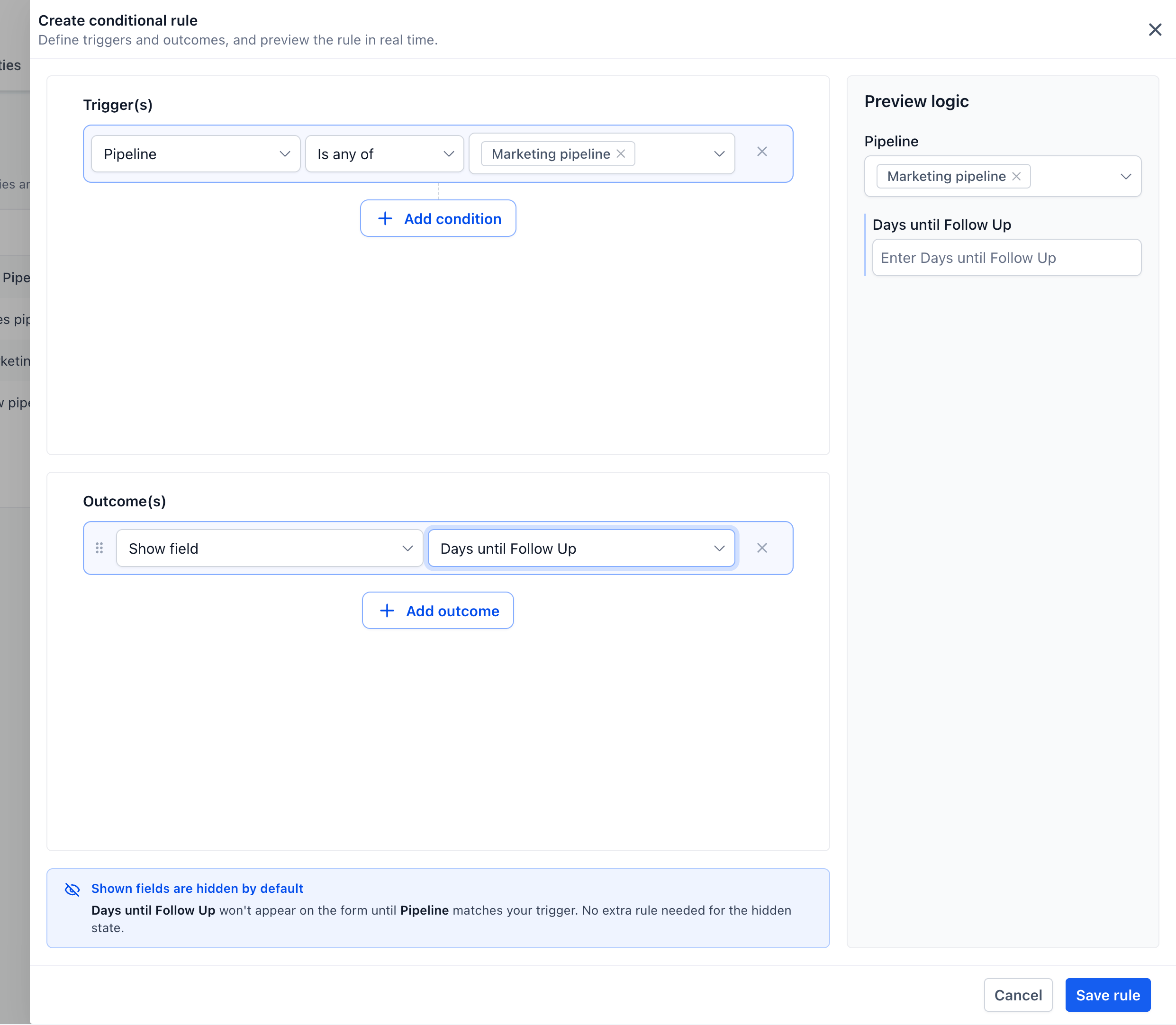
  • Display individual fields or entire folders when conditions are met.
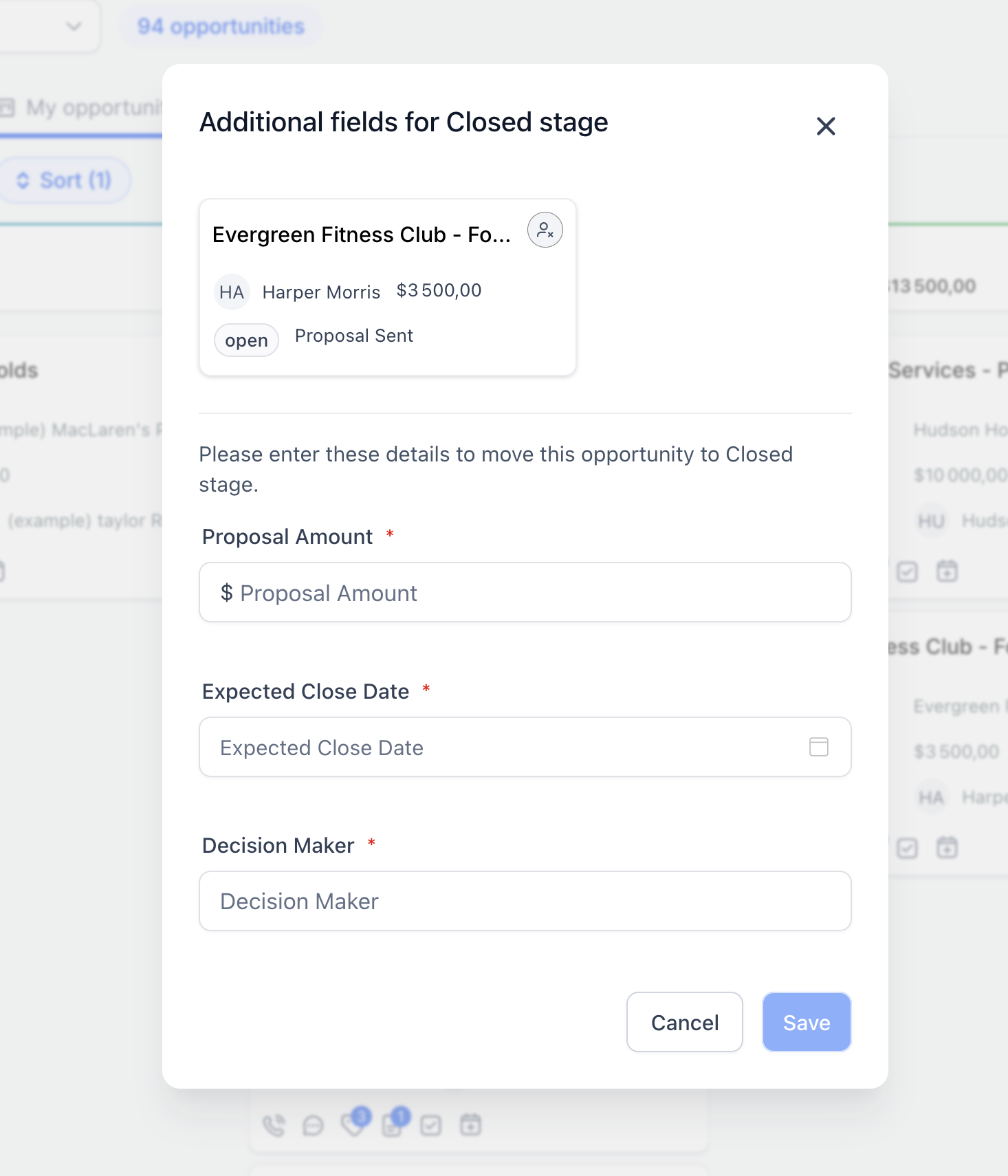
  • Make visible fields mandatory, preventing incomplete opportunities from being saved.
Screenshot 2026-08-11 at 12
  • Preview each rule in real-time before saving.
  • Apply rules across Add, Edit, and Bulk Edit flows on both web and mobile.
  • Manage pipeline-specific rules directly from the Pipelines page.
  • Activate rules immediately after saving.
Screenshot 2026-08-11 at 12
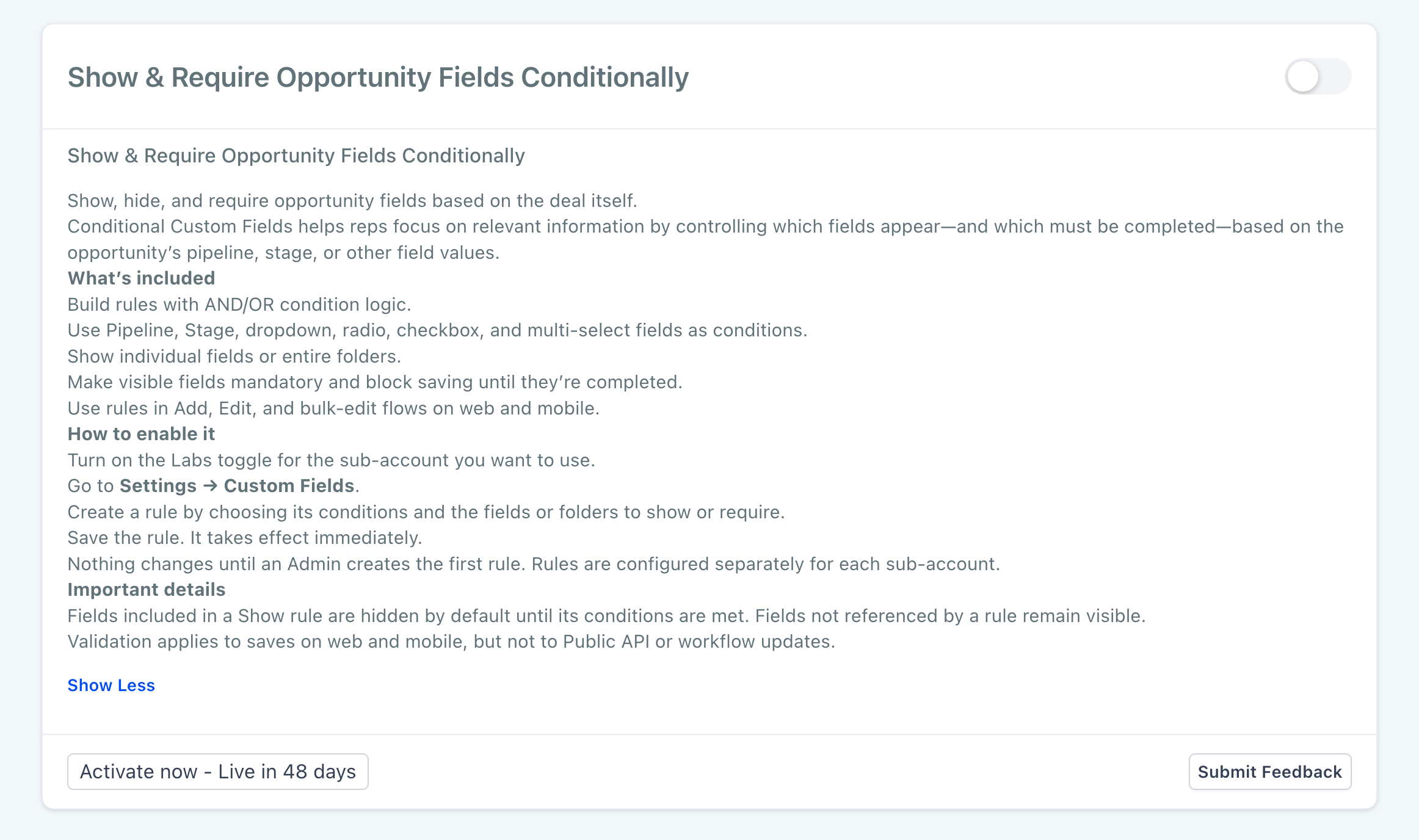
  1. Go to

    Settings → Labs

    .

  2. Enable

    Show & Require Opportunity Fields Conditionally

    for the sub-account.
Screenshot 2026-08-11 at 12
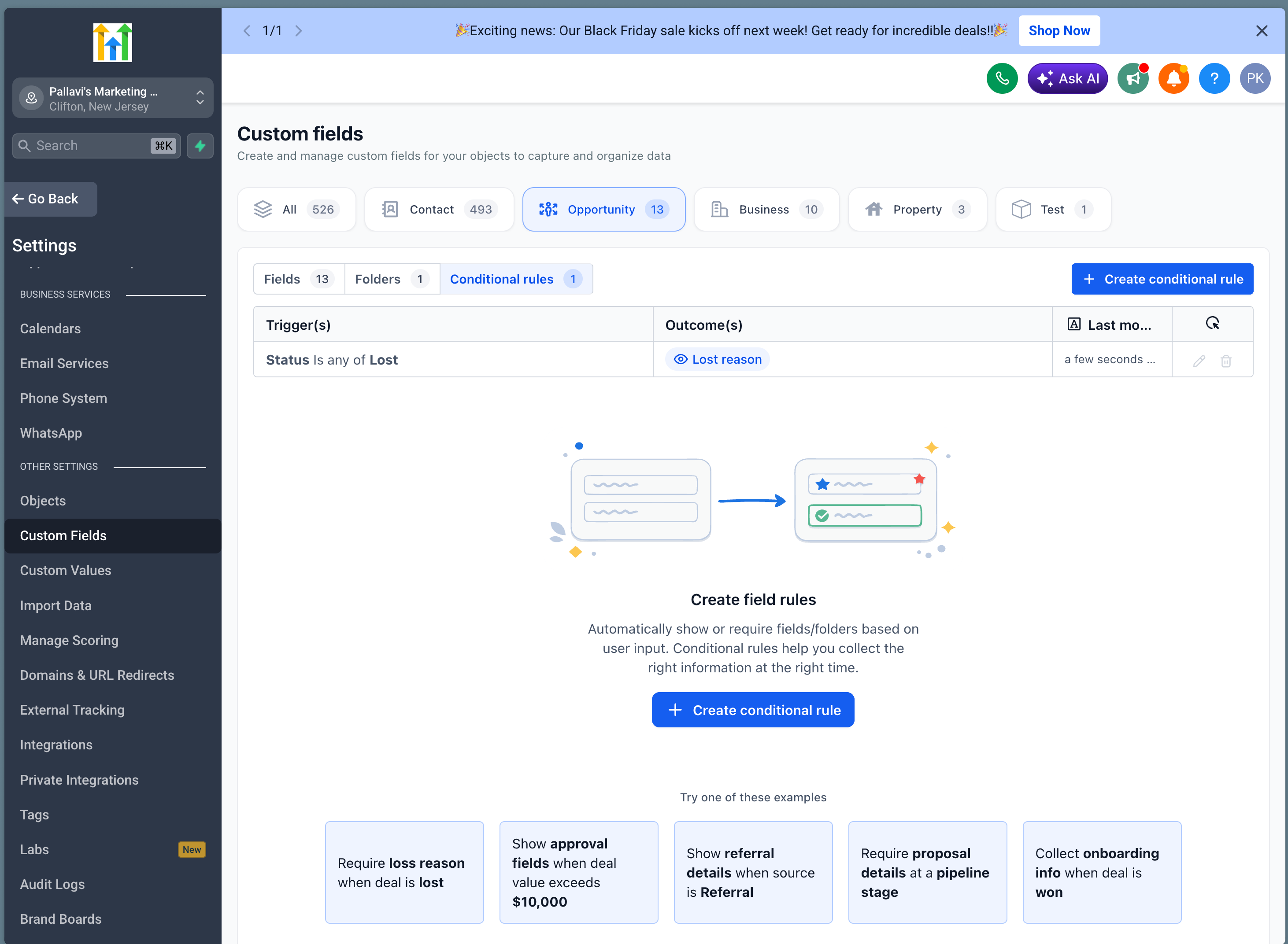
  1. Navigate to

    Settings → Custom Fields → Opportunity → Conditional Rules

    .
Screenshot 2026-08-11 at 12
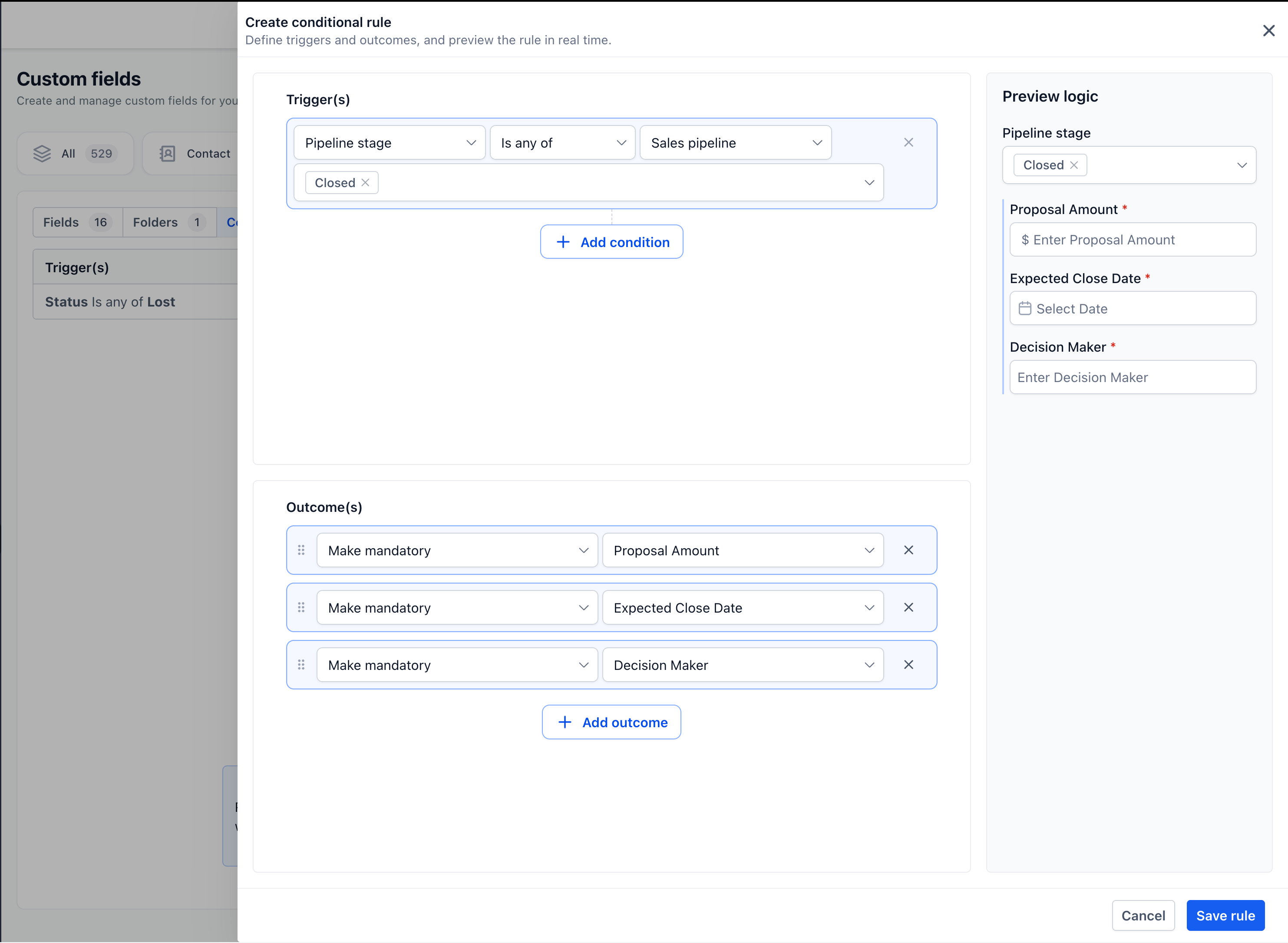
  1. Click

    Create conditional rule

    .

  2. Choose the trigger conditions and connect them using AND/OR logic.
  3. Select an outcome:

– Show field

– Show folder

– Make mandatory

  1. Review the live preview and click

    Save rule

    .
Screenshot 2026-08-11 at 12
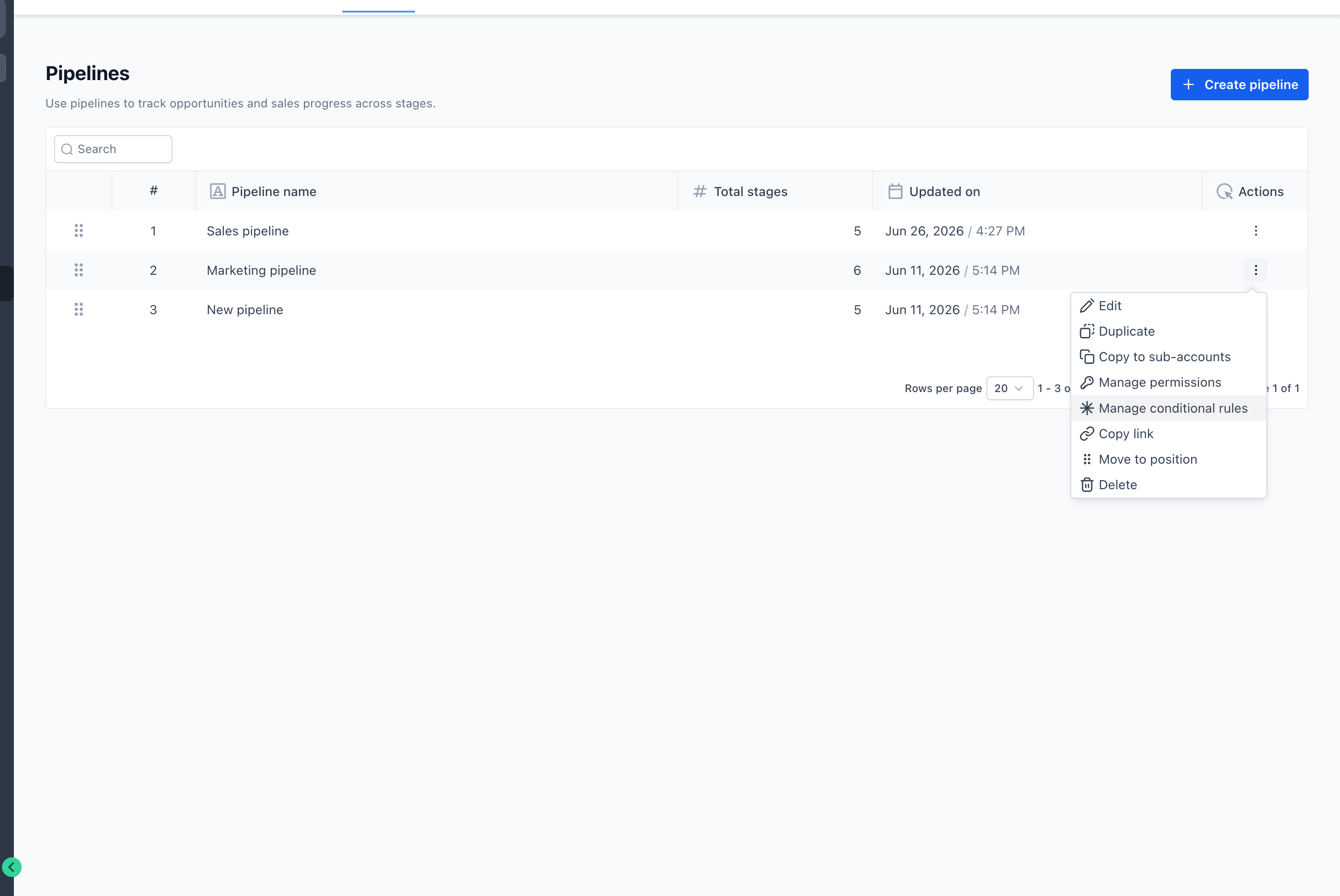
You can also navigate to

Settings → Opportunities & Pipelines

, open a pipeline or stage’s

Actions

menu, and select

Manage conditional rules

.
Screenshot 2026-08-11 at 12
  • Keep opportunity forms focused on relevant information.
  • Collect necessary details at the appropriate stage of the sales process.
  • Enhance reporting accuracy and consistency.
  • Standardise data collection across pipelines and teams.
  • Prevent opportunities from being saved with missing mandatory information.
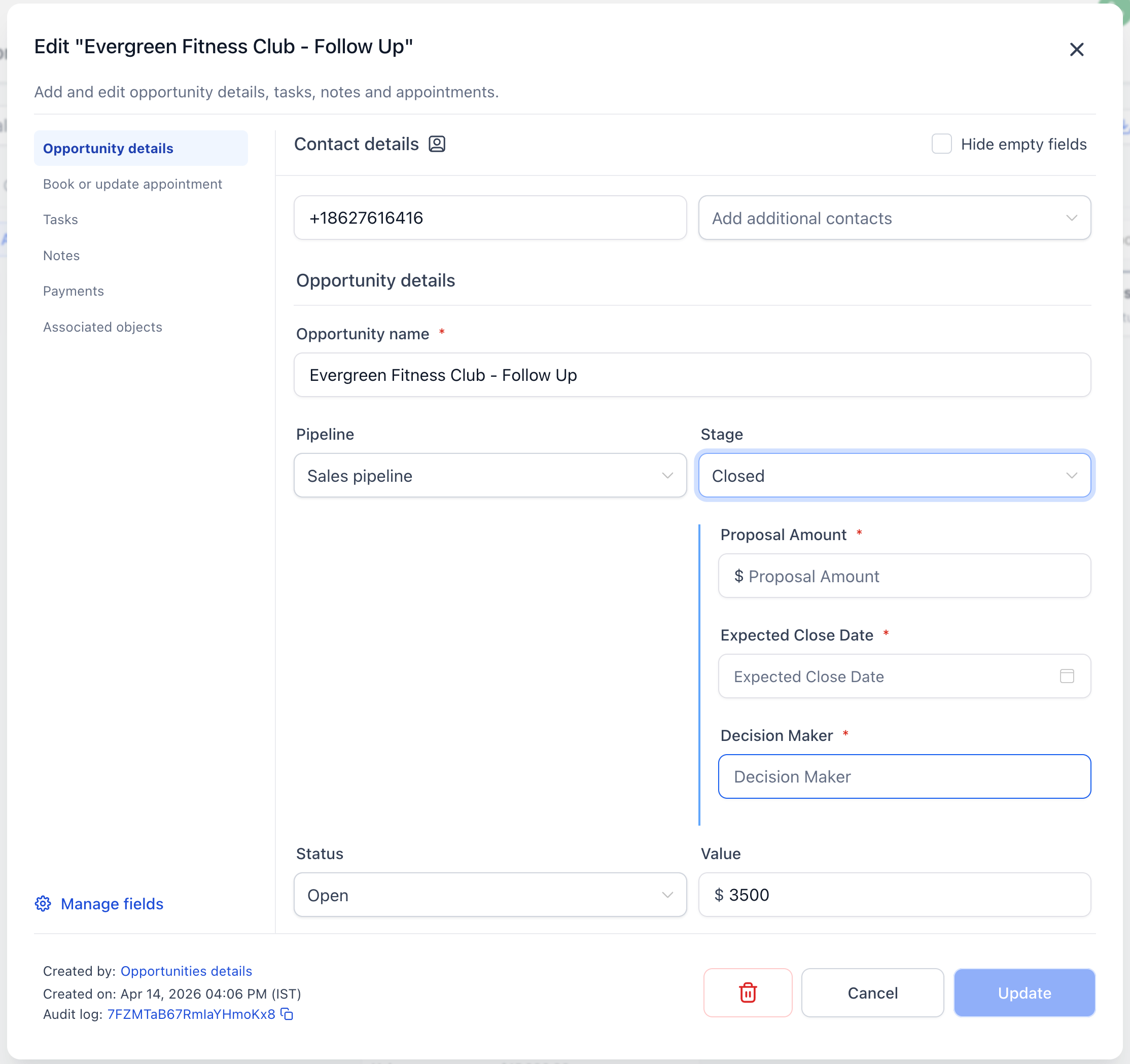
Screenshot 2026-08-11 at 12
  • Fields and folders included in a

    Show

    rule remain hidden until their conditions are fulfilled.

  • Fields not included in a

    Show

    rule remain visible as usual.

  • If multiple rules apply, their mandatory requirements are combined.
  • Only Admins can create, edit, or delete rules.
  • Rules are configured separately for each sub-account.
  • No changes occur until an Admin creates the first rule.
  • Validation applies to saves on web and mobile, but not to Public API or workflow-based updates.
https://clixio.io/wp-content/uploads/2026/08/9f1275b09ab4ff1ef3df4003a294ec53-scaled.png 1606 2560 Clixio.io https://clixio.io/wp-content/uploads/2023/08/clixio-logo-dark.png Clixio.io2026-08-11 17:27:002026-08-11 17:27:00Conditional Custom Fields for Opportunities

RSS feed: Latest Feature Updates Latest Feature Updates

  • Improved: Dynamic Value Chips with Improved error segmentation September 4, 2026
  • 📞 More Reliable Missed Call Text Back with Smarter Number Selection September 4, 2026
  • 🔐 Client Portal: “User login” Workflow Trigger Now Supports the New Client Portal Experience September 3, 2026
  • 📢 Carrier Fee Pricing Update – Effective October 1, 2026 September 3, 2026
  • Privacy Policy + T&C URLs on Toll-Free Verification September 2, 2026
  • Workflow Builder: Pick an Email Sender Domain for Each Workflow! August 28, 2026
  • Certificate AI Beta is now live August 27, 2026
  • 📅 Date Range Setting Can Now Count Only the Days You Actually Work August 27, 2026
  • Schedule Availability with Custom Open & Expiry Experiences – Form, Survey & Quiz August 27, 2026
  • WhatsApp messaging limits: now shown at the portfolio level August 27, 2026
Book a demo
See Clixio working
for your business, live.

30 minute call with our team. Personalised to your industry, no hard sell.

Book your free demo
14 day free trial · Cancel anytime
Clixio - Marketing and sales automation

Marketing & sales automation built for Australian service businesses. One platform, one flat rate, genuinely easy to use.

Product
Features Pricing How it works Latest updates
Company
Blog FAQ Get support Account transfers
Legal
Privacy Policy Terms & Conditions
© Clixio. All rights reserved. Made with ♡ in Australia.
Scroll to top Scroll to top Scroll to top