
[Compliance] Stay compliant with ACH payment on Stripe
Stripe Updates on ACH Direct Debit
Stripe is enhancing its requirements for ACH Direct Debit to comply with Nacha operating rules. If you accept payments via US bank accounts through Clixio using Stripe, you may need to update your Stripe account details. This will ensure that customers can easily recognise your business on their bank statements and have a means to contact you. Stripe documentation
Stripe is enhancing its requirements for ACH Direct Debit to comply with Nacha operating rules. If you accept payments via US bank accounts through Clixio using Stripe, you may need to update your Stripe account details. This will ensure that customers can easily recognise your business on their bank statements and have a means to contact you. Stripe documentation
NOTE – Effective 20 March 2026
Who Needs to Take Action?
- You have a Stripe account linked to Clixio and either accept ACH Direct Debit or intend to accept US bank account payments.
- Your subaccount/client possesses a Stripe account connected to Clixio and accepts ACH Direct Debit or plans to accept US bank account payments.
What You Need to Do in Stripe
You must decide how Stripe should classify your bank payment transactions. Stripe offers three options:
- Automatically classify transactions – Stripe will determine whether each transaction constitutes a purchase of goods, based on available signals such as merchant information and transaction details. This is suitable for most businesses and requires no code modifications.
- Classify all ACH transactions as goods – Select this option if you exclusively sell physical or digital products. All ACH transactions will be classified as goods purchases.
- Do not classify any transactions as goods – Choose this if you provide services, accept donations, or collect bill payments instead of selling goods.
How to Configure Transaction Classification in Stripe
- Open your Stripe Dashboard.
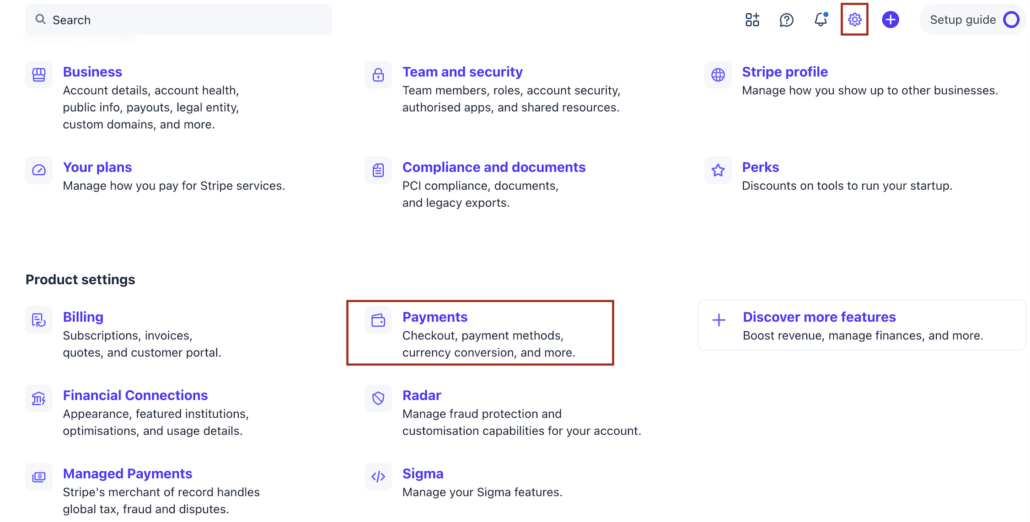
- Navigate to Settings, then Payment, and look for Link.
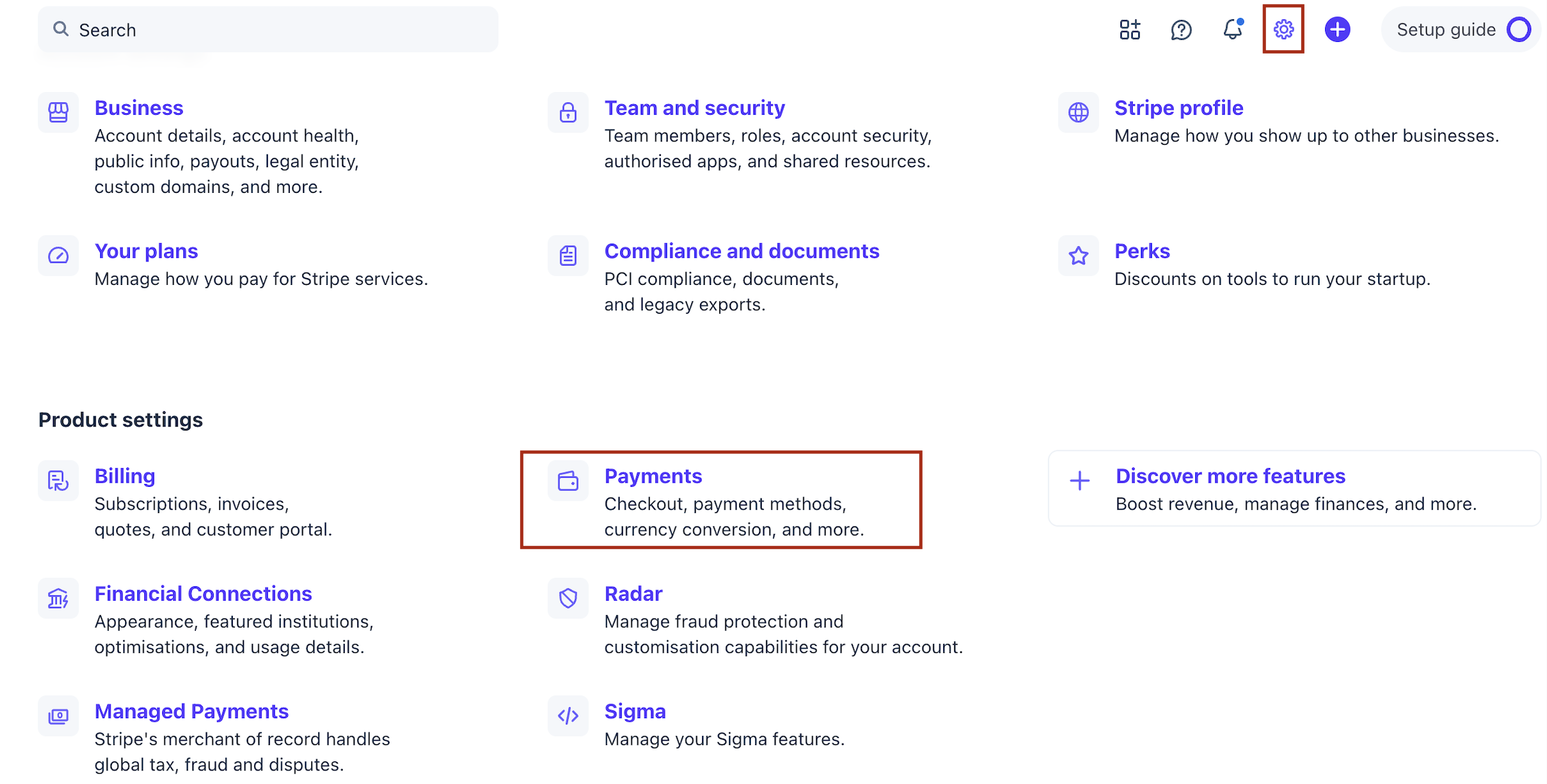

- Locate the Nacha compliance section.
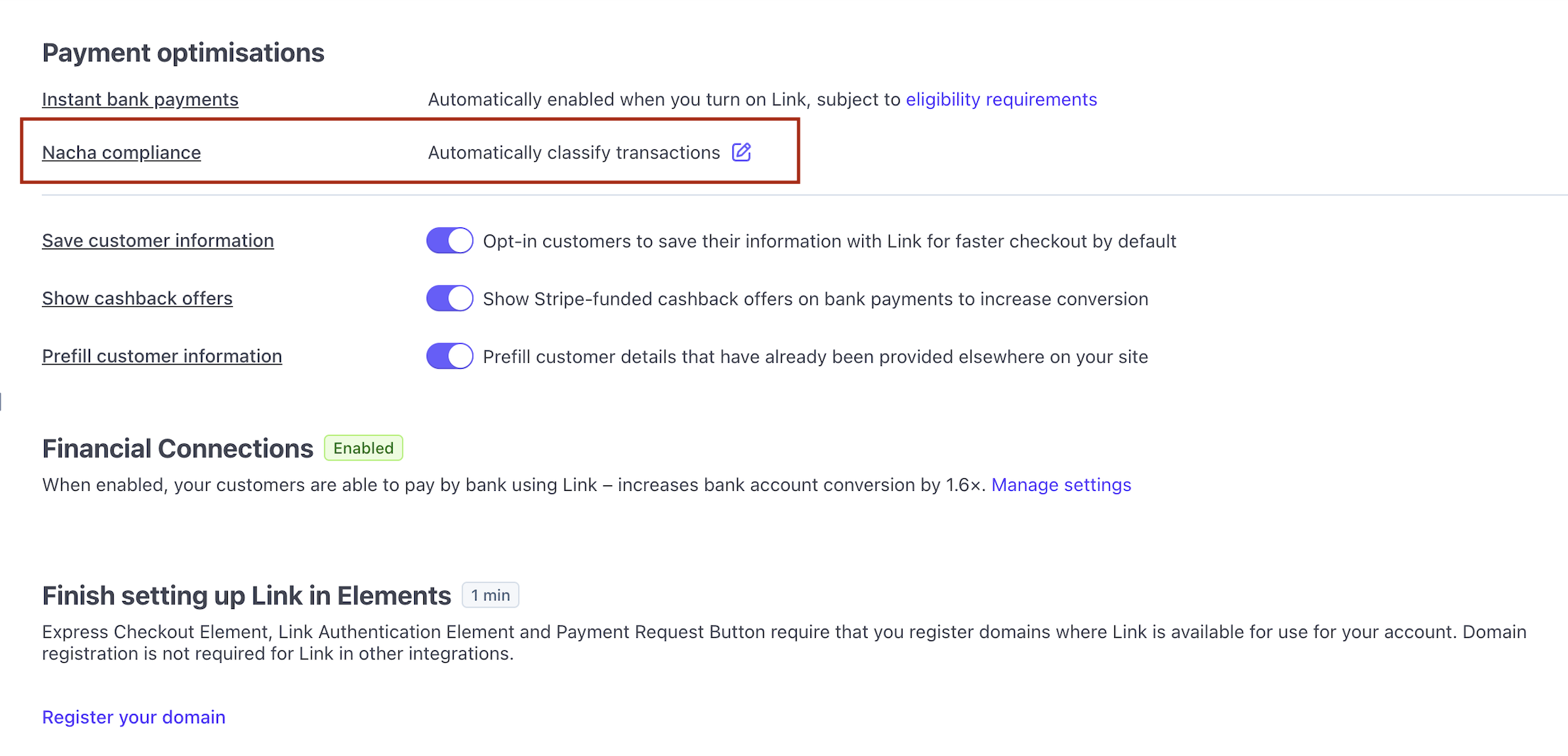
- Select one of the three classification options.
- Save your changes.
Does Clixio Make These Updates for Me?
No, these settings are specific to your Stripe account, so you must update them within your Stripe Dashboard.
I Am Not Sure What to Select Here, Who Can Help?
This change and the selection of options lie entirely within Stripe’s control. If you need further clarity, please reach out to Stripe support.