Community – Recordings: Share recordings directly as post
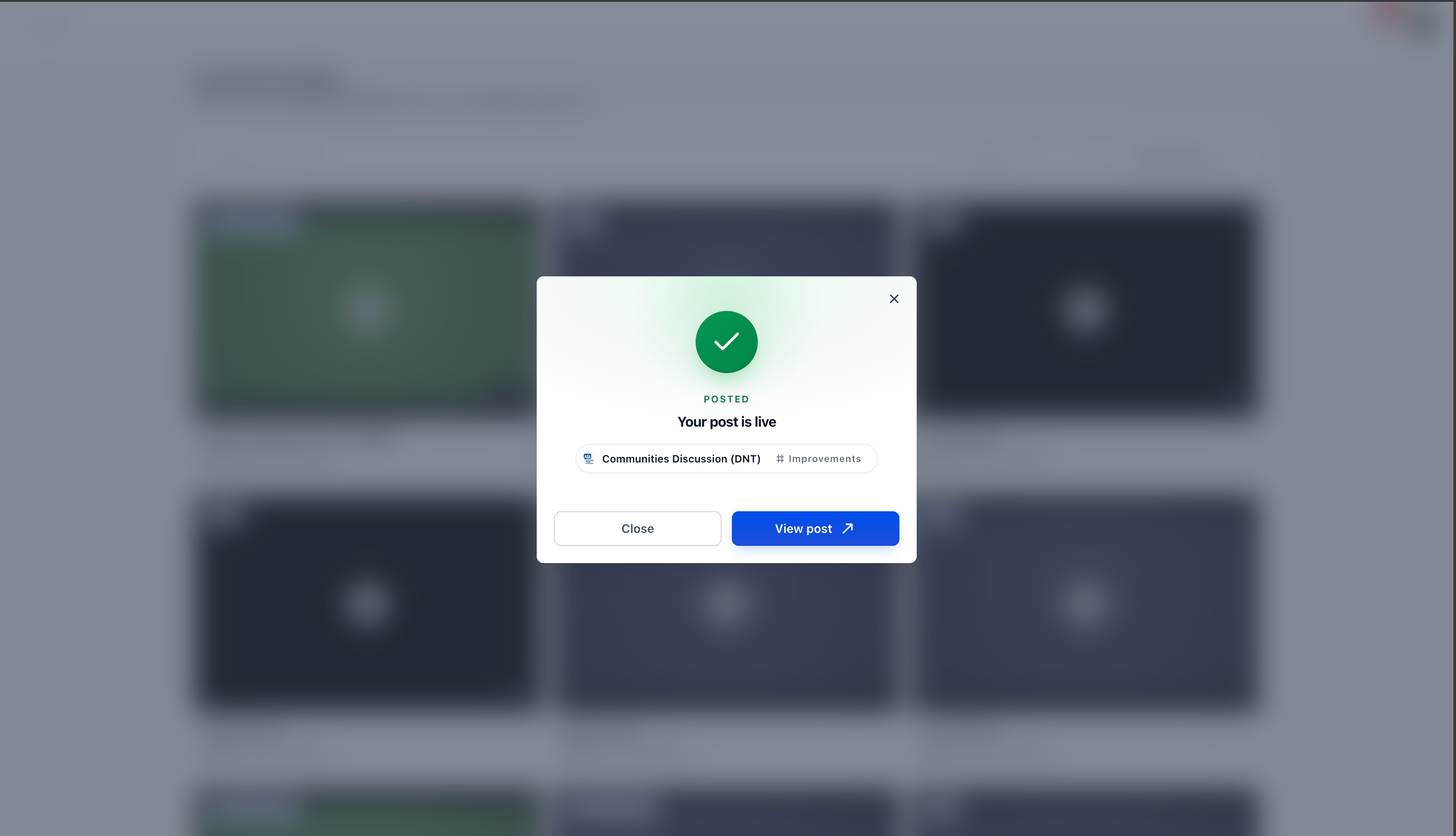
With the new **Share as Post** option, you can now share recordings directly within Communities in just a few clicks. This enhancement makes it easier to continue conversations, share updates, and maintain collaboration after meetings.
**Share Recordings Directly into Communities**
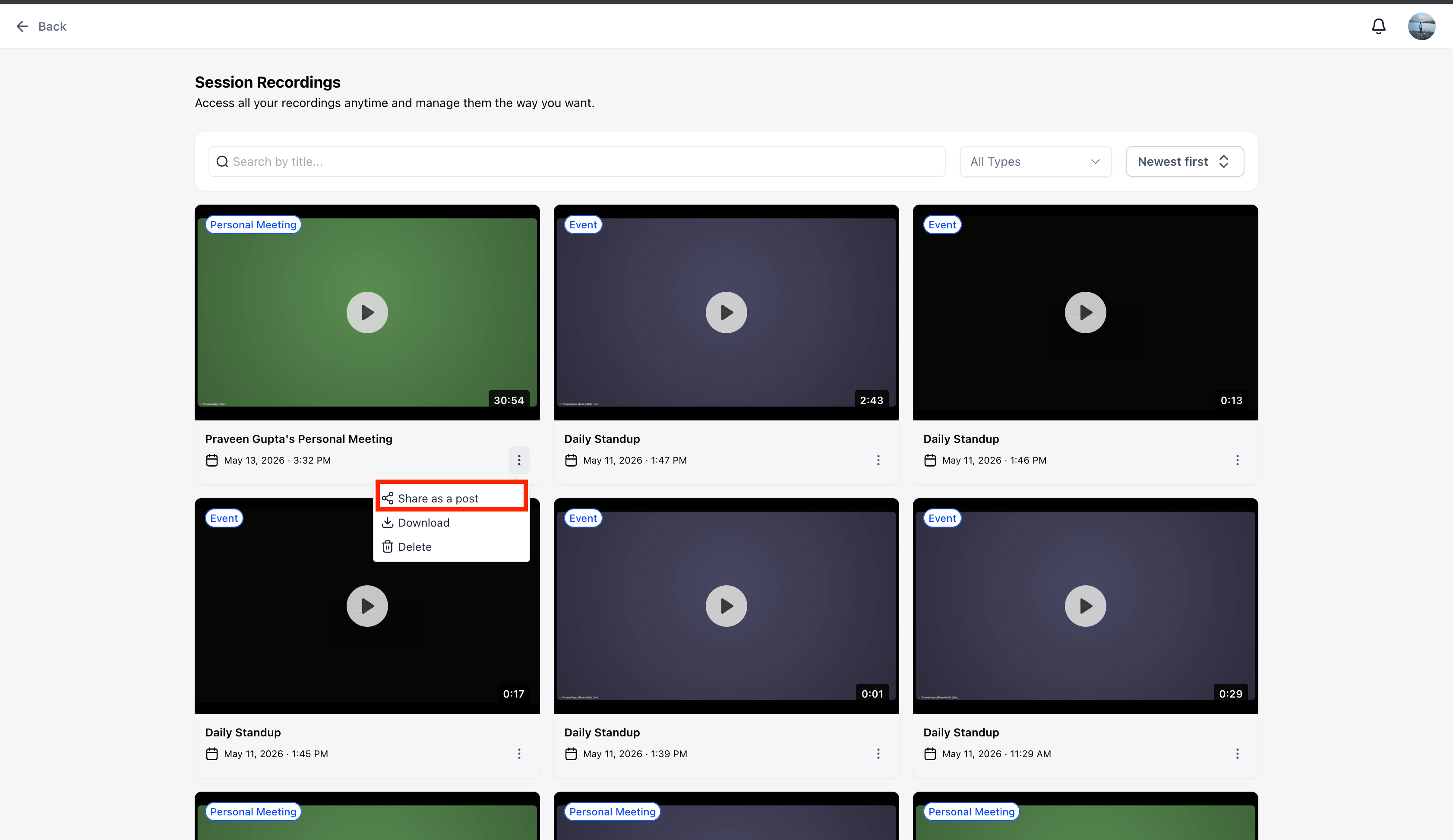
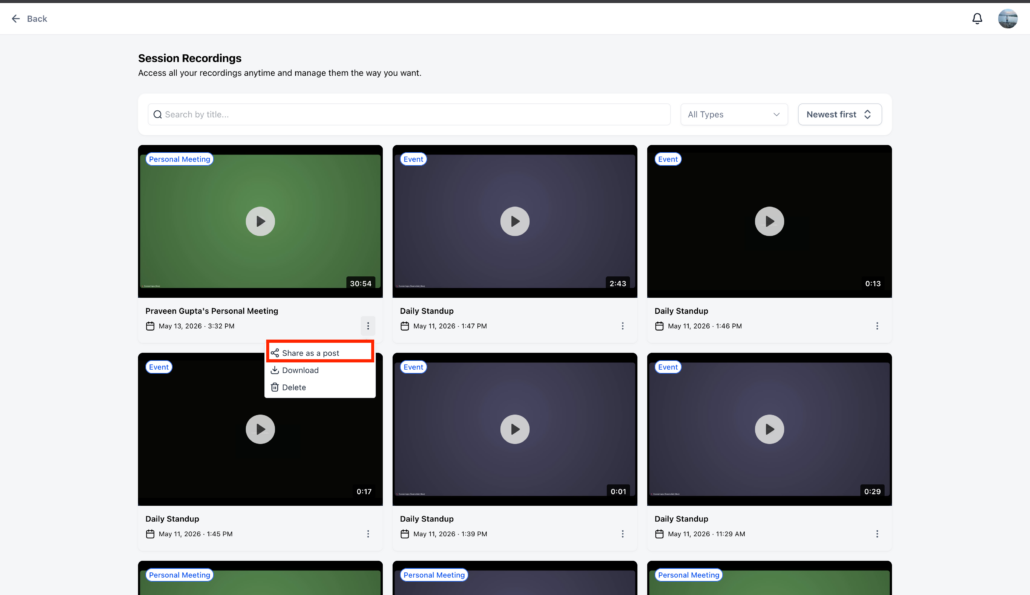
A new **Share as Post** action is now available for recordings, enabling users to publish them without leaving their current workflow.
- Navigate to the top right avatar of your profile and click on **Manage Profile**.
- Select **Meetings** and then click on **View Recordings**.
- Choose the relevant recording and click on the three dots.
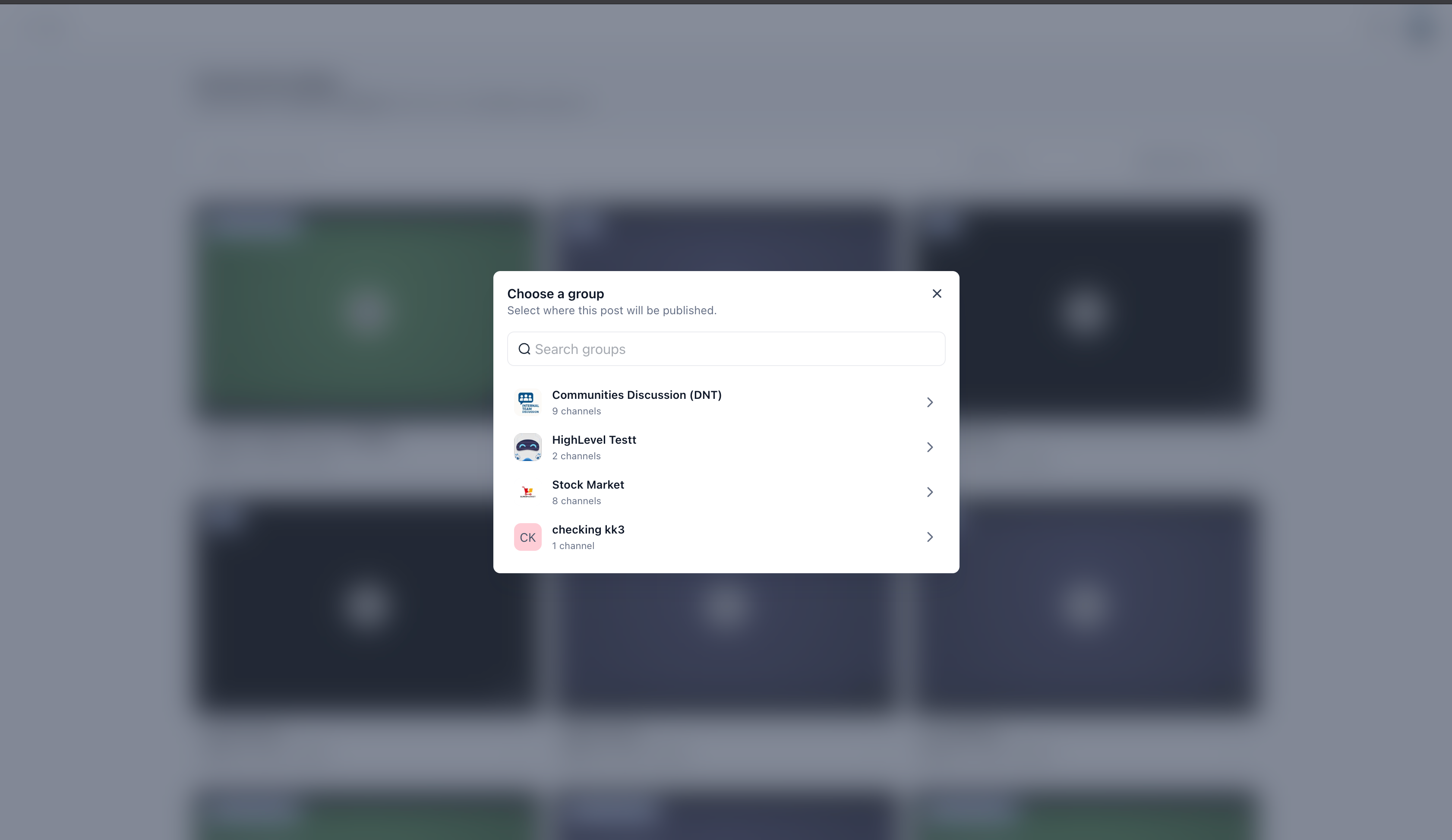
- After selecting **Share as Post**, users will see a searchable Community selection modal.
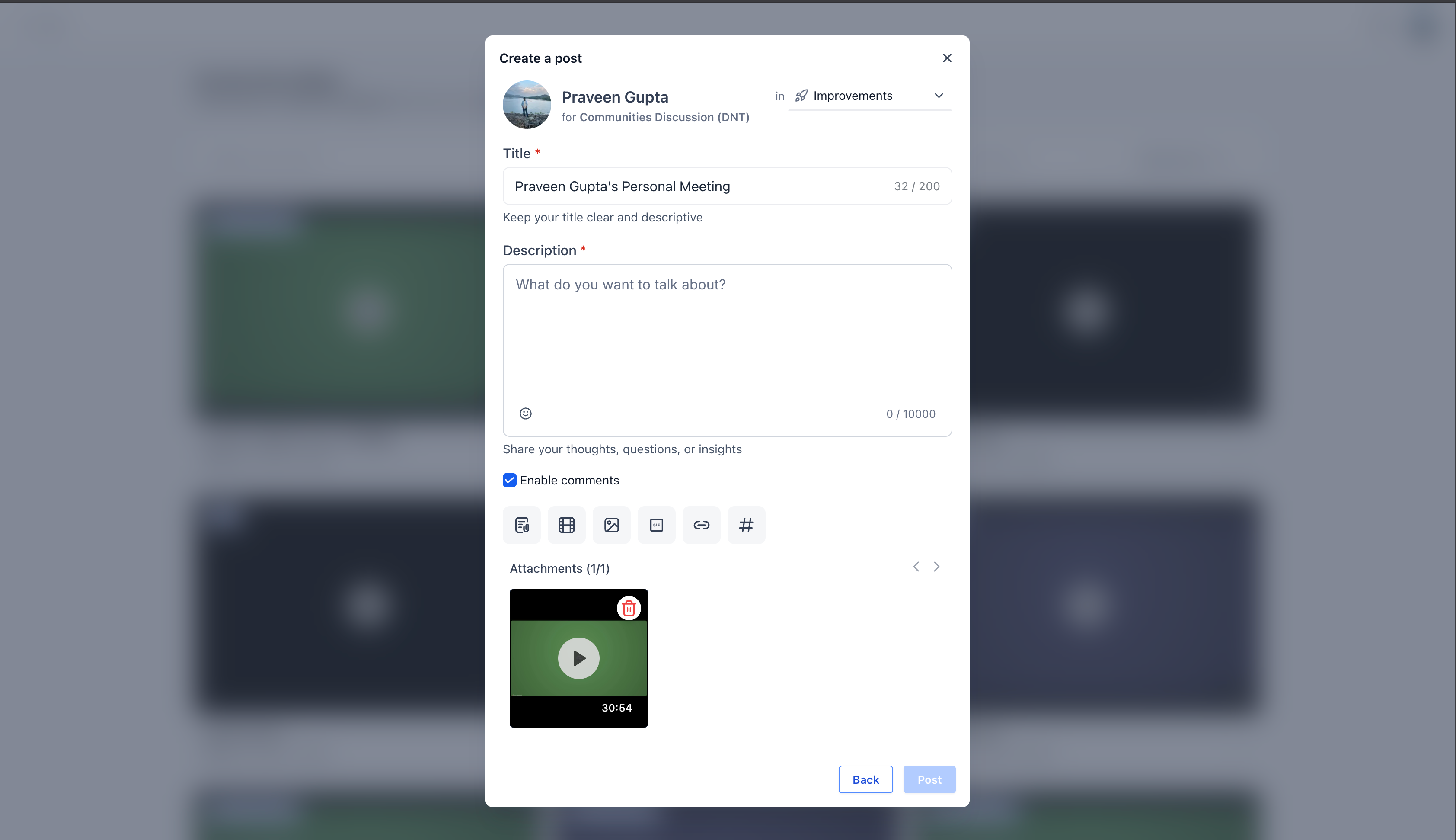
- Select the relevant community and channel to post in.