• Shopping Cart Shopping Cart
    0Shopping Cart
Clixio
  • Features
  • Pricing
  • FAQ
  • Blog
  • Log in
  • Free Trial
  • Menu Menu

Client Portal – Preview Default Email Templates in Notification Preferences

January 24, 2025/in What's New? Certificates, Client Portal, Communities

Preview Default Email Templates in Notification Preferences

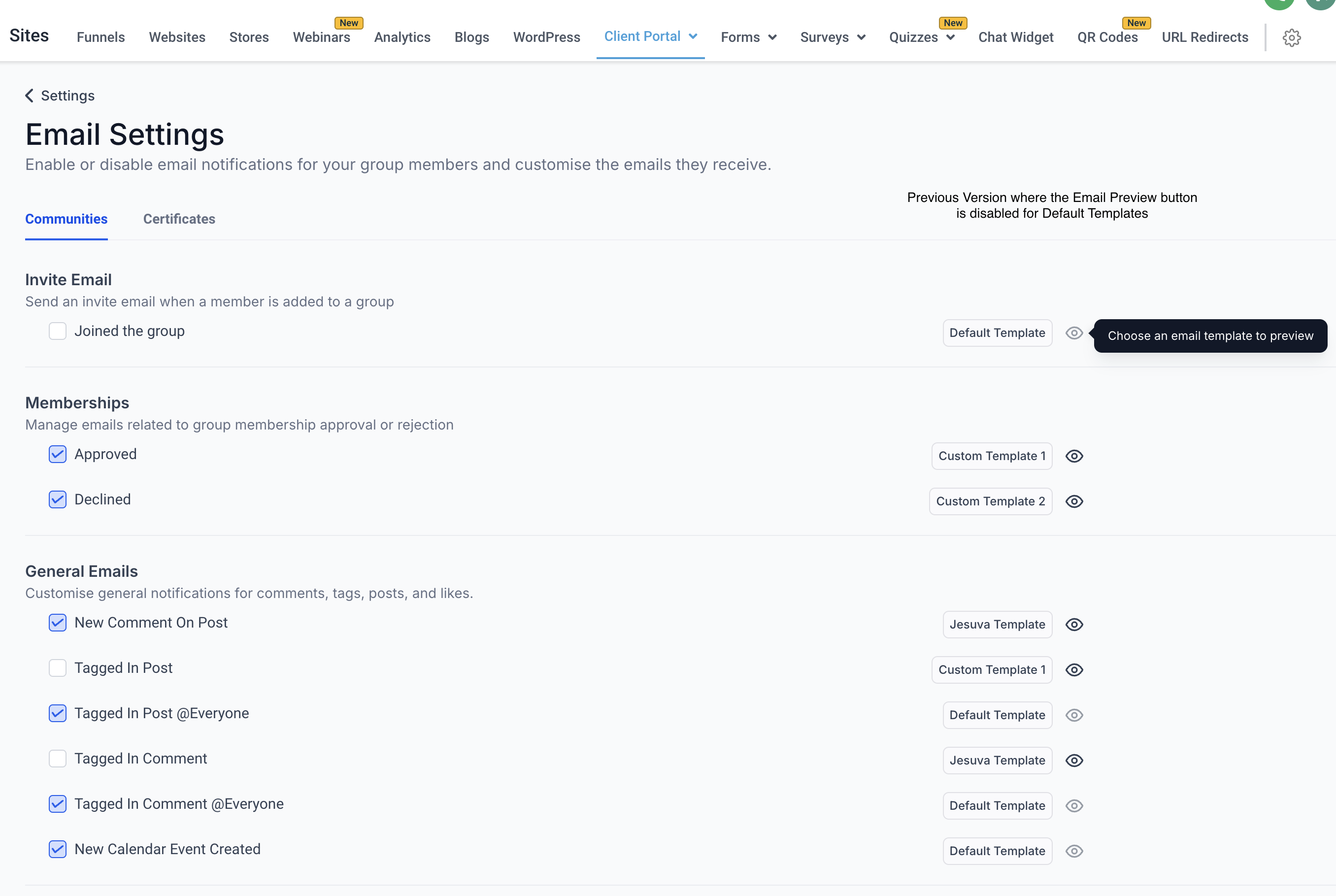
We’re excited to announce a significant enhancement to the Notification Preferences feature in the Client Portal! Initially, the feature allowed users to manage and customise notifications, but previewing default email templates was not supported. With this update, client portal owners can now preview the default email templates, enabling them to review and assess the default content structure before making any changes or customisations.

With this enhancement, client portal owners can now view the default email templates for all notification types directly within the Client Portal. This update ensures that client portal owners can make informed decisions when customising templates by understanding the default messaging and design.

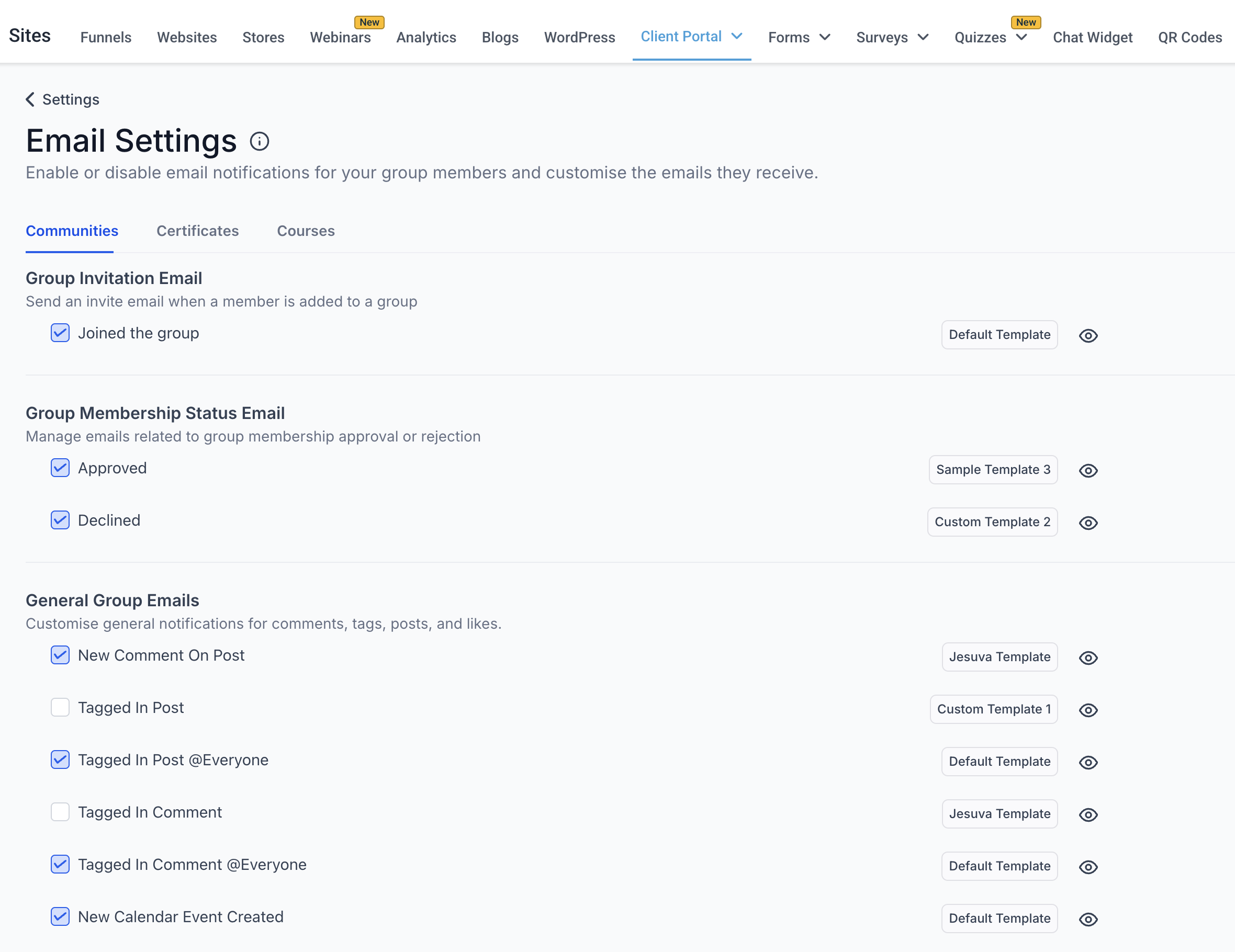
  • Preview Default Templates: Users can now click on the Eye Icon next to default email templates to preview them directly in the Notification Preferences settings.
  • Streamlined Customisation: Viewing the default templates helps users understand the original structure, tone, and format, making it easier to tailor custom templates to their specific needs.
  • Enhanced User Experience: This feature ensures that users have full visibility into the default messaging, reducing guesswork and improving confidence in customisation efforts.
  • Navigate to: Sites -> Client Portal -> Settings -> Email Settings.
  • Under each child app (e.g., Communities, Certificates, Courses based on your access), locate the notification options.
  • Find the default email template and click on the Eye Icon to preview it.
  • Review the default email content and structure.
  • If needed, use the Edit button to create a customised version of the default template that aligns with your requirements.
image
image
image
image
https://clixio.io/wp-content/uploads/2025/01/78beff1be6b7ca994428e0884a00dc74.png 1820 2360 Clixio.io https://clixio.io/wp-content/uploads/2023/08/clixio-logo-dark.png Clixio.io2025-01-24 21:55:002025-01-24 21:55:00Client Portal – Preview Default Email Templates in Notification Preferences

RSS Latest Feature Updates

  • Store Deletion Behavior Update | Clixio Changelog April 23, 2026
  • Terms & Conditions Consent at Store Checkout April 23, 2026
  • Social Planner: Community now in Comment Management April 23, 2026
  • Opportunity Smart Lists | Clixio Changelog April 22, 2026
  • WhatsApp Calling (Closed Beta) | Clixio Changelog April 22, 2026
  • Printful Auto Shipping Profile & Live Rates at Checkout April 22, 2026
  • AI Pages — Customization & Content Enhancements April 21, 2026
  • Delete Schema Markup Feature | Clixio Changelog April 21, 2026
  • Custom Date Reminder: Now for Custom Objects, Opportunities and Companies April 21, 2026
  • Conversation AI – Services Calendar V2 Enhancements April 21, 2026
Book a demo
See Clixio working
for your business, live.

30 minute call with our team. Personalised to your industry, no hard sell.

Book your free demo
14 day free trial · Cancel anytime
Clixio - Marketing and sales automation

Marketing & sales automation built for Australian service businesses. One platform, one flat rate, genuinely easy to use.

Product
Features Pricing How it works Latest updates
Company
Blog FAQ Get support Account transfers
Legal
Privacy Policy Terms & Conditions
© Clixio. All rights reserved. Made with ♡ in Australia.
Scroll to top Scroll to top Scroll to top