
📁 Client Portal — File Share Notifications
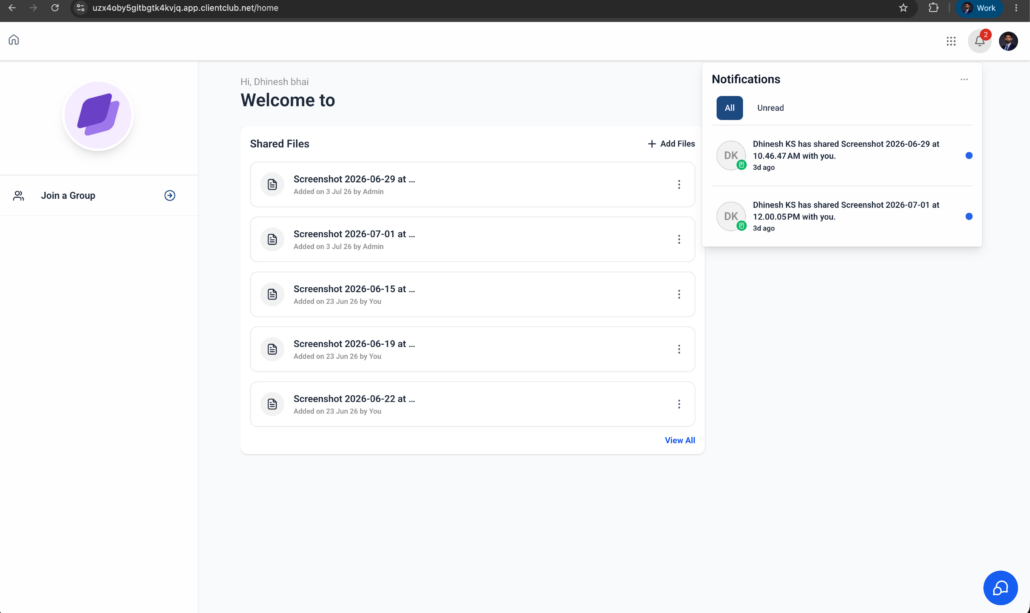
Contacts are now notified the moment an admin shares a file with them via the Client Portal. Real-time notifications reach them across both the Client Portal (Web) and the White Label mobile app, ensuring that newly shared documents never go unnoticed. Contacts can also manage these notifications directly through their Client Portal preferences.
🔔 **File Share Notifications for Contacts**
When an admin shares a file with a contact through the Client Portal, the contact automatically receives a notification informing them that a new file is available.
⚙️ **Manage Notification Preferences**
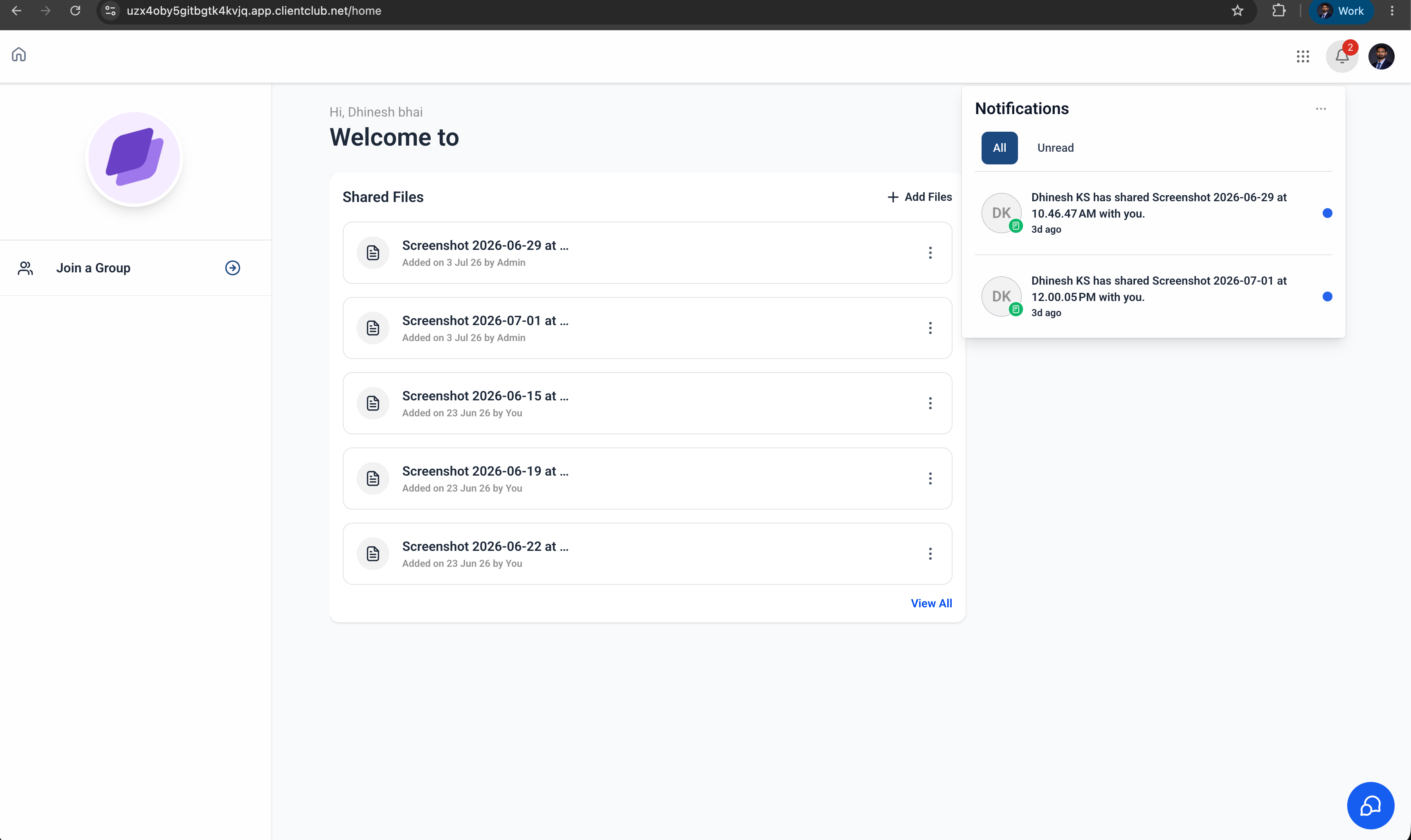
Contacts can choose whether to receive notifications for shared files by updating their notification preferences within the Client Portal.
📱 **Available Across Platforms**
File share notifications are supported on:
- Client Portal (Web)
- White Label Mobile App
🤝 **Improved Client Communication**
Keep clients informed whenever important documents, contracts, invoices, or other files are shared. This reduces missed updates and enhances the overall client experience.
**Share a File with a Contact**
- Navigate to a contact.
- Open the Files section from the right-hand navigation panel.
- Upload or select a file.
- Enable the Upload to Client Portal option.
- Save the file.
Once the file is shared, the contact receives an in-app notification and, if enabled, a push notification.
**Manage Notification Preferences (Client)**
- Log in to the Client Portal.
- Navigate to Settings → Notification Preferences.
- Enable or disable In-app & Push Notifications.
- Save your preferences.
Businesses frequently share important files with clients through the Client Portal. Previously, clients did not automatically receive notifications that a new document had been shared. With file share notifications, clients are promptly informed when new files become available, enhancing visibility, reducing missed communications, and creating a more seamless client experience.
- Notifications are triggered when an admin shares a file with a contact through the Client Portal.
- Contacts can manage notification preferences from the Client Portal settings.
- Supported notification channels: In-app Notifications and Push Notifications.
- Available on both the Client Portal (Web) and White Label Mobile App.