📅 Chronological Appointment Sorting in Contacts & Conversations
We’ve improved how appointments are organised within the Contacts and Conversations tabs to make it easier to quickly understand what’s coming up next and what happened most recently.
Previously, appointments were not always displayed in a straightforward order, making it challenging to identify the next upcoming appointment or the latest completed interaction.
With this enhancement, appointments are now sorted chronologically based on their status, helping users navigate customer interactions more efficiently.
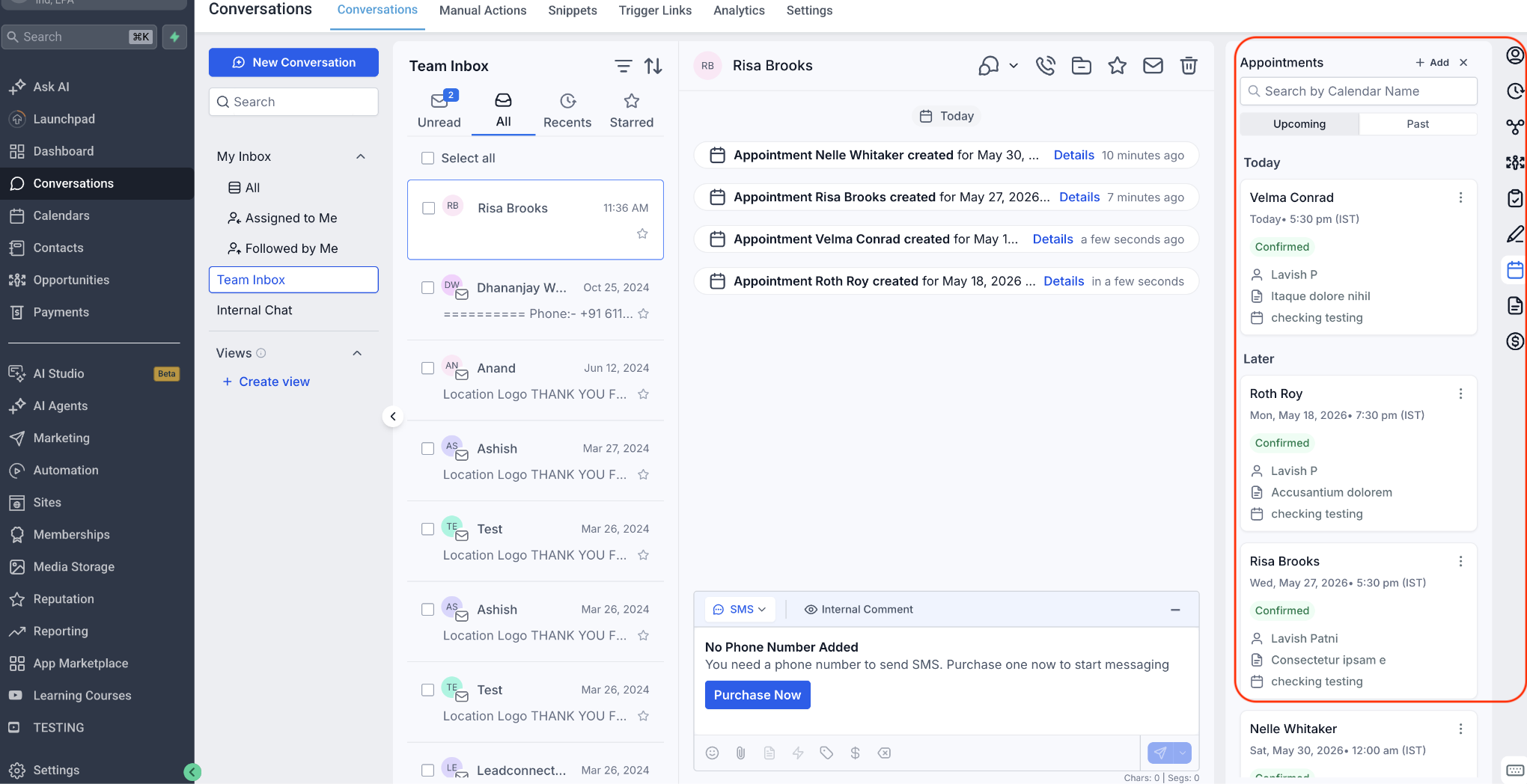
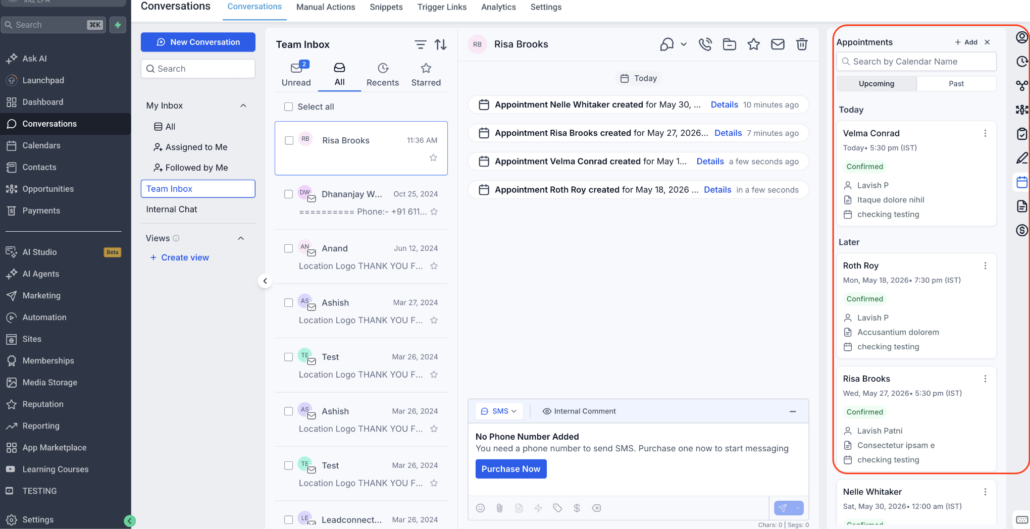
⏭️ Upcoming Appointments Sorted by Nearest First
Upcoming appointments now appear in ascending chronological order, with the appointment happening soonest always shown at the top of the list.
For instance, if a contact has appointments on:
The June 10 appointment will appear first, followed by June 15 and June 20.
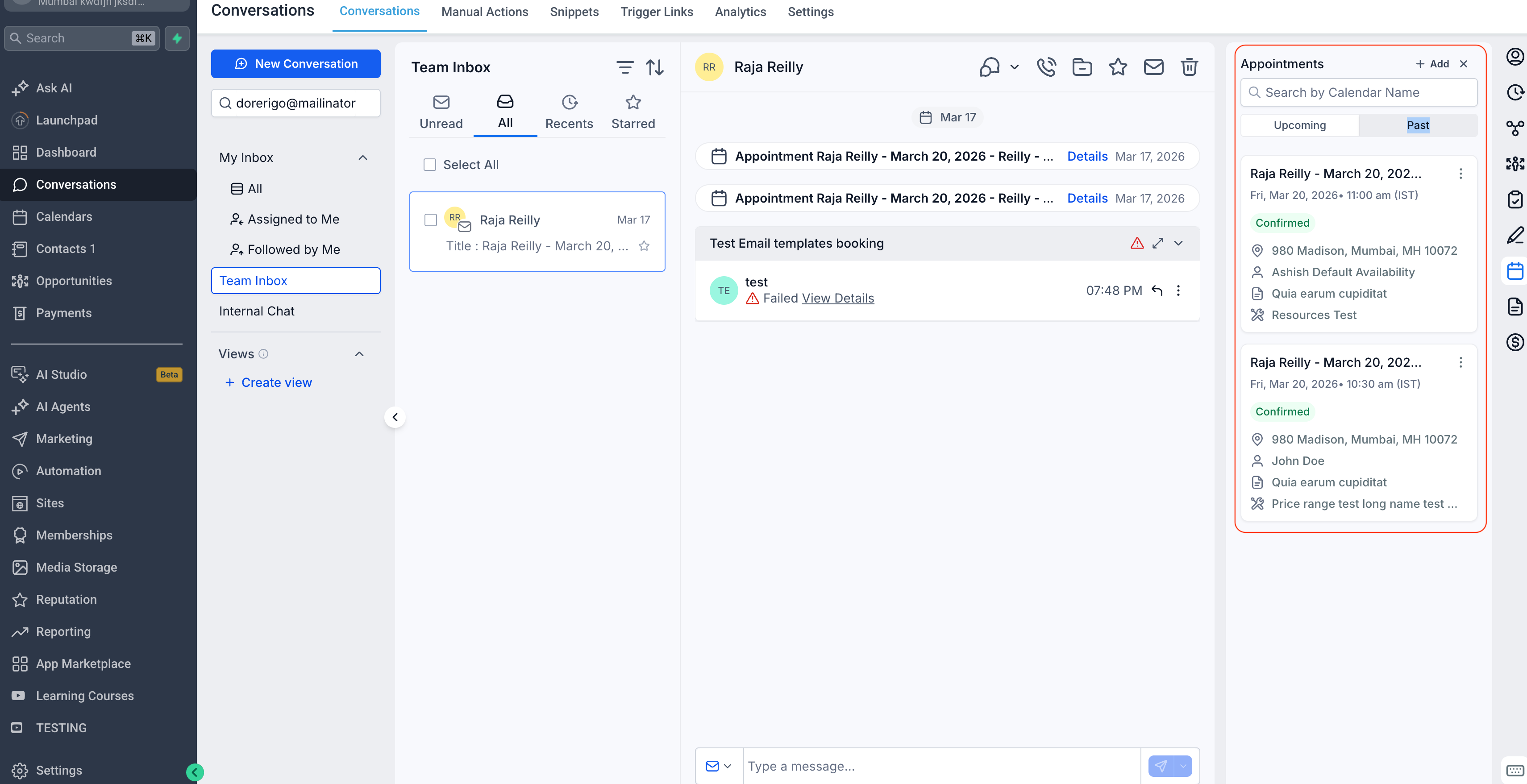
⏮️ Past Appointments Sorted by Most Recent First
Past appointments are now displayed in descending chronological order, ensuring that the most recently completed appointment appears at the top of the list.
For example, if a contact previously had appointments on:
The June 1 appointment will appear first, followed by May 25 and May 10.
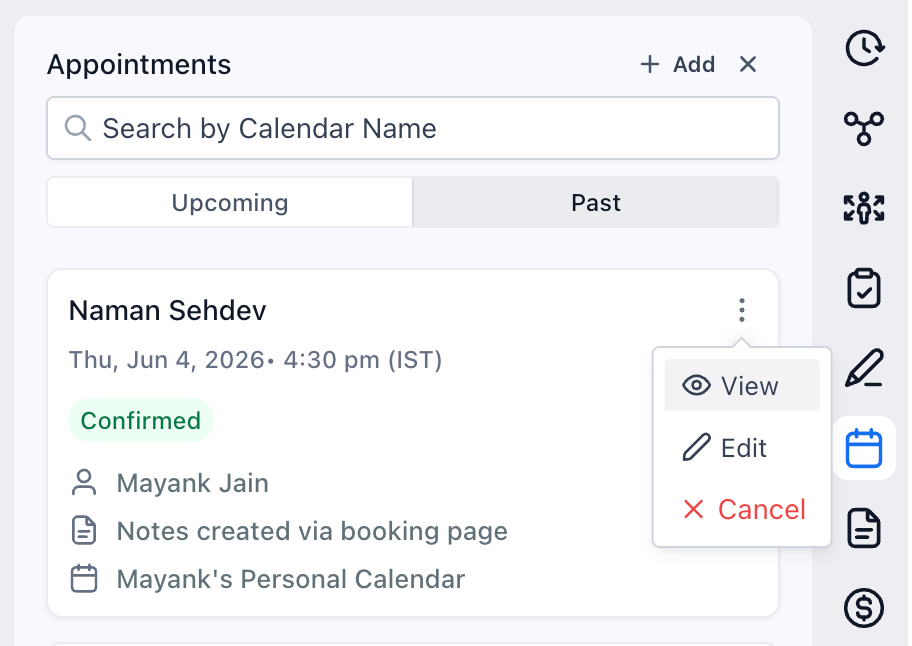
👀 Quick Access to Appointment Details
Users can now view appointment details directly from the Appointments tab using the “View” action, making it easier to review information and take action without needing to navigate elsewhere.
- Makes upcoming appointments easier to identify.
- Highlights the most recent customer interactions first.
- Reduces time spent searching through appointment history.
- Creates a more intuitive experience within Contacts and Conversations.
This update ensures appointment information is presented in a way that naturally aligns with how users manage customer conversations and follow-ups.