🌐 Calendars, Services & Rentals Notifications Now Speak Your Business’s Language
Notification Templates with Internationalization (i18n)
Notification templates have historically shipped in English only, leaving multi-language businesses to manually translate every notification themselves. This release brings internationalization (i18n) to notification templates across
Calendars, Services, and Rentals
—
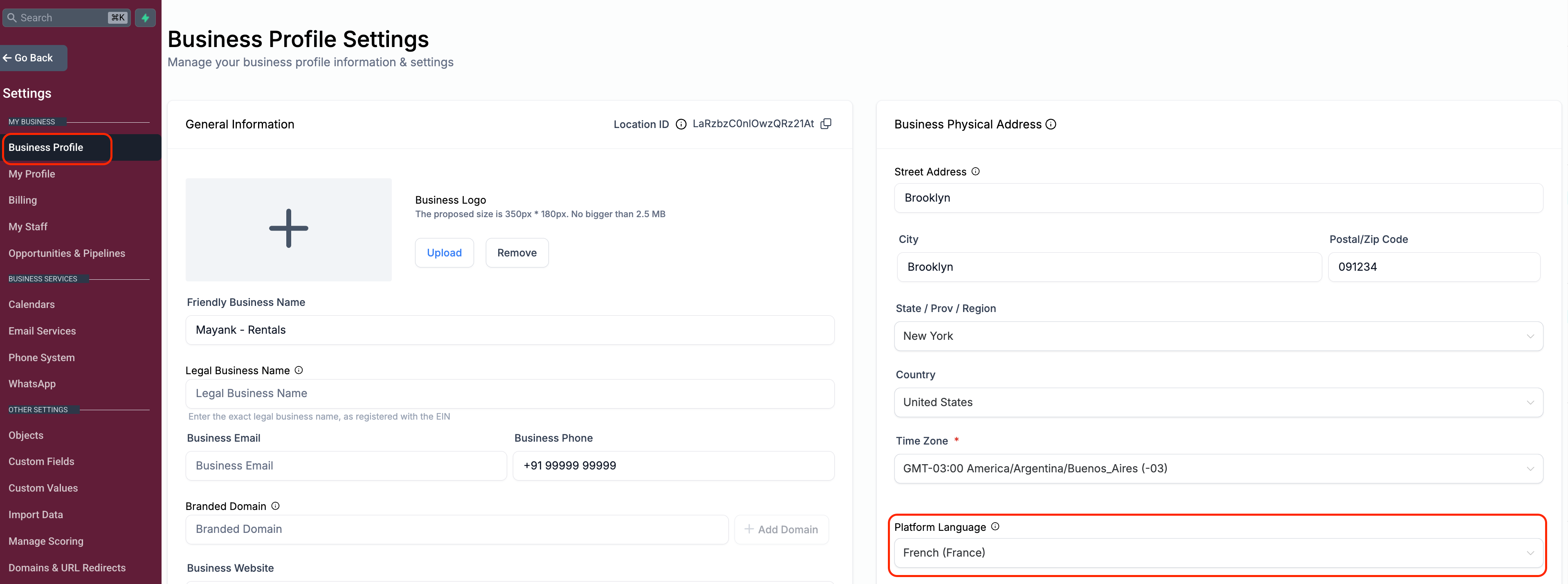
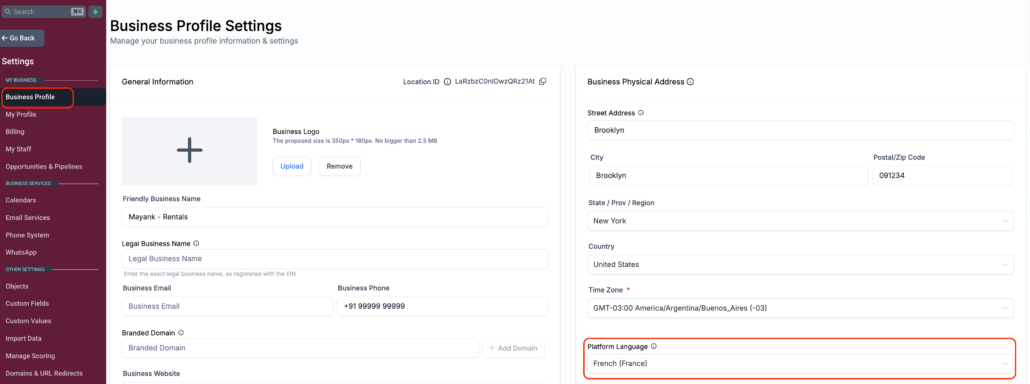
default templates now localise
based on the Business Profile’s Platform Language, while anything a user has already customised stays exactly as saved. Newly created calendars, Services and Rentals locations get localised defaults automatically; existing ones keep their current templates until a user resets them to default.
✅ Localised templates across Calendars, Services, and Rentals
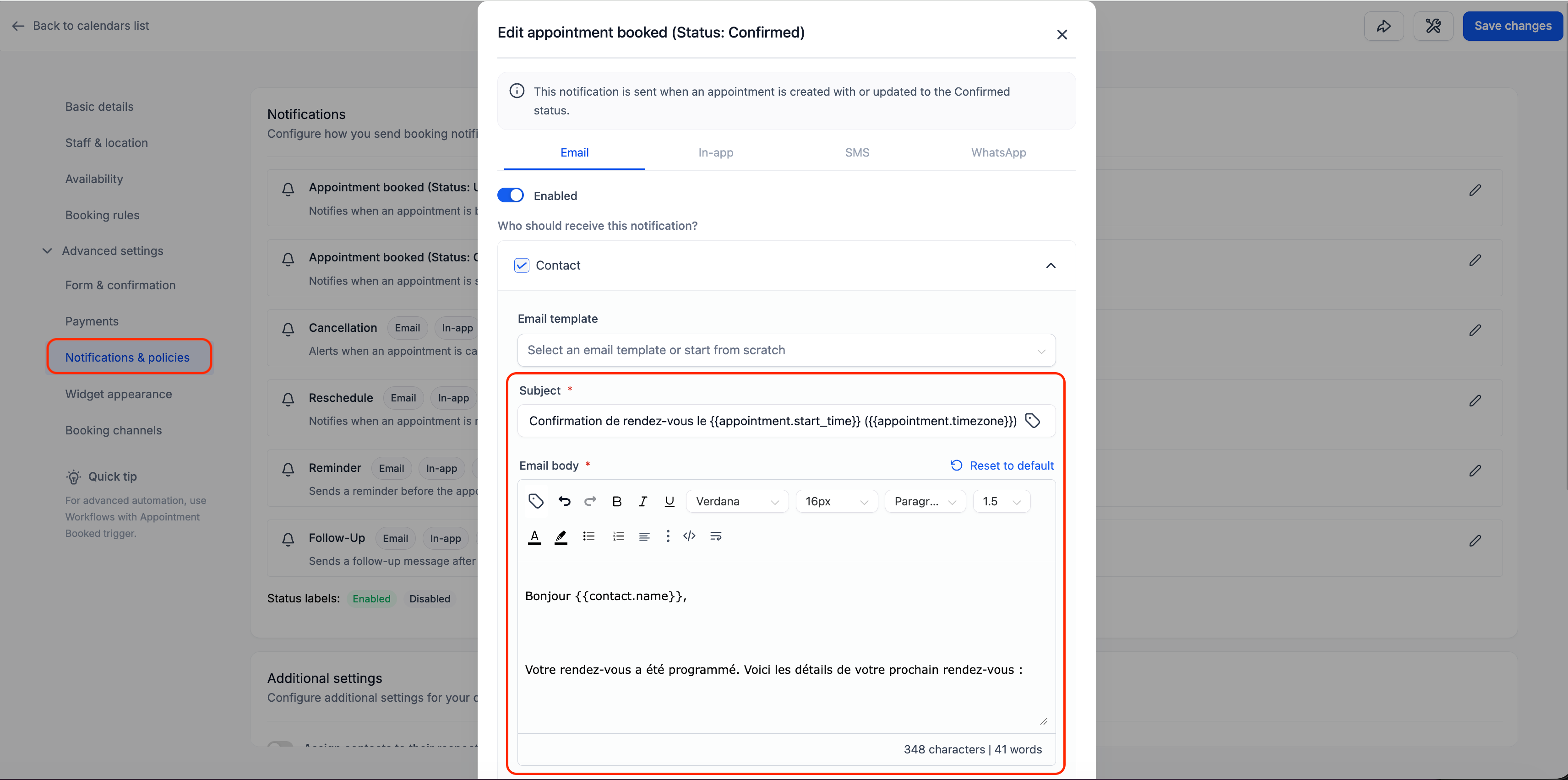
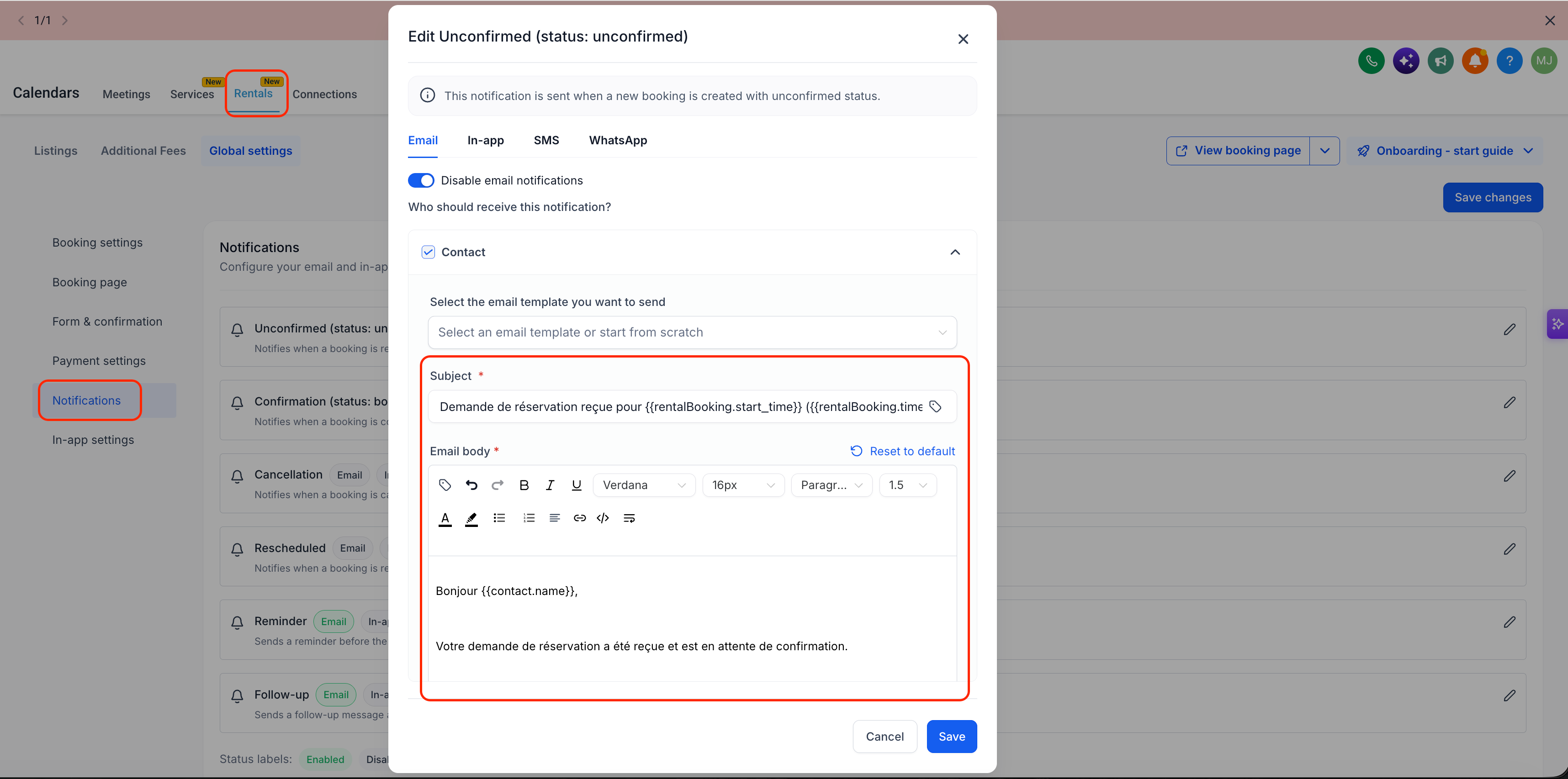
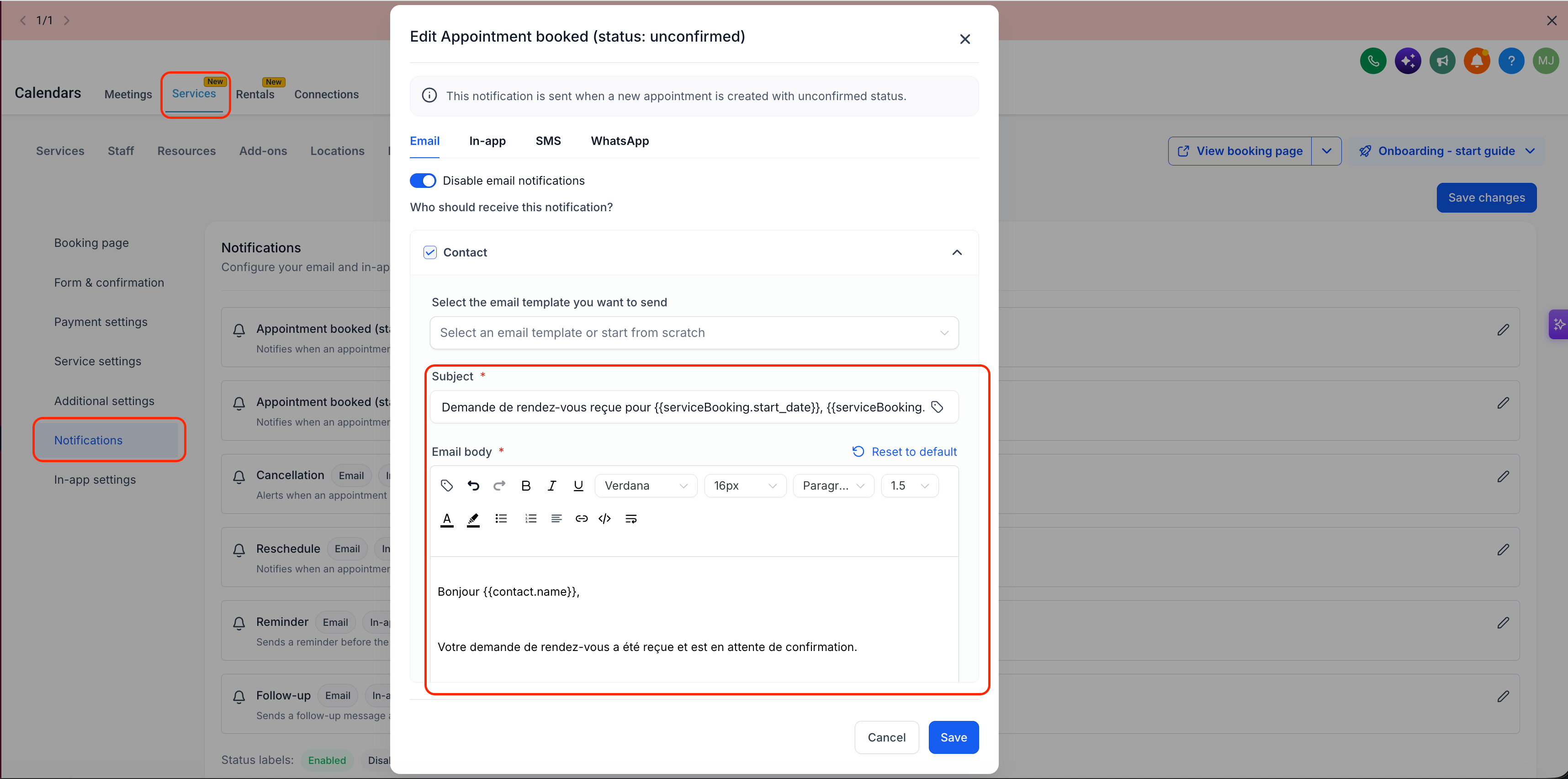
Notification templates now display in the appropriate language automatically — across Email, SMS, and WhatsApp channels, wherever each product supports them.
✅ Coverage matches each product’s own notification types
Calendars covers Assigned User, Additional Email, Additional Phone, Contact, and Guest templates. Services and Rentals covers all recipients of each notification as well.
✅ One consistent language source
All notification templates resolve their language from the Business Profile Platform Language — a single, consistent source across every product, recipient type, and channel.
✅ Your customisations are never touched
Any template that’s already been edited is preserved exactly as saved — the system will never overwrite, re-translate, or reset a customised template. Only untouched, default templates get localised.
✅ New calendars, Services and Rentals locations get localised defaults automatically
Newly created calendars, services and rentals locations display their default notification templates in the Business Profile Platform Language right away — no extra steps needed.
-
Calendars
: Go to Calendar Settings → Notifications for the calendar you want to update.
-
Services / Rentals
: Go to Global Settings → Notifications.
-
New calendars, Services, and Rentals
: Nothing to do — default templates already display in the Business Profile Platform Language.
-
Existing calendars, Services, and Rentals
: Templates keep their current (English) content by default, even if they’ve never been edited. To pick up the localised version, click
Reset to Default
on the relevant notification template — this is what triggers the translation.
- Multi-language businesses no longer need to manually translate notification templates across Calendars, Services, or Rentals.
- A single source of truth for language — the Business Profile — keeps behaviour predictable and easy to reason about across every product and recipient type.
- Protects existing work — nothing a user has already customised gets reset or retranslated.
- New calendars, services, and rentals work out of the box, and existing ones can opt in with one click — no forced, silent overwriting of what’s already live.