
Bulk Delete for Custom Objects, Companies & Tasks
You can now bulk delete records across Custom Objects, Companies, and Tasks, with no upper limit on the number of records you can delete in a single action.
Previously, Custom Objects did not allow multi-select in the list view, meaning records could only be deleted one at a time.
While Companies and Tasks supported bulk deletion, there was a limit of 100 records per action.
Both of these limitations have been removed, providing a consistent experience across all three modules. Deleted records can also be restored within 60 days from the Bulk Actions page.
This feature is currently available in Subaccount > Labs.
How to Bulk Delete Records:
- Go to the desired Custom Objects/Company/Tasks in your sub-account.
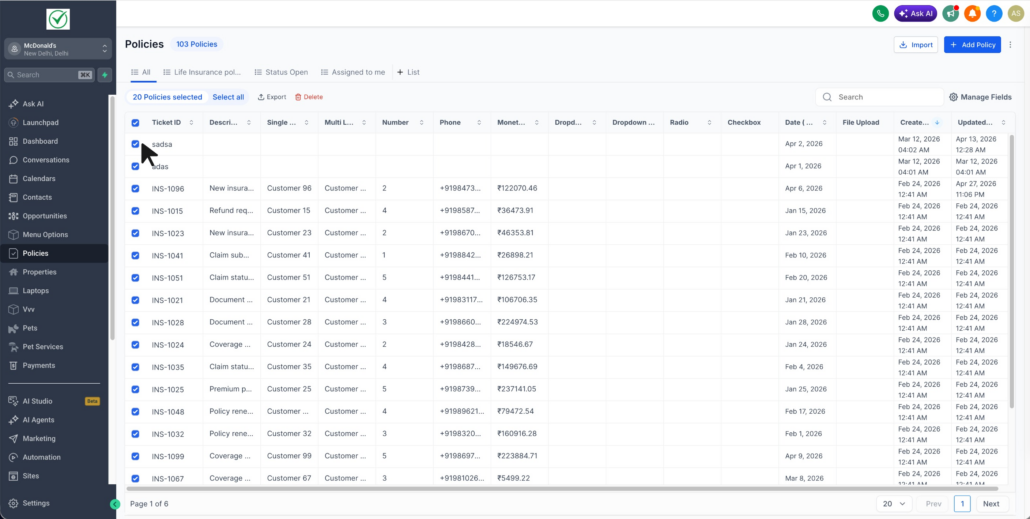
- In the list view, use the checkboxes on the left of each row to select the records you wish to delete. Use the header checkbox to select all records on the page.
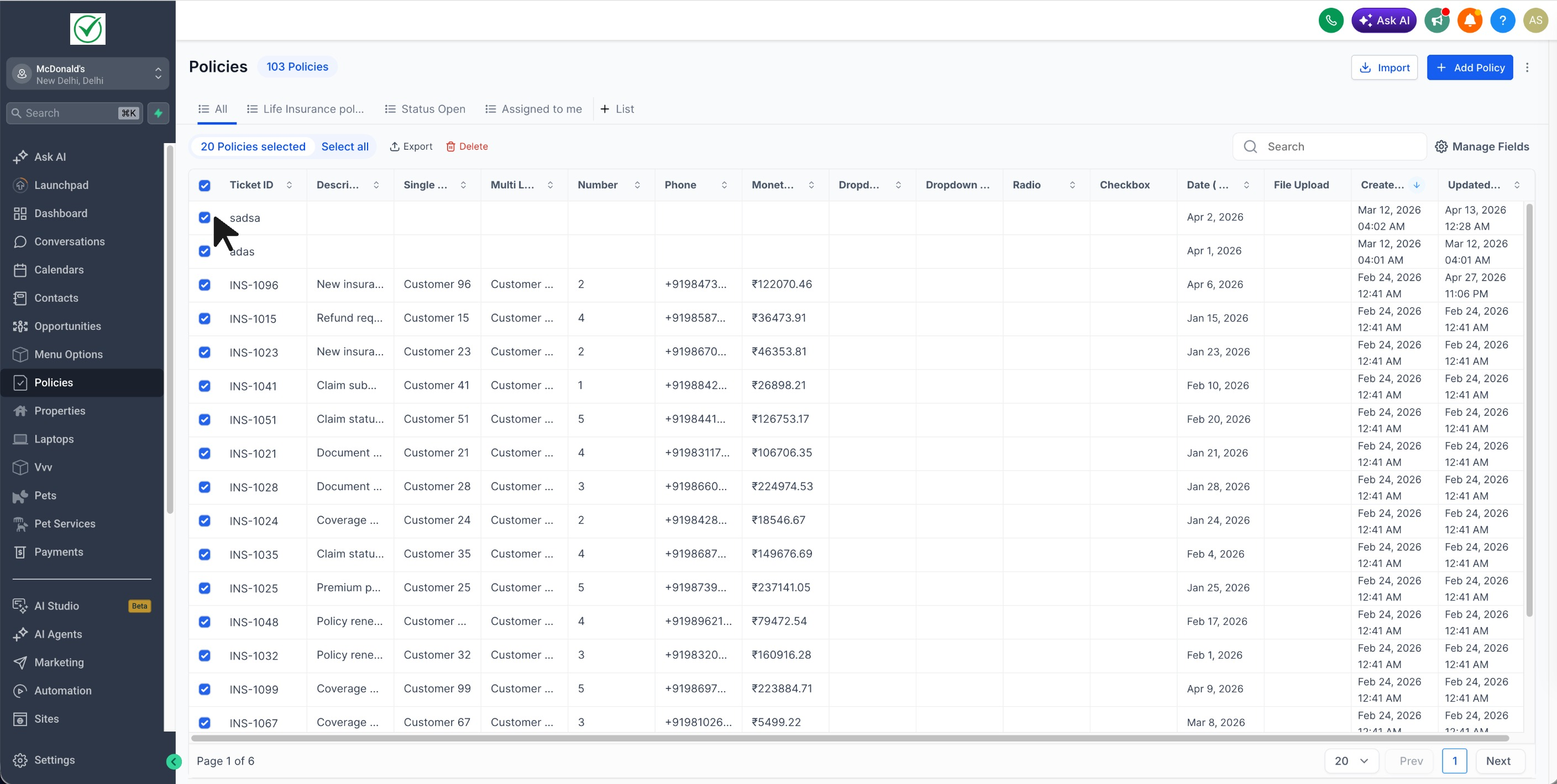
- Click Delete from the bulk actions bar that appears.
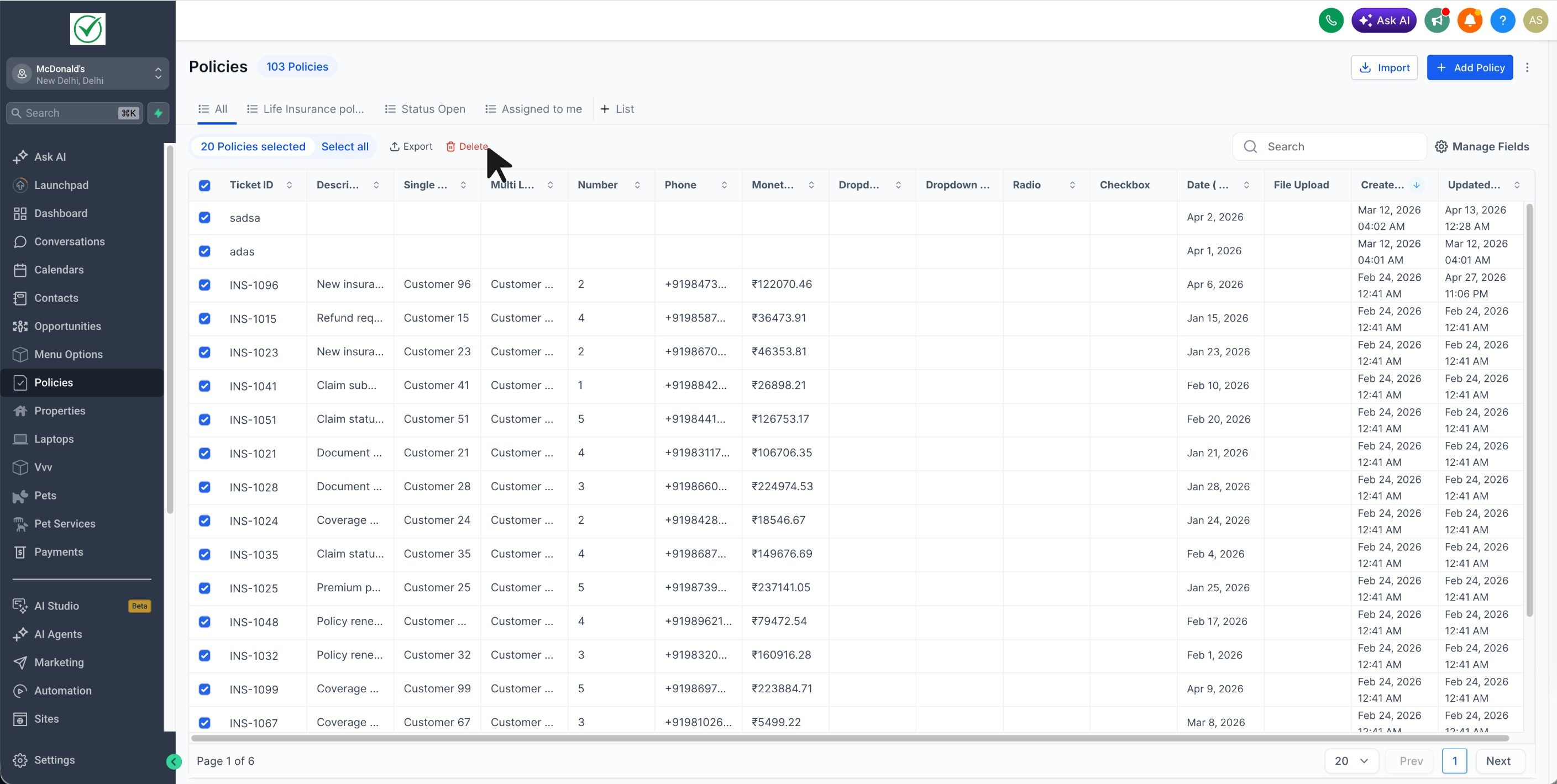
- Confirm the action in the dialog.
- You can check the progress and logs on the Bulk Actions page.
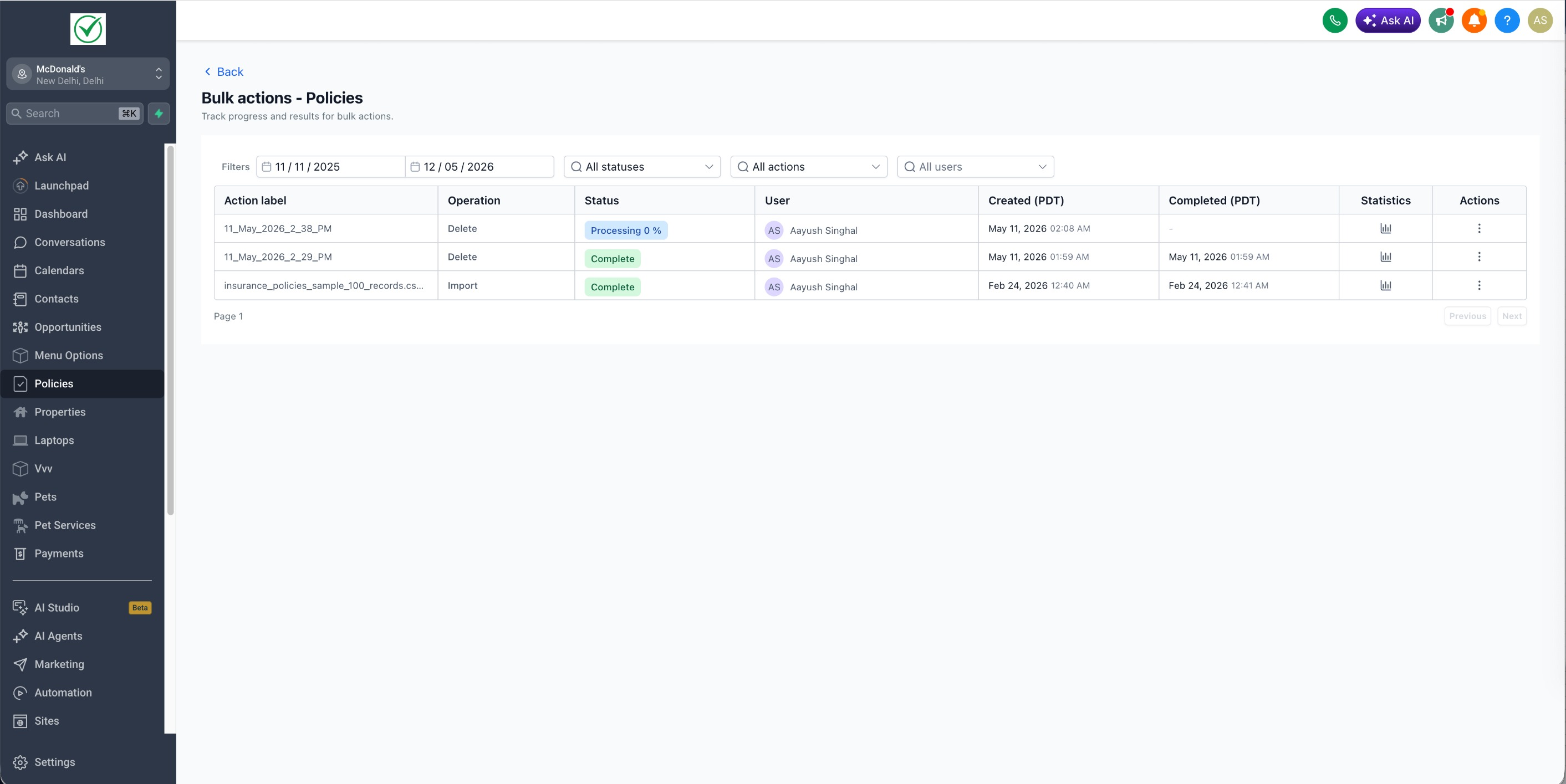
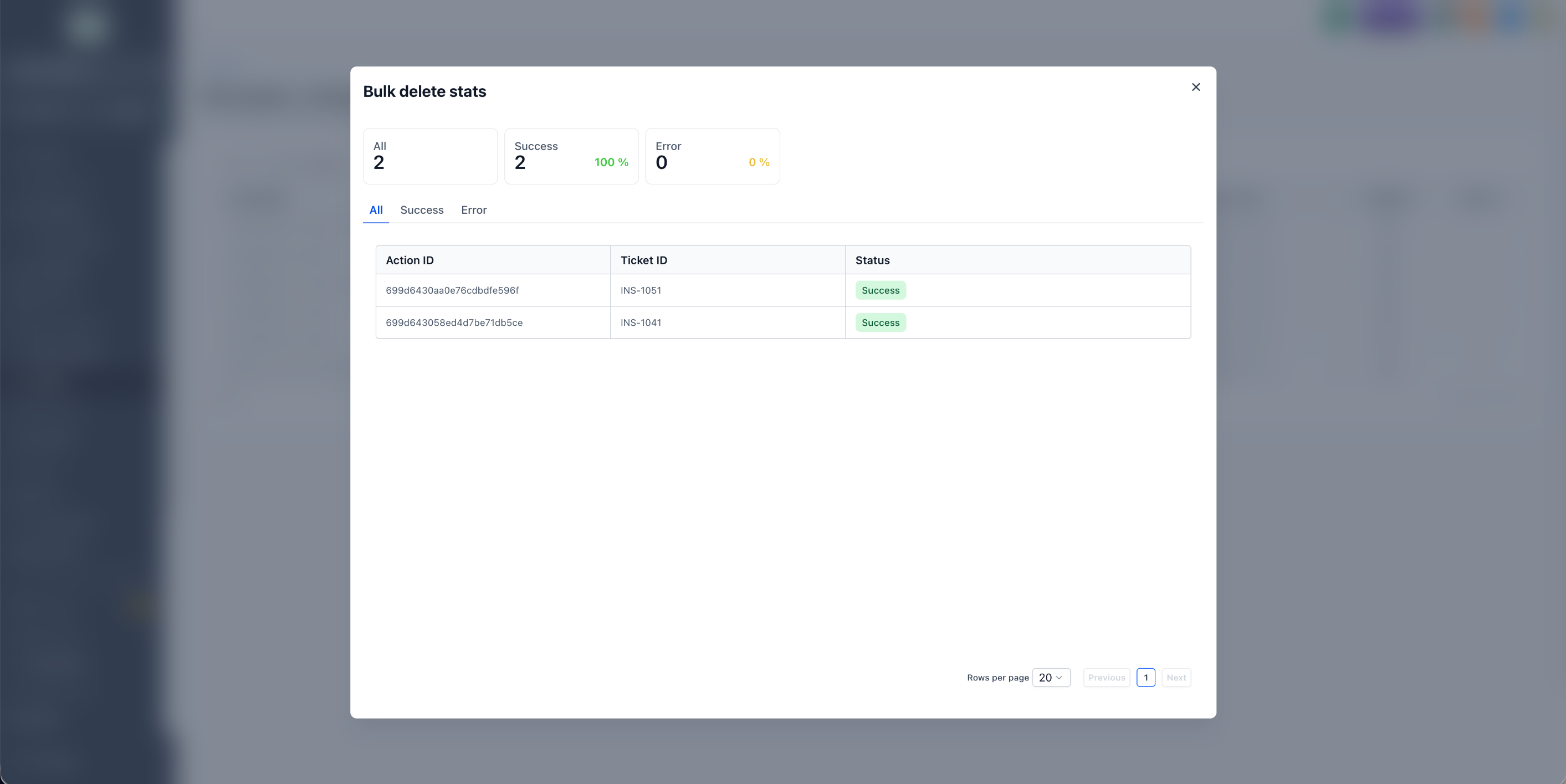
Deleting a record will also remove all of its relations and associations, including:
- Associations to related Notes and Tasks.
- Associations to related Contacts, Companies, Opportunities, and other Custom Object records.
- Any association labels applied to these relationships.
The related records themselves are not deleted; only the links between them and the deleted record are removed.
Bulk-deleted records can be restored within 60 days from the Bulk Actions page.
How to Restore Deleted Records:
- Open the Bulk Actions page.
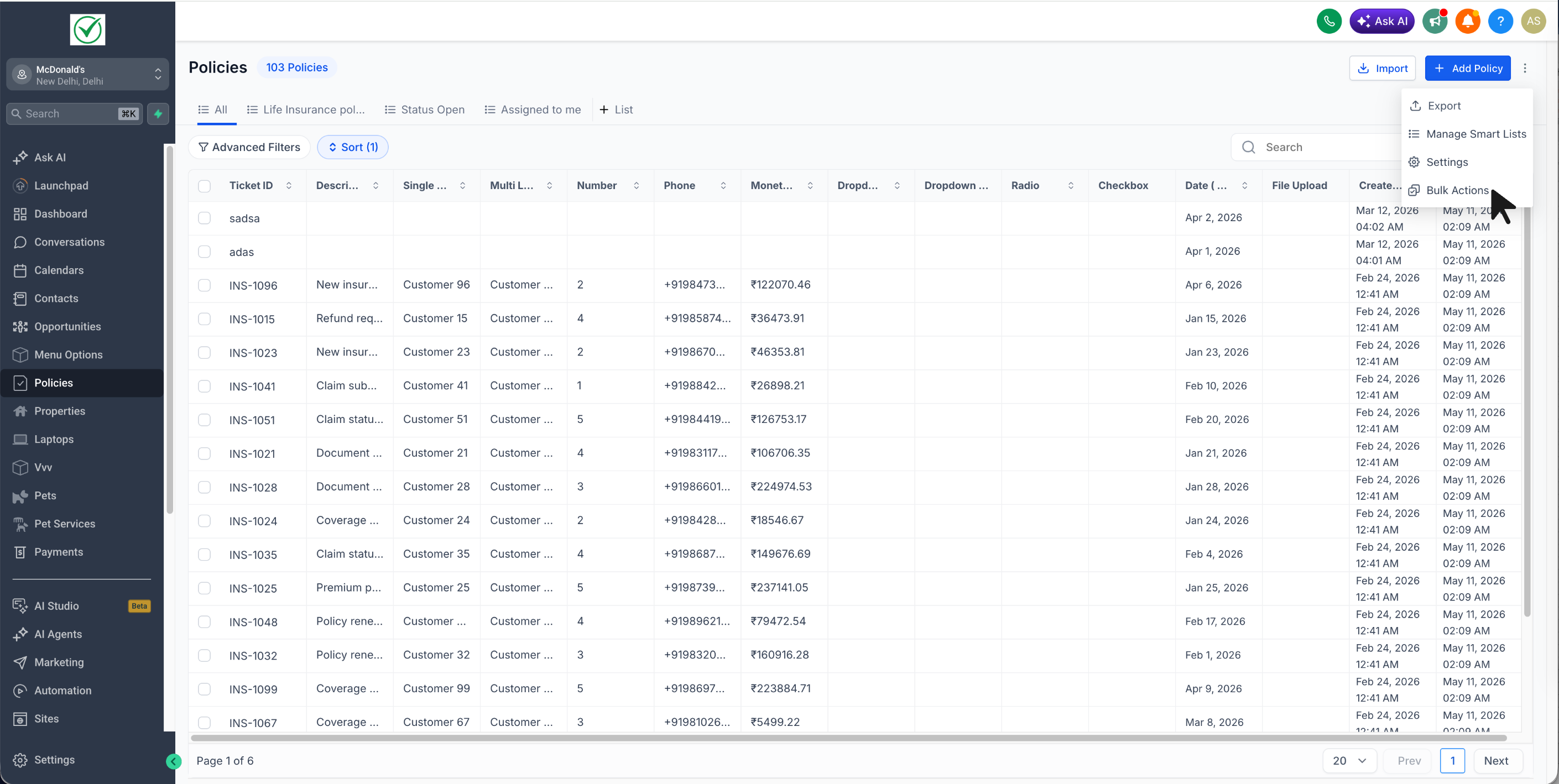
- Locate the deletion job you wish to reverse. Click the three-dot menu on the right and select Restore.
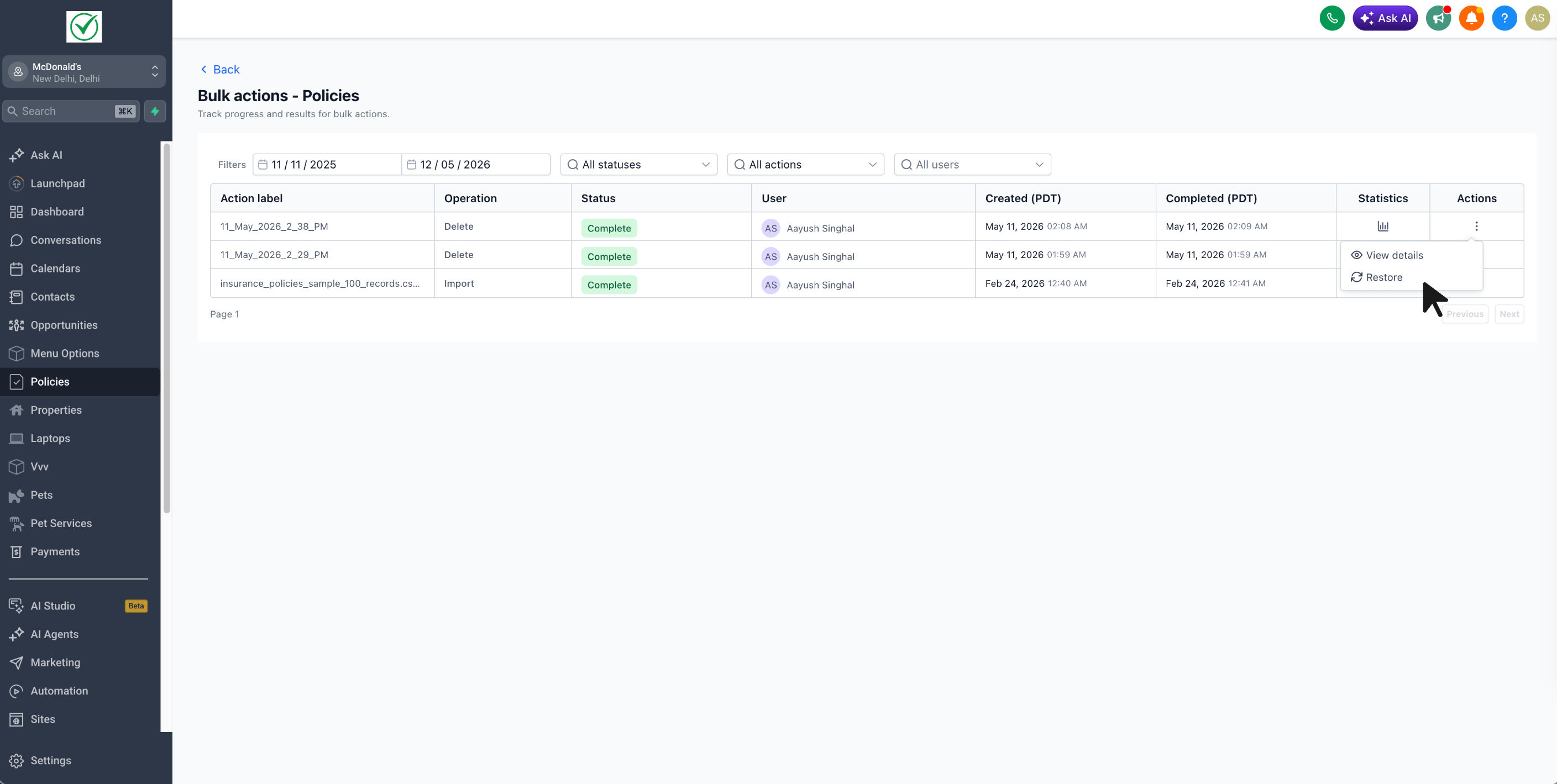
The restore will run as a new job, reinstating the records along with their field values, associations, and association labels.
Benefits of Bulk Delete:
- Quickly clean up large volumes of stale, test, or mis-imported records.
- Avoid the hassle of deleting records one at a time in Custom Objects.
- Bypass the 100-record limit when working with Companies and Tasks.
- Recover deleted records within a 60-day window if something goes wrong.
- Ensure a consistent deletion experience across the CRM.
–