Billing Address Field for Ecommerce Store Checkout
We’re excited to introduce a new Billing Address feature for Ecommerce Stores! This update allows store owners to capture billing details separately from shipping addresses, enhancing flexibility and compliance.
-
Enable/Disable Billing Address:
- Store owners can toggle “Enable Billing Address” in the checkout settings.
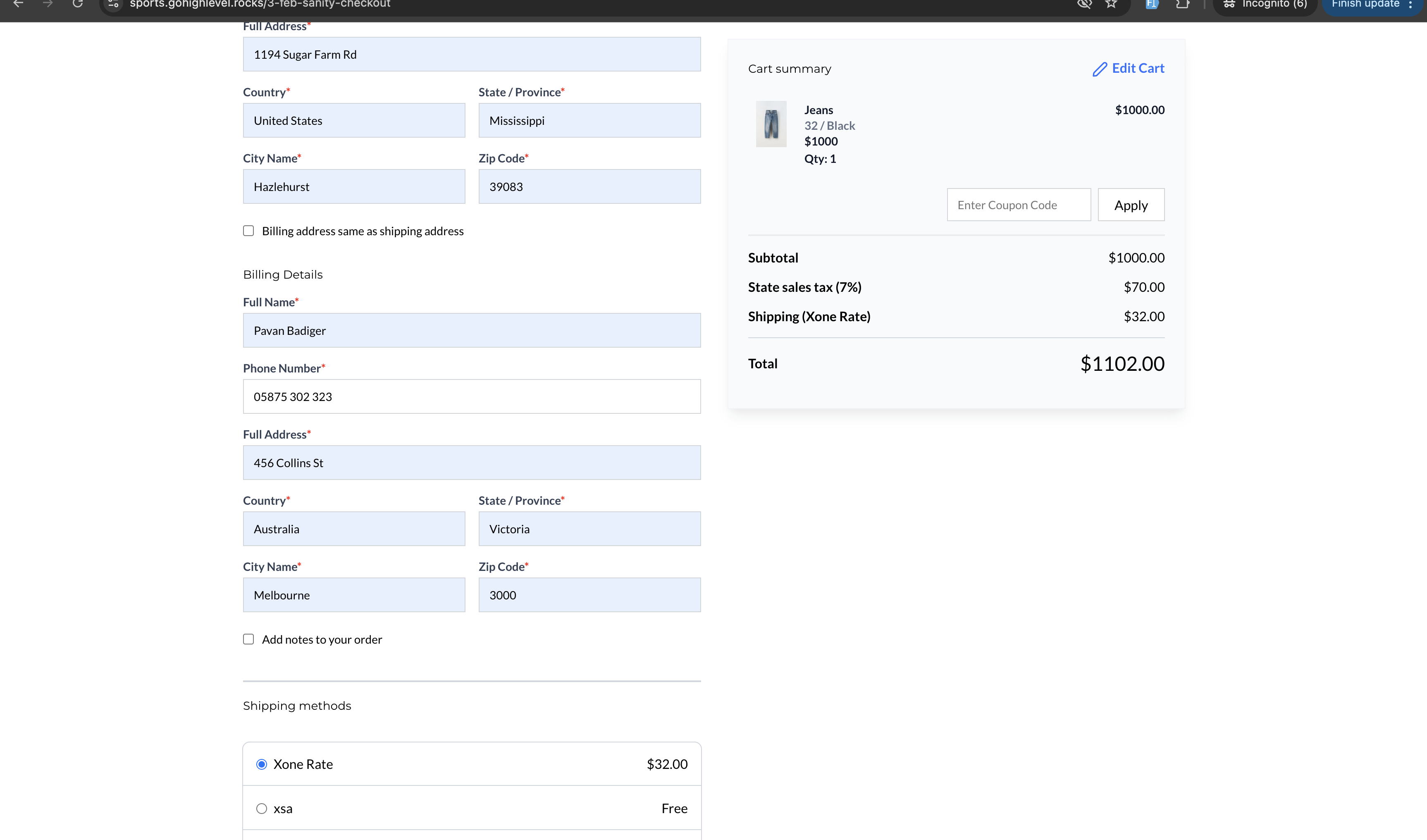
- A “Same as Shipping Address” checkbox appears under the Shipping Details section when enabled, checked by default.
-
Checkout Page Structure:
- Contact Details
- Shipping Details
- Billing Details (new)
- Notes
- Shipping Options
- Payment Methods
-
Text Customisation options:
- Billing Address Headline Text
- Billing Address Checkbox Text
- Billing Address Fields:
- Full Name
- Phone Number
- Full Address
- Country
- State
- City
- Zip Code
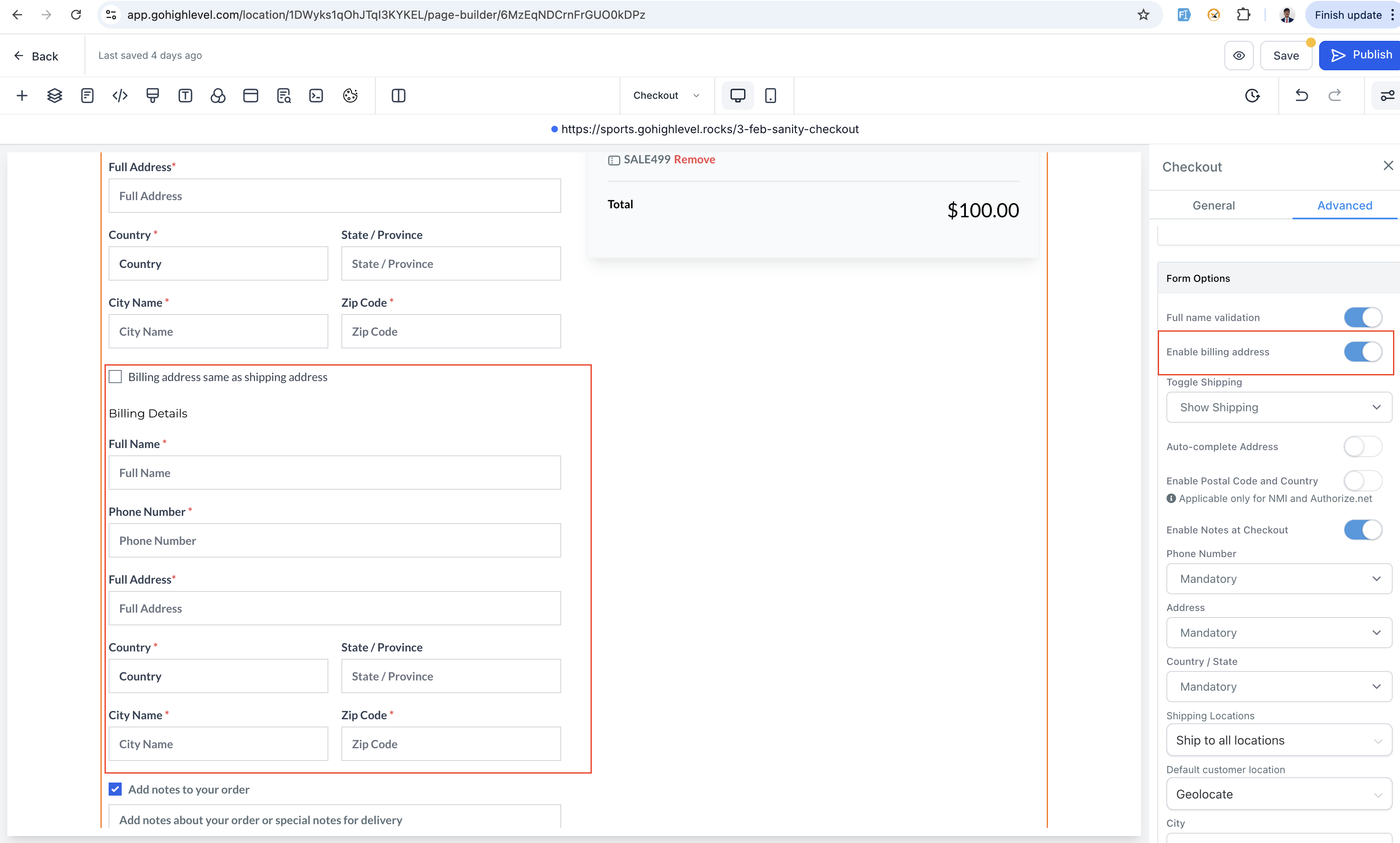
- Open Store Builder and navigate to the Checkout Page.
- Select the Checkout element, head to the Advanced Section in Settings.
- Under Form Options, toggle on “Enable Billing Address.”
- Customise headline and checkbox text in Text Options under General Settings.
- Save and publish changes to enable billing details capture on your checkout page.
-
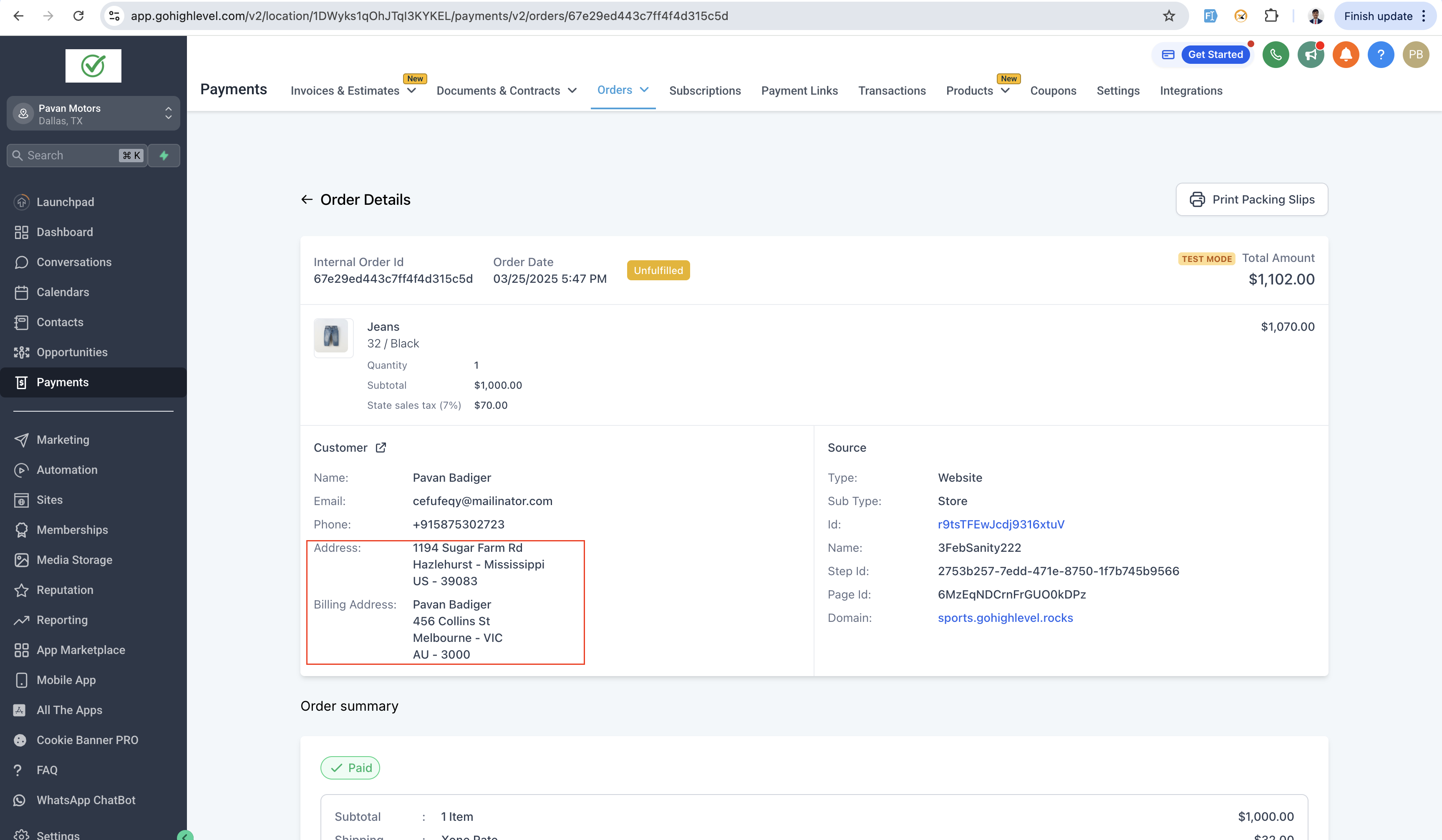
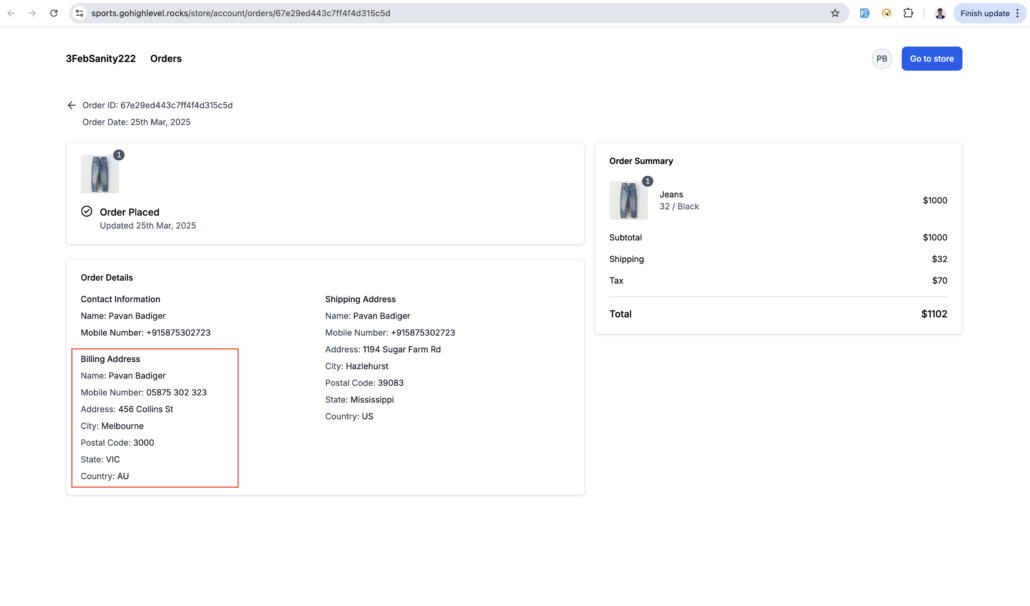
Order Details Page:
Billing Address details appear separately below Shipping Address in Customer Info if enabled.
-
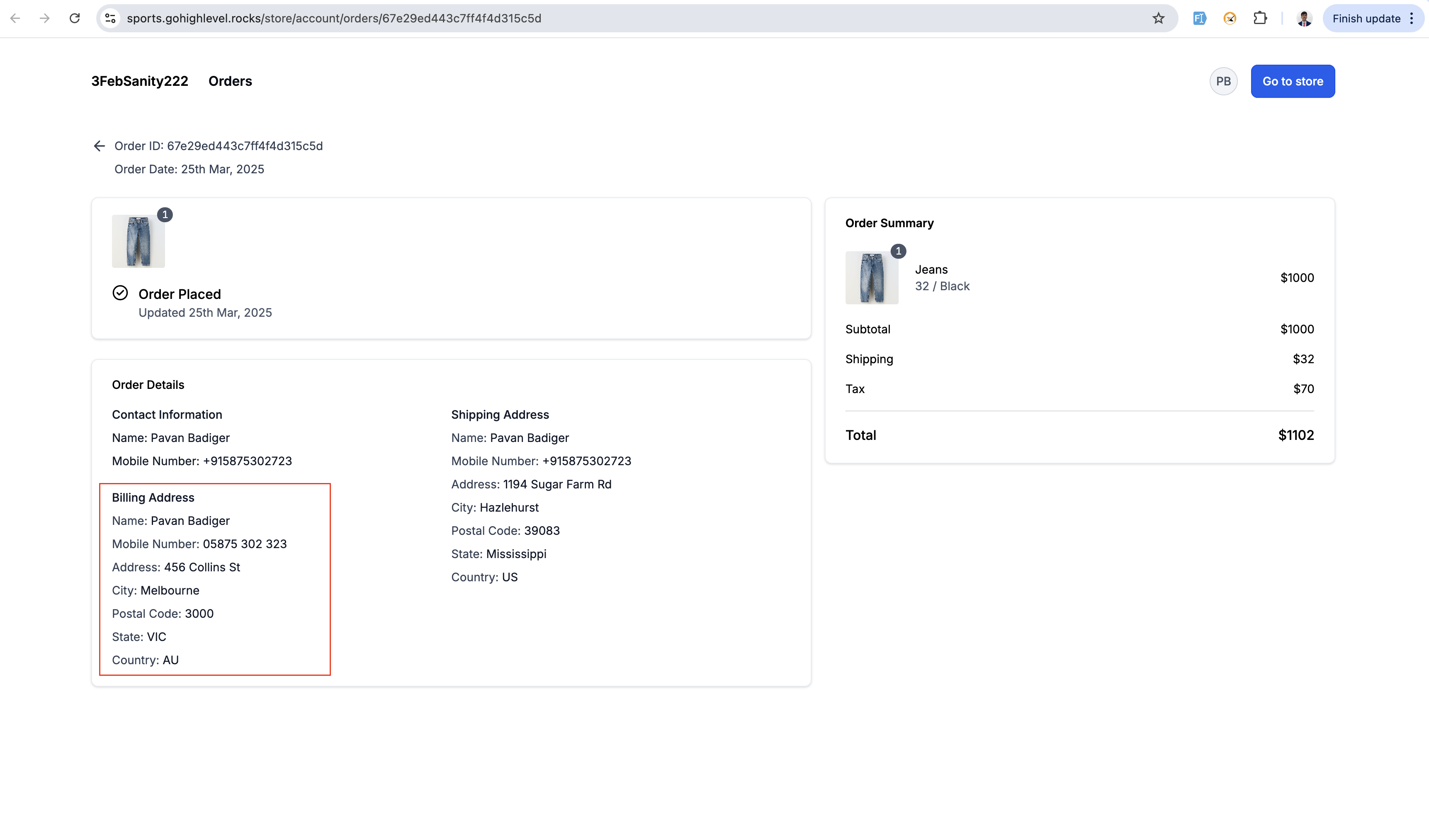
Customer Access Centre (CAC):
Billing address reflected in Order Details section.
-
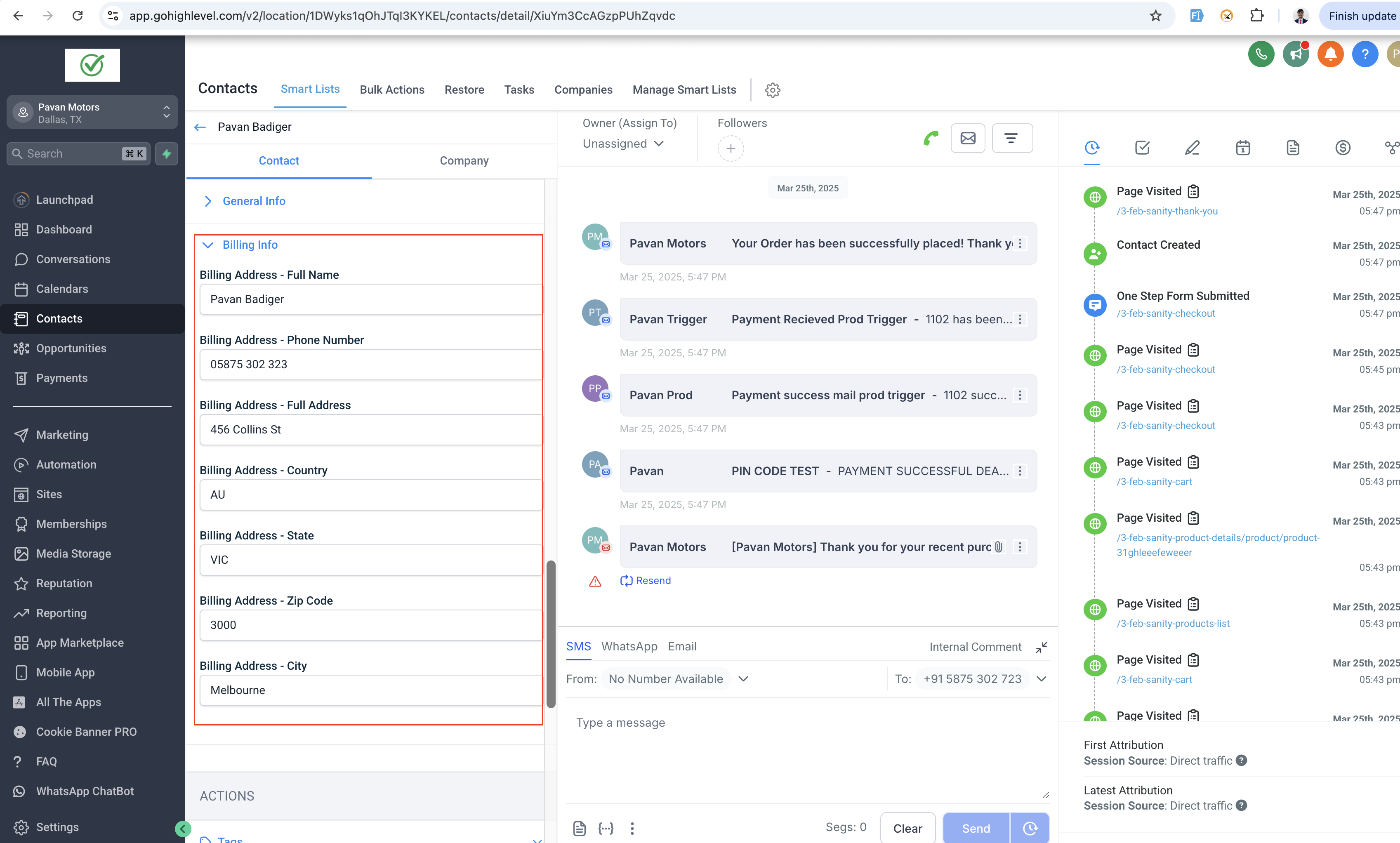
Contacts:
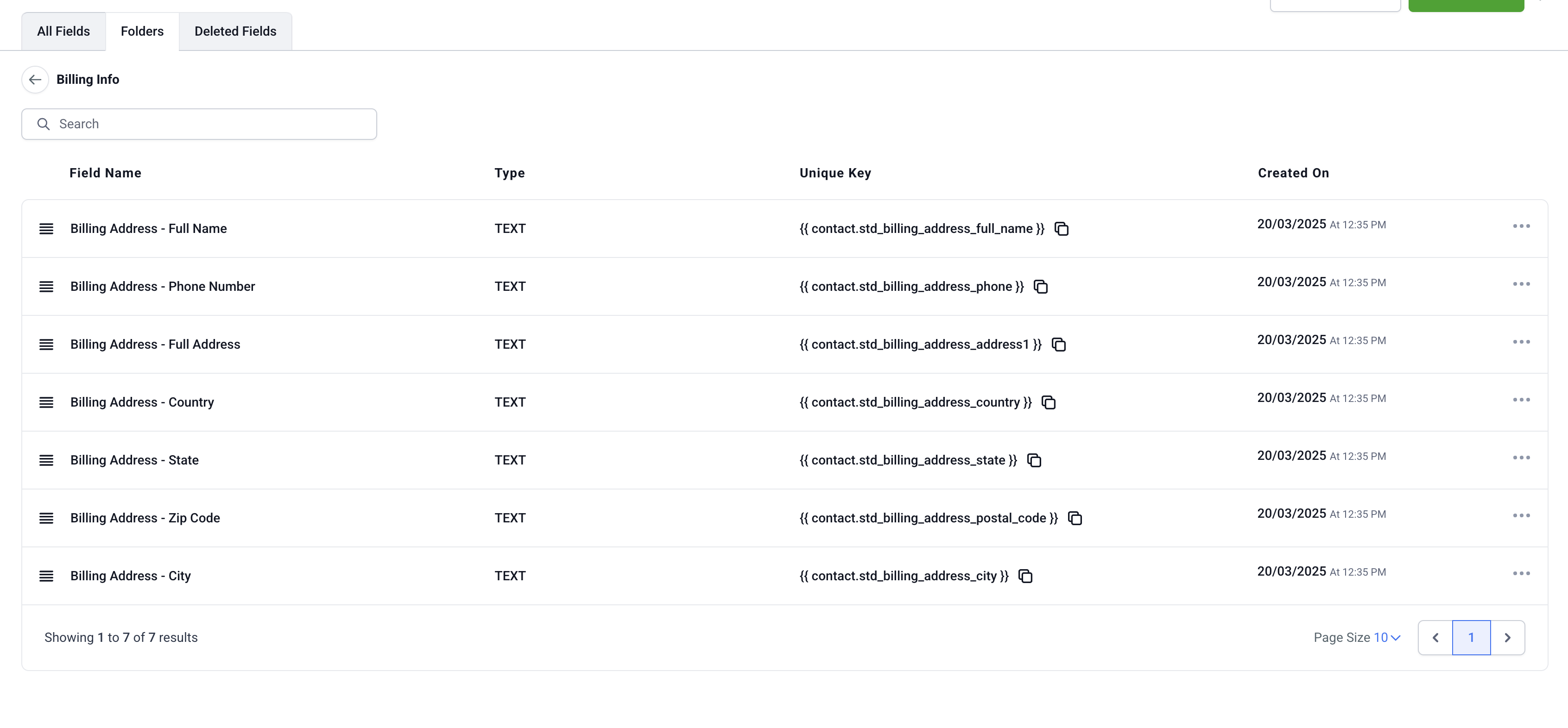
Billing address stored alongside Shipping Address for Ecommerce store users.
-
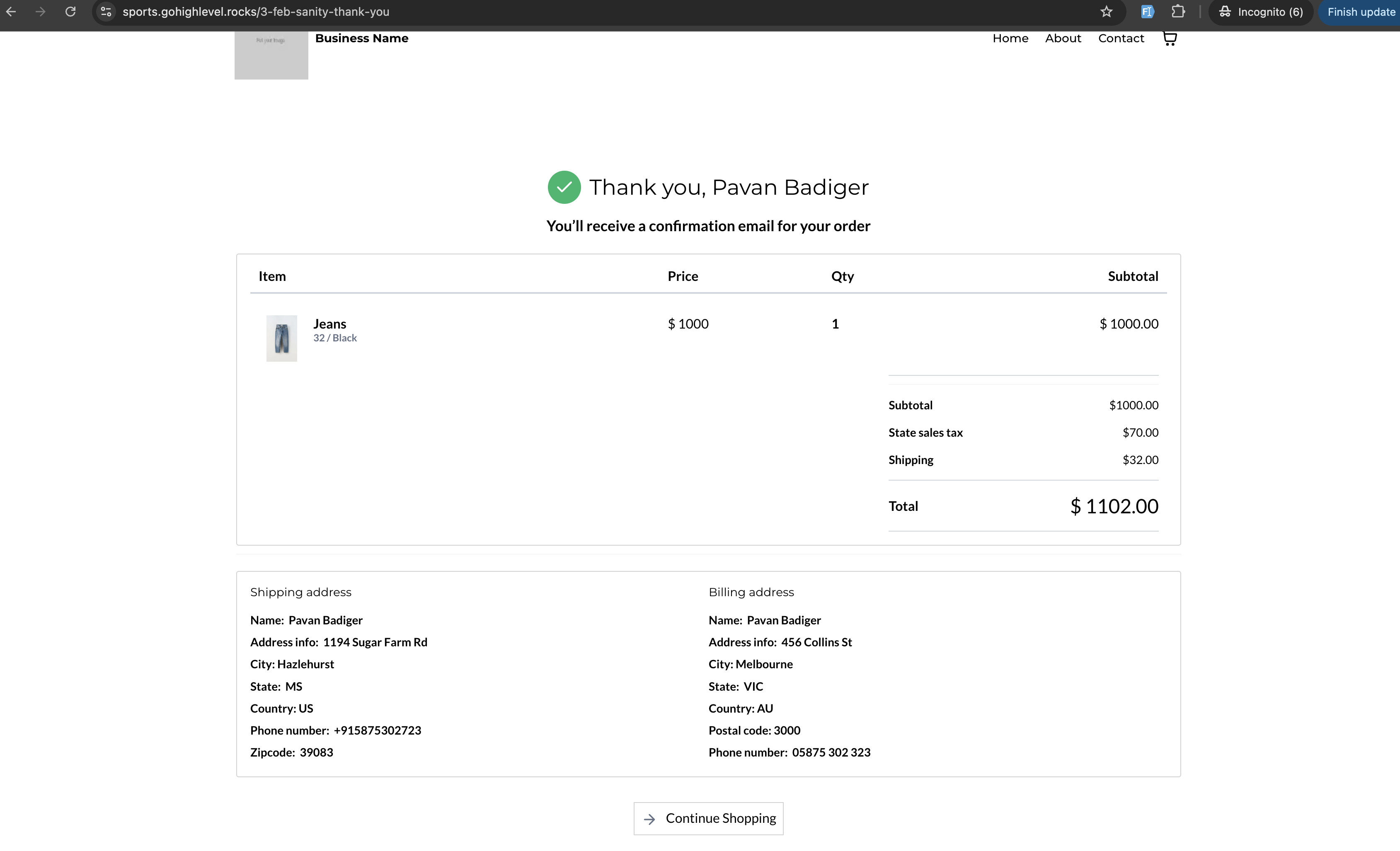
Packing Slips and Thank You Pages:
Billing details included alongside shipping information.
-
Order confirmation Email:
Billing address will be included in the order confirmation emails.
- For new locations, billing address is enabled by default on store creation; custom fields are auto-created.
- For existing locations, billing address is disabled by default; enabling it creates custom fields automatically.
- Custom fields created are non-deletable and non-editable. Unique keys are assigned to custom fields; if keys match existing fields, the same keys will be utilised.
- Only the fields that are filled during checkout in the billing section will be reflected in subsequent sections.
- As of now, the billing address section is not connected to tax calculations