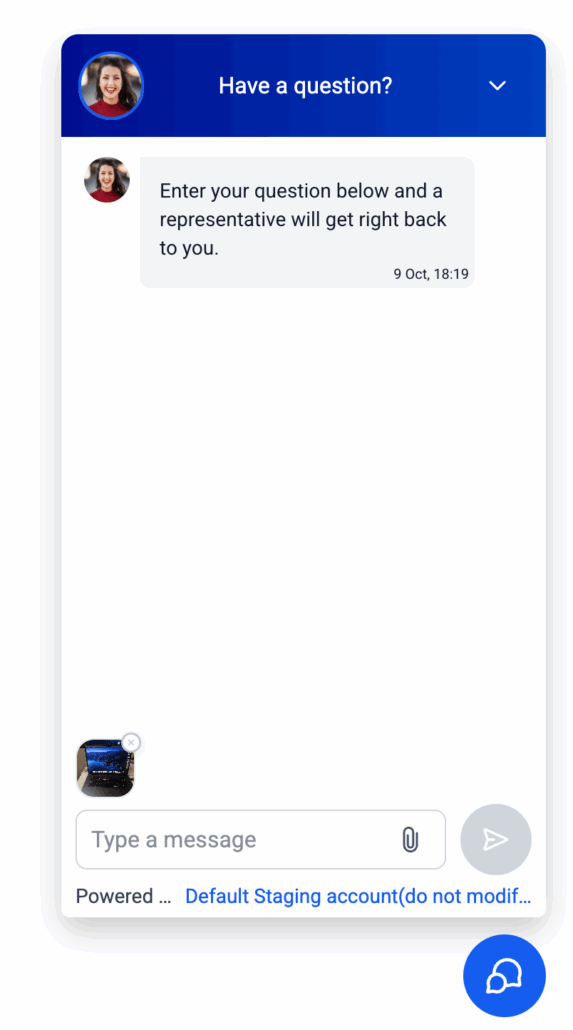
• Shopping Cart Shopping Cart
    0Shopping Cart
Clixio
  • Features
  • Pricing
  • FAQ
  • Blog
  • Log in
  • Free Trial
  • Menu Menu

📎Attachments in Live Chat Widgets

October 14, 2025/in What's New? Conversation AI, Conversations, Documents & Contracts

🧾 Summary of the Release

You can now

share files within Live Chat

. Simply drop in an

image

or a

PDF

, write a message and hit send—no more asking customers to email screenshots. It’s simple, quick, and works perfectly on both desktop and mobile.

1. Where It Works: Live Chat type (the web chat on your site). There are no changes to the builder configurations.
  1. What You Can Send:

    Images

    with extensions –

    .jpg, .jpeg, .png, .heic

    and

    PDF documents

    with the

    .pdf

    extension.

  2. How Many:

    Up to 5 files per message

    , with each

    file size being less than 20MB

    .

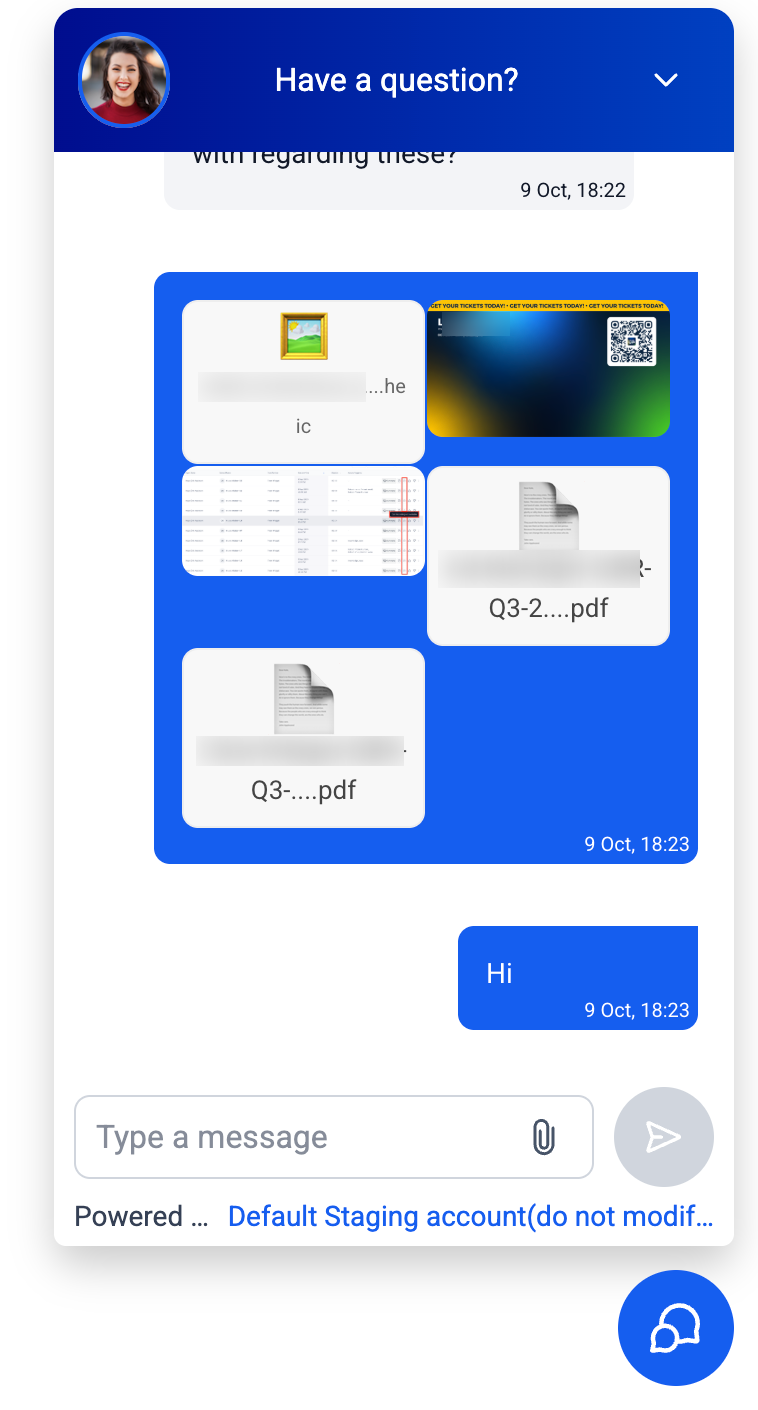
  3. How It Looks:
  • JPG/PNG

    files will display a small picture preview directly in the chat.

  • HEIC/PDF

    files will show the file name along with a download option.

  1. Desktop & mobile: Drag files in from your

    file explorer

    on desktop or select from

    Camera/Gallery

    on mobile.

  2. Built-in checks will clear messages if a file is too large, unsupported, or if you attempt to add the

    same file twice

    in one message.

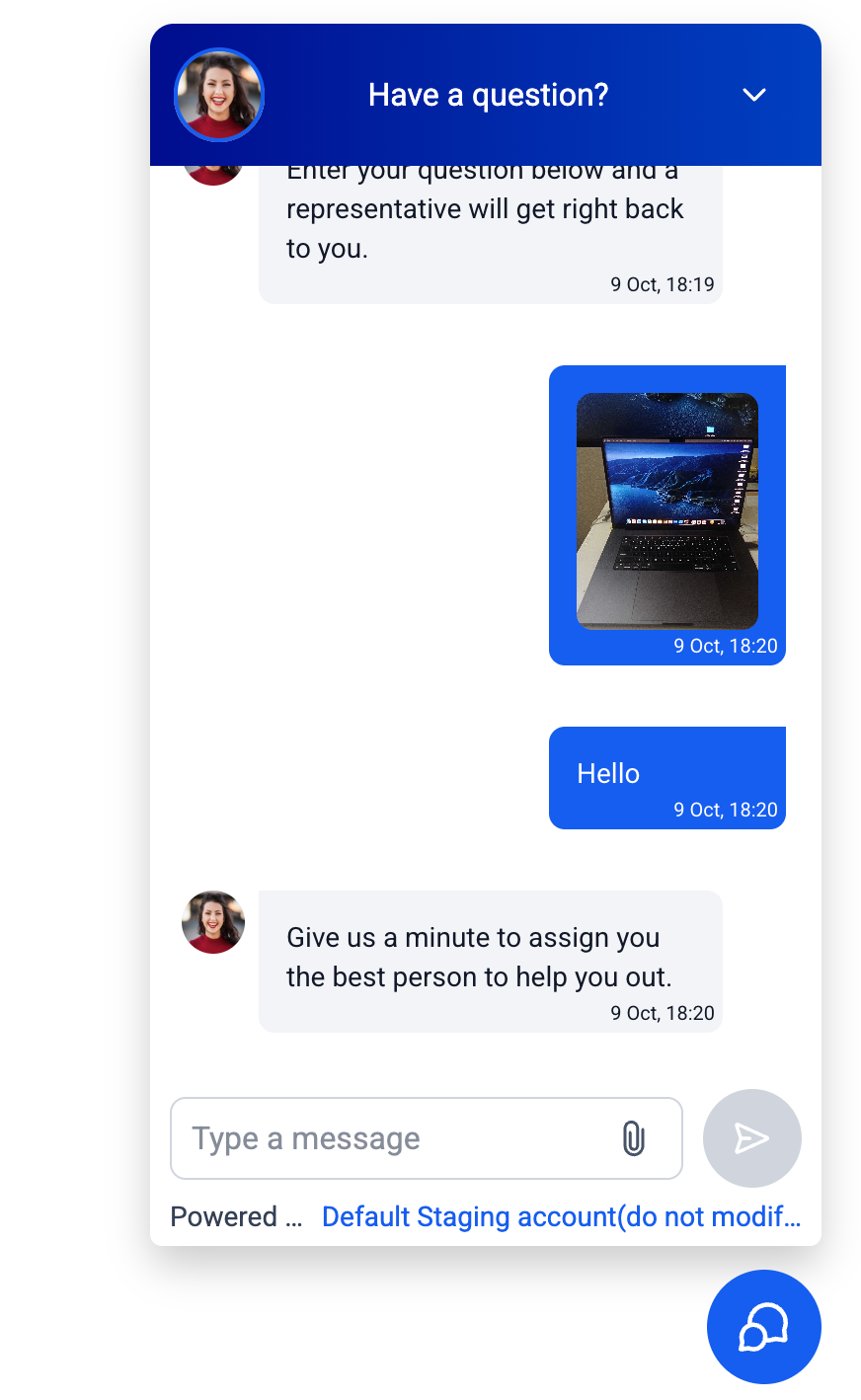
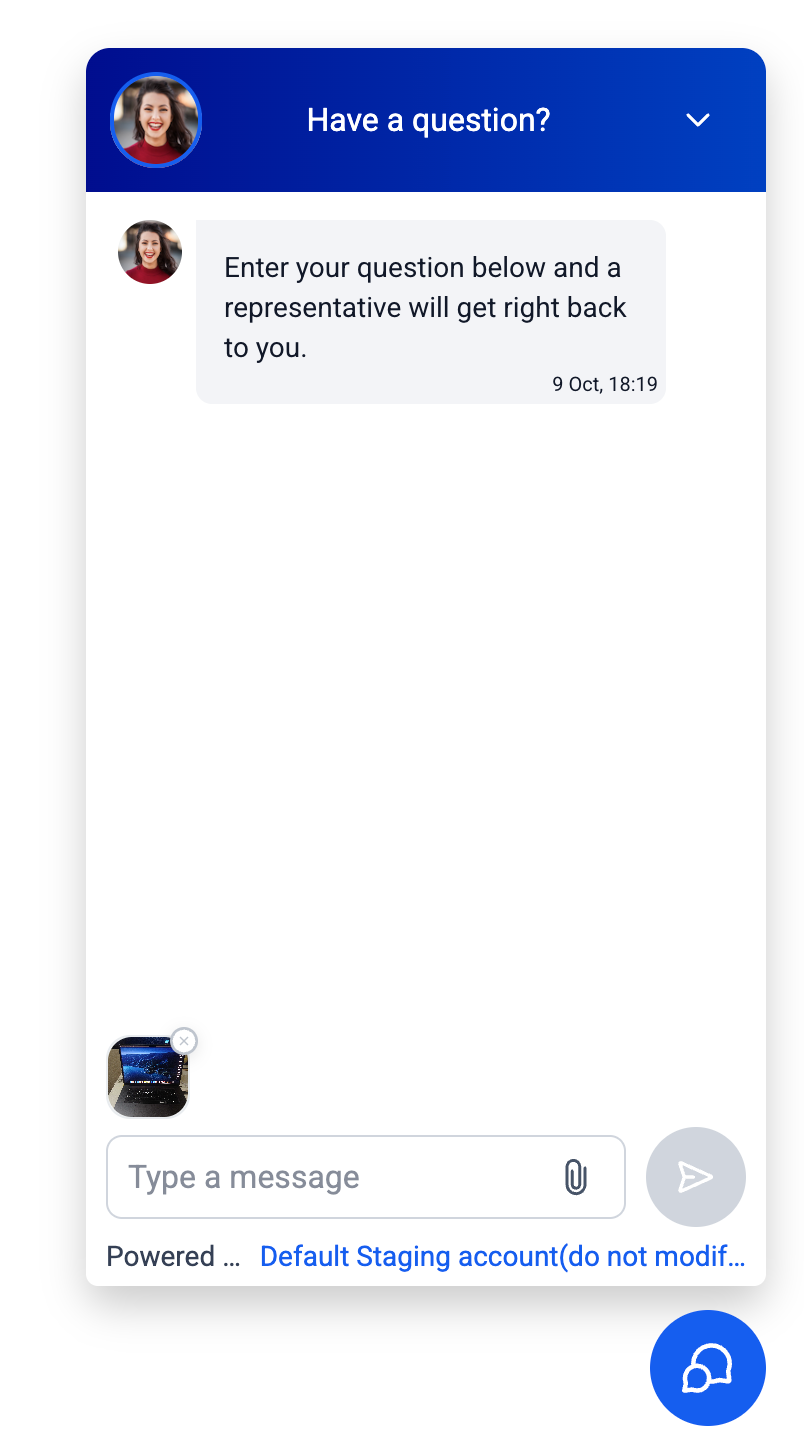
  1. Visitors/end users

    can click the

    paperclip

    icon in the chat (or drag files from your file explorer).
image
image
  1. Choose up to five supported files.
image
  1. Type a Short Message (required), then

    Send

    .

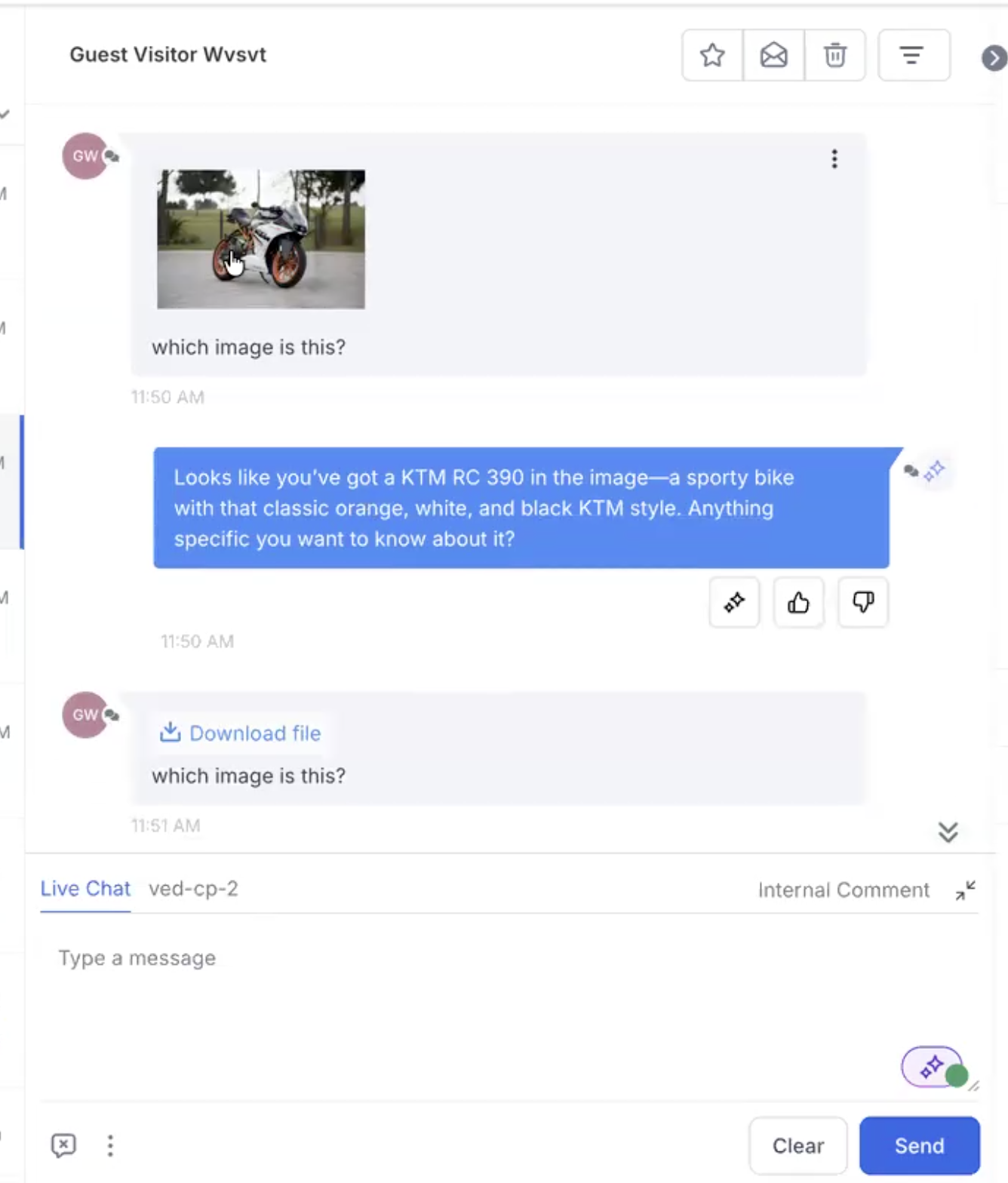
  2. In your

    Conversations

    inbox, click on images to preview or download; HEIC/PDF files will download automatically.
image

Tip: If nothing happens when you drag a file, ensure you are dragging from your computer’s file explorer, not from another application or window.

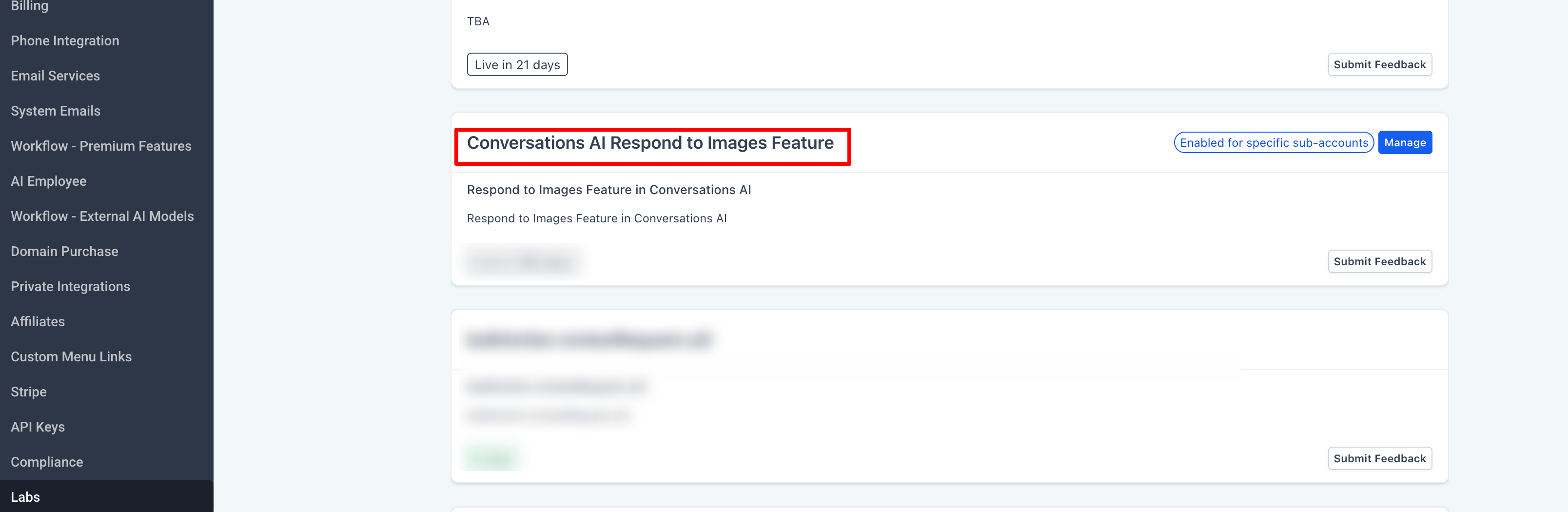
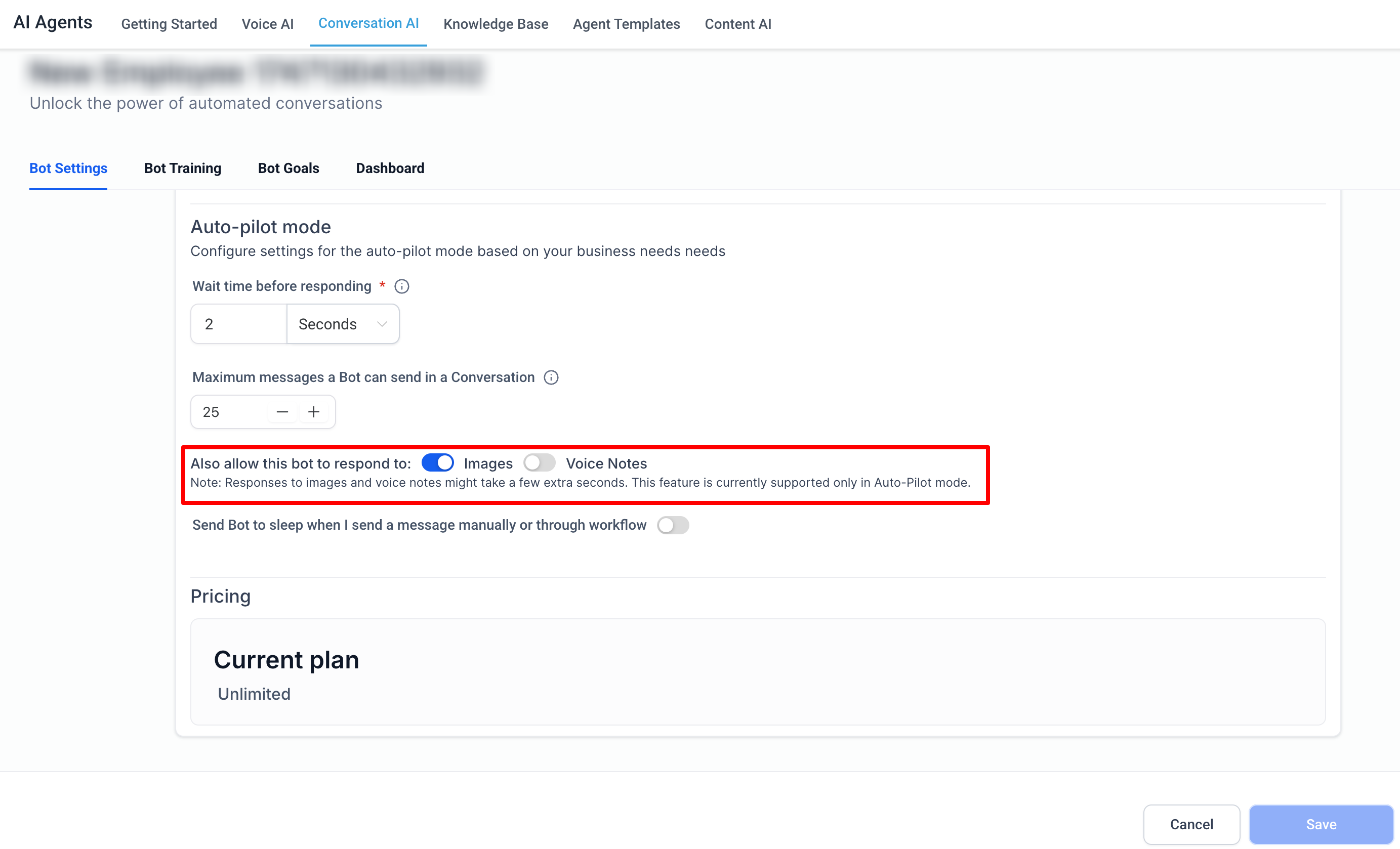
🤖 Conversation AI (Optional)

Would you like the bot to

respond to images

sent by customers?

image
image

Note: Currently, the bot can only respond to

images

(not PDFs).

  • Agents sending files

    from the Conversations inbox (in progress)

  • More file types and additional safety checks.
  • Filenames with

    unusual characters

    (e.g., repeated spaces, +, <, >) may be blocked from being uploaded.

https://clixio.io/wp-content/uploads/2025/10/8c4a286bf60f9643b5825faab39f44f2.png 1444 804 Clixio.io https://clixio.io/wp-content/uploads/2023/08/clixio-logo-dark.png Clixio.io2025-10-14 10:28:002025-10-14 10:28:00📎Attachments in Live Chat Widgets

RSS Latest Feature Updates

  • Store Deletion Behavior Update | Clixio Changelog April 23, 2026
  • Terms & Conditions Consent at Store Checkout April 23, 2026
  • Social Planner: Community now in Comment Management April 23, 2026
  • Opportunity Smart Lists | Clixio Changelog April 22, 2026
  • WhatsApp Calling (Closed Beta) | Clixio Changelog April 22, 2026
  • Printful Auto Shipping Profile & Live Rates at Checkout April 22, 2026
  • AI Pages — Customization & Content Enhancements April 21, 2026
  • Delete Schema Markup Feature | Clixio Changelog April 21, 2026
  • Custom Date Reminder: Now for Custom Objects, Opportunities and Companies April 21, 2026
  • Conversation AI – Services Calendar V2 Enhancements April 21, 2026
Book a demo
See Clixio working
for your business, live.

30 minute call with our team. Personalised to your industry, no hard sell.

Book your free demo
14 day free trial · Cancel anytime
Clixio - Marketing and sales automation

Marketing & sales automation built for Australian service businesses. One platform, one flat rate, genuinely easy to use.

Product
Features Pricing How it works Latest updates
Company
Blog FAQ Get support Account transfers
Legal
Privacy Policy Terms & Conditions
© Clixio. All rights reserved. Made with ♡ in Australia.
Scroll to top Scroll to top Scroll to top