
• Shopping Cart Shopping Cart
    0Shopping Cart
Clixio
  • Features
  • Pricing
  • FAQ
  • Blog
  • Log in
  • Free Trial
  • Menu Menu

Assign User Action: Now Assign to IVR Responder with Custom Variables

March 4, 2026/in What's New? Automations, Reporting

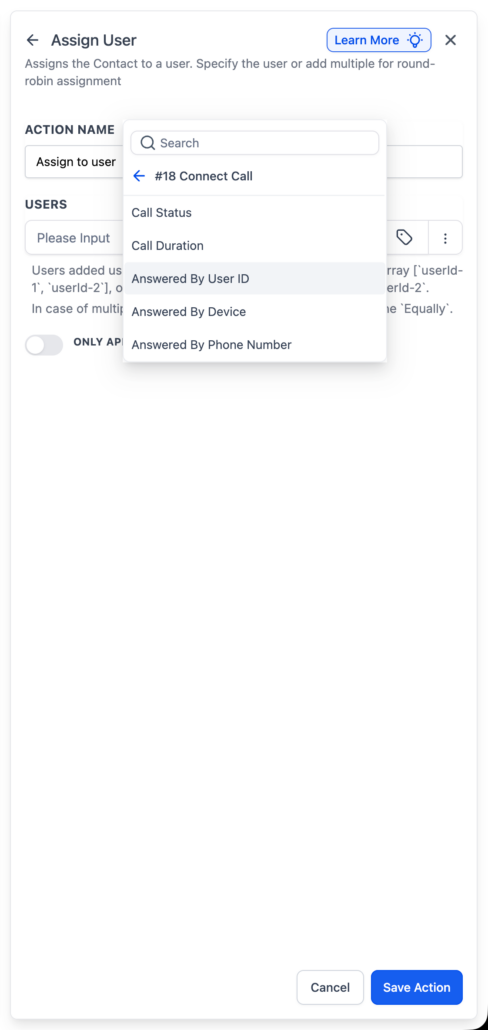
IVR Connect Call now exposes new variables: ‘Answered By User ID’, ‘Answered By Device’, and ‘Answered By Phone Number’.

You can use Answered By User ID within the Assign User action to automatically assign the contact to the person who answered the call. These variables are also available in the custom variable picker, allowing for their reference in other workflow actions such as Notes, SMS, Email, and more.

When a call reaches your IVR and is routed through Connect Call, the system captures who answered. You can reference these values dynamically in workflows, commonly passing Answered By User ID into Assign User to establish ownership, or including the other variables in messages and notes.

  • Add an Assign User action after your IVR → Connect Call step.
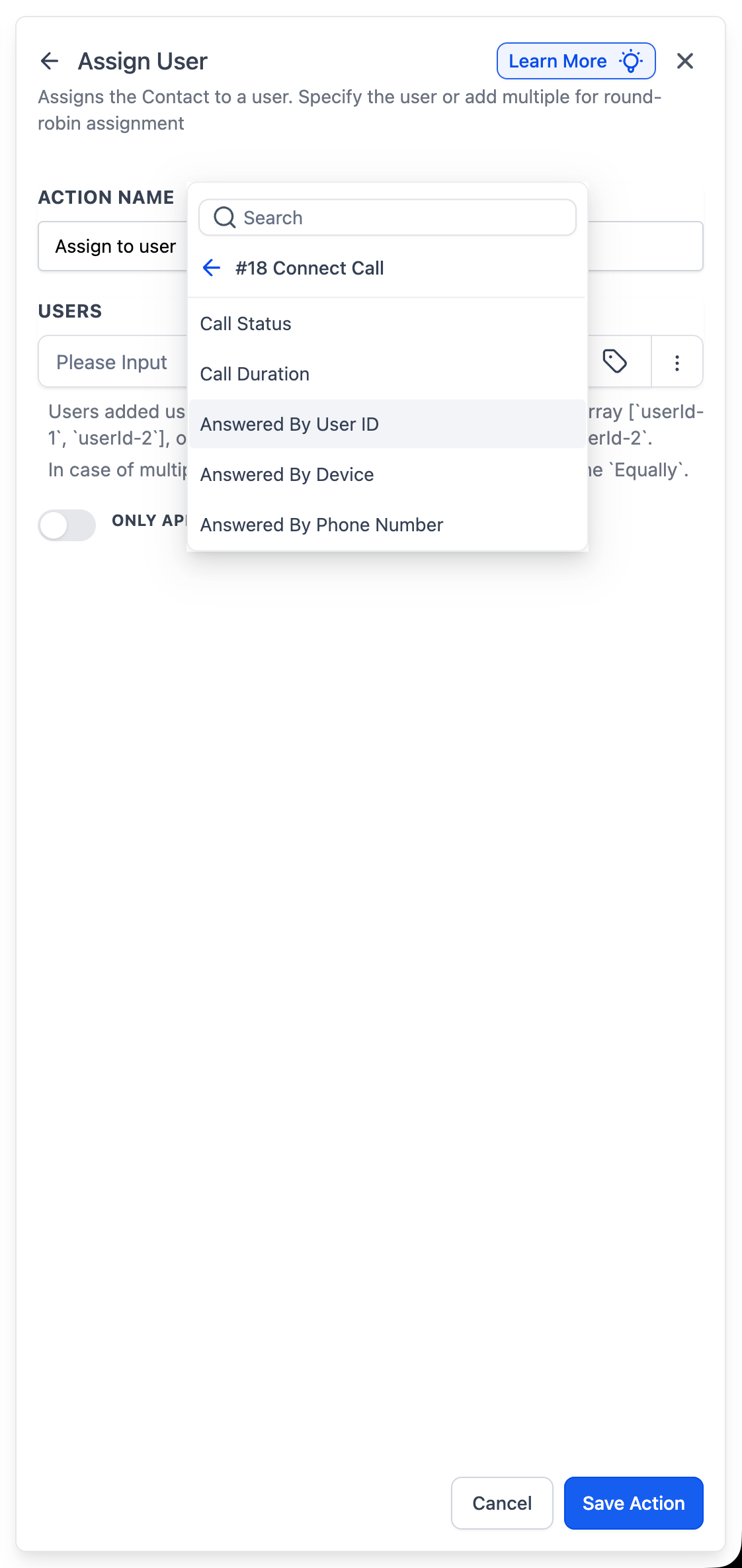
  • In the Users field, switch to Dynamic and select Connect Call → Answered By User ID.
  • Save and publish the workflow.

Previously, contact ownership needed to be set manually or assigned to a fixed user. Now, ownership automatically aligns with the individual who spoke to the lead, ensuring that follow-ups, tasks, and reporting remain accurate.

For example, a lead calls your IVR, and the call is routed through Connect Call. John answers the phone. The workflow uses Answered By User ID from the Connect Call step, and the contact is automatically assigned to John.

  • This function works for both single and multiple users configured in Connect Call.
  • Assignment occurs only if the call is successfully answered.
  • The first connected user is used as the owner.
  • Assign User will not function if the Connect Call routes to a Custom Phone Number (which has no associated user ID).
  • To assign dynamically, you must use Answered By User ID (not device or phone number).
image
https://clixio.io/wp-content/uploads/2026/03/f318fb783a22dc7f322b3cc396854903.png 2370 1122 Clixio.io https://clixio.io/wp-content/uploads/2023/08/clixio-logo-dark.png Clixio.io2026-03-04 01:40:002026-03-04 01:40:00Assign User Action: Now Assign to IVR Responder with Custom Variables

RSS Latest Feature Updates

  • Store Deletion Behavior Update | Clixio Changelog April 23, 2026
  • Terms & Conditions Consent at Store Checkout April 23, 2026
  • Social Planner: Community now in Comment Management April 23, 2026
  • Opportunity Smart Lists | Clixio Changelog April 22, 2026
  • WhatsApp Calling (Closed Beta) | Clixio Changelog April 22, 2026
  • Printful Auto Shipping Profile & Live Rates at Checkout April 22, 2026
  • AI Pages — Customization & Content Enhancements April 21, 2026
  • Delete Schema Markup Feature | Clixio Changelog April 21, 2026
  • Custom Date Reminder: Now for Custom Objects, Opportunities and Companies April 21, 2026
  • Conversation AI – Services Calendar V2 Enhancements April 21, 2026
Book a demo
See Clixio working
for your business, live.

30 minute call with our team. Personalised to your industry, no hard sell.

Book your free demo
14 day free trial · Cancel anytime
Clixio - Marketing and sales automation

Marketing & sales automation built for Australian service businesses. One platform, one flat rate, genuinely easy to use.

Product
Features Pricing How it works Latest updates
Company
Blog FAQ Get support Account transfers
Legal
Privacy Policy Terms & Conditions
© Clixio. All rights reserved. Made with ♡ in Australia.
Scroll to top Scroll to top Scroll to top