✨ Ask AI Mobile App – Schedule Ask AI prompts to run automatically
Ask AI Scheduler lets your assistant keep working when you’re not in the app. Save a prompt once, pick how often it should run, and Ask AI runs it on schedule — then hands you the finished conversation the next time you open your phone.
Every Ask AI prompt was interactive. You had to be in the chat to ask “summarise yesterday’s new contacts” or “check next Monday’s appointments” — every single morning. There was no way to save a prompt and let it run on its own, no place to see the jobs your assistant was running for you, and no way to pause, re-trigger, or edit one without building it again from scratch.
The Scheduler turns any Ask AI prompt into a recurring task.
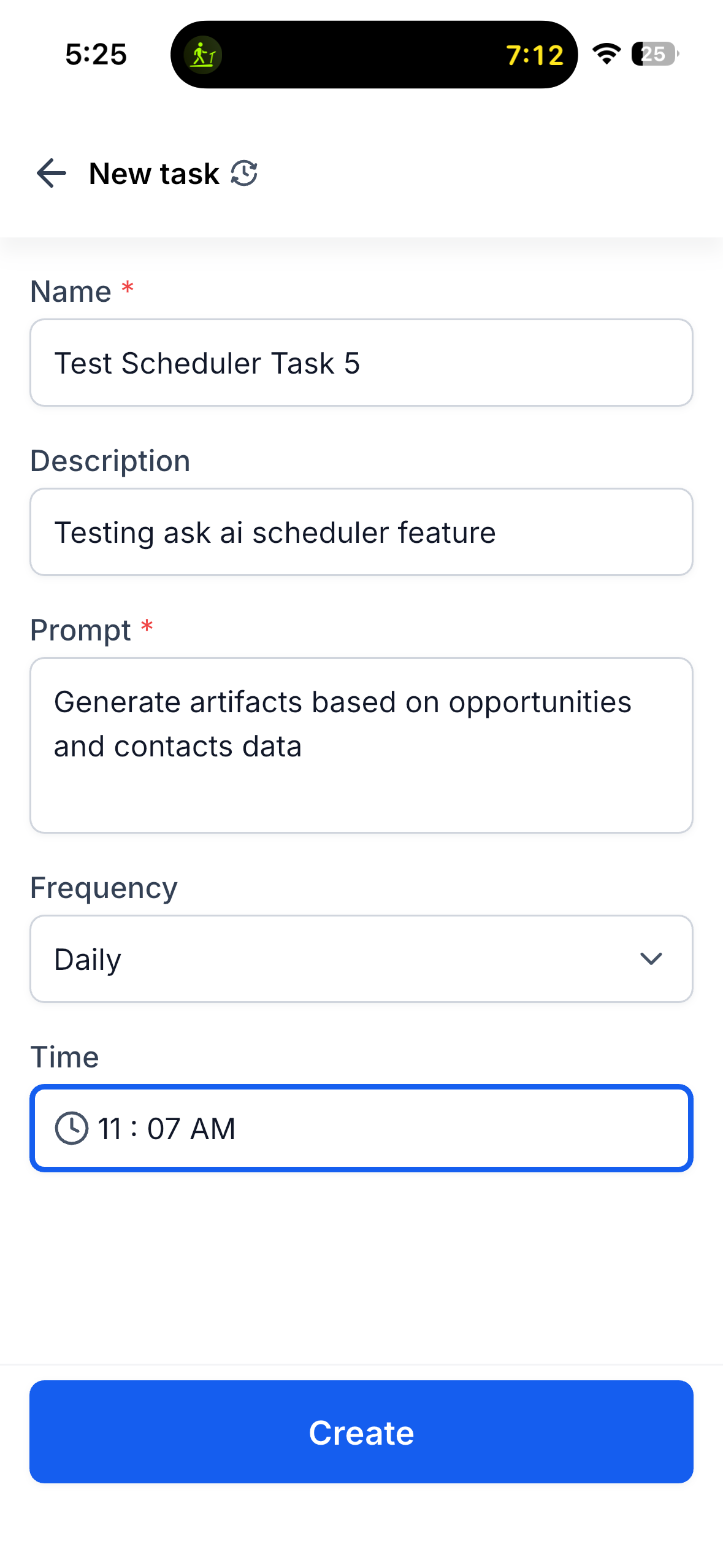
- Five frequencies: Manual (run on demand), Hourly, Daily, Weekdays, and Weekly with your choice of day and time.
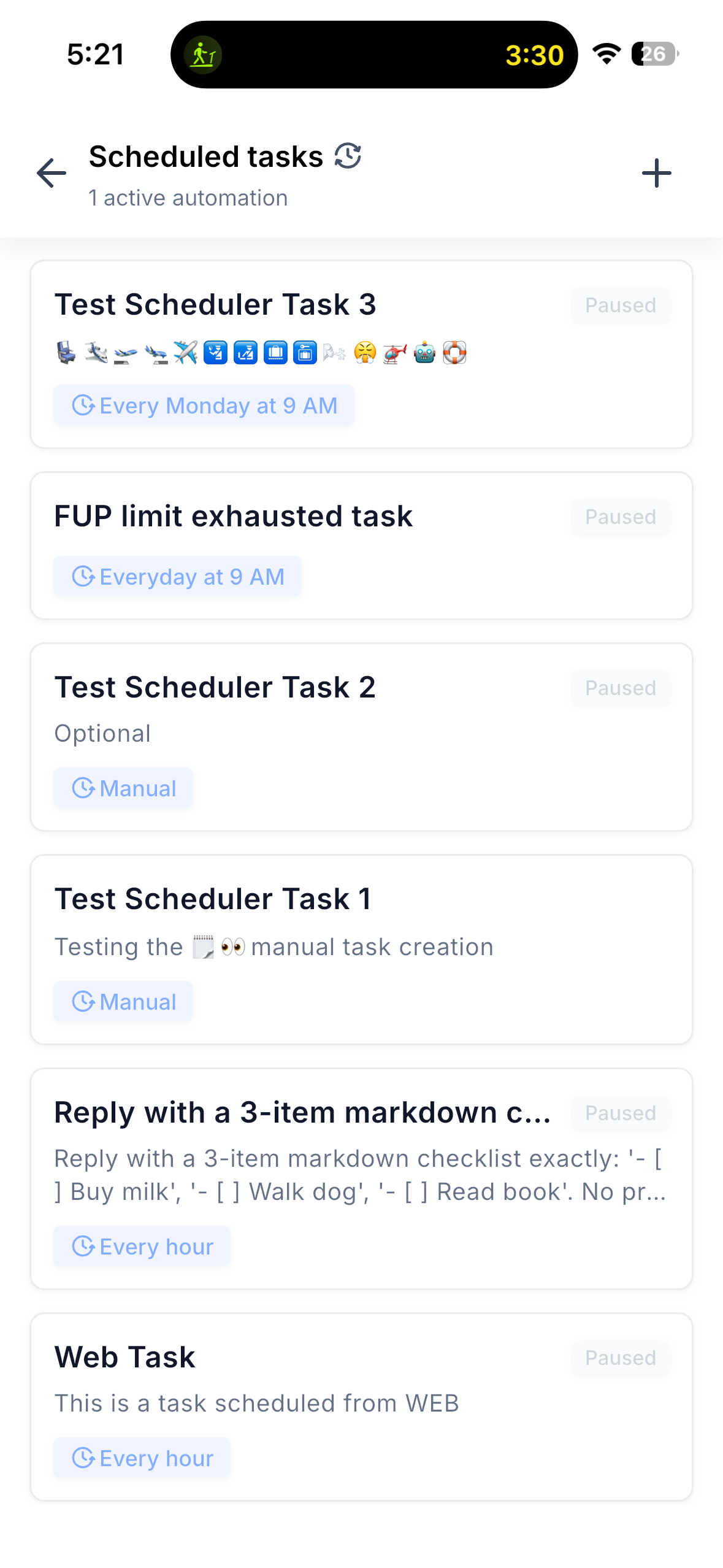
- Full task management: Create, edit, pause, resume, and delete scheduled tasks from your phone.
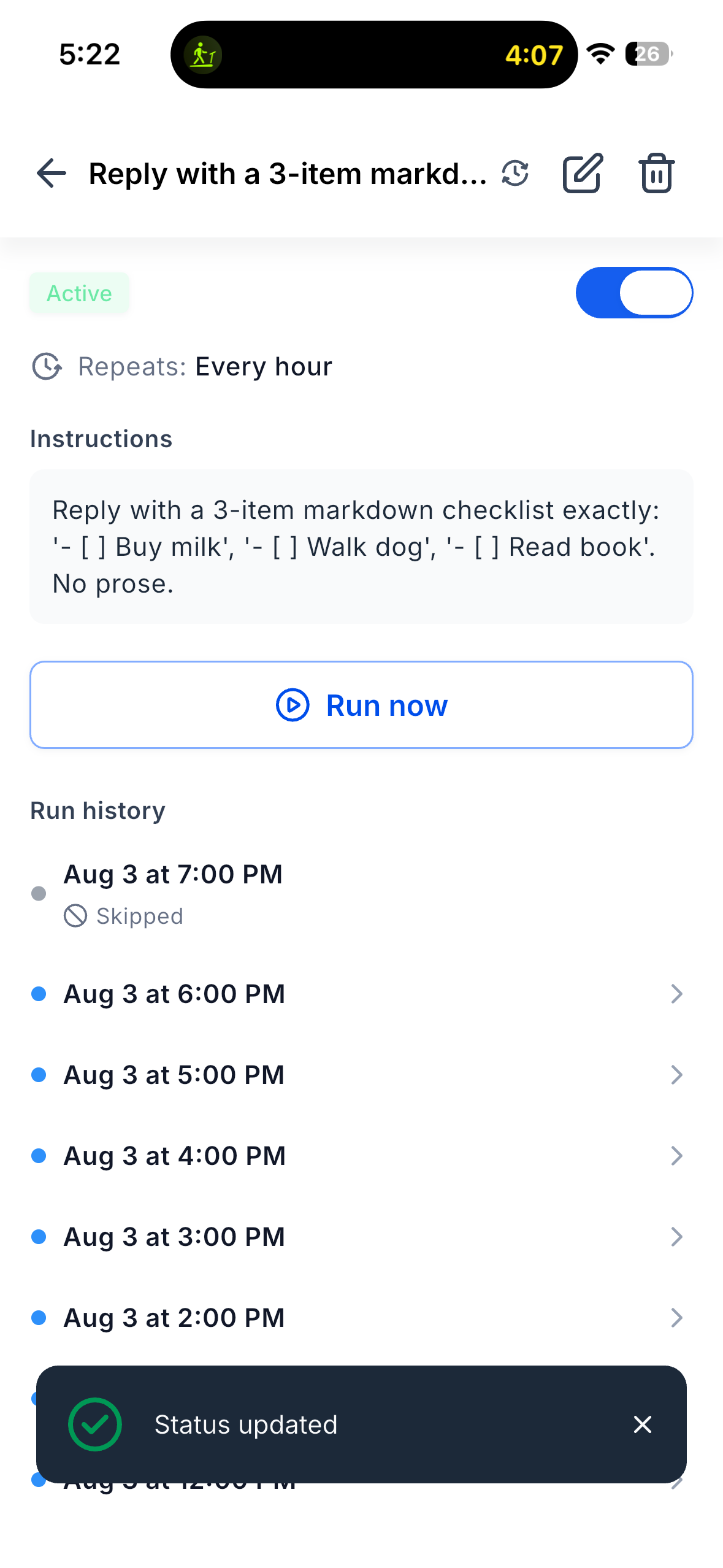
- Run now: Trigger any task on the spot — including a paused one — and watch the run land in history.
- Run history: Every run per task, with Completed / Skipped / Failed status, timestamps, and an unread dot for runs you haven’t opened.
- Open the conversation: Tap a completed run and the full Ask AI session opens in chat, exactly as if you’d asked it yourself.
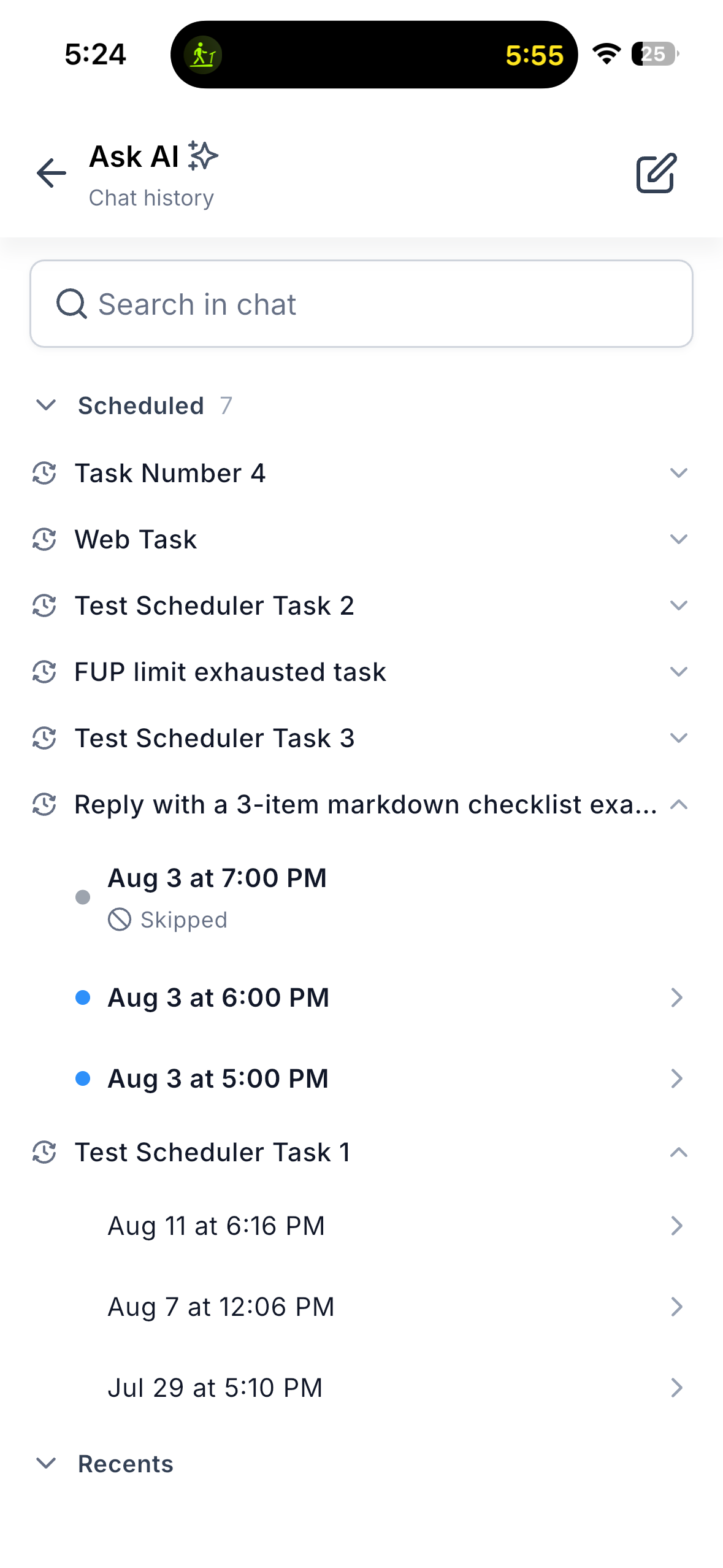
- Chat History, reorganised: Scheduled runs now live in their own “Scheduled” section, separate from your “Recents” — so automated runs never bury the chats you started.
🏆 How This Supercharges Your Business
- Your morning briefing writes itself: Schedule the summary at 7 AM and read the answer with your coffee, instead of typing the prompt first.
- Set it once, not every day: Save the prompt as a task and it runs on your cadence — hourly, weekdays, or weekly.
- Stay in control: Pause a task when you’re on leave, resume it when you’re back, or fire it manually the moment you need the answer.
- See what your assistant did: Run history gives you the outcome of every automated run in one place, with unread markers so nothing goes unnoticed.
- Full parity with web: Tasks you create on the desktop scheduler show up on mobile and vice versa — one set of automations across surfaces.
🛠️ How to Get Started
- Navigate: Open Ask AI in the Clixio mobile app, then tap the recurring-clock icon in the Ask AI header (available from both the bottom sheet and the full-screen view).
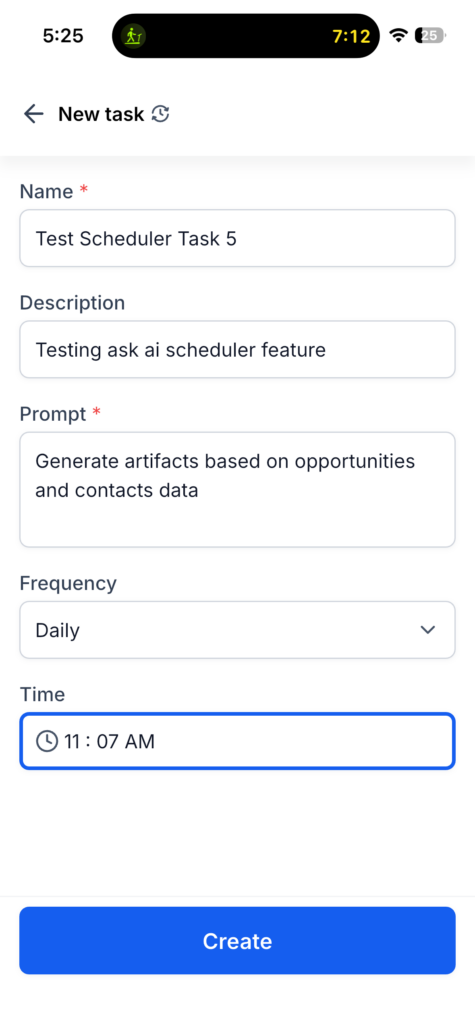
- Activate: Tap + New task, give it a name, add an optional description and the prompt you want to run, choose a frequency — Manual, Hourly, Daily, Weekdays, or Weekly — set the time (and day, for Weekly), and create the task.
- Enjoy: Your task now runs automatically. Open it any time to pause or resume it, tap Run now for an immediate result, review its run history, or edit and delete it. Tap any completed run to open the full Ask AI conversation. Your scheduled runs also get their own Scheduled section in Chat History, separate from Recents — so automated runs never get lost among the conversations you started yourself.
- Run notifications — push and in-app alerts when a scheduled run completes, so you don’t have to check
- Richer run detail — the reason behind a skipped or failed run, not just its status
- Custom schedules on mobile — create and edit advanced schedules directly from the app
- Deeper history — improved navigation for accounts running many high-frequency tasks
📢 Roll-out & Availability
- Release Date: August 2026
- Available Version 4.20.0 or higher
- Status: Production
- Clixio
- LeadConnector
- WL App
💡 Good to Know
📱 Supported platforms: iOS and Android
🔗 Fully cross-platform with web — tasks created on mobile appear on web and vice versa, with shared run history