Allow Multiple Opportunities for a contact in workflows
What’s New?
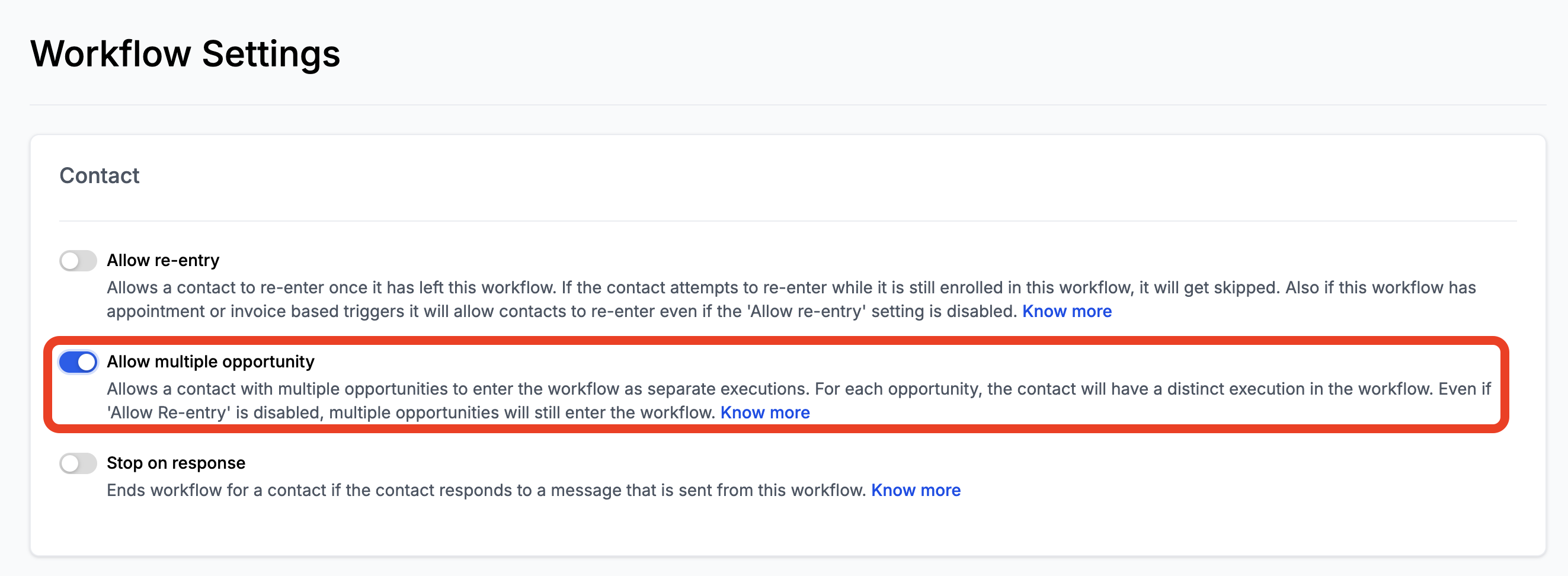
The “Allow Multiple Opportunities” toggle now enables workflows to handle multiple opportunities for the same contact, with each contact-opportunity pair having its own workflow execution. This provides more precise management of opportunities within workflows.
-
Enabled Toggle:
Each opportunity associated with a contact will have a separate execution in the workflow.
-
No Workflow Restarts:
When updates are made to an opportunity, the workflow does not restart. Instead, it continues from the current stage, using the updated opportunity values.
Note:
By default, existing workflows will have this toggle turned off to maintain their original functionality. For new workflows, the toggle will be enabled by default, allowing multiple opportunities to enter the workflow.
How to Configure
To enable this feature, follow these steps:
- Navigate to Settings: Go to the workflow settings page.
- Locate the “Allow Multiple Opportunity” Toggle:
- Find the new toggle at the top of the settings, similar to the “Allow Re-entry” option.
- Enable the Toggle:
- Toggle the Allow Multiple Opportunity switch to “ON” to activate the feature.
- Save Changes: Make sure to save the settings.
Use Case for Allow Multiple Opportunities
Let’s say you are a real estate agent working with a client, John Doe, for two different properties: “1 Madison Avenue” and “2 Nice Street.”
You have a workflow set up to send a reminder SMS whenever an opportunity is updated.
If “Allow Multiple Opportunities” is OFF:
- “1 Madison Avenue” is updated on 1/1/2024 at 8 AM, and an SMS is sent to John Doe.
- “2 Nice Street” is updated on 1/1/2024 at 12 PM, but the SMS action is skipped.
If “Allow Multiple Opportunities” is ON:
- “1 Madison Avenue” is updated on 1/1/2024 at 8 AM, and an SMS is sent to John Doe.
- “2 Nice Street” is updated on 1/1/2024 at 12 PM, and another SMS is sent to John Doe, allowing both opportunities to co-exist and function separately.

Frequently Asked Questions
What will happen to workflows already created?
All workflows created before the release will have the toggle turned off by default. New workflows created after the release will have the toggle enabled by default, similar to the re-entry feature.
What happens if the same opportunity triggers the workflow again?
If an opportunity re-enters the workflow, it will not restart from the beginning. Instead, the workflow will proceed from the current stage, reflecting updated opportunity values.
Will contact details change when an opportunity is updated or re-enters the workflow?
No, contact details will remain unchanged. Only the opportunity-specific data will update and affect workflow stages.