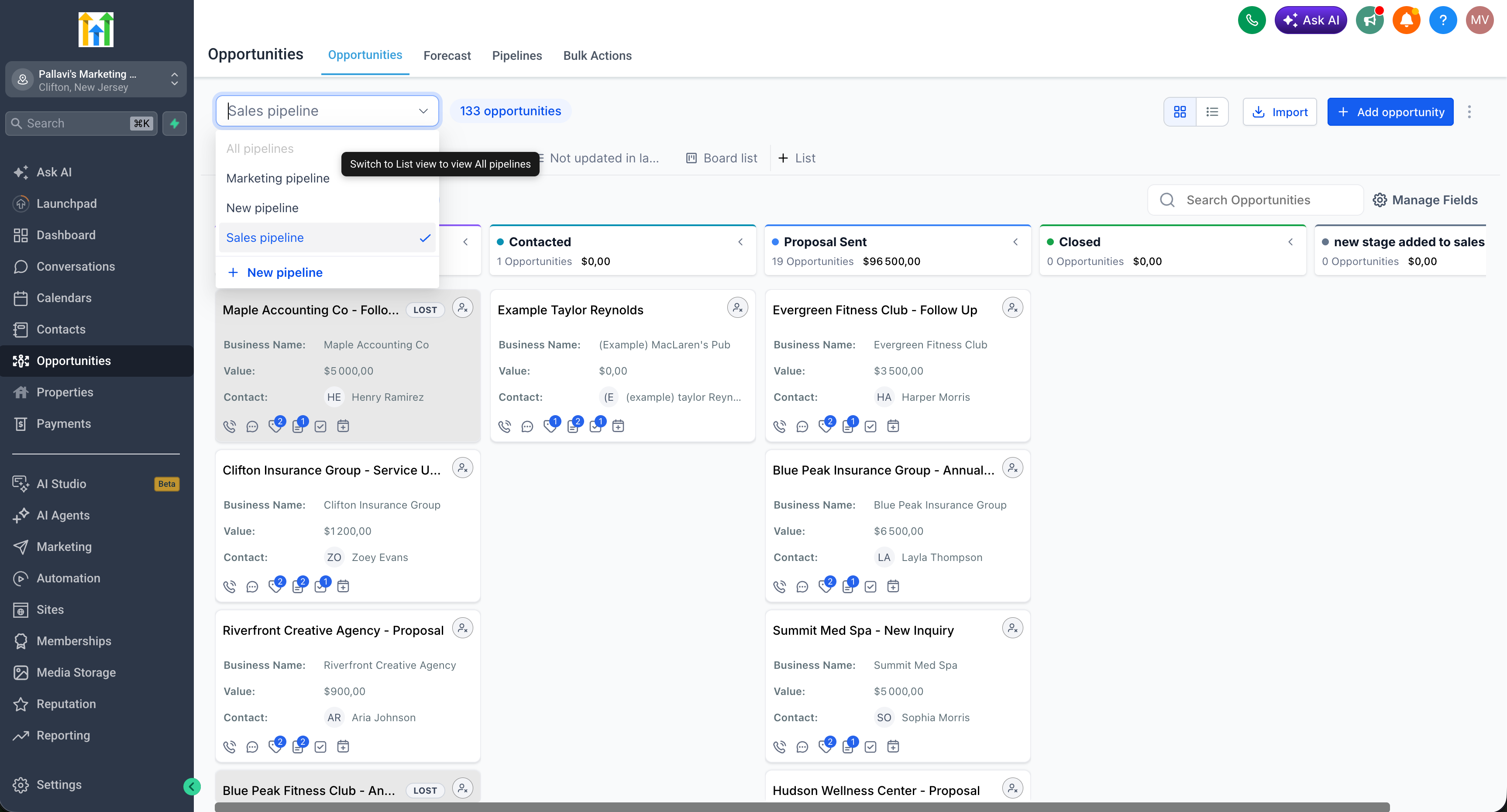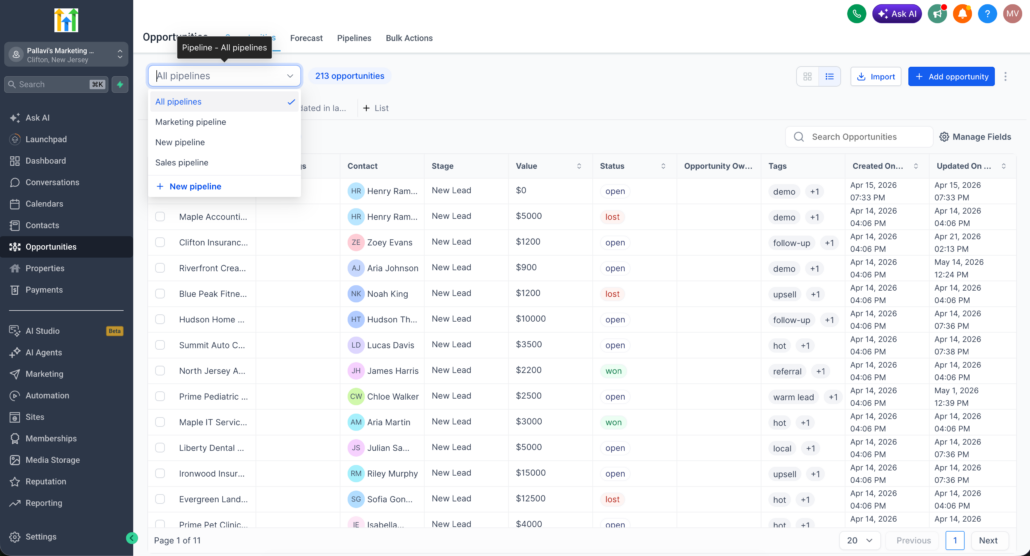
“All Pipelines” Option in the Pipeline Dropdown
The pipeline dropdown now includes an All Pipelines option, providing you with a single, consolidated view of opportunities across all pipelines simultaneously.
A new All Pipelines option has been added to the pipeline dropdown.
When selected in List view, it displays opportunities from all pipelines in one unified list.
This option is only available in List view and is disabled in Kanban (Board) view.
Smartlists saved from the All Pipelines view are exclusively List type; Kanban board Smartlists are not supported for this view.
- Go to Opportunities.
- Switch to List view.
- Open the Pipeline dropdown and select All Pipelines.
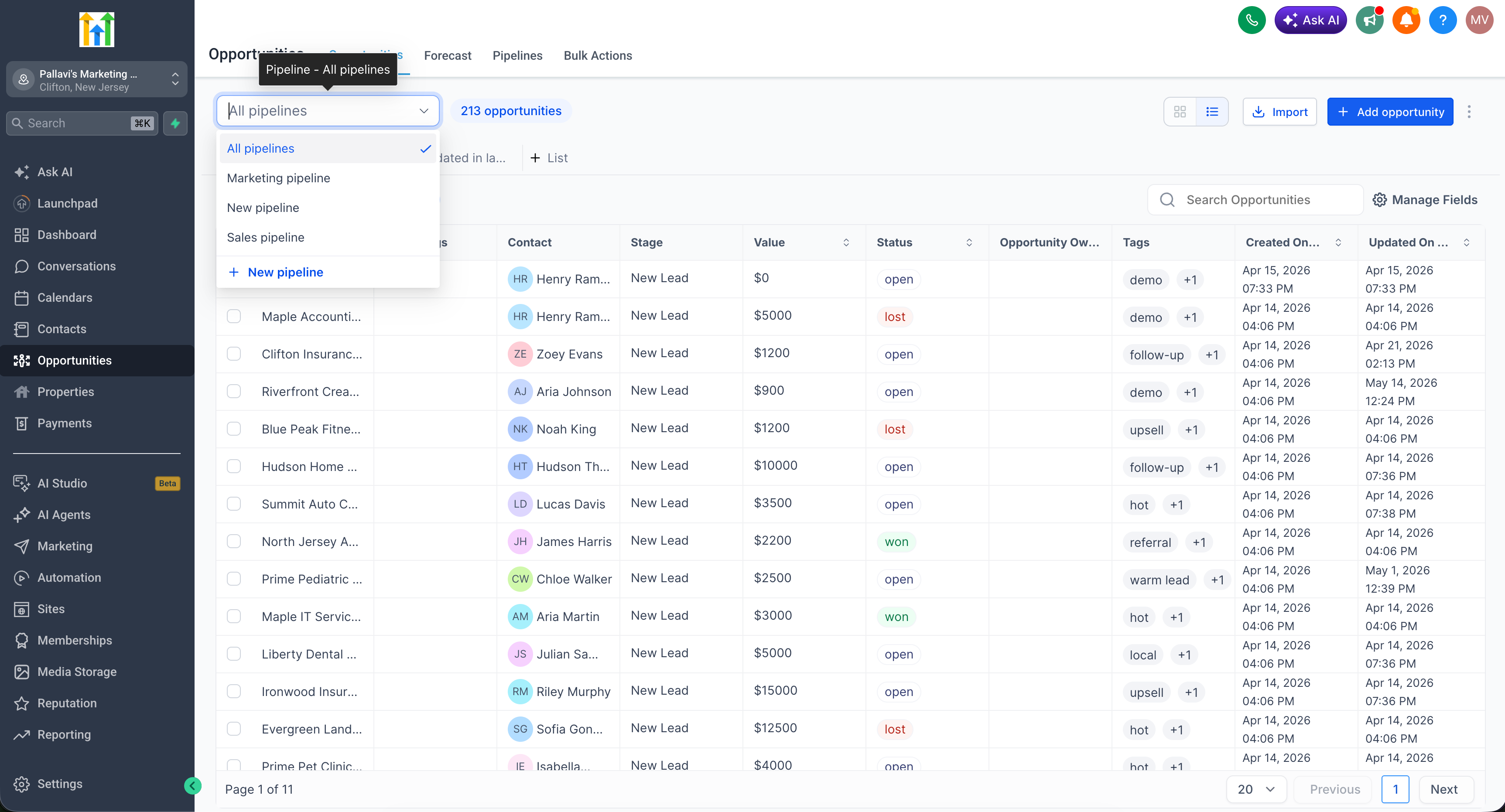
- Browse opportunities across all pipelines in one place.
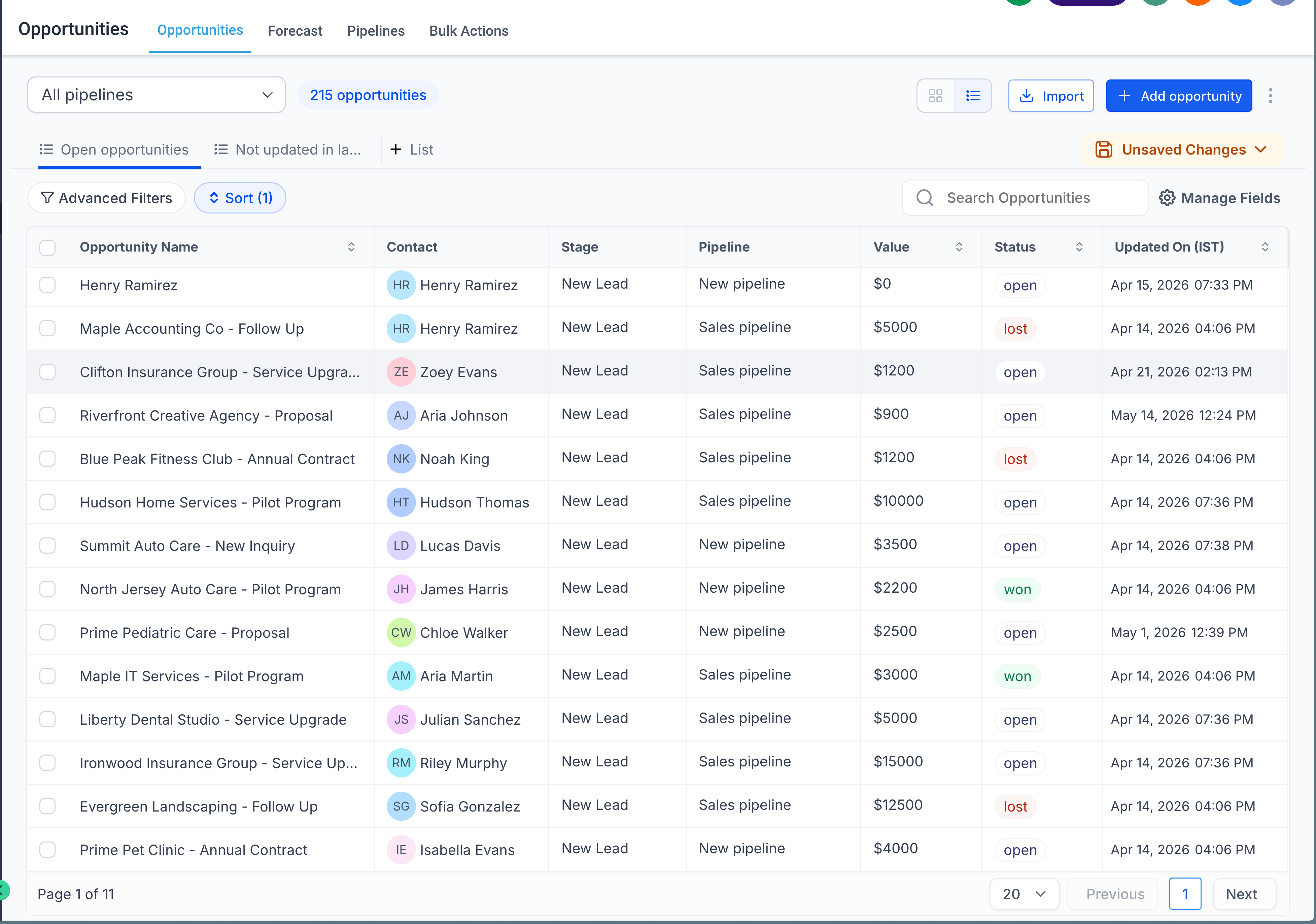
- Optionally, save the view as a Smartlist (List type only).
Note: The All Pipelines option is disabled in Kanban view — switch to List view to enable it. Smartlists created from this view are always List type; the Kanban board is not supported.