
All-in-One Chat widget support in Customer Replied trigger
All-in-One Chat widget
. This enhancement allows you to:
- Select
All-in-One Chat
directly from the Reply Channel dropdown
- Filter replies by
Chat Type
(Chat Widget or Live Chat)
- Select specific
All-in-One Chat
Widgets
- Build more precise automation based on how customers reply
This makes automation cleaner, more flexible, and easier to configure for unified chat setups.
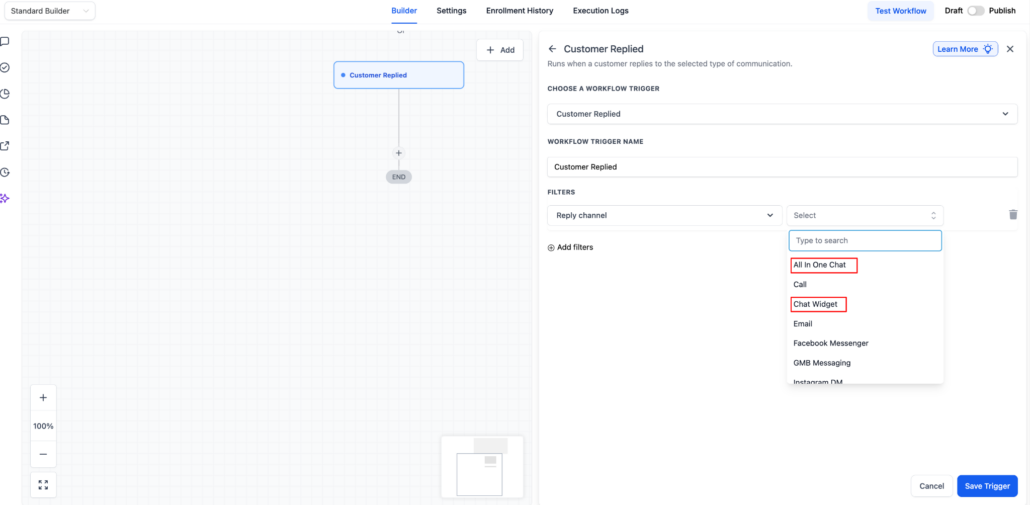
1️⃣ All-in-One Chat added to Reply Channel
Customer Replied
trigger:
Reply Channel
from the filter options and you will now see:
- All-in-One Chat
- Chat Widget
- (Other communication types like Email, Messenger, etc.)
All-in-One Chat
activates additional filtering options specific to unified chat widgets.
2️⃣ Smart Filter Expansion When “All-in-One Chat” is Selected
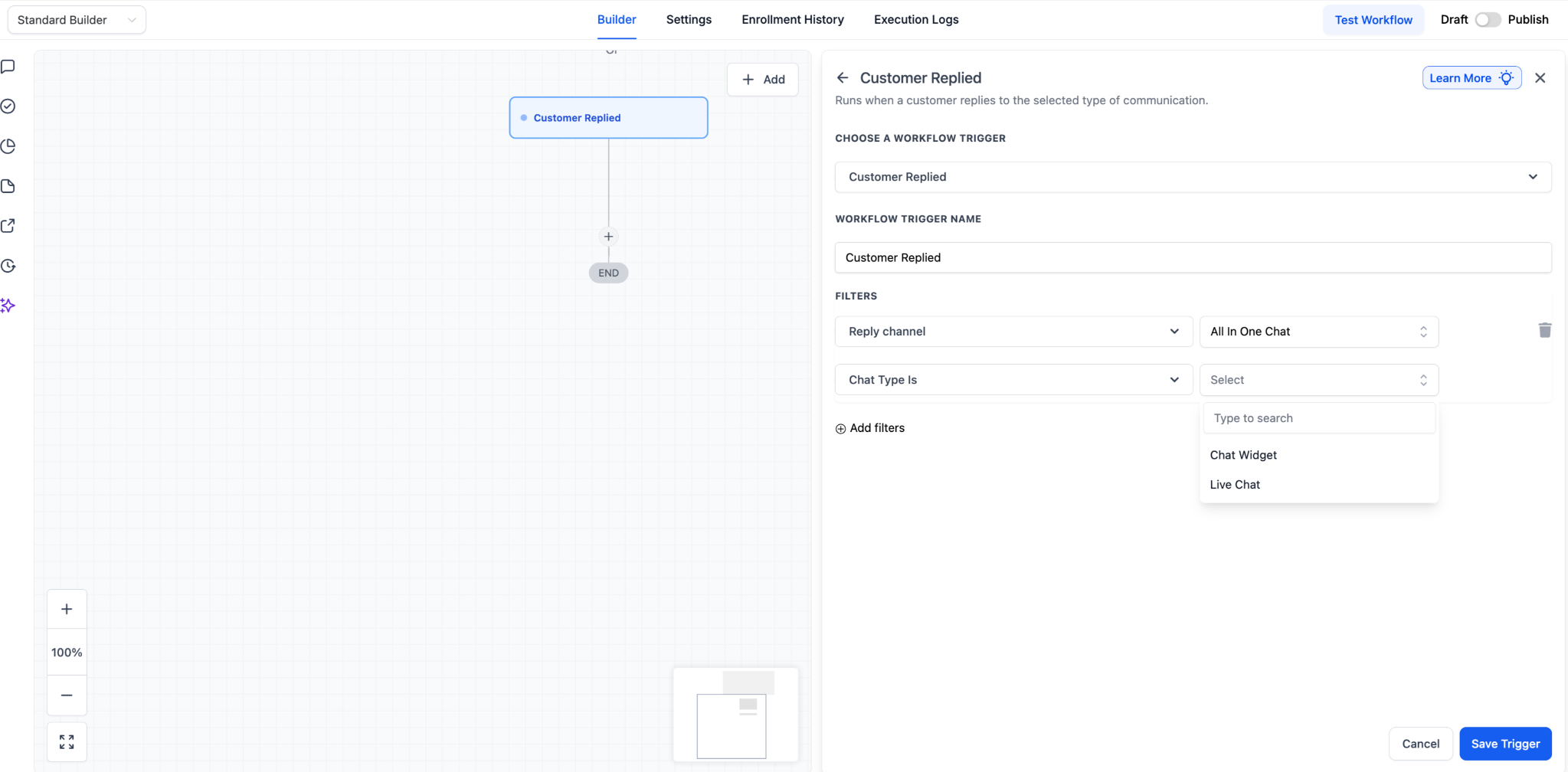
Reply Channel = All-in-One Chat
, two additional filters appear:
A
.
Chat Type
has dropdown options:
This allows you to decide whether the reply should come from:
- A full All-in-One Chat Widget setup
- Or specifically from Live Chat within that setup
B
. Contextual Third-Level Filter (Dynamic)
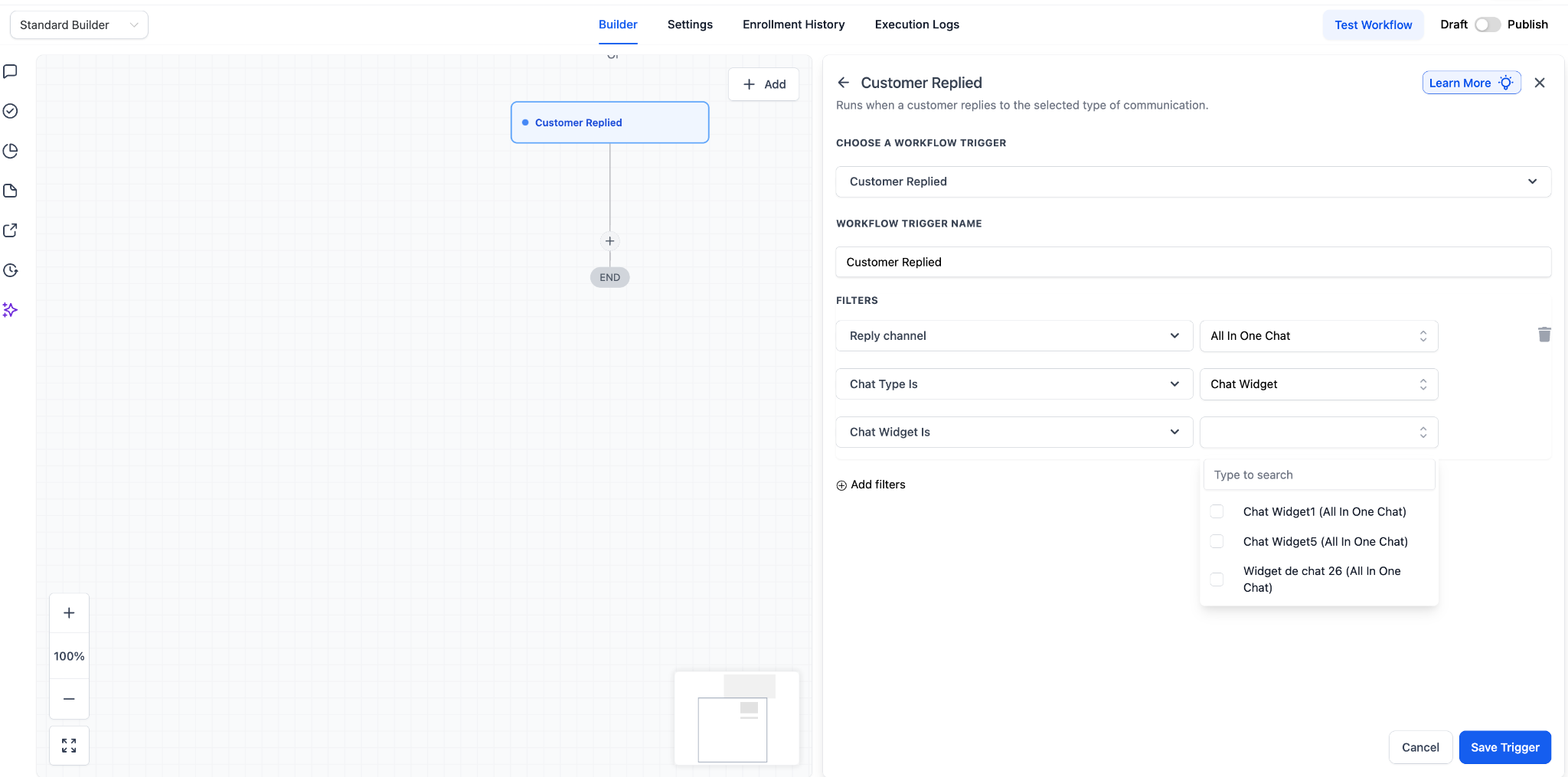
Depending on what you select under Chat Type, the next filter changes dynamically:
Chat Type is = Chat Widget
, you will see:
Chat Widget is
> dropdown listing only All-in-One chat widgets
Chat Type is
= Live Chat you will see:
Live Chat is
> dropdown listing All-in-One Live Chat configurations
This ensures you only see relevant widget options, preventing unrelated chat setups from appearing.
- Go to
Automation > Workflows
and Add
Trigger: Customer Replied
- Under
Reply Channel
, select
All-in-One Chat
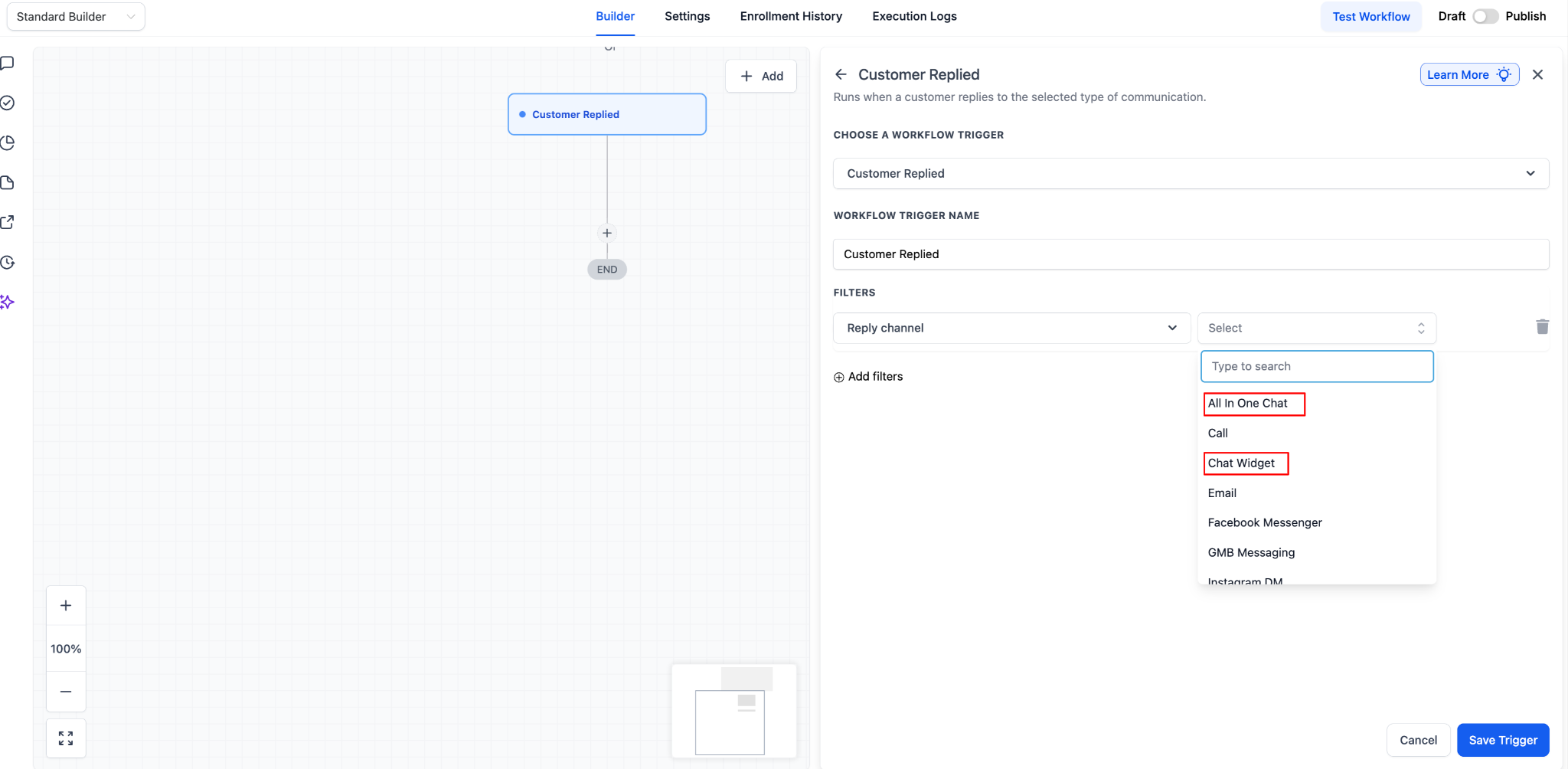
- Choose
Chat Type is
:
Chat Widget or Live Chat
- Select the specific widget under:
Chat Widget is or Live Chat is
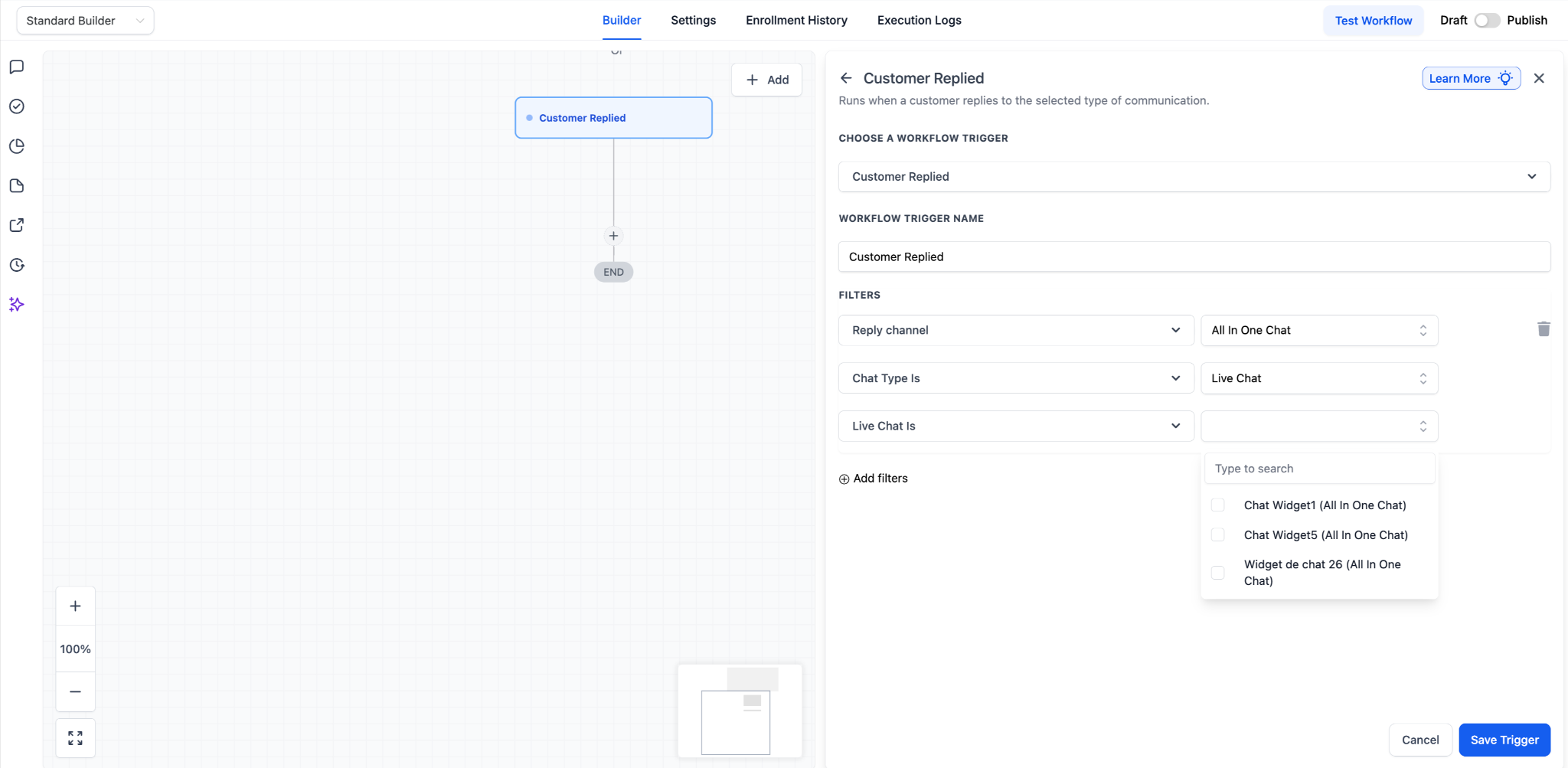
- Click Save Trigger, add relevant actions, and publish your workflow.
a customer replies through the selected All-in-One Chat
configuration.
-
Previously
, All-in-One Chat replies were not clearly distinguishable, requiring separate Chat Widget or Live Chat triggers, which made setup confusing.
-
Now
, All-in-One Chat is a dedicated trigger option with structured, intuitive filters that show only relevant widgets, making automation more precise and easier to manage across channels.
- This inclusion of
All-in-One Chat widgets
applies only to the customer replied trigger.
- Existing Chat Widget triggers continue to function as before.
- No migration is required for existing workflows, but this option will be visible for existing workflows too for users to select if needed.
- The system automatically identifies replies correctly based on channel type.