
AI Studio: Migrate Existing Projects to SSR
A React project that needs server-rendered pages, server functions, or secrets can now be upgraded from Project Settings. AI Studio creates a second project in the same sub-account and runs the upgrade there. The published project remains as it is, with domains included. React projects that do not require the new stack will continue to stay on React.
🔍 Problem
SSR, server functions, and secrets were introduced for new projects. However, an existing React site that requires these capabilities had no way to access them. Rebuilding within the live project posed a risk to the published site and its domains.
📦 What shipped
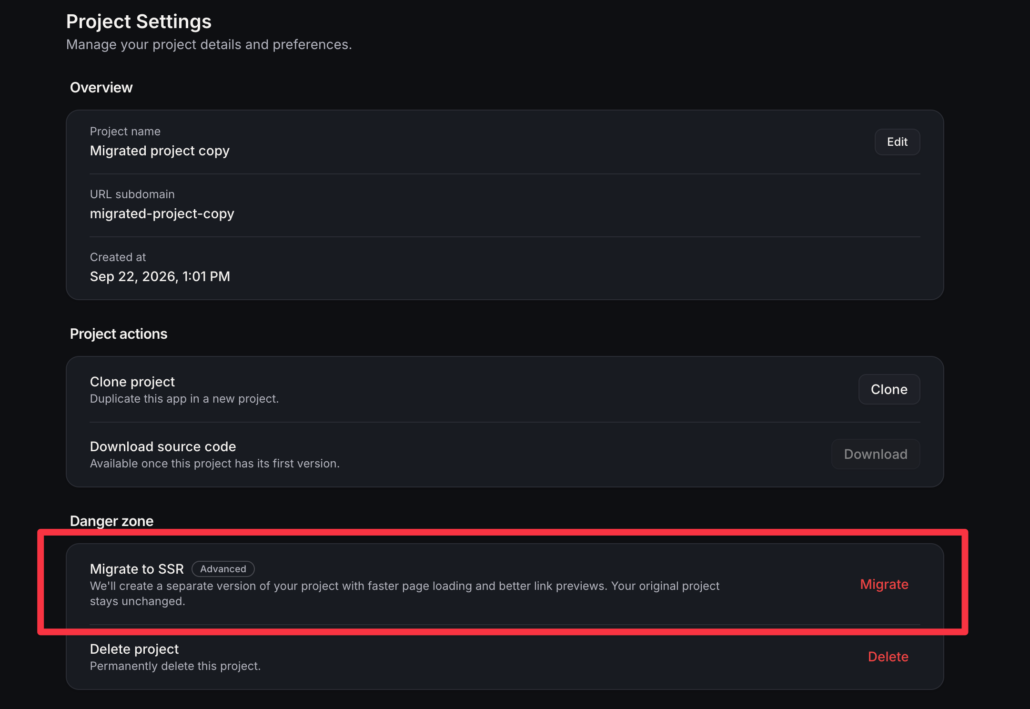
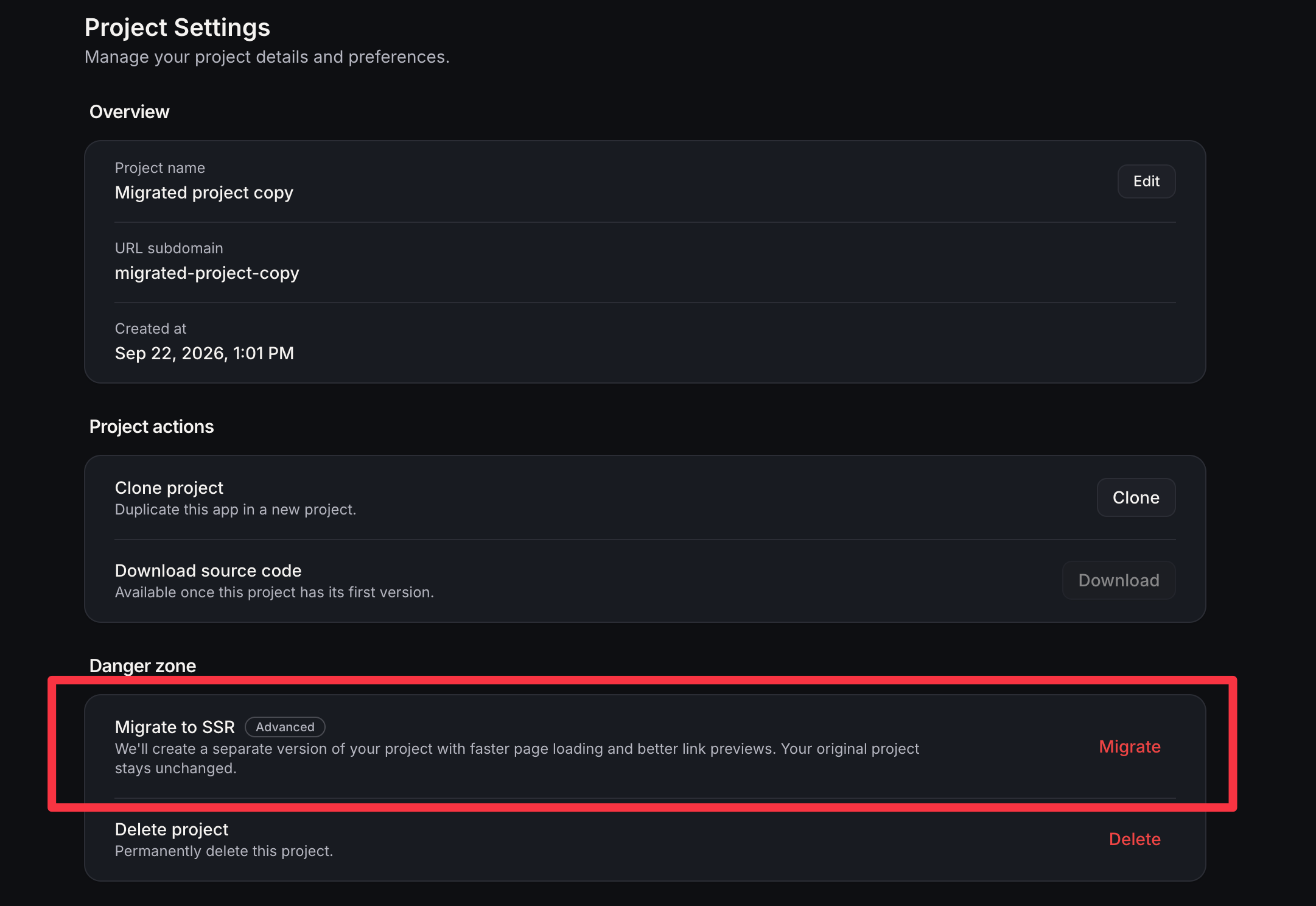
Migrate to SSR is now available in Project Settings, marked as Advanced. It is visible on React/Vite projects when you can edit the project. Projects already on TanStack do not automatically receive this action, and a React project will remain on React until this upgrade is initiated.
Confirmation initiates the creation of a new project next to the original in the same account:
- Your pages are brought over
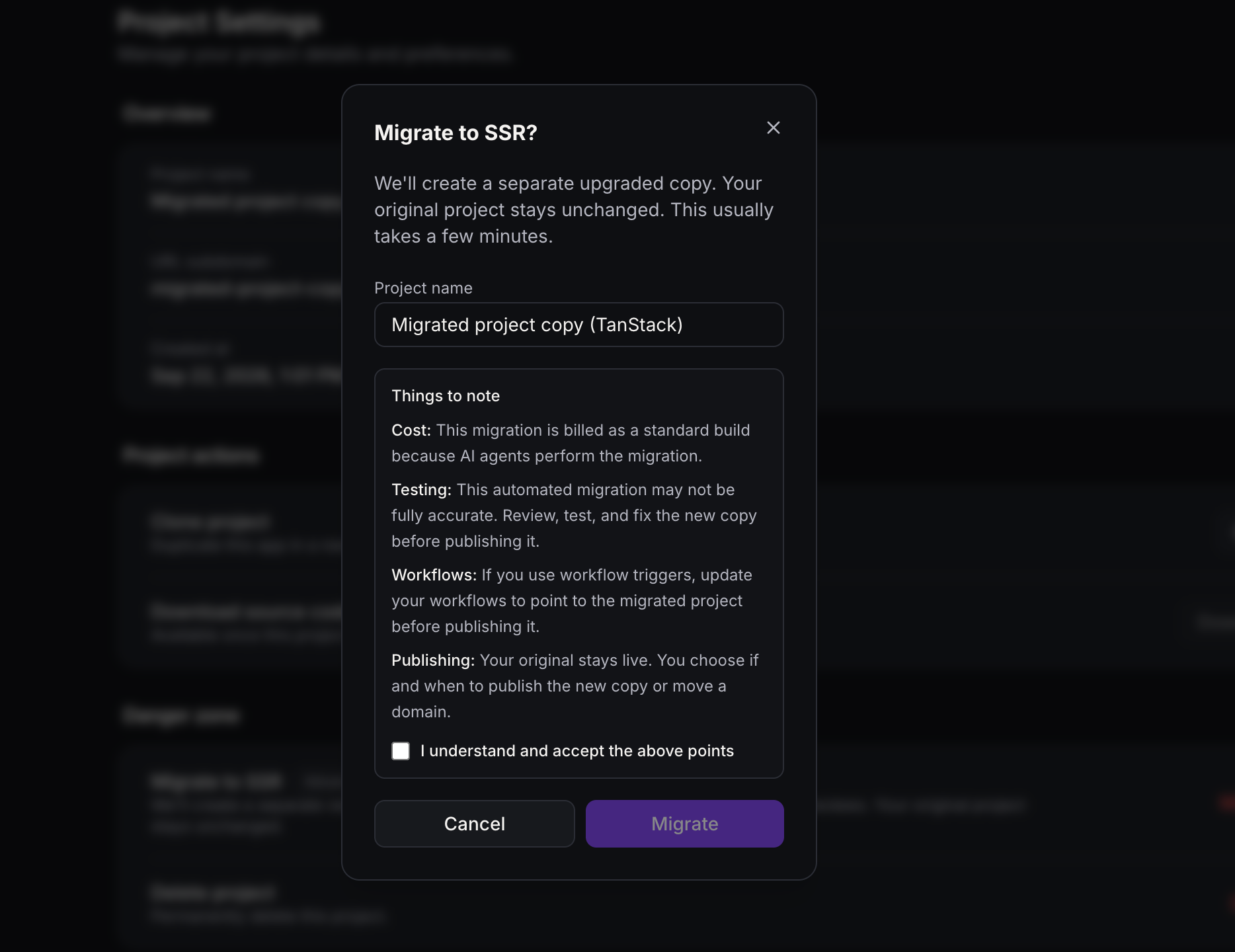
- Suggested name: “{project name} (TanStack)”. You can change it before moving forward
- The content is a draft. The live site and its domain will remain on the original project
- Earlier versions will be retained in the original project. The copy will start a new chat
You will be directed to the new project and the upgrade process will commence in the chat. On the dashboard, the card will display “Migrating to SSR” until the new project is ready as a TanStack app.
During this time, publishing, code saving, version restoring, domain changes, slug changes, and remixing will be disabled on the copy. However, preview, chat, and delete functions will remain accessible.
⬇️ How to run it
- Open the React project that requires the new stack
- Navigate to Project Settings → Click on Migrate next to Migrate to SSR
- Confirm the name of the copy
- Accept the notes presented
- Click on Migrate
Keep an eye on the chat. It will read the app and rewrite it onto TanStack Start. The card will clear once the new project is functioning as a normal SSR project.
If the process halts prematurely, the badge will remain. By selecting “continue the migration” in the project’s chat, you can resume from where you left off. Initiating the migration again from the original project will create another copy.
⚠️ Before you publish the copy
- Ensure it is used when the project necessitates server rendering, server functions, or secrets
- The conversion is charged like a standard build, with agents handling the process
- Inspect the new project prior to publishing to address any potential issues
- Workflow triggers will continue to respond to the original project until they are redirected to the new one
- The published site and its domains will remain unchanged. Publishing the copy or moving a domain is a separate decision
- Abandoning the copy is safe, as the original project was left unaltered
✅ Why this matters
A React project that requires server rendering, a genuine backend, or secrets can now transition to that stack without a complete rebuild or a cutover. Projects that do not necessitate these features will continue on React.