
AI Builder: New Skill For Workflow Settings and Naming
The AI Builder and Assistant’s New Capabilities
The AI Builder and Assistant can now configure workflow settings and rename workflows directly using natural language prompts. Previously, settings such as re-entry, business hours, and sender details required manual configuration after each interaction with AI. Now, a single prompt can produce a fully configured, correctly named, production-ready workflow without any need for manual steps.
Automatic Workflow Naming
The AI Builder can now automatically name workflows during generation. If a user provides a name, it will be applied directly. If no name is given, the AI generates one based on the context. Users can also request the AI to rename workflows they are currently editing.
Full Workflow Settings Access
The AI Builder and Assistant can now read, configure, and update all core workflow settings directly from a prompt:
- Re-entry, Multiple Opportunities, Stop on Response: Enable, disable, or check the current state of these settings. The agent can also confirm whether a setting is currently enabled for a given workflow.
- Time Zone and Time Windows: Set or update the workflow’s time zone. Add, modify, or review business hour time windows (e.g., “Set this workflow to only run Monday to Friday, 10am to 6pm”).
- Sender Details: View or update the From Name, From Email, and From Number without needing to open the settings panel.
- Mark Conversations as Read: Enable or disable this setting using a straightforward prompt.
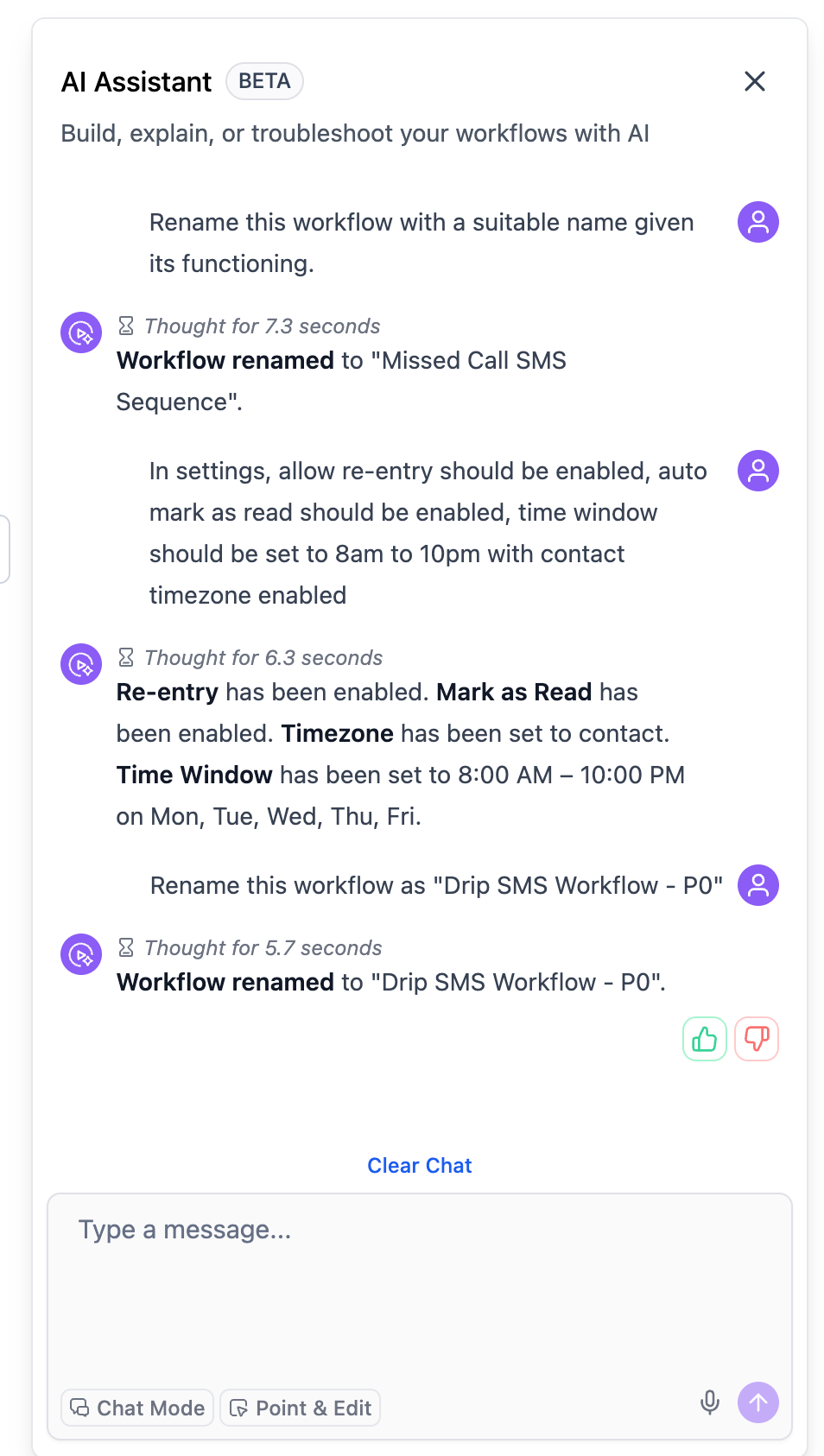
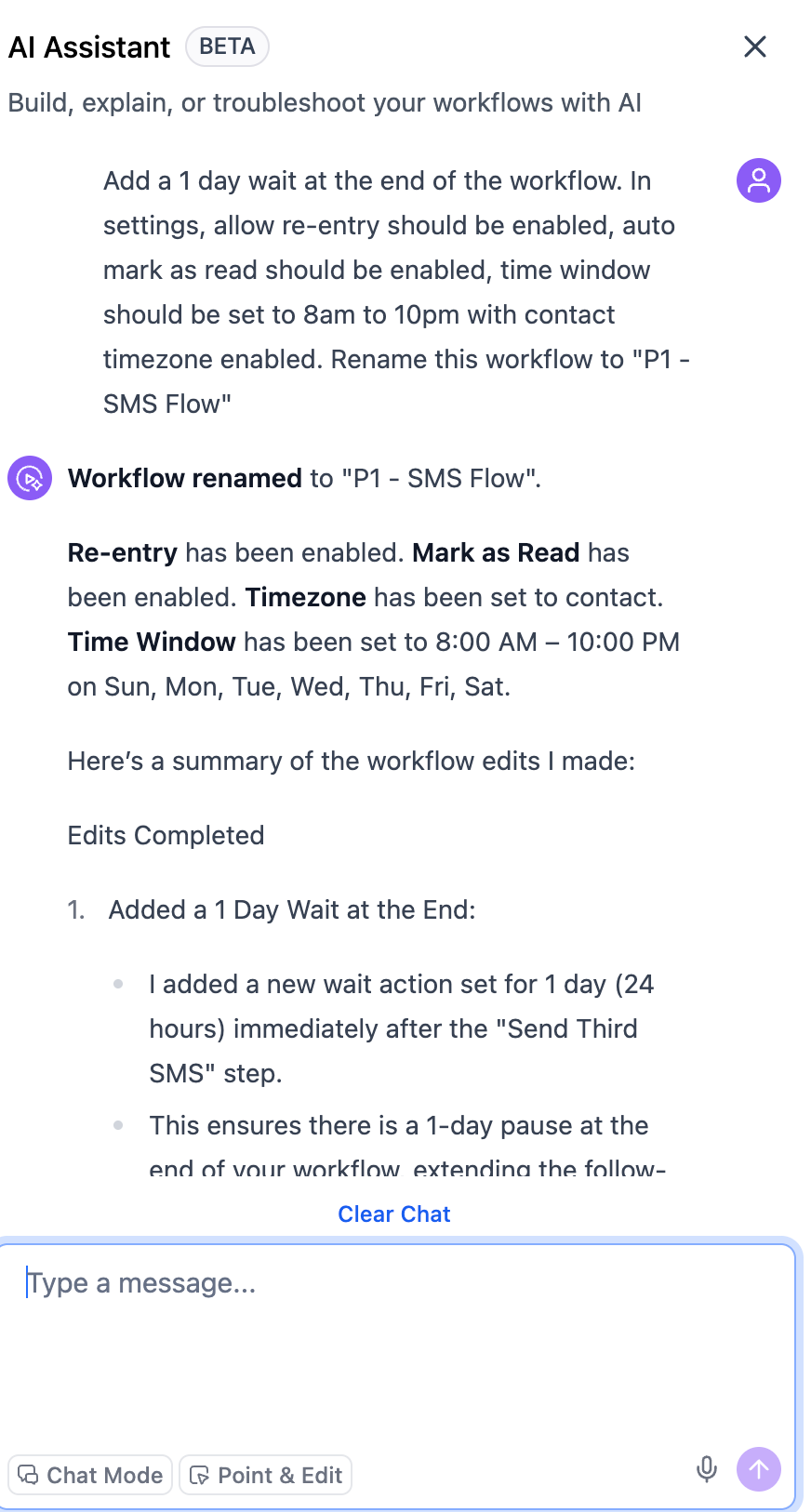
Users can now describe an entire workflow configuration within a single prompt, including the name, settings, and actions, and have it all applied instantly.
For example, while editing an existing appointment reminder workflow, a user can say:
The renaming, settings updates, and new action are all managed without navigating through settings tabs.
This enhancement brings the AI Builder closer to granting full control over everything in the Workflows UI, allowing users to go from a description to a complete, production-ready automation in one step.