🏷️ Add Role Badges to Your Staff for Services
Improving Staff Selection with Role Badges
When a service has multiple staff members — e.g., junior and senior stylists, different specialists, varying levels of experience — customers picking from a plain list of names often can’t tell who’s the best fit.
You can now add a short role tag, like “Lead Therapist” or “Senior Consultant,” to each staff member’s profile, and it shows up as a badge right where customers choose who to book with — making that choice easier and giving your staff’s role more visibility.
✅ Create reusable badges
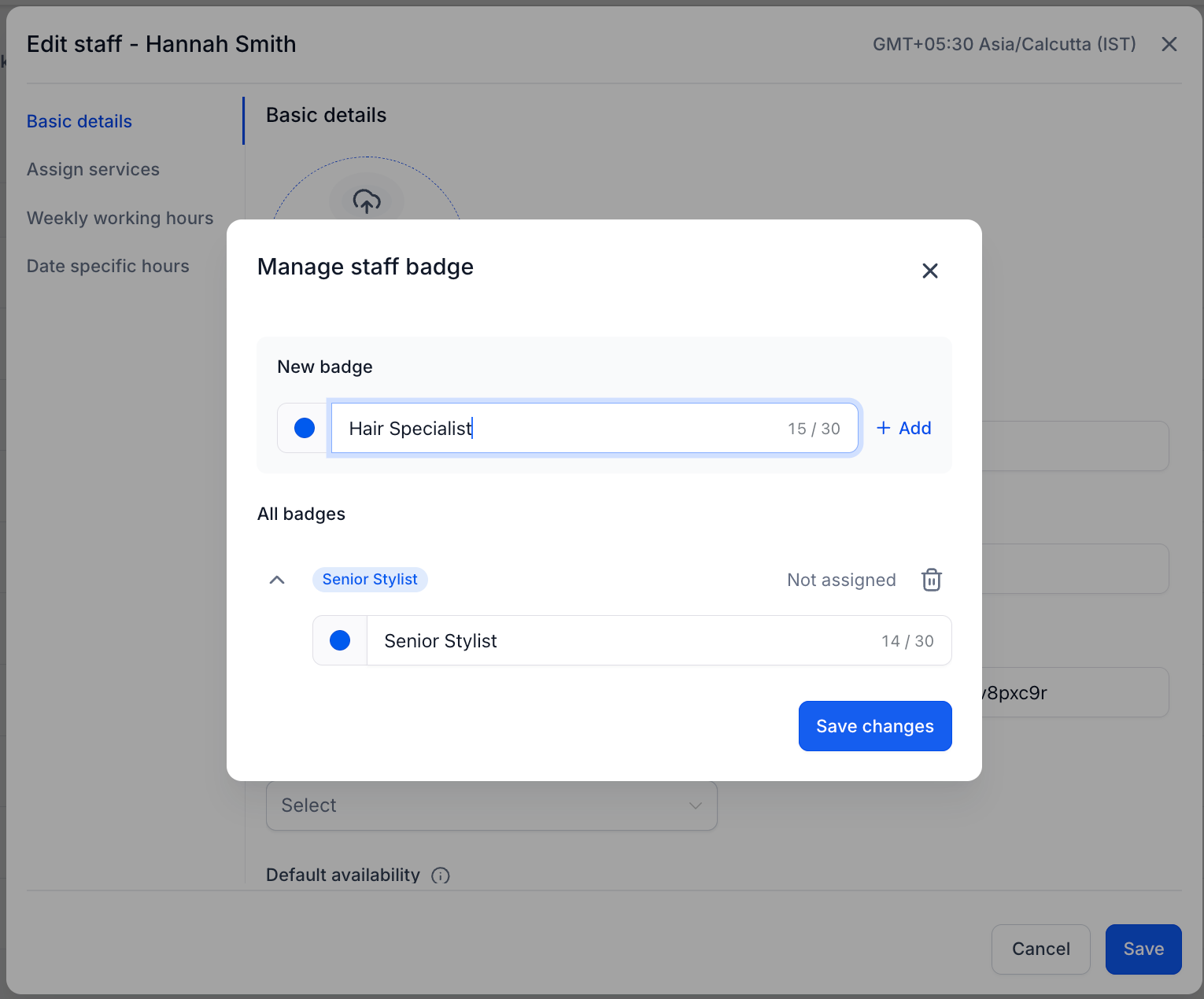
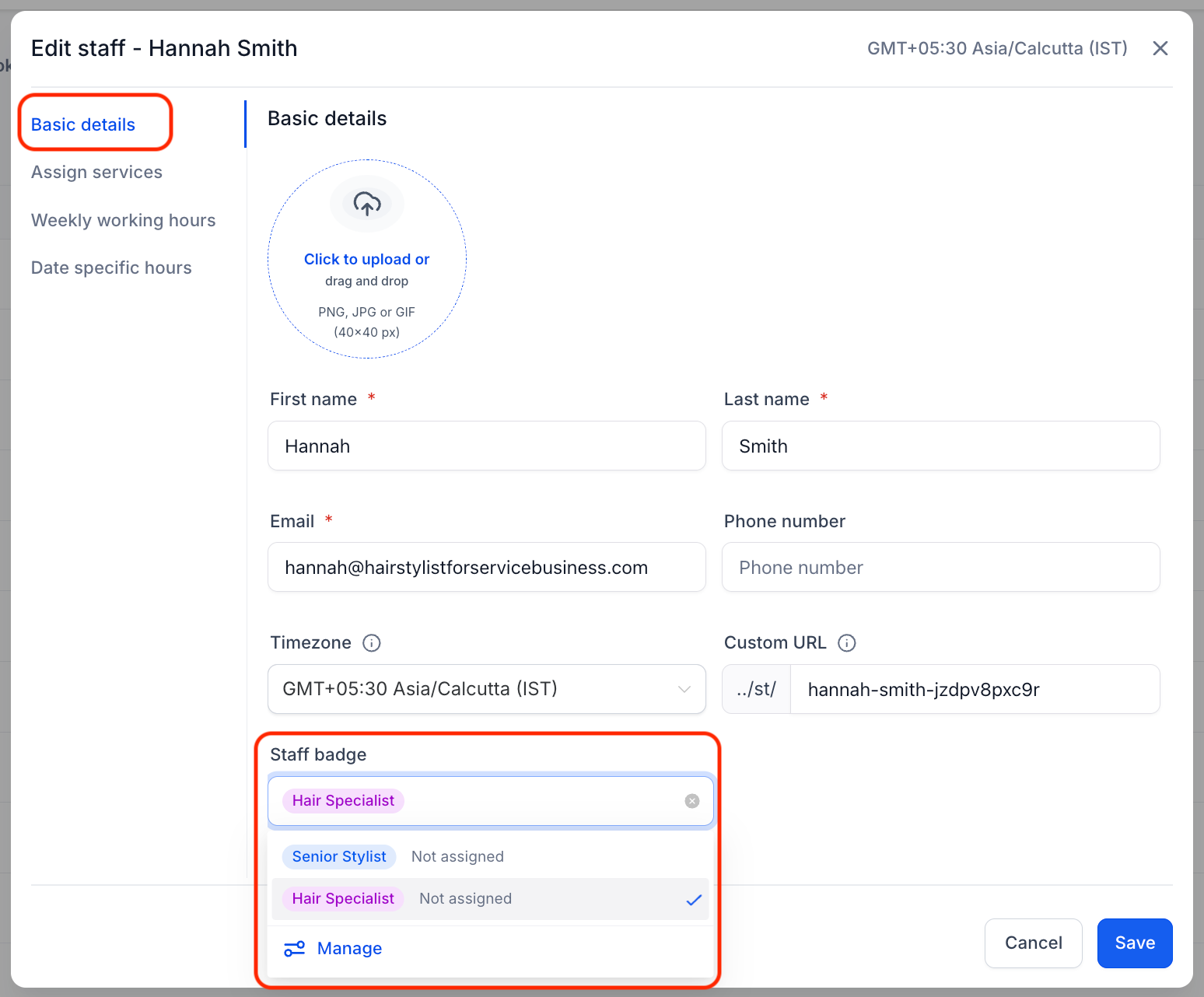
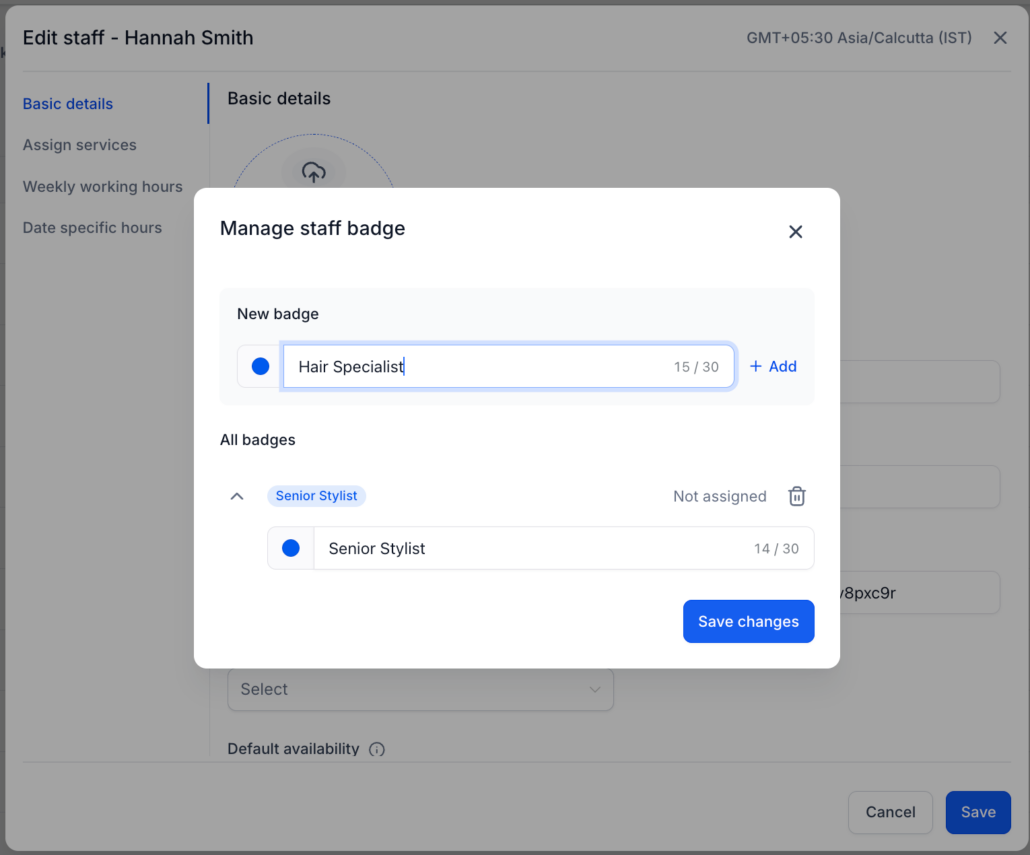
Create as many role badges as you need — e.g., Lead Therapist, Senior Consultant, and so on. When assigning a badge to a staff member, every badge you’ve already created shows up to pick from, so you’re not recreating the same tag for each person.
✅ One role tag per staff member
Add a single text-based role badge (up to 30 characters) for each staff member from your staff details settings.
✅ Pick a colour for each badge
Each staff role tag can have its own colour — so roles are visually distinct at a glance instead of every badge looking the same.
✅ Shown as a badge during staff selection
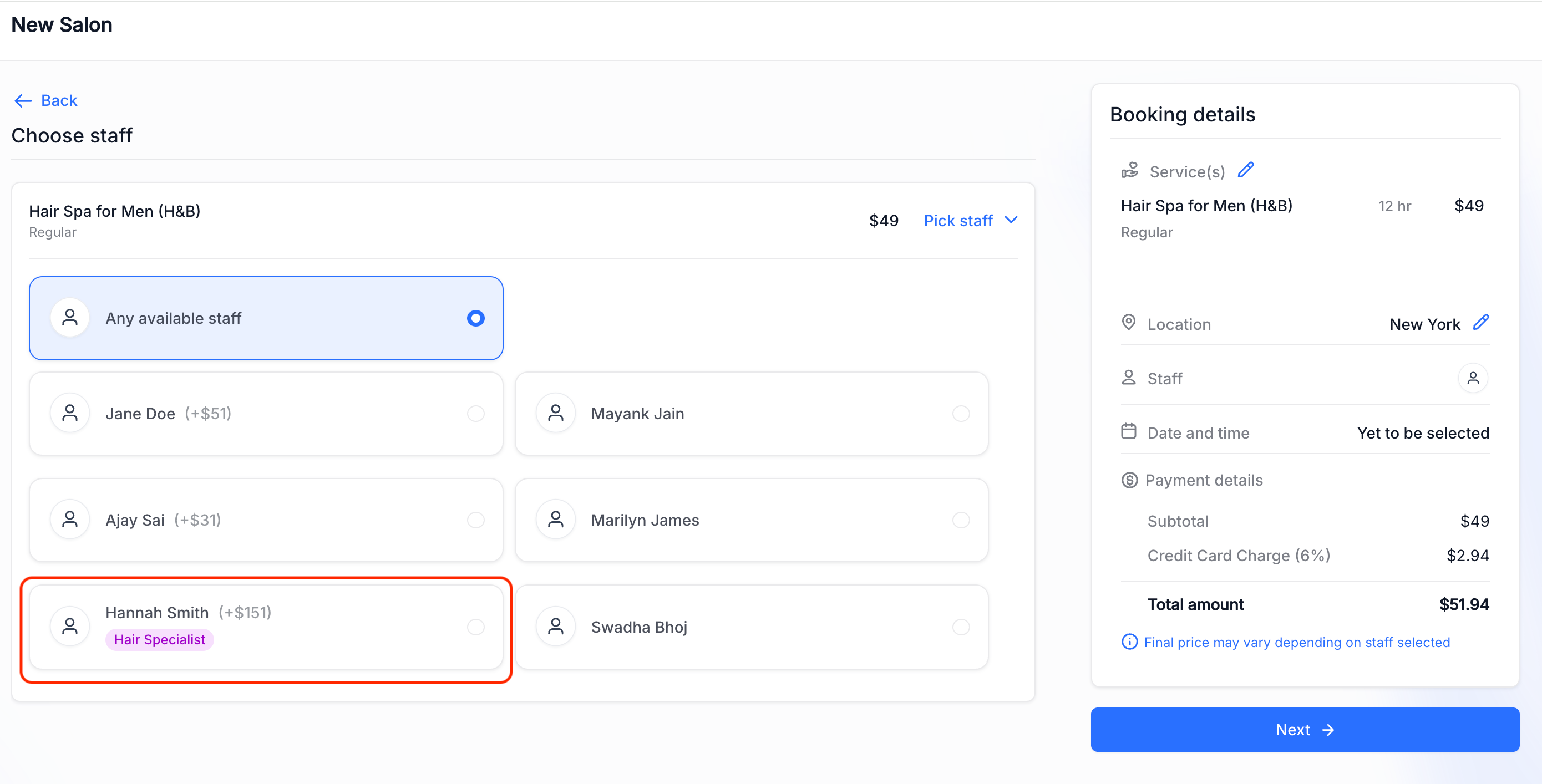
When a staff member has a tag configured, it appears as a badge on their card during staff selection on the booking widget — styled in a lighter shade of your widget’s primary colour so it fits your theme without dominating the card.
Staff without a configured tag show no badge or placeholder — their card stays clean.
✅ Updates reflect right away
Edit or remove a badge, and the booking widget reflects the change the next time it loads.
✅ Consistent on desktop and mobile
The badge renders the same way across both desktop and mobile widget layouts.
- Go to
Services → Staff
.
Edit
the staff member for whom you would like to add a badge
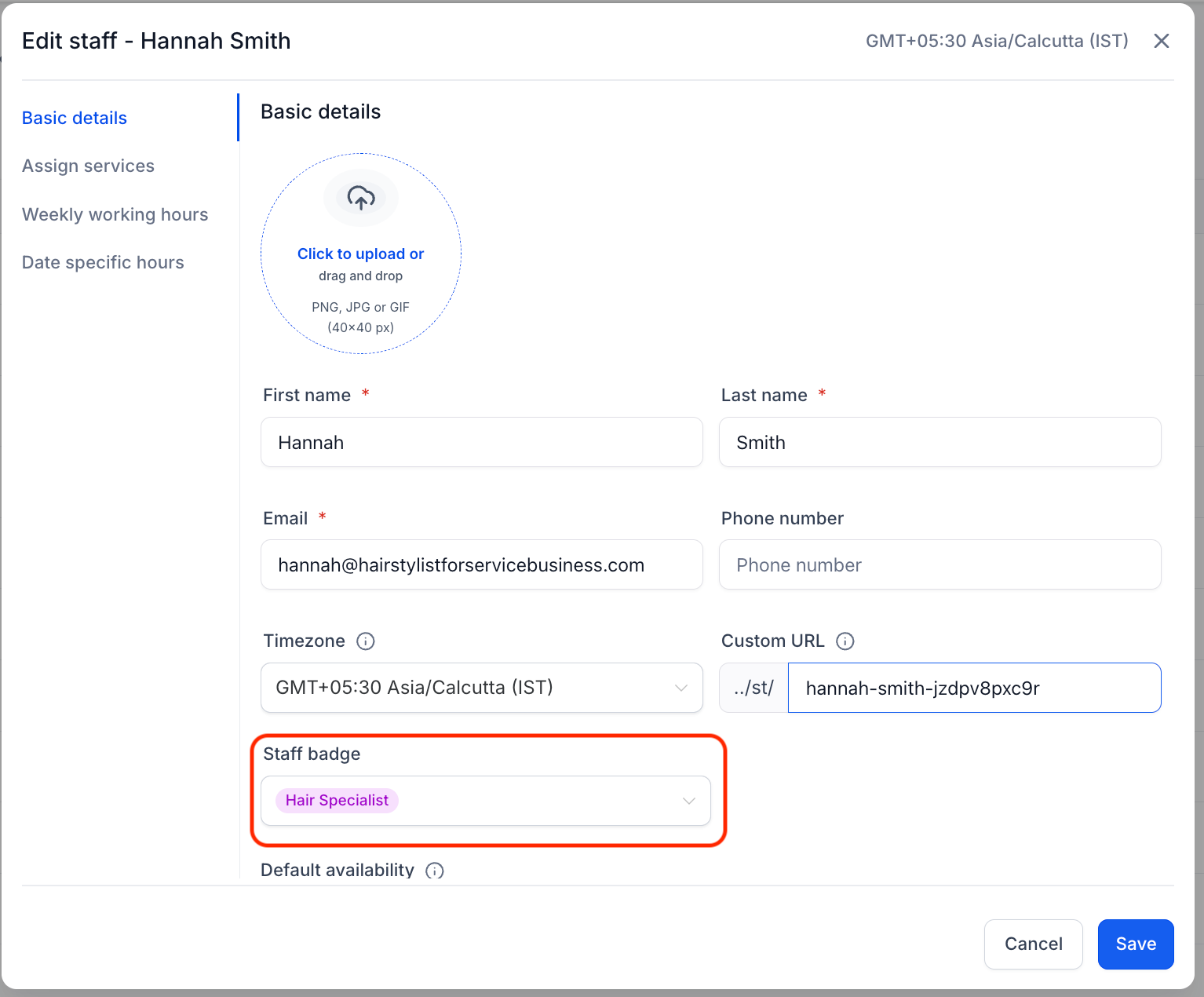
- Under the
Basic details
tab, navigate to the
Staff badge
dropdown.
-
Add
/select a badge for the staff member
-
Save
— the tag now shows as a badge next to that staff member during staff selection on your booking widget.
- Helps customers quickly identify the right person to book with when there’s more than one staff member to choose from.
- A single, simple tag keeps setup light and easy to scan — no need to build out full staff bios.
- On-brand badge styling keeps the booking experience polished without extra design work on your end.
- Consistent across desktop and mobile views, so the experience doesn’t change based on how a customer books.