
Add Reference Images in AI Image Generation Action
The AI Image Generation action now accepts reference images. Attach up to five images as visual context alongside your prompt, and control the setting, the subject, and your branding directly instead of trying to describe them in words.
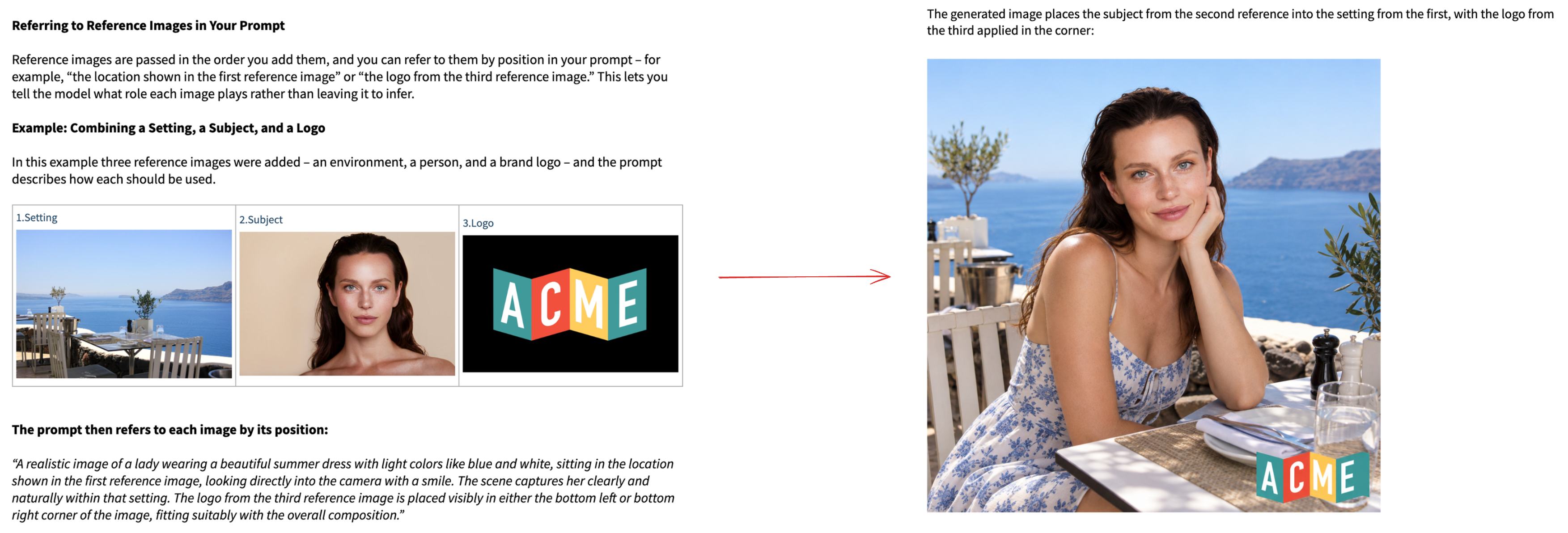
Up to Five Reference Images per Action
– Attach up to five images to a single AI Image Generation action. Each is passed to the model as visual context along with your prompt.
Three Ways to Add Them
– Upload from your system, pick from the Media Library, or point at a URL.
Dynamic Reference URLs
– The URL field supports custom values, so a reference can come from a webhook payload, a contact field, or a previous action. One workflow, a different reference image per contact.
Positional Ordering
– Images are passed in the order you add them, so your prompt can address each one by position.
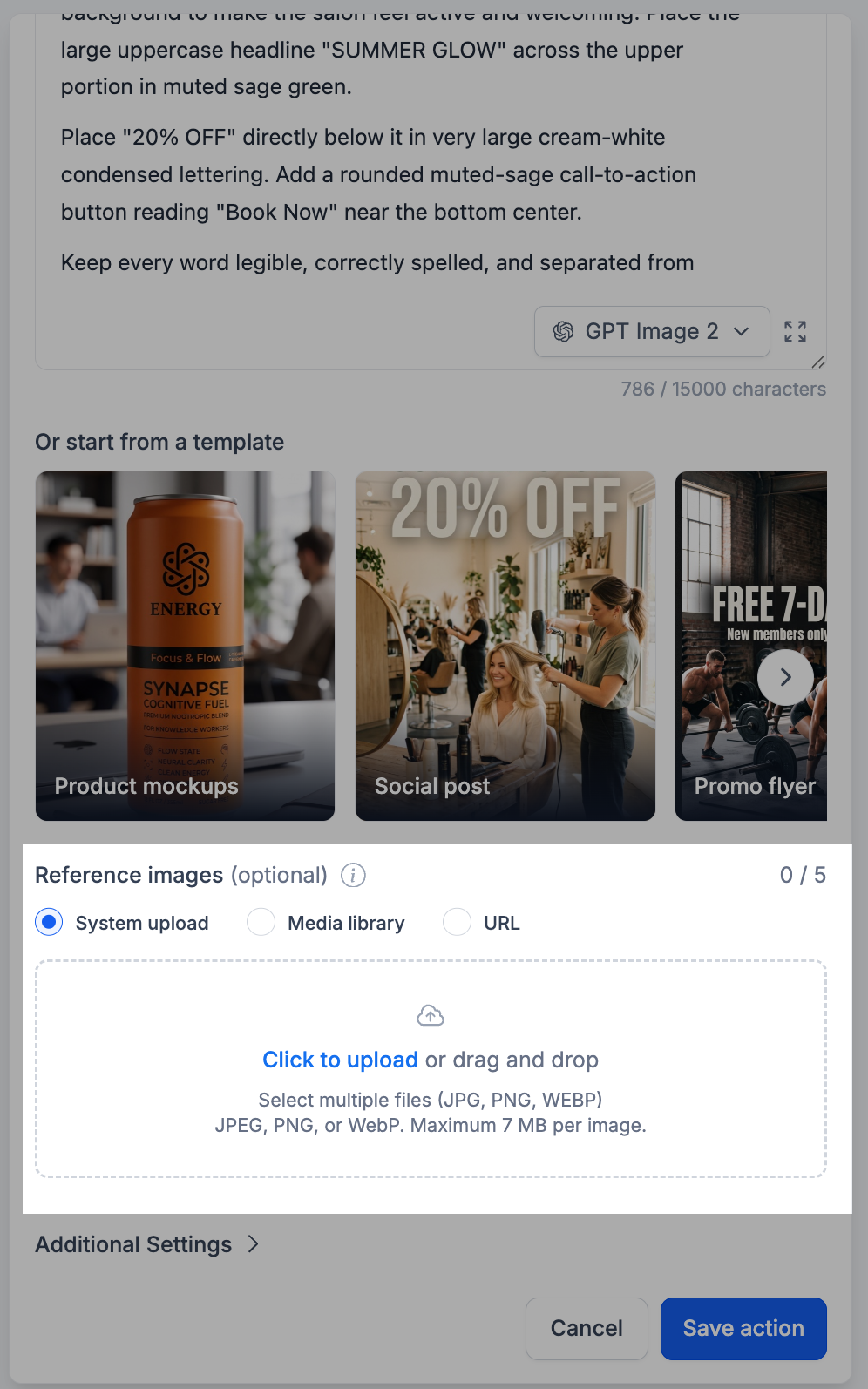
- Open the AI Image Generation action in your workflow.
- Write your prompt as usual.
- Scroll to the Reference images section below the templates.
- Choose a source: System upload, Media library, or URL.
- Add your images. The counter on the right shows how many you have added out of five.
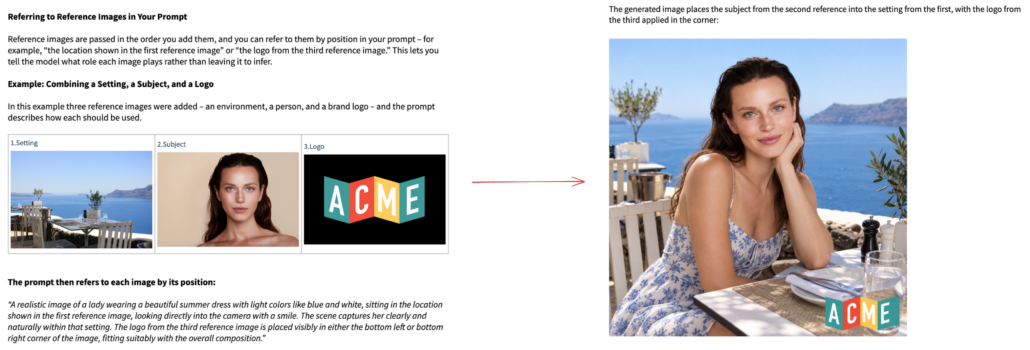
- Refer to each image by its position inside the prompt.
- Save the action.
Worked Example: One Lifestyle Shot, Zero Shoots
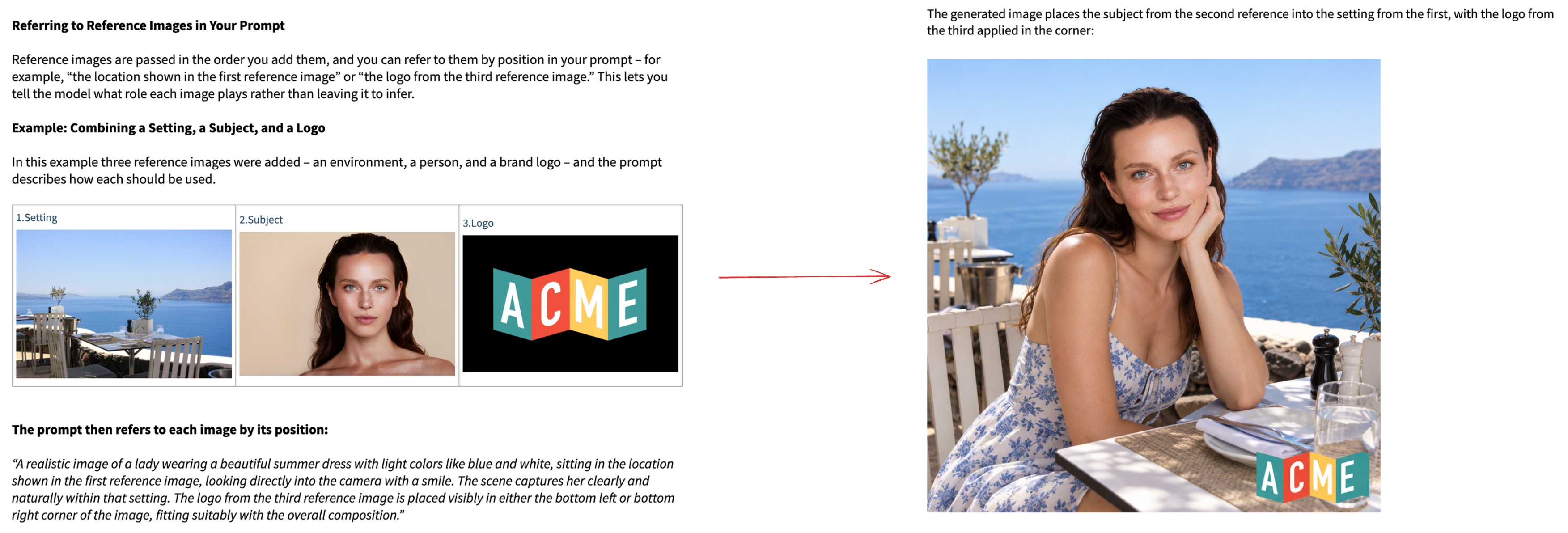
The goal is a brand lifestyle image of a model at a seaside restaurant, with the brand logo placed in the corner. No photographer, no designer, no studio.
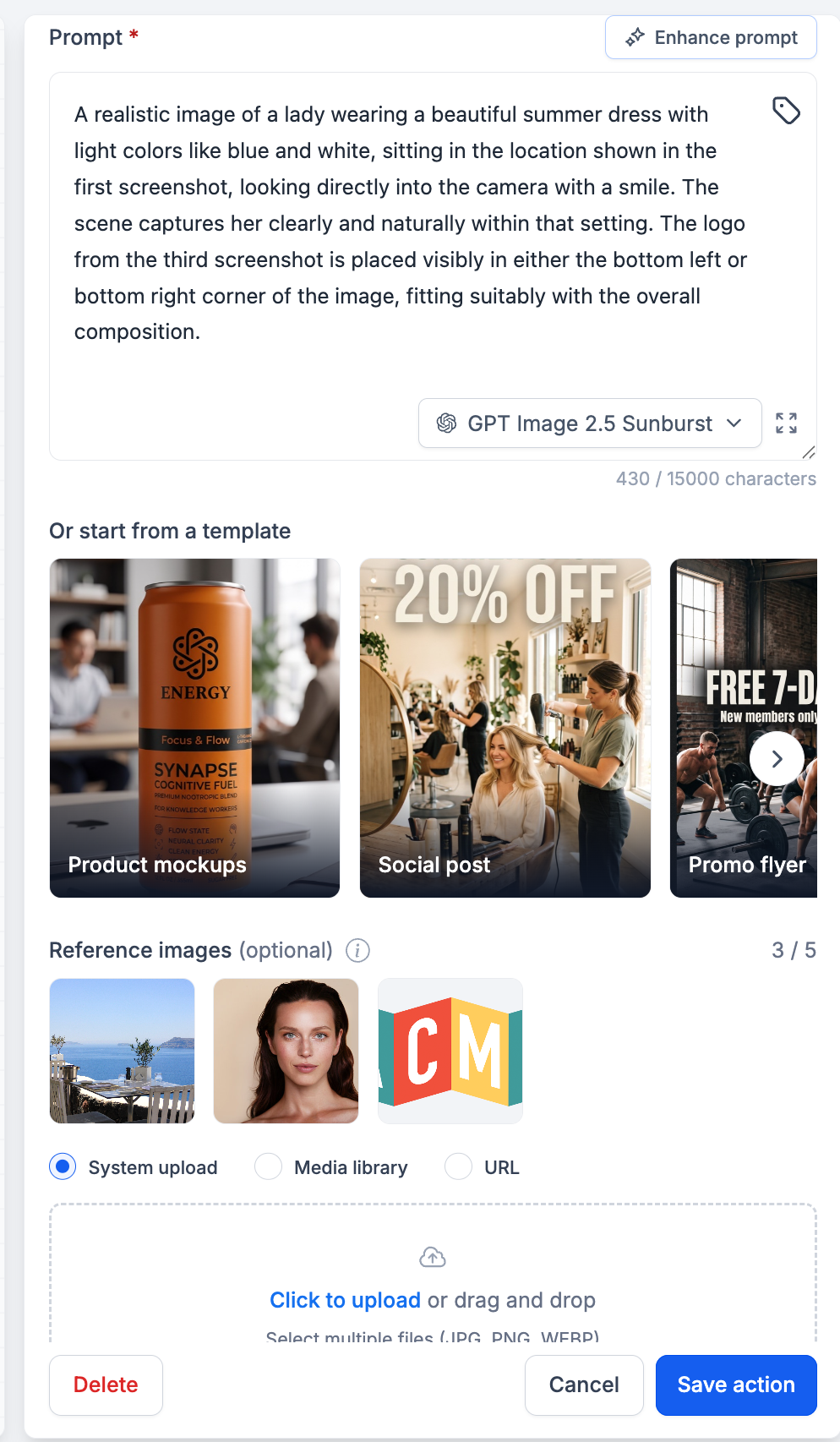
Three reference images are uploaded, in this exact order:
- Setting: a photo of a seaside restaurant terrace.
- Subject: a portrait of the model.
- Logo: the ACME brand logo.
The prompt then assigns a job to each one by position:
“A realistic image of a lady wearing a beautiful summer dress with light colours like blue and white, sitting in the location shown in the first reference image, looking directly into the camera with a smile. The scene captures her clearly and naturally within that setting. The logo from the third reference image is placed visibly in either the bottom left or bottom right corner of the image, fitting suitably with the overall composition.”
The output places the subject from the second reference inside the setting from the first, with the logo from the third rendered cleanly in the bottom right corner.
A face, a room, or an exact logo never survives a text description. Reference images move image generation from describing to showing, which is the difference between an approximation and the asset you wanted.
Brand assets stay exact rather than approximated, so generated visuals can carry real logos and real product shots instead of near-misses.
Dynamic reference URLs make personalised visuals possible at volume. A single action can produce a different image for every contact who passes through it, driven by whatever the workflow already knows about them.