• Shopping Cart Shopping Cart
    0Shopping Cart
Clixio
  • Features
  • Pricing
  • FAQ
  • Blog
  • Log in
  • Free Trial
  • Menu Menu

Ad Manager: Image Editor for Ad Media

March 20, 2025/in What's New? Integrations

Ad Manager: Image Editor for Ad Media | Clixio Changelog


Introduction

The new Image Editor functionality for Ad Manager allows users to edit images seamlessly while creating or editing their ad campaigns. The tool provides a variety of features to customise the media content directly within the platform.


Accessing the Image Editor

  1. From the Ad Manager home page, select the campaign you want to edit or create a new Meta campaign.
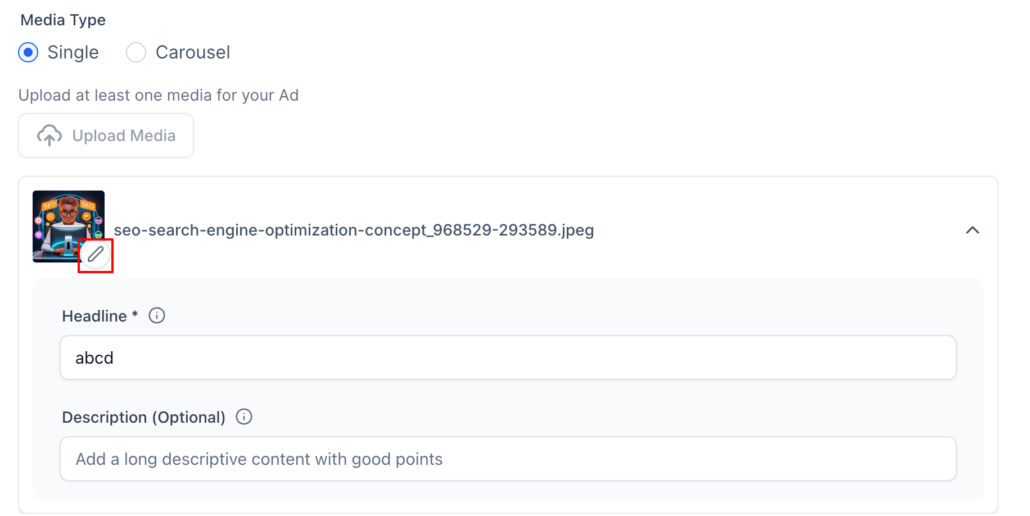
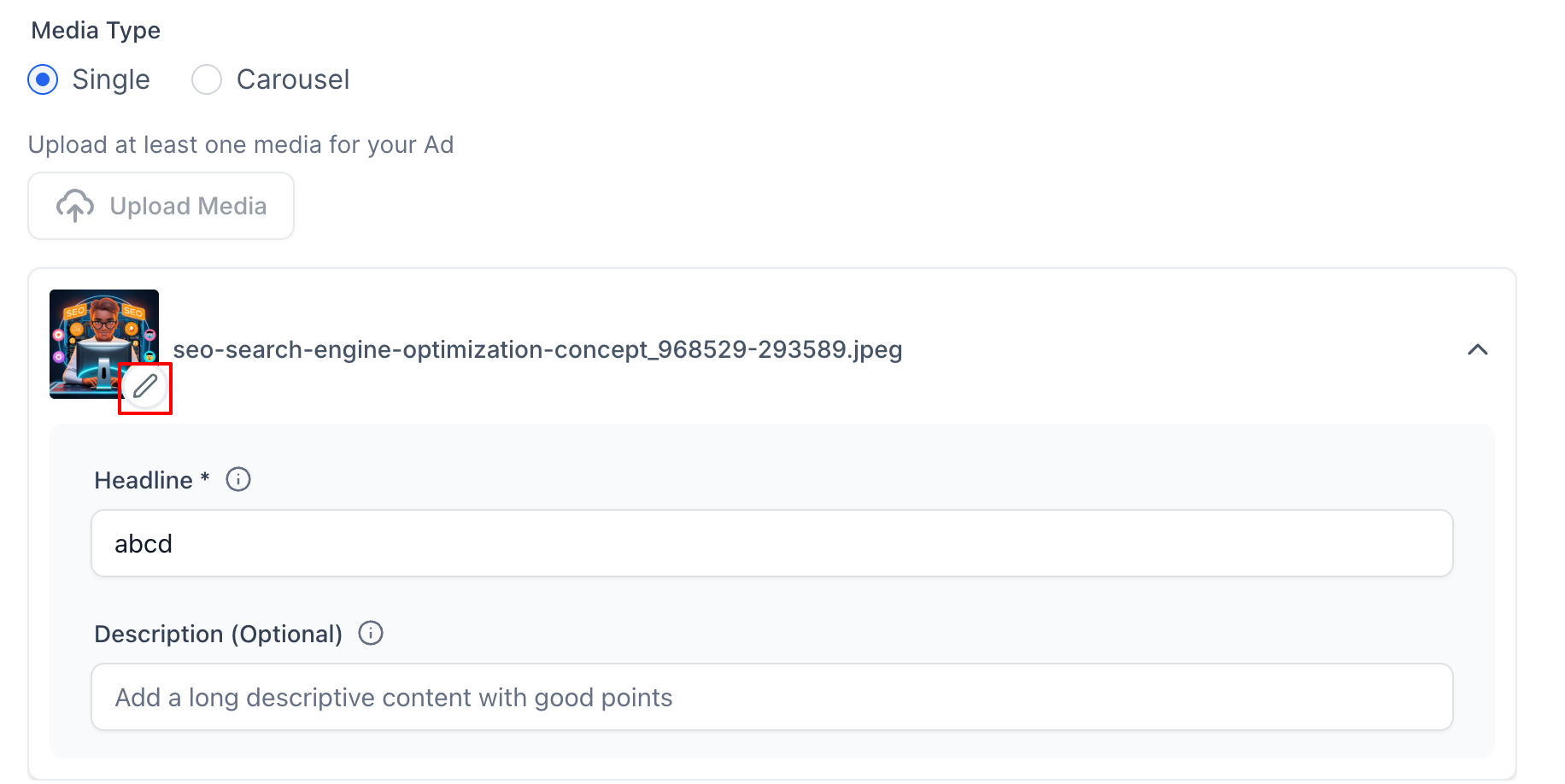
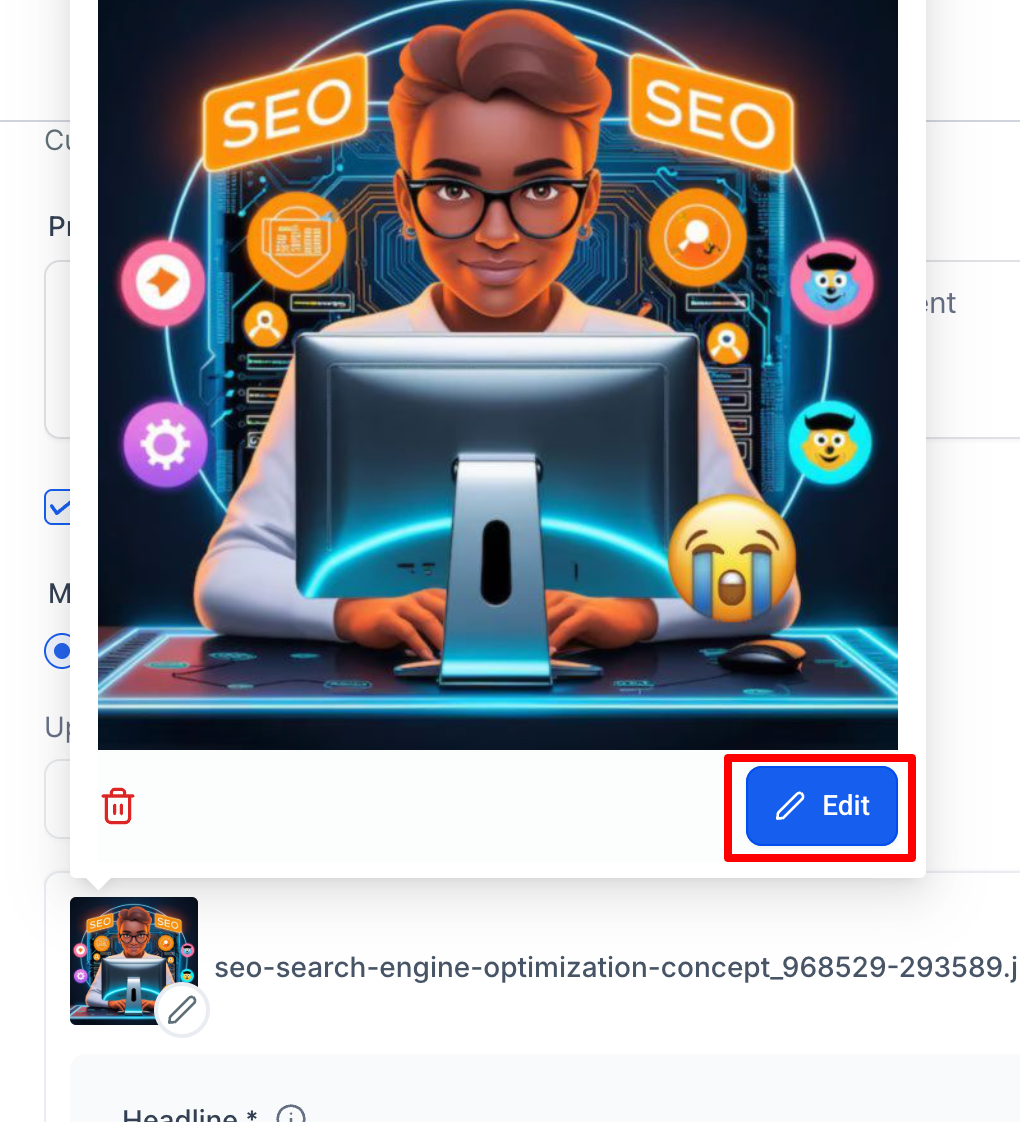
  2. After uploading the image for your ad, click the "Edit" button on the image thumbnail.
  3. This will open the Image Editor dialog, where you can make all the necessary adjustments to your image.

Image Editor Functionality

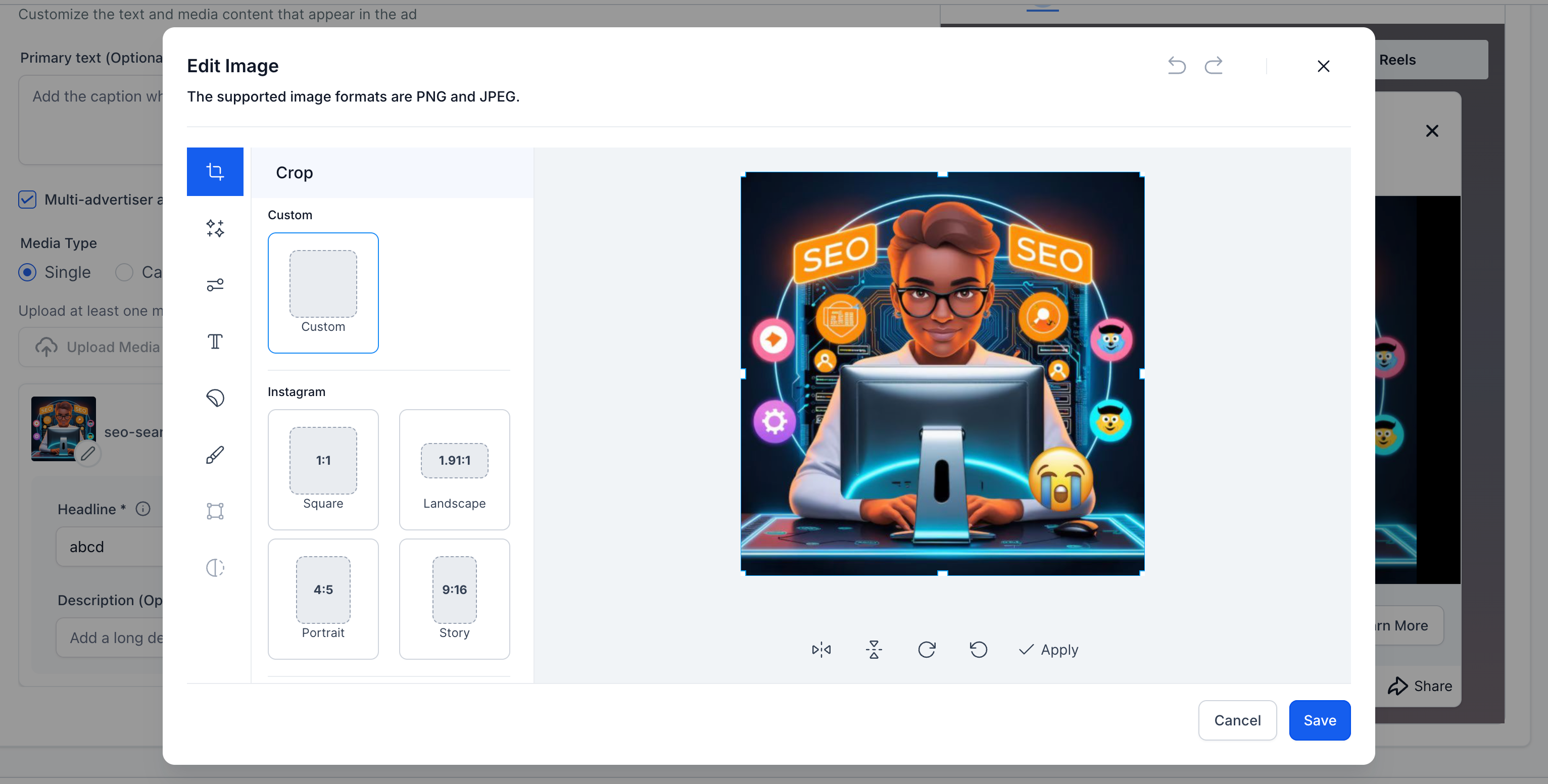
  1. Crop: Adjust the crop of the image to fit the desired aspect ratio for platforms like Facebook, Instagram, Custom, commonly used and more.
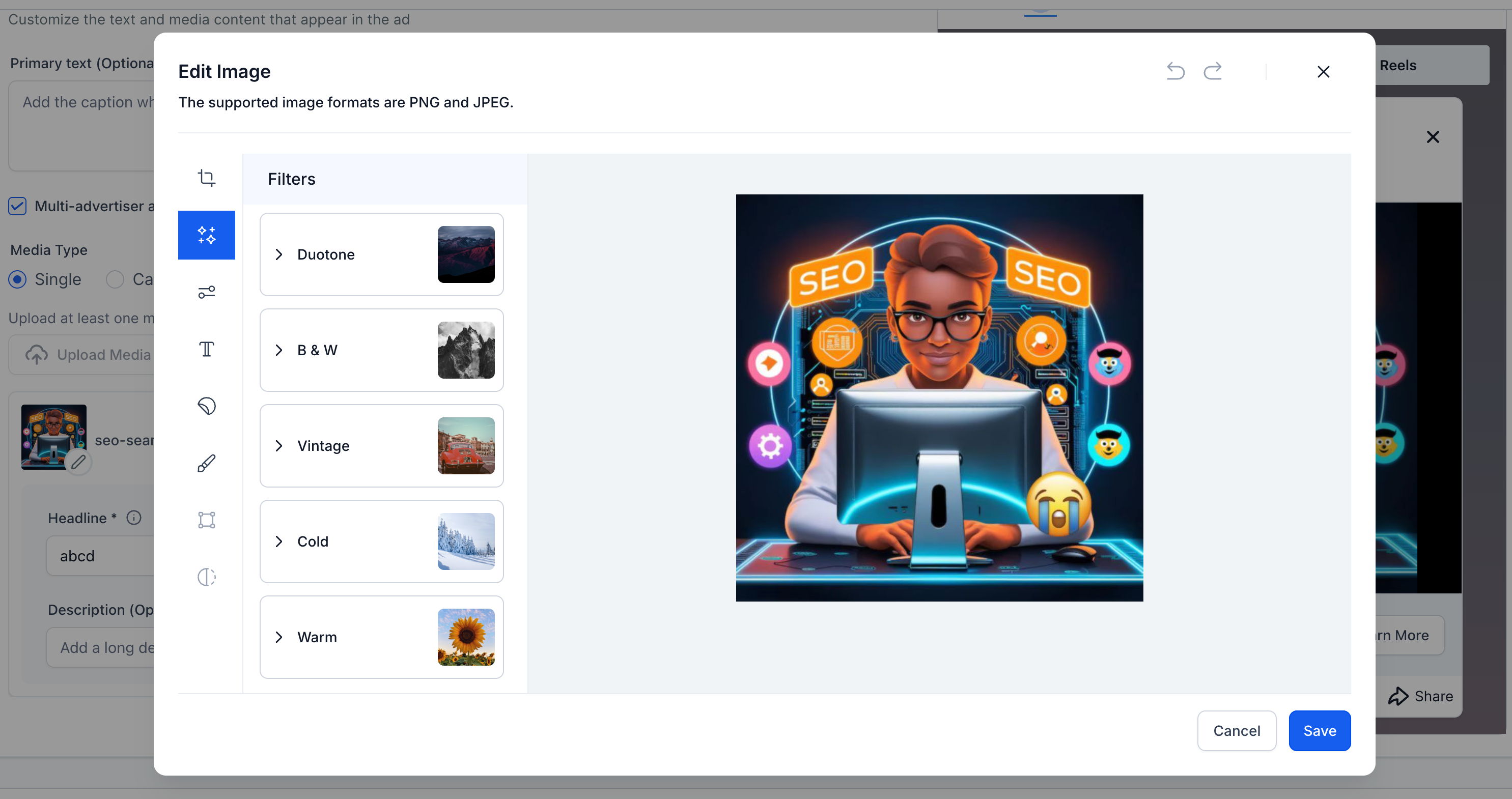
  2. Filters: Users can apply various filters like Duotone, B&W, Vintage, and more to their ad images.
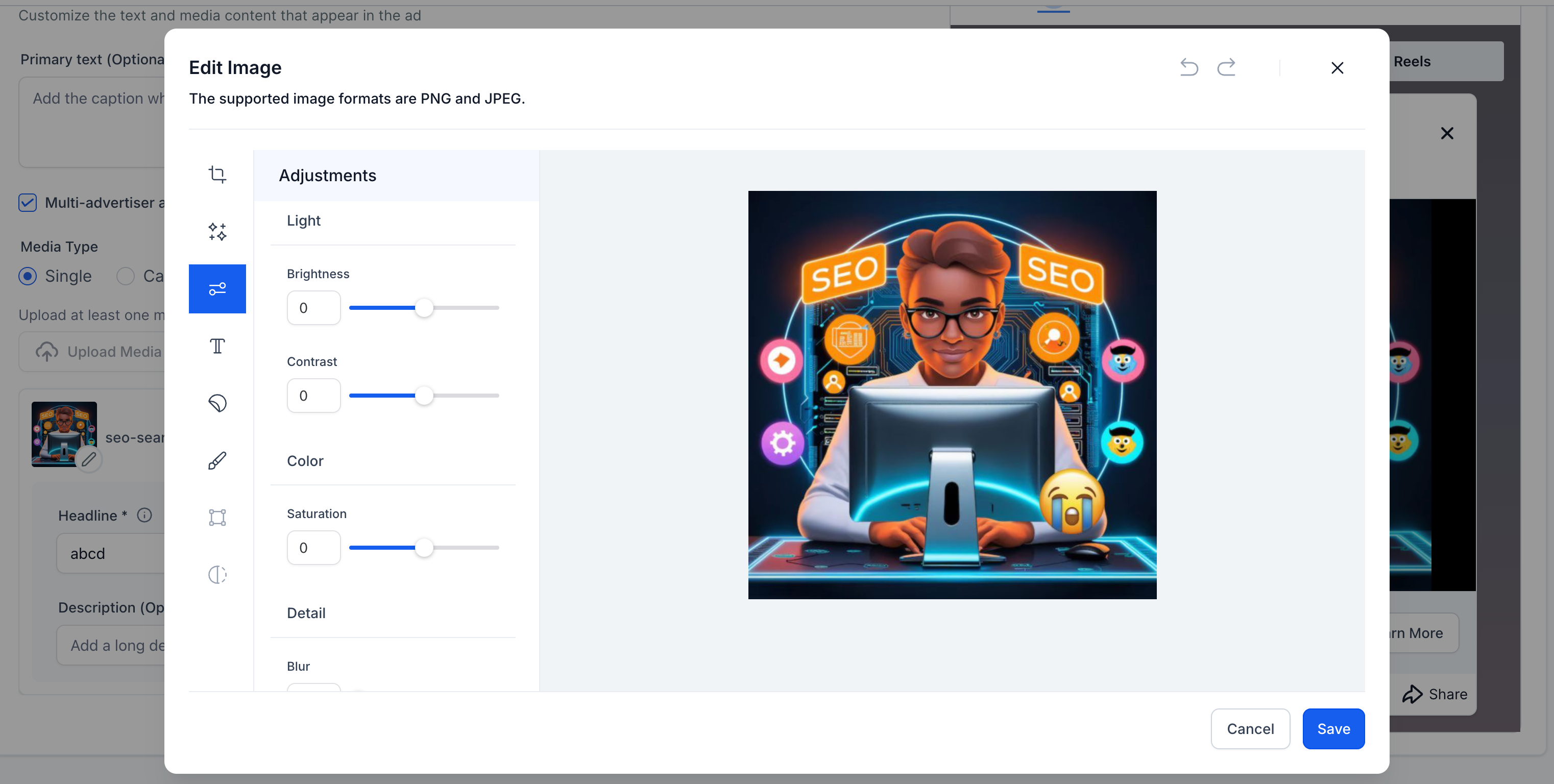
  3. Adjustments: Control over brightness, contrast, saturation and other settings for fine-tuning the image to match the desired ad aesthetics.
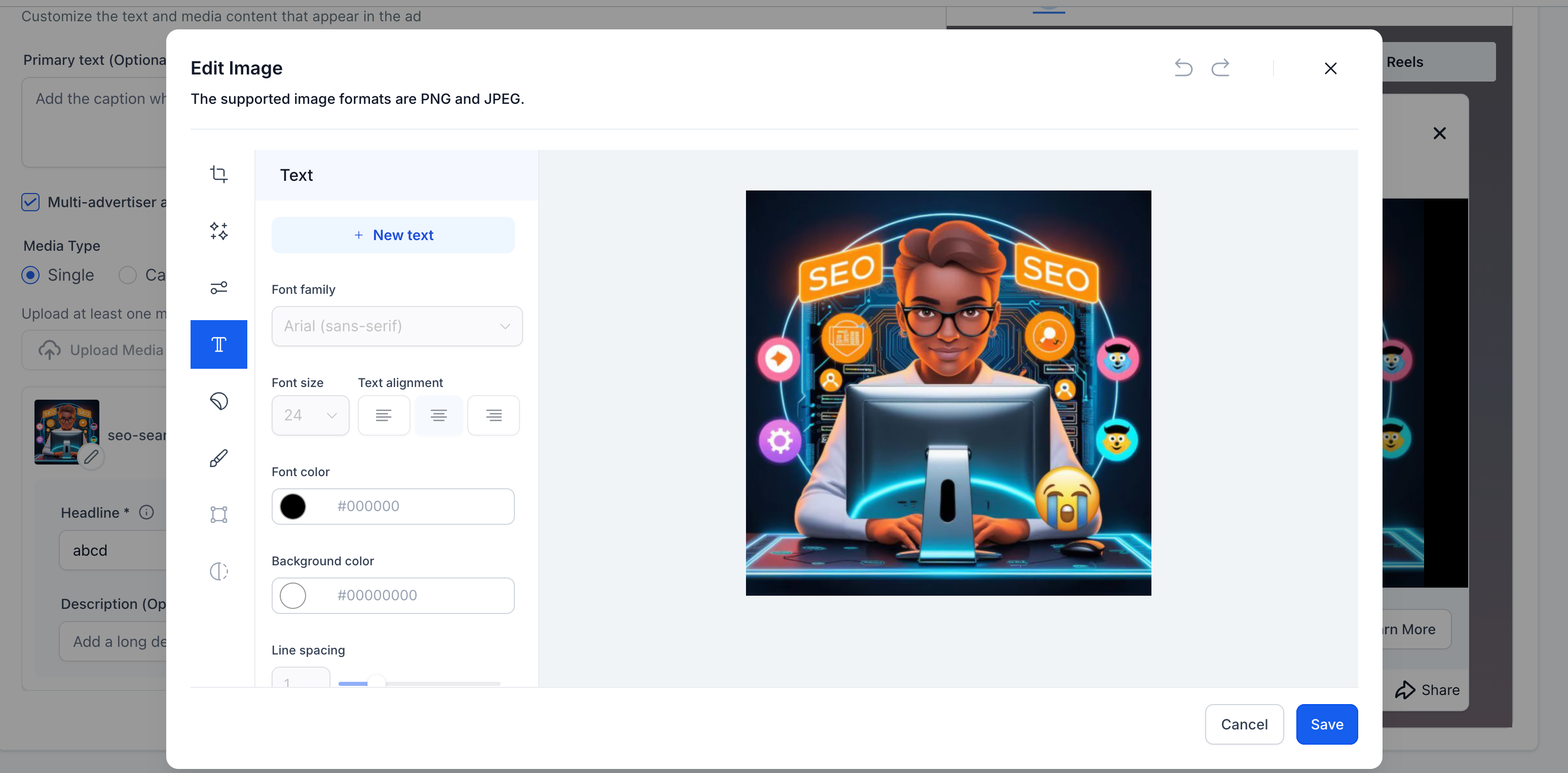
  4. Text & Fonts: Add custom text to the image with options to change font family, size, colour and alignment.
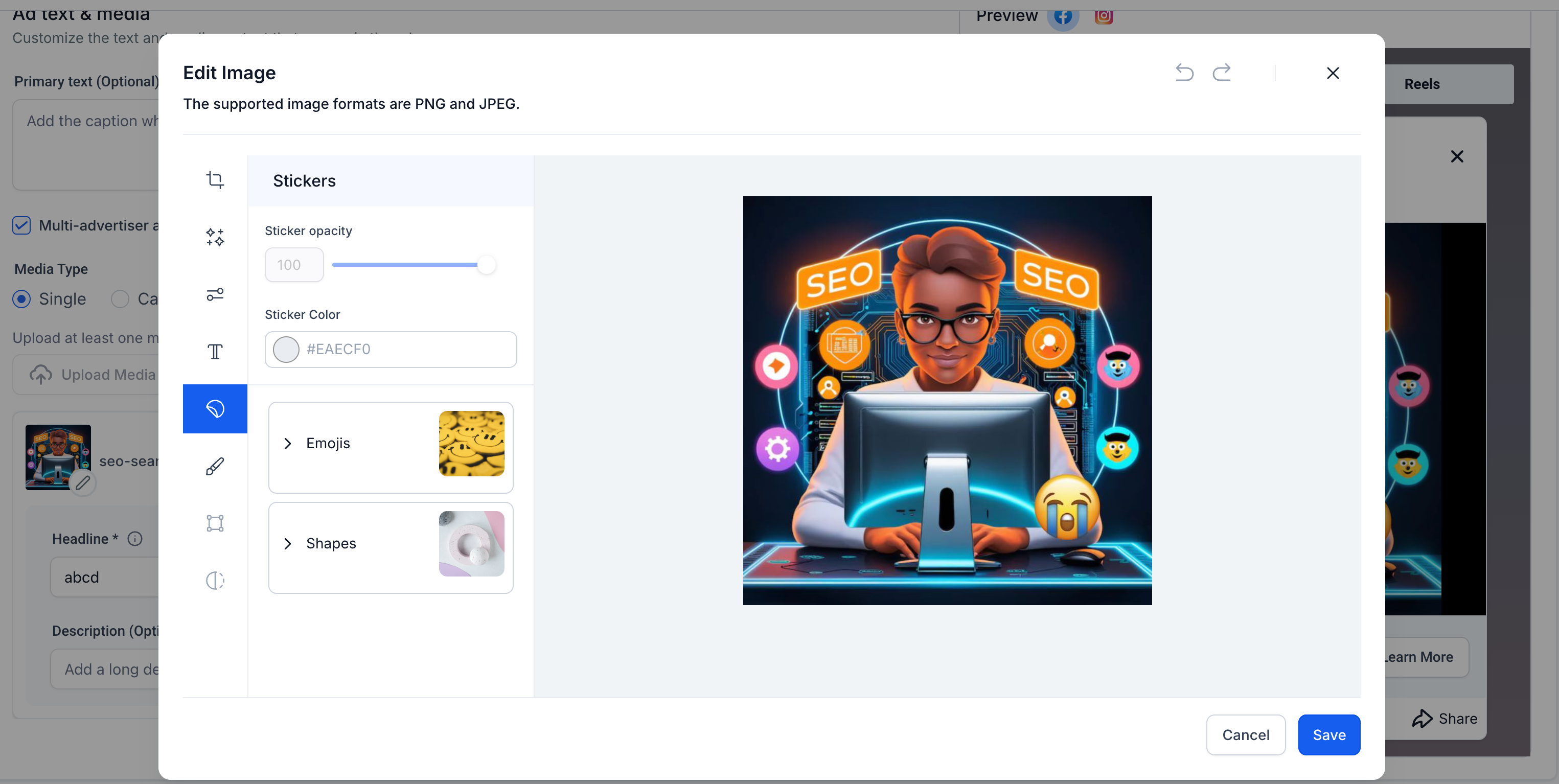
  5. Stickers & Emojis: Easily insert stickers, emojis, or custom shapes with adjustable opacity and colour.
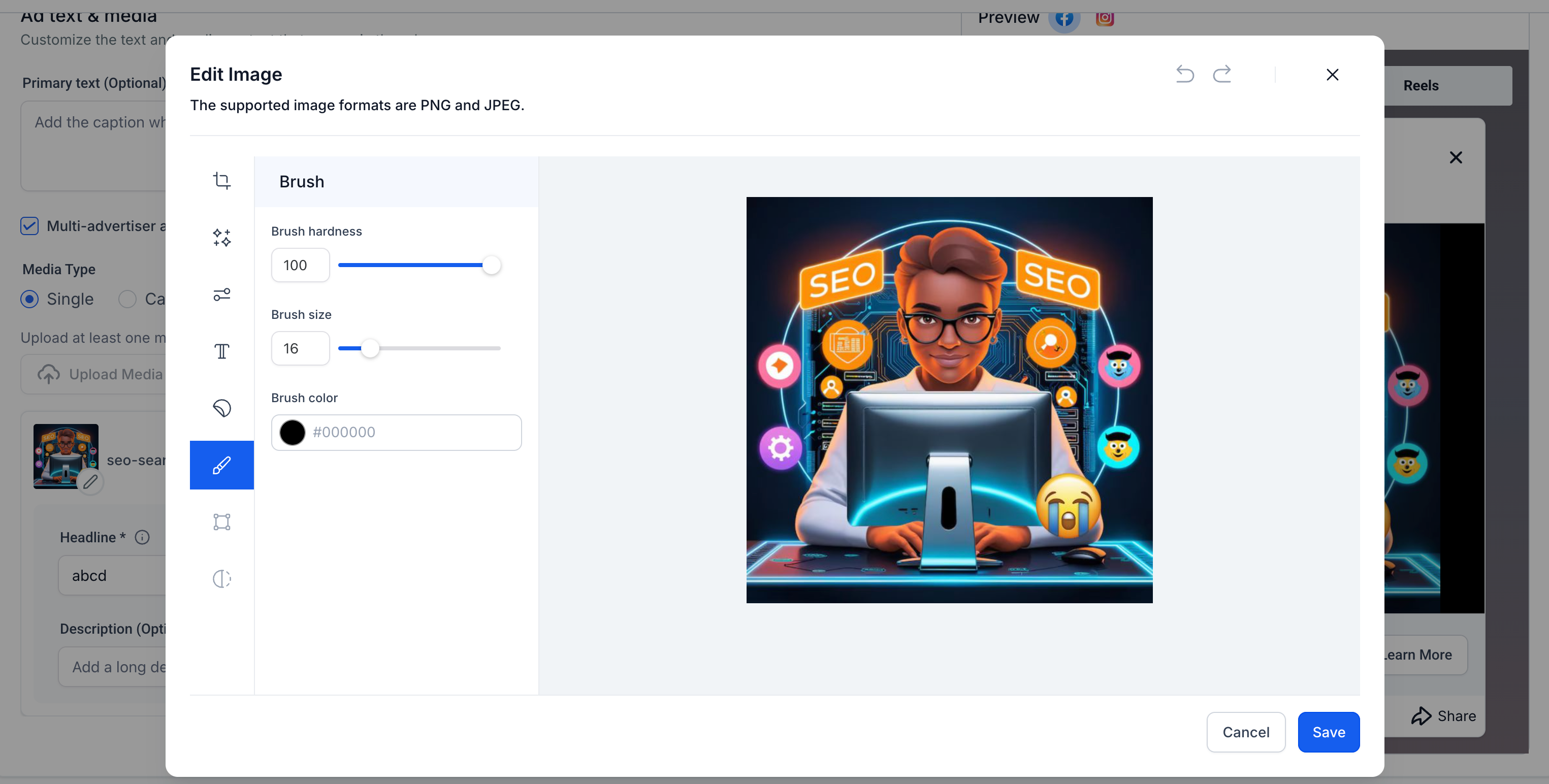
  6. Brush Tool: Paint directly on the image using the brush tool with customisable brush size and colour.

Benefits of Image Editor

  • Convenience: The image editor reduces the need to switch between external design tools, streamlining the process of creating visually compelling ads.
  • Efficiency: Users can create custom media for their campaigns, enhancing creativity while saving time.
  • Flexibility: Tailor images to fit various platform specifications without needing additional software.

  1. The editor supports both PNG and JPEG formats.
  2. Real-time preview allows users to see the final result before saving.
  3. Integration with the Ad Manager ensures that media adjustments are immediately reflected in ad previews.
image
image
image
image
image
image
image
image


https://clixio.io/wp-content/uploads/2025/03/6e6bedb8773b04267a5972bad2b2b98e.png 918 1832 Clixio.io https://clixio.io/wp-content/uploads/2023/08/clixio-logo-dark.png Clixio.io2025-03-20 18:56:002025-03-20 18:56:00Ad Manager: Image Editor for Ad Media

RSS feed: Latest Feature Updates Latest Feature Updates

  • Improved: Dynamic Value Chips with Improved error segmentation September 4, 2026
  • 📞 More Reliable Missed Call Text Back with Smarter Number Selection September 4, 2026
  • 🔐 Client Portal: “User login” Workflow Trigger Now Supports the New Client Portal Experience September 3, 2026
  • 📢 Carrier Fee Pricing Update – Effective October 1, 2026 September 3, 2026
  • Privacy Policy + T&C URLs on Toll-Free Verification September 2, 2026
  • Workflow Builder: Pick an Email Sender Domain for Each Workflow! August 28, 2026
  • Certificate AI Beta is now live August 27, 2026
  • 📅 Date Range Setting Can Now Count Only the Days You Actually Work August 27, 2026
  • Schedule Availability with Custom Open & Expiry Experiences – Form, Survey & Quiz August 27, 2026
  • WhatsApp messaging limits: now shown at the portfolio level August 27, 2026
Book a demo
See Clixio working
for your business, live.

30 minute call with our team. Personalised to your industry, no hard sell.

Book your free demo
14 day free trial · Cancel anytime
Clixio - Marketing and sales automation

Marketing & sales automation built for Australian service businesses. One platform, one flat rate, genuinely easy to use.

Product
Features Pricing How it works Latest updates
Company
Blog FAQ Get support Account transfers
Legal
Privacy Policy Terms & Conditions
© Clixio. All rights reserved. Made with ♡ in Australia.
Scroll to top Scroll to top Scroll to top