
Ad Manager: Google search ads
in HL Ad Manager, our second ad publishing platform after Facebook! Users can now seamlessly connect their Google account and create
responsive search ad campaigns
in just a few steps. This major enhancement expands our ad platform offerings, making it easier for users to diversify their advertising strategy across multiple channels.
Connect Google with Ad Manager:
-
Seamless Integration
: Easily connect your Google account to LeadConnector through a simple onboarding flow.
-
Google Ad Accounts
: Display and select eligible Google Ad accounts linked to your connected Google account.
Create Google Search Ad Campaigns:
Step-by-step campaign creation process directly from Ad Manager:
Monitor Ad Campaign performance under Statistics:
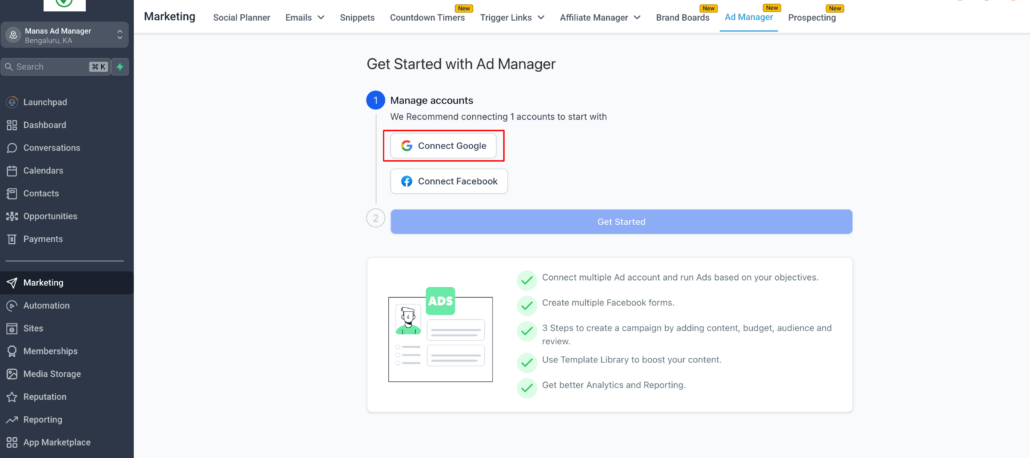
Step 1: Connect Google to Ad Manager
- Click the “Connect Google” button in Ad Manager.
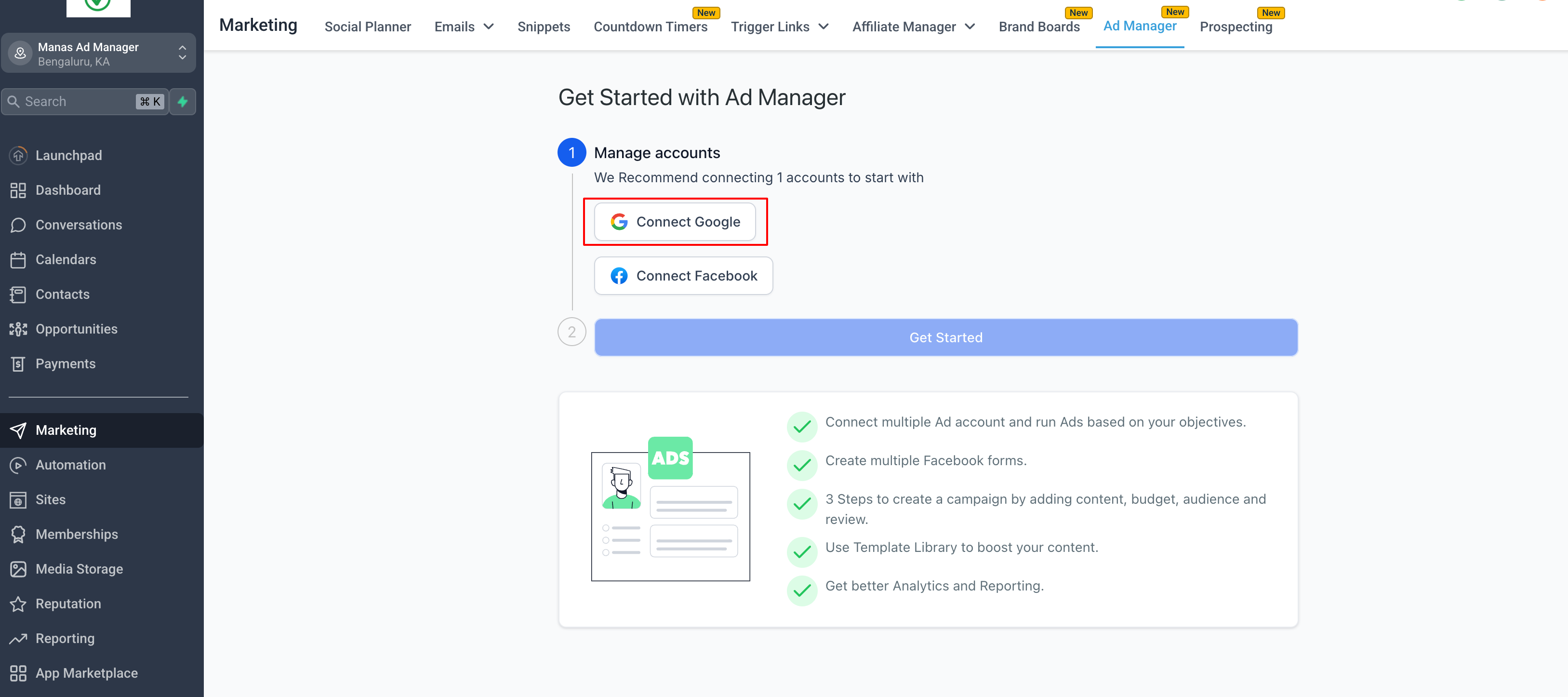
- Select your Google account and allow all permissions for LeadConnector.
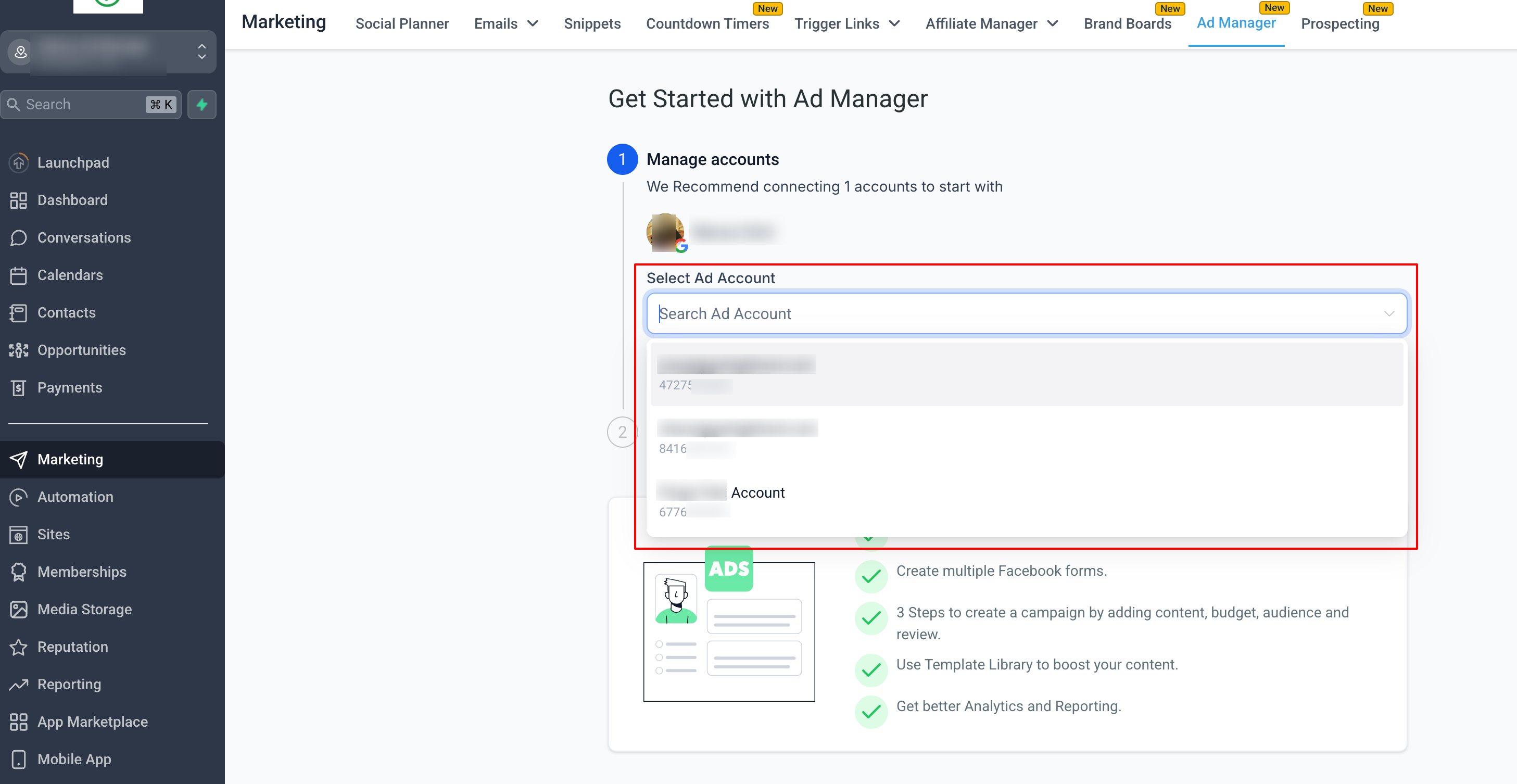
- Choose an eligible Google Ad account from the dropdown.
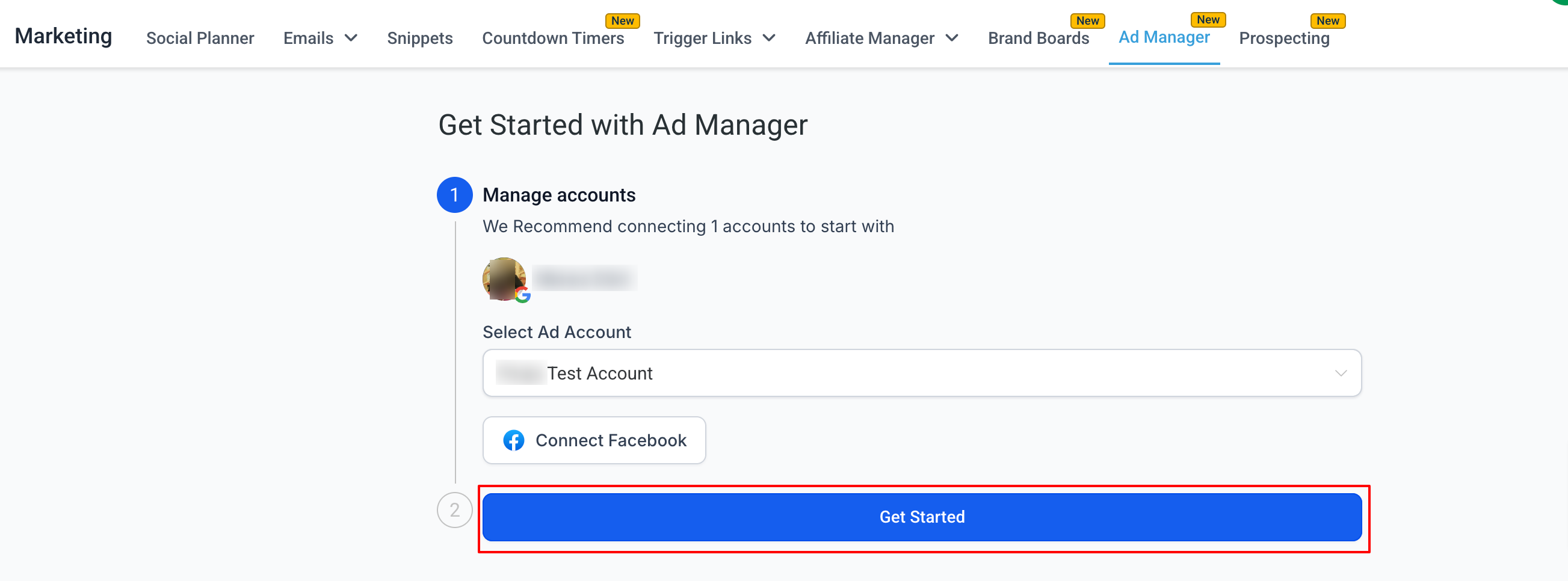
- Click “Get Started” to begin creating your Google campaigns.
Step 2: Create a Google Search Ad Campaign
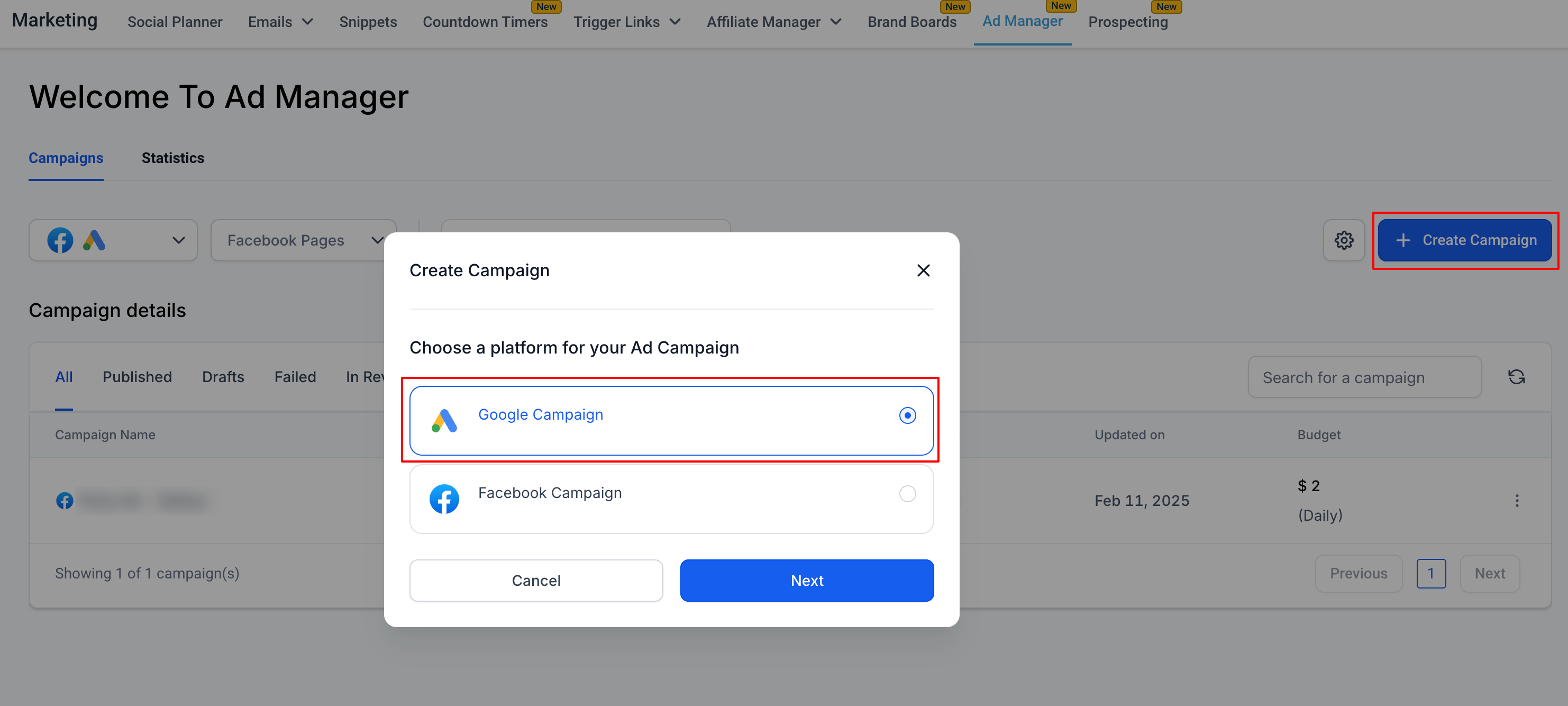
- On the Ad Manager home screen, click “Create Campaign” and select “Google.”
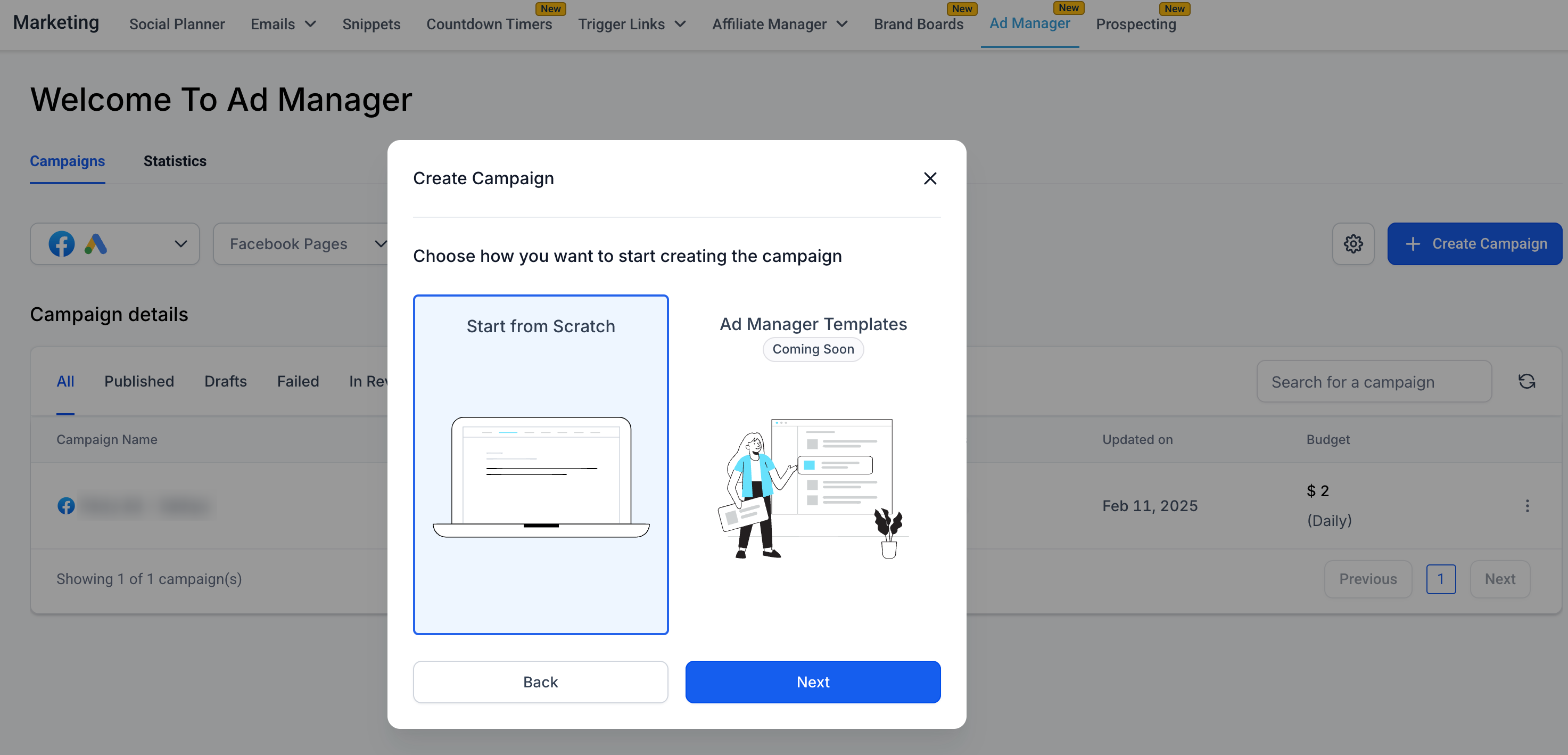
- Choose to create from scratch or use templates (Coming Soon).
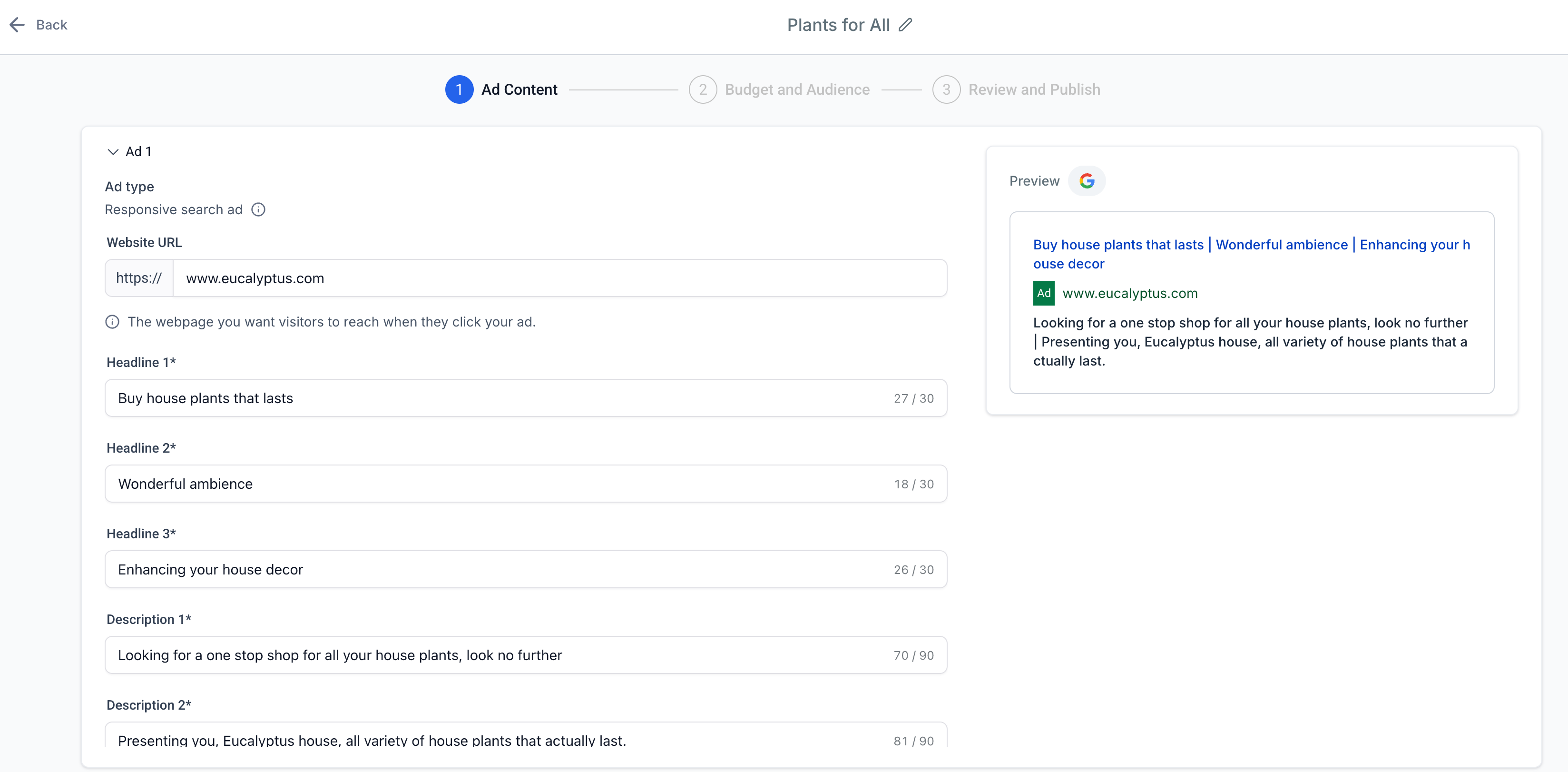
- Define your ad content: Enter unique URL, distinctive headlines and descriptions for up to 3 ads.
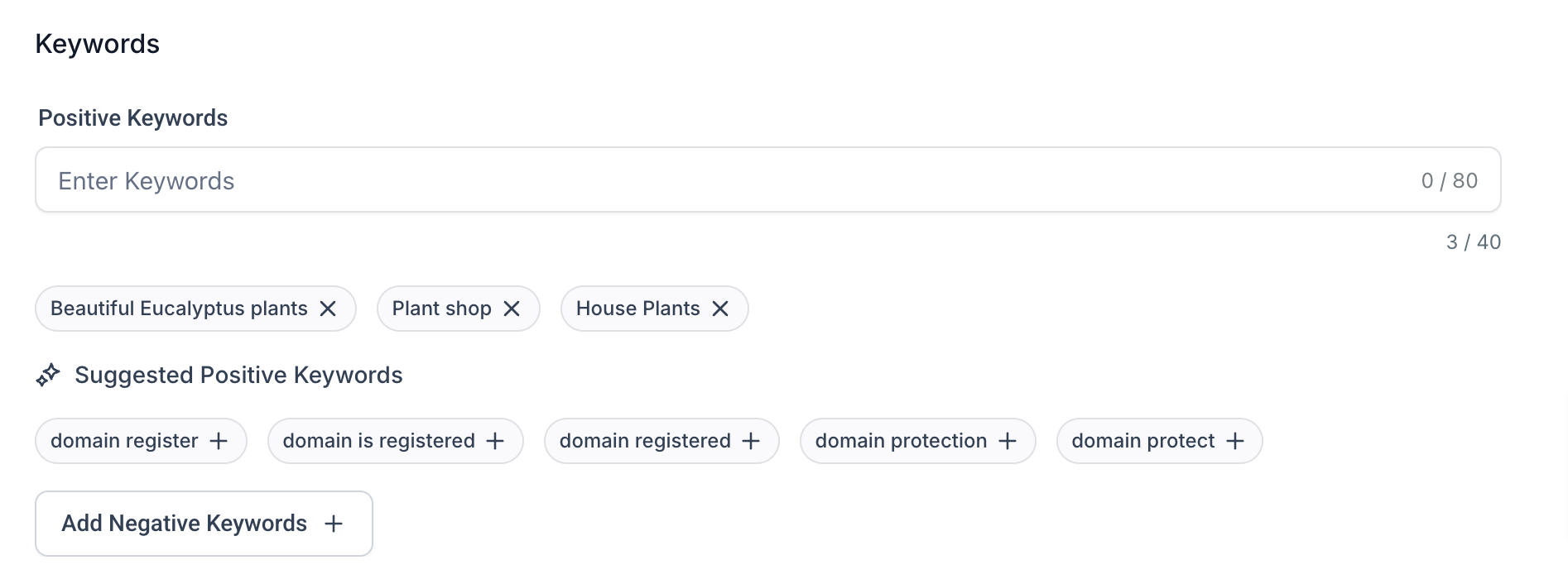
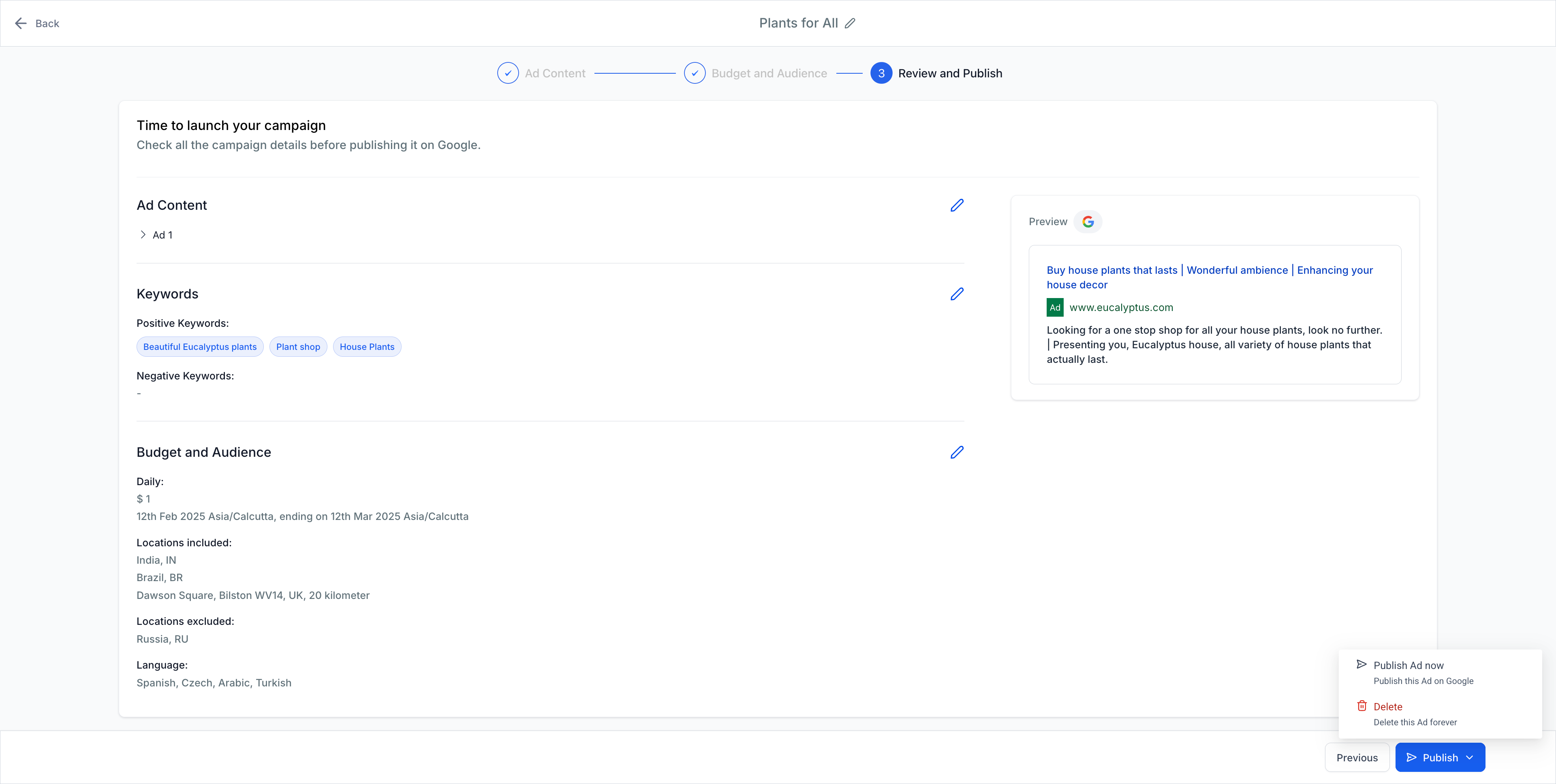
- Add positive and negative keywords to control how your ad is displayed.
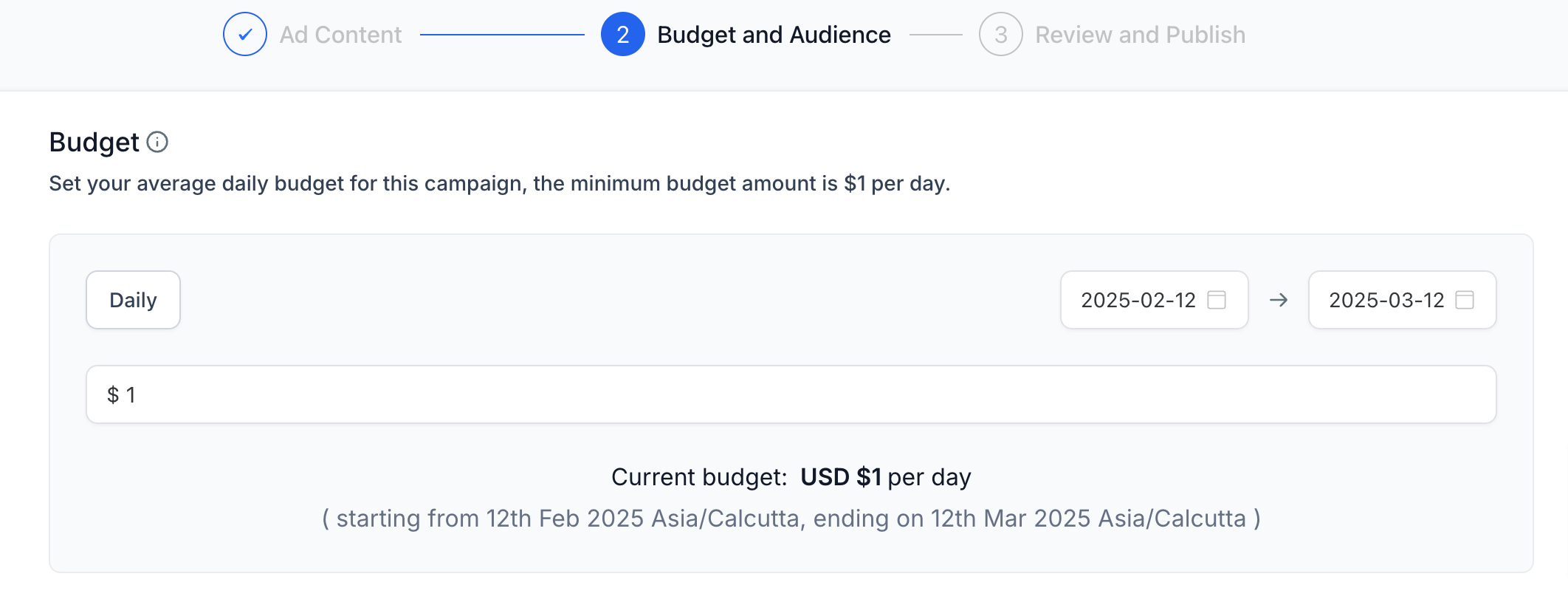
- Set your daily budget and specify your target audience by location and language.
- Review all details, click “Publish,” and your campaign is live!
Step 3: View Campaign Statistics
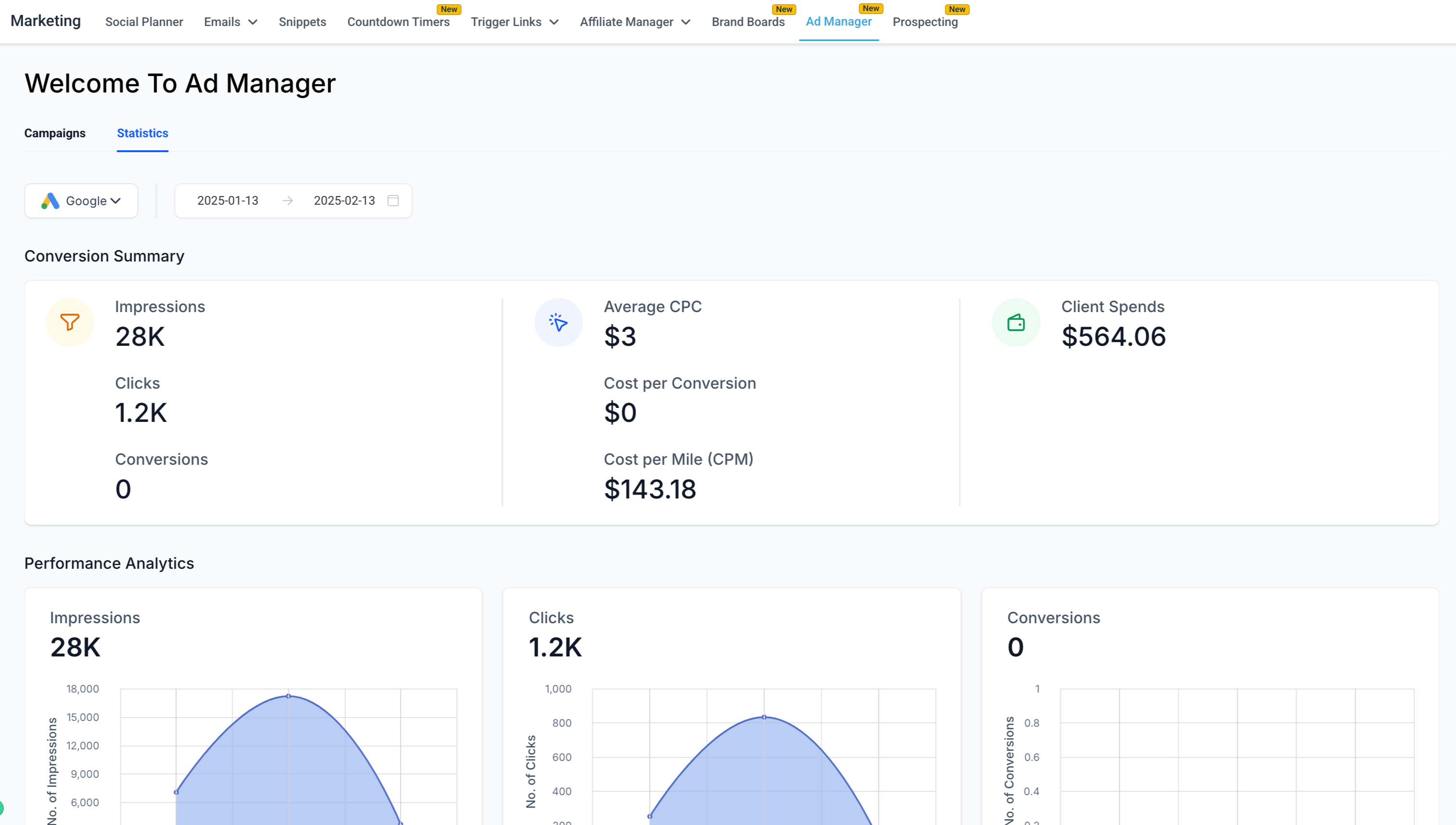
- On the Ad Manager home screen, navigate to the “Statistics” tab to view metrics for all published and paused campaigns.
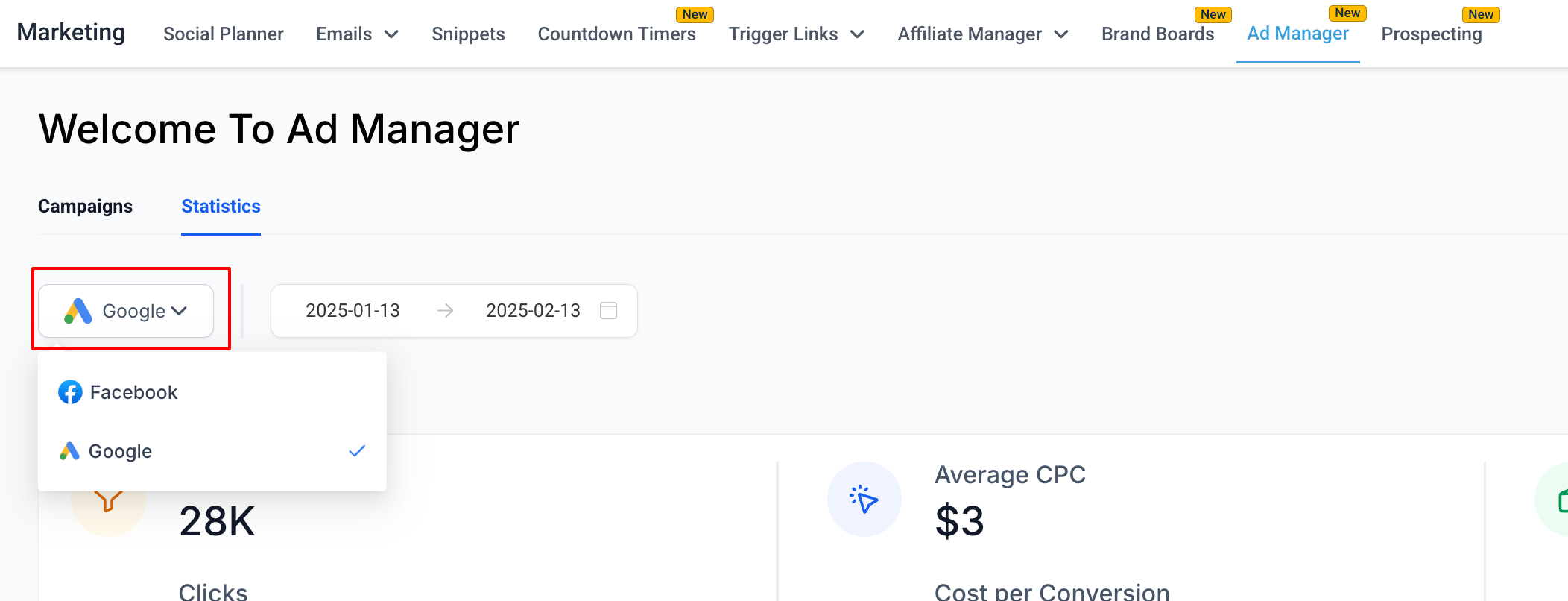
- Use the platform filter to toggle between Google and Facebook campaigns.
- Apply a date filter to display performance metrics for the selected date range.
Step 4: View Individual Campaign Statistics
- In the “Statistics” tab, view detailed metrics like clicks, ROI, CPC, and CTR for each campaign.
- Click on a specific campaign to open a detailed statistics page with performance data for that campaign.
- Use the date filter to refine the statistics for the individual campaign within a specific date range.
- By adding Google as
the second ad platform
, users now have the power to advertise across both Facebook and Google – the two largest advertising ecosystems. This integration aims to simplify ad management, improve efficiency, and provide users with the flexibility to scale their advertising campaigns effectively.
Exciting updates on the horizon include:
-
Snapshot Support:
The addition of google ad campaigns as an asset to the snapshot creation and loading flow.
-
Ad Templates:
Quickly create campaigns using pre-built templates for Google ads.
-
Retargeting Options:
Create custom audiences from contact lists or website visitors for more tailored ad targeting.
- The option to Include/Exclude a selected geographic location by Radius is not supported by Google.
- Each Keyword that’s entered for a campaign works on the logic of ‘
Phrase Match
‘.
- Connect Google with Ad Manager
- Create a new google search ad campaign