Account Dashboards: Attribution Parameters on Contacts Widgets
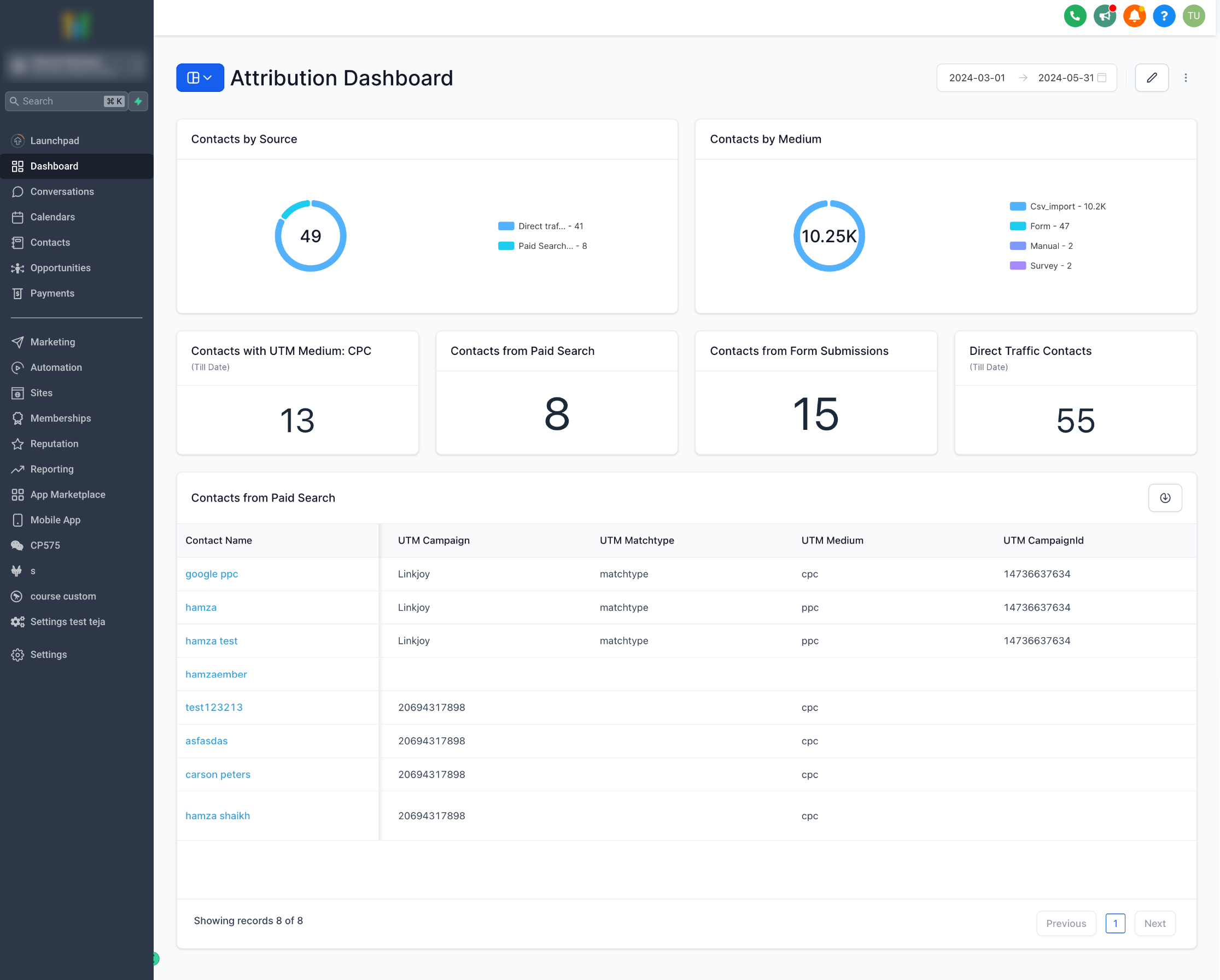
We’re thrilled to announce a major update to our Contact widgets: Attribution and UTM parameters are here!
-
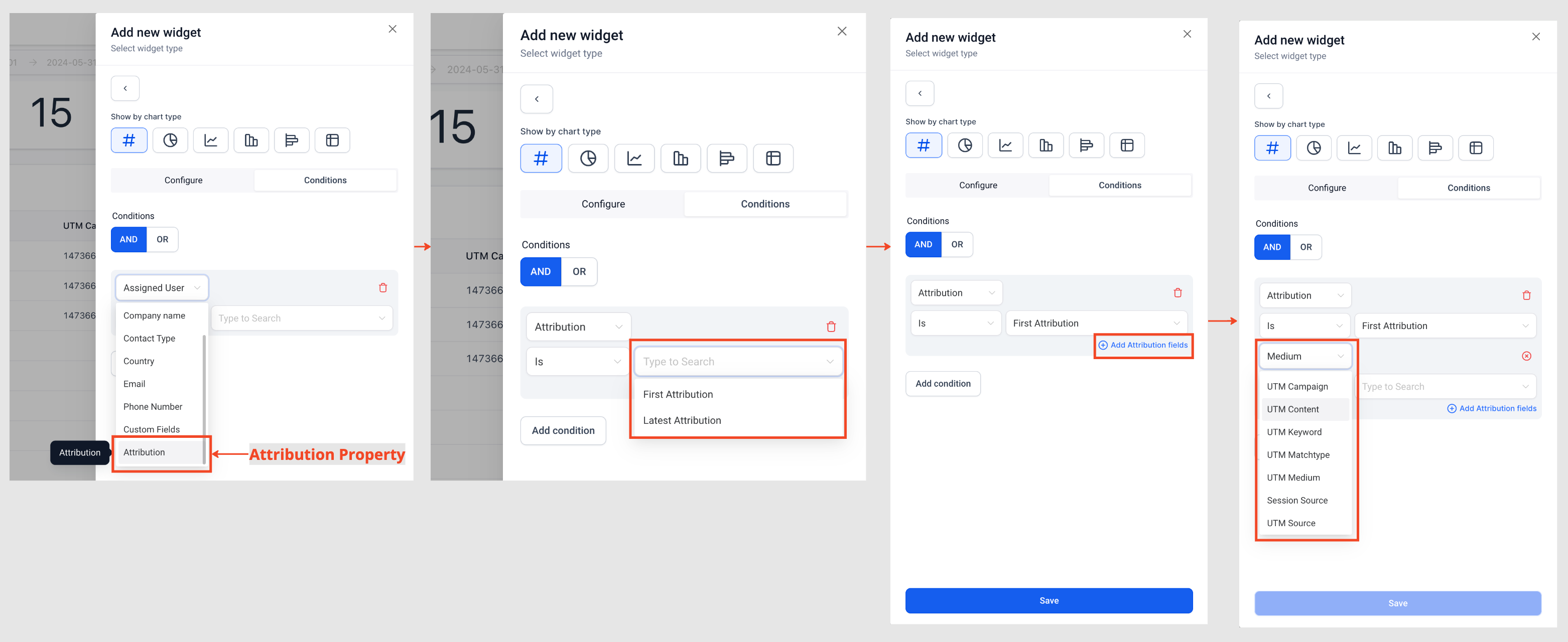
Attribution Property:
Filter contacts based on First or Last attribution with our new Attribution property in contact widget conditions.
-
UTM Parameters:
Gain deeper insights with the addition of key UTM parameters to contact widget conditions. Create more detailed widgets using;
UTM Campaign, UTM Content, UTM Keyword, UTM Matchtype, UTM Medium
,
UTM AdId
,
UTM AdGroupId
,
UTM Source
and other Attribution properties like
Medium
and
Session Source
.
-
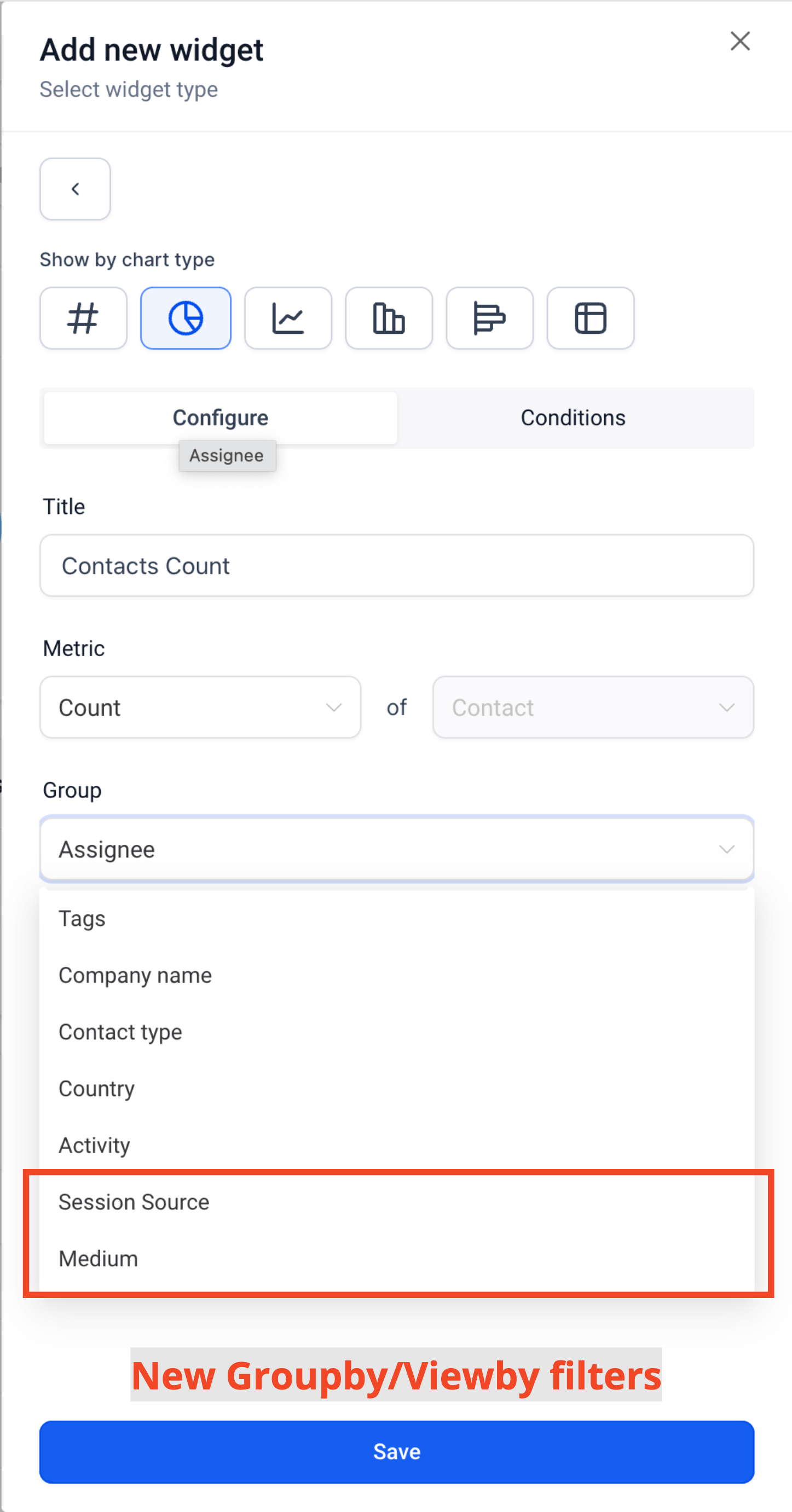
Group by/View By:
Now you can create donut and line graphs using these new properties;
Session Source
and
Medium
-
Updated Columns in Granular Insights:
All the new properties are now available in the granular insights table view and can be exported to CSV.
-
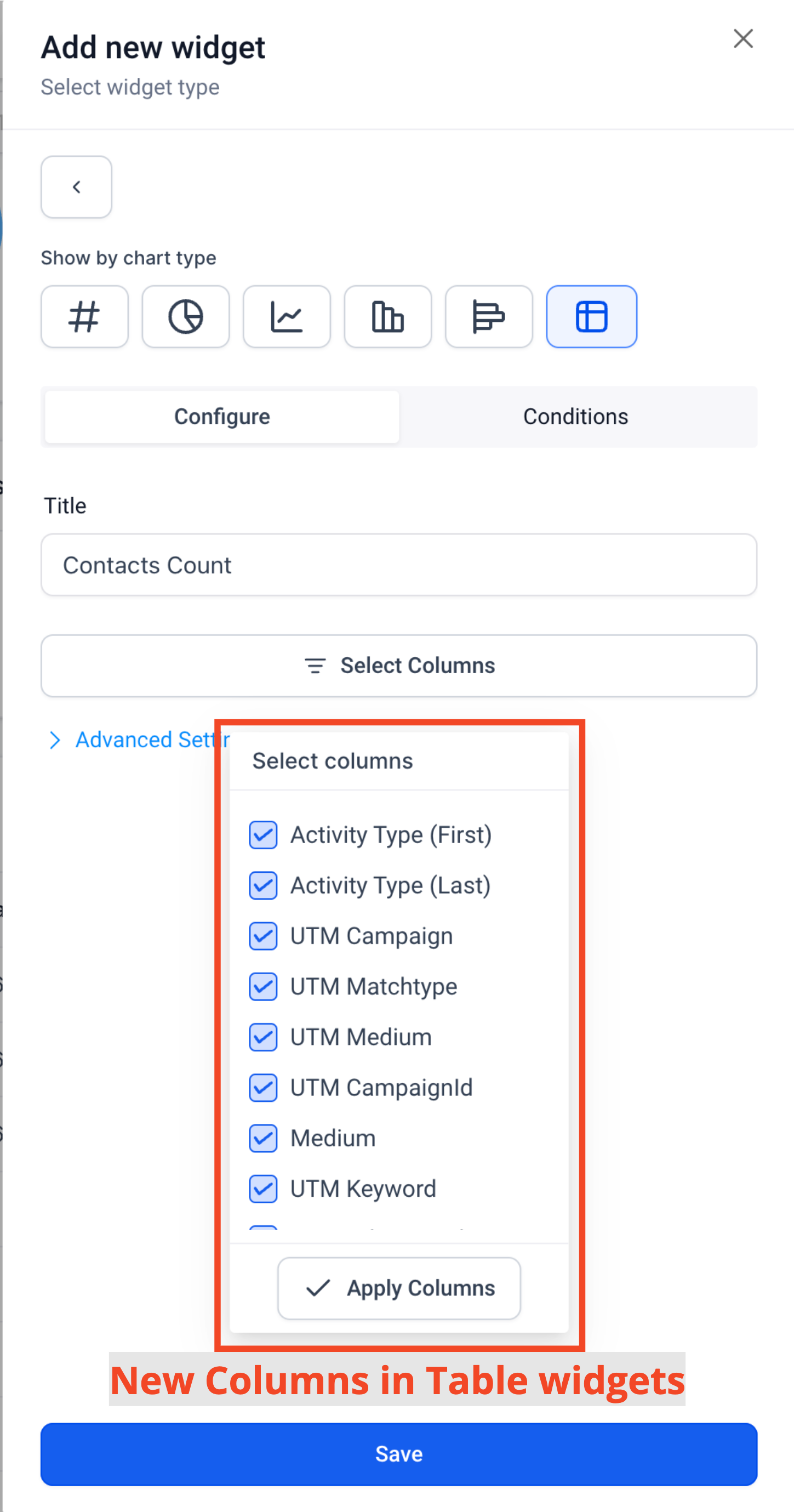
New Columns for Table Widget:
These properties are also now selectable in the Table widget’s column selector.
-
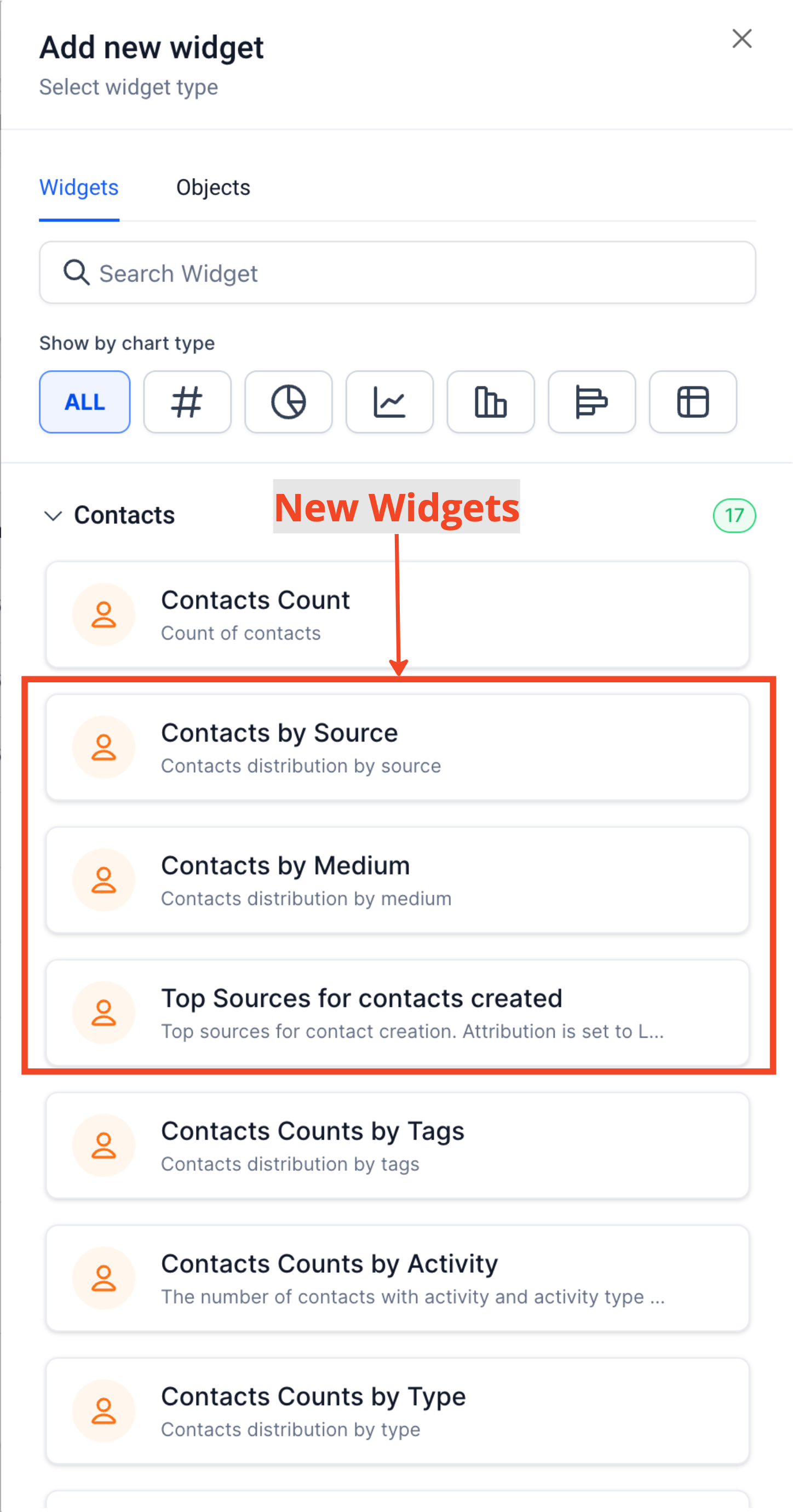
New Widgets:
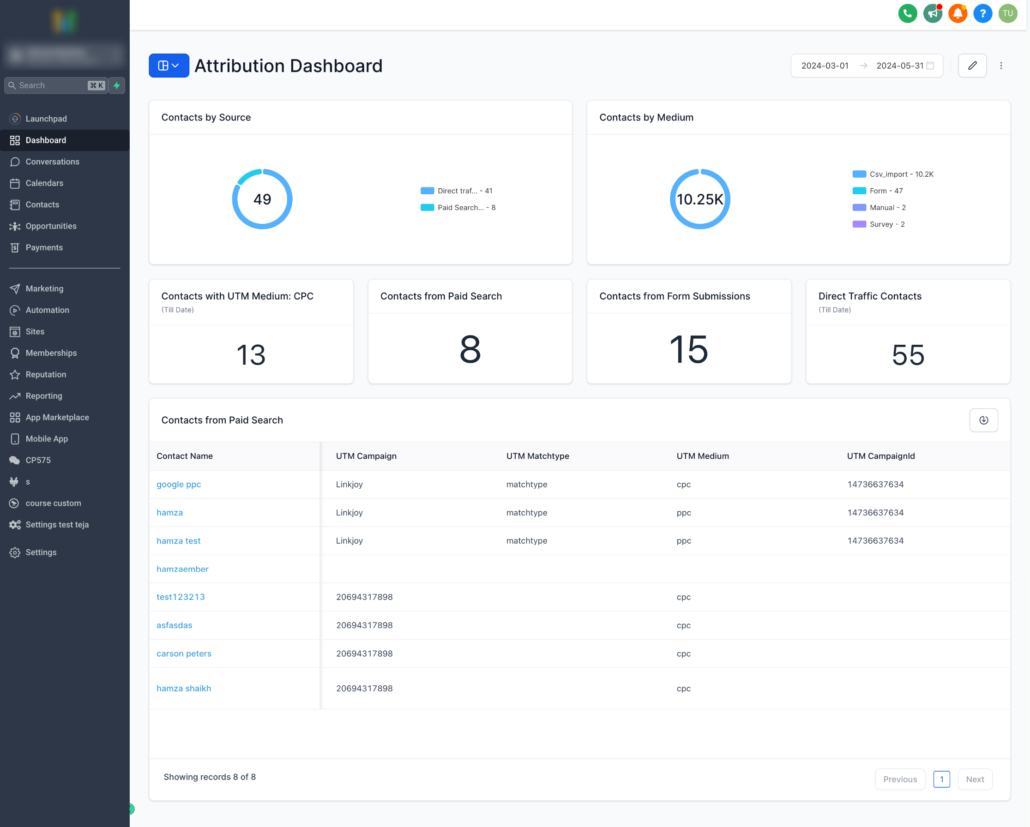
Introducing “Contacts by Source” , “Contacts by Medium” and “Top Sources for contacts created” widgets.
- Enter Edit mode on your Dashboard.
- Click on Add widget.
- Under Contact Category, choose any widget.
- Switch to the condition tab.
- Choose Attribution and select the attribution type.
- Click on Add attribution field.
- Choose and configure attribution parameter filters as per your requirements.
- You can add more by clicking on Add attribution field again
- Save your changes.
-
Enhanced Understanding:
Identify where your contacts are coming from and create detailed, specific widgets for various attribution and UTM properties.
-
Lead Source Insights:
Build your own interactive lead source widgets on the dashboard and export data for different sources using the CSV export functionality.
-
Greater Flexibility:
Gain more control over what you see on your widgets, tailoring them to your exact need
- UTM parameters and fields will only be visible on Table and Granular insights view if Attribution type (First or Latest) is added in widget conditions
- Group/View by properties –
Session Source
and
Medium
can only be selected if Attribution type (First or Latest) is added in widget conditions