
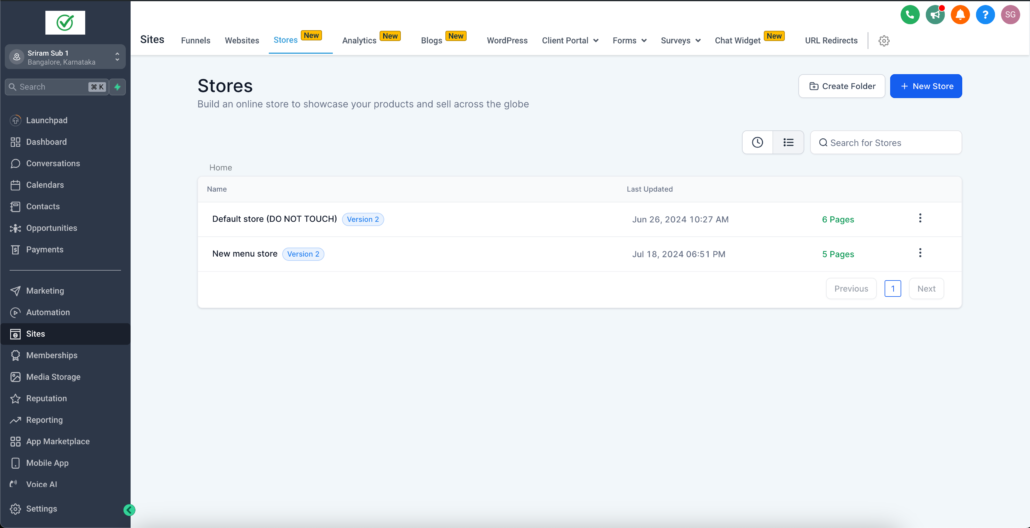
A brand new dedicated tab for Ecommerce Stores
Store Management in Clixio App
- Store owners can now manage and view all their stores under a single tab called “Stores” under the sites section in the Clixio App. This ensures a seamless and clear-cut interface for stores to be displayed.
- The new stores tab will have all the stores listed, and have all the features, such as sorting, filtering, folder creation etc, same as funnels and websites.
- All existing stores will be visible as well as newly created stores.
Creating a New Store
Create store directly from the Clixio App
- Along with the new stores tab, we are also bringing along a much awaited feature, the ability to create a brand new ecommerce store with just one click! :rocket:
- When a new store needs to be created, a user can create it directly from the stores sub menu with all the store pages pre-created by default, with just one click.
- This greatly reduces user effort of creating new stores, and improves user experience drastically, as the user had to create a website –> create a home page –> Navigate to the page builder –> and then create a store, in the previous flow.
- Navigate to your sub-account, and navigate to sites.
- There will now be a new tab called Stores
- Navigate to Stores, and now you can see all your created stores present.
- Navigate to the previously mentioned stores menu
- Click on “New store” button
- You will be prompted with a modal to either create a fresh store “From blank”, or create one from templates. Select “From blank” and enter the store name
- You will now see a progress loading, where in the background all the store pages would be created.
- Once created you can see a brand new store created with all your store pages!
Key Aspects to Note
- All websites that have been converted into stores, will come under the stores section.
- Similarly, once the store pages are removed from a store, it will be seen only under the websites section.
- All stores are still inherently websites. Stores will be found under the websites section as well. It is the same store being shown at both places.
- Any stores deleted under the stores section will always get deleted in the websites section as well.
- All behaviours between stores and websites are very identical.
- When a new folder is created either in the store or website section, the folder will show up both in stores and websites section.
- The folder shown in the stores section, will only have stores in it. Whereas the websites section folder will have both stores and websites.
- A folder cannot be deleted in the stores section regardless of if it is created there. It can only be deleted from the websites section.
- While creating a store from a template. only ecom store templates can be found under the stores section.
- Websites section will have all website templates.
Store Creation Process
Creating a New blank store or from template:
Adding Store loading state:
Store pages after store creation: