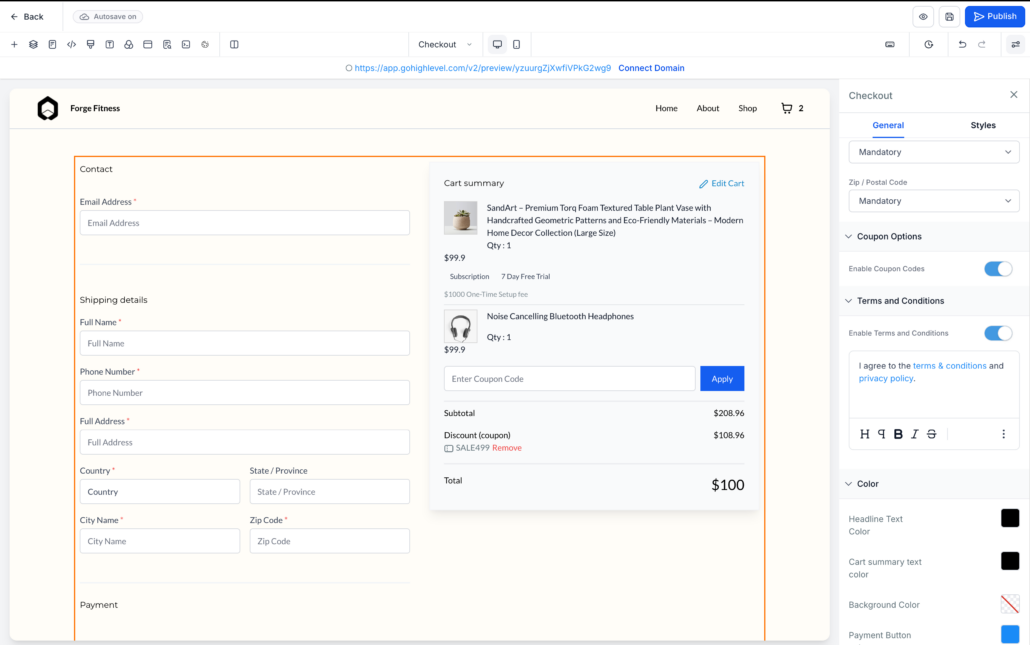
Terms & Conditions Consent at Store Checkout
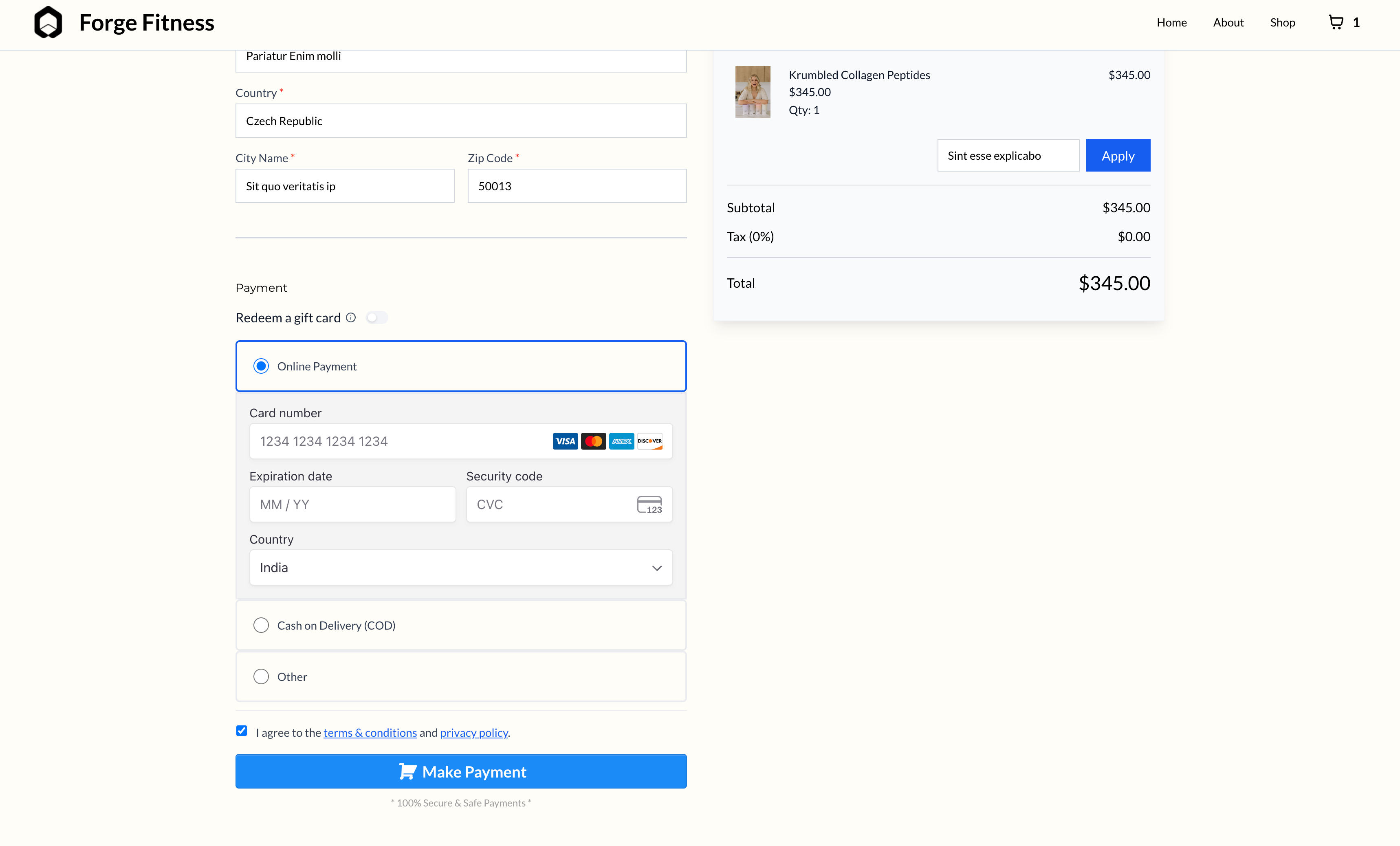
You can now add a mandatory Terms & Conditions / Privacy Policy consent checkbox to your Store Checkout, ensuring customers explicitly agree before completing their purchase.
This enhancement helps merchants remain compliant with legal requirements and aligns Store Checkouts accordingly.
-
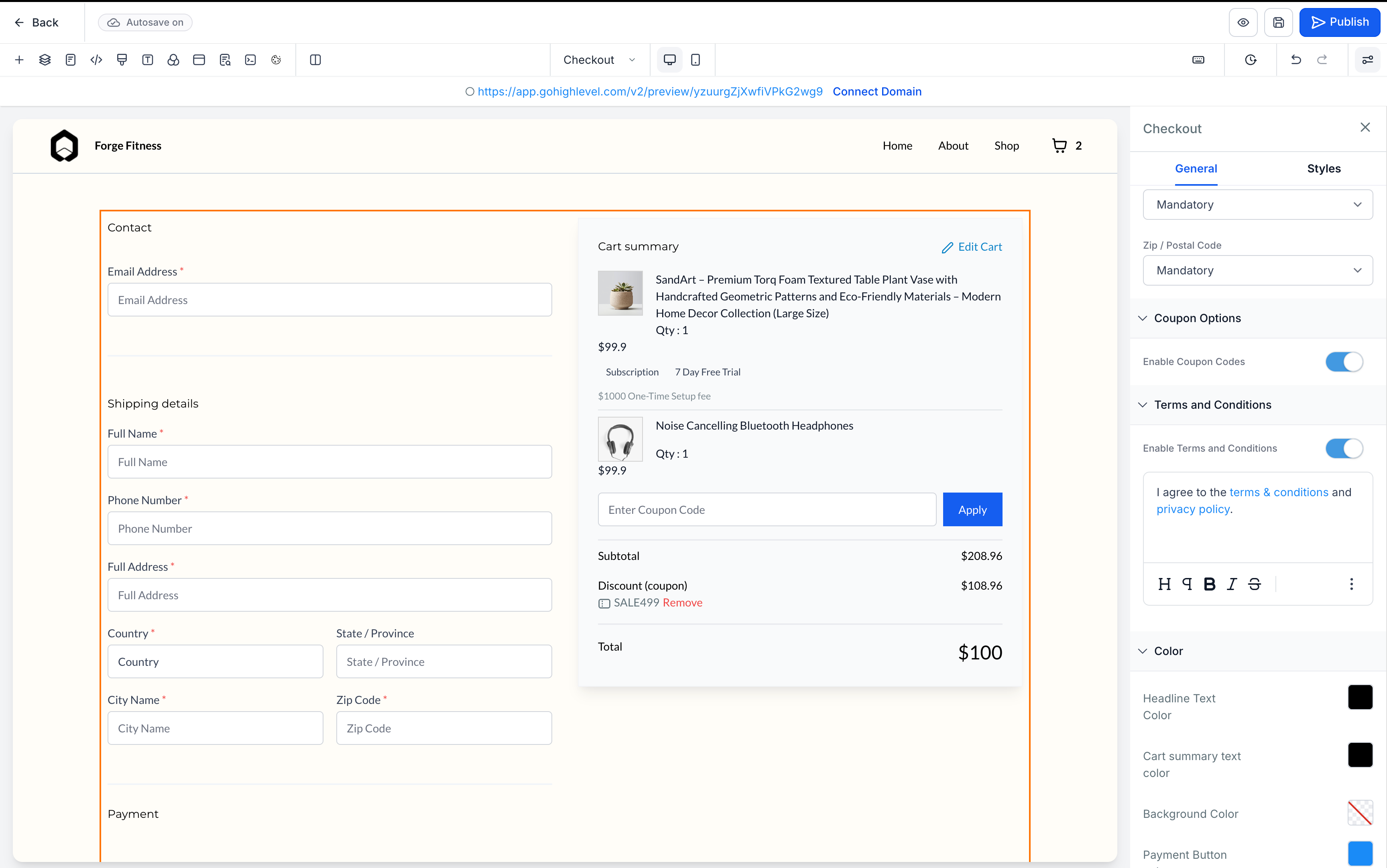
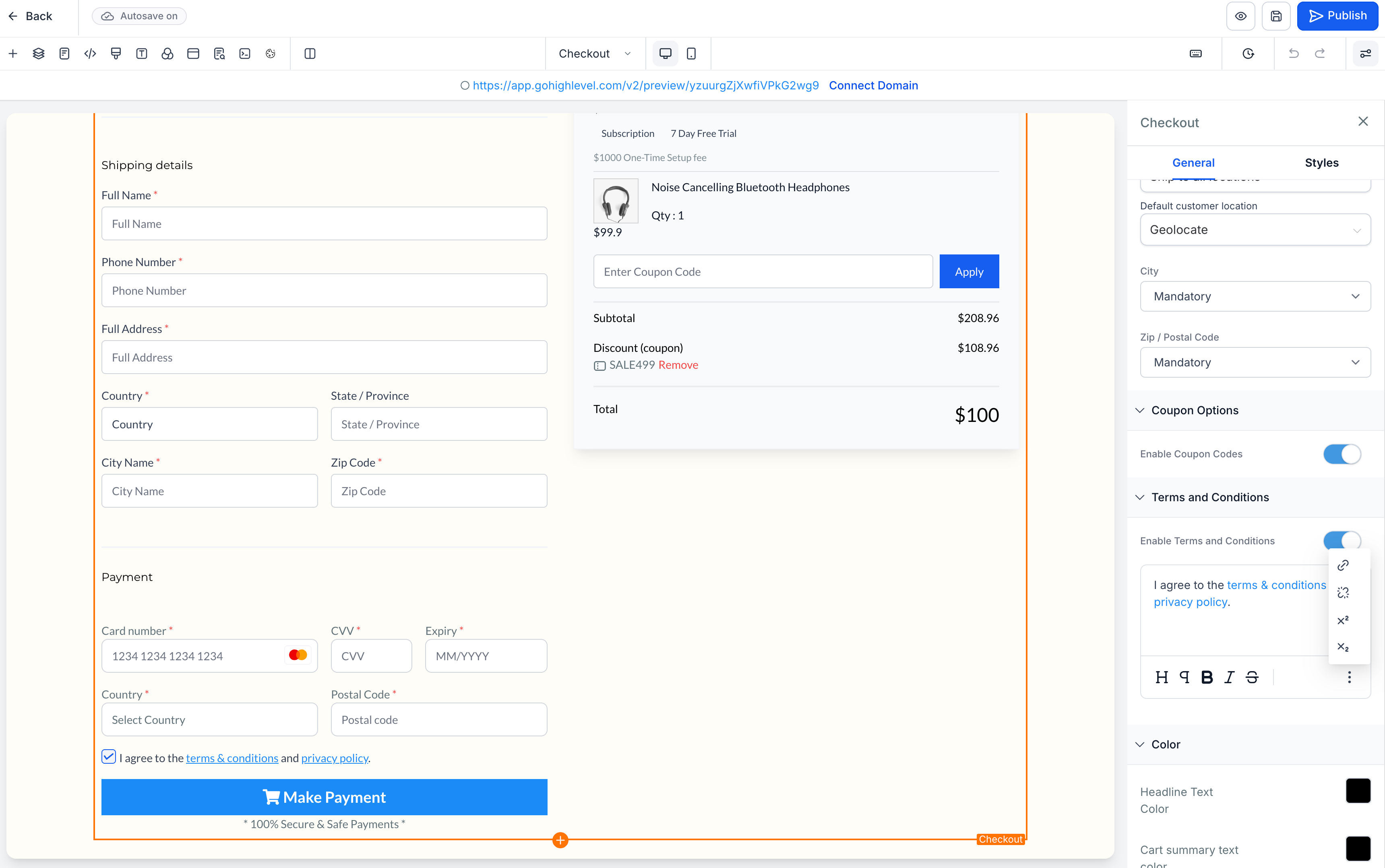
Easy Toggle in Builder: Enable or disable “Terms and Conditions” directly from the Checkout element settings.
-
Customisable Text: Edit the label and add links for Terms & Conditions and Privacy Policy.
-
Mandatory Consent: The checkbox appears before the payment button and is unchecked by default.
-
Payment Blocking: Checkout is blocked with an inline error until consent is provided.
-
Open your Store Builder and edit the Checkout Page.
-
Select the Checkout element.
-
In the right panel, scroll to Terms and Conditions.
-
Toggle Enable Terms and Conditions ON.
-
Customise the text and insert links as needed.
-
Save and publish your changes.