Smarter Field Pickers for Custom Values & If/Else in Workflows!
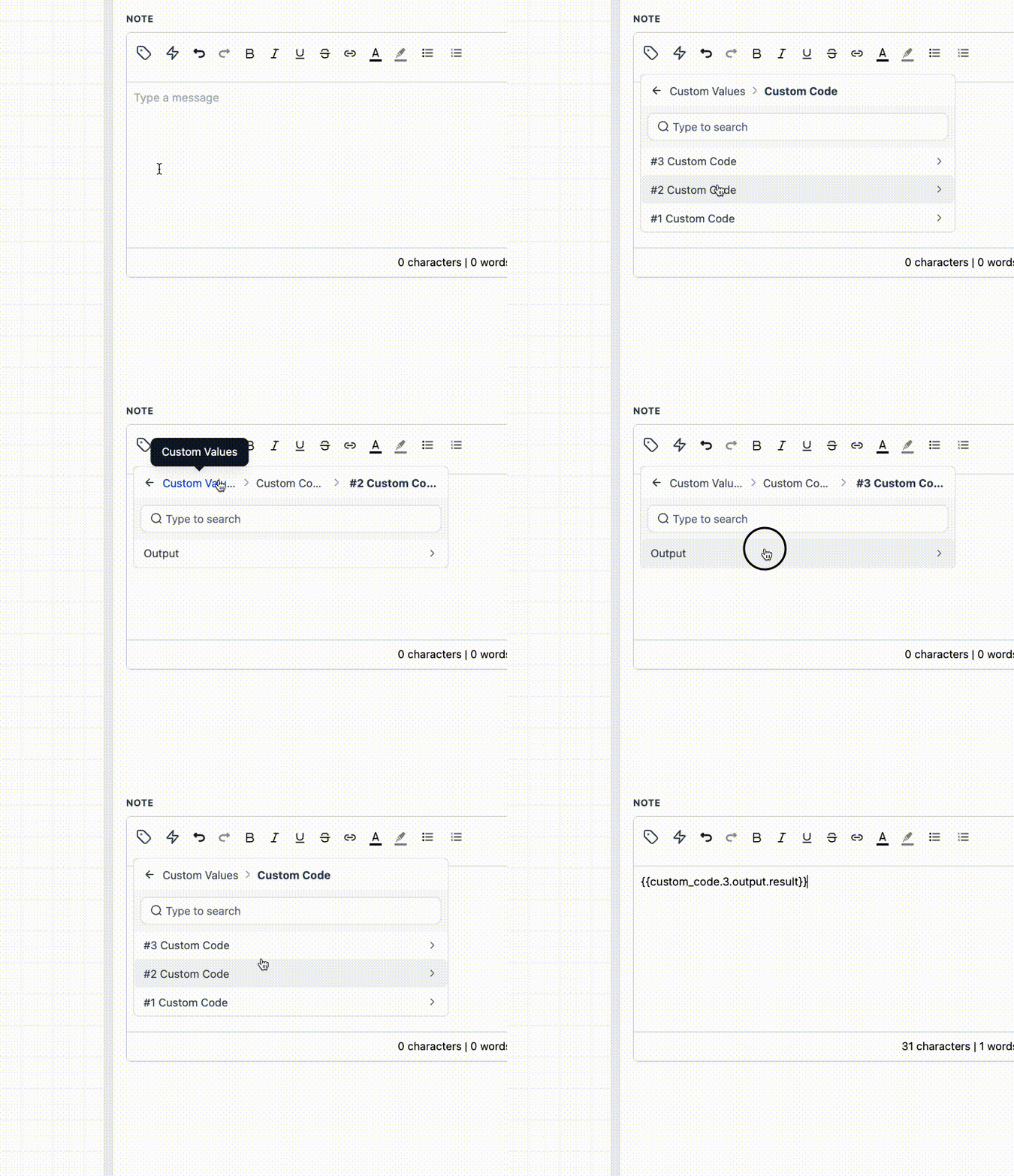
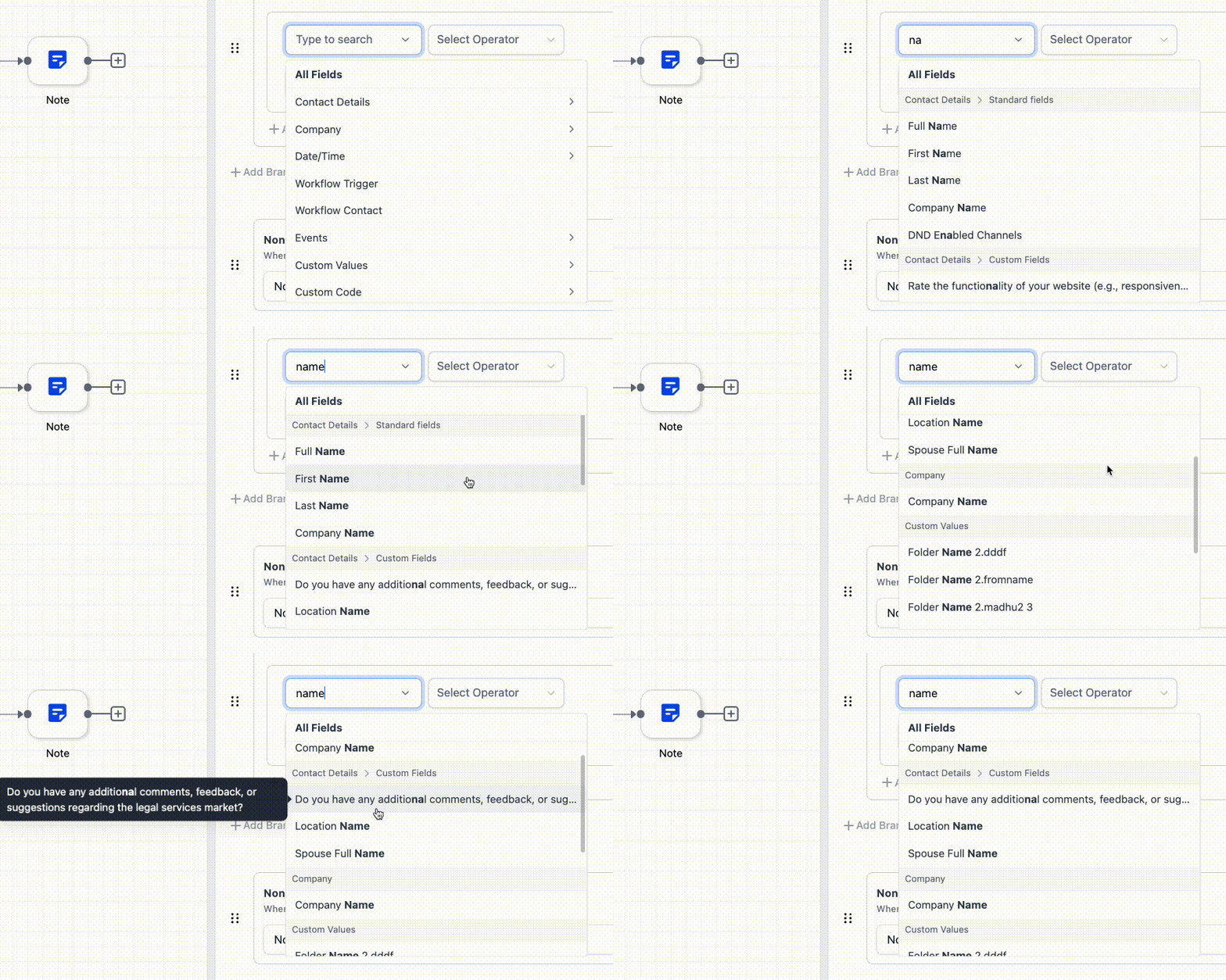
We have upgraded the field picker in both the Custom Value Picker and the If/Else action. The search function now returns fields located within nested folders, navigation across folders and subfolders is more intuitive, and the overall field list is better organised for a cleaner, more consistent selection experience.
Key Improvements:
-
Nested field search – You can now find fields within folders and subfolders without having to open each one first.
-
Easier navigation – Moving through nested folders is now smoother.
-
Cleaner organisation – Fields are more clearly grouped, making them easier to scan.
-
Better readability – Long field names now display tooltips, allowing you to see full values without cluttering the picker.
-
Consistent experience – The picker now provides a uniform experience across If/Else and Custom Value Picker options throughout the platform.
When you search for a field, matching results can now appear even if that field is located inside a folder or subfolder. The picker also employs a more consistent dropdown pattern across workflows, ensuring that finding and selecting fields remains uniform in both Custom Values and If/Else.
How to Use:
- Open the field picker in either Custom Values or an If/Else branch filter.
- Type the field name into the search box.
- Select the matching field directly from the results, which now include fields stored inside nested folders.
Previously, locating the right fields in automations required more effort than necessary. Users often had to manually open folders and return to the search box to find nested fields, which slowed down setup and made some available fields easy to overlook.
Updated Functionality:
- Search results now include matching field names from within folders and subfolders.
- Only enabled folders appear in search results. Once you clear the necessary dependencies, the available fields will be displayed.
- The updated picker experience is consistent across both If/Else and Custom Value Picker.
- Users will only see fields and folders that are available and enabled in that specific context.