Services (v2) – Control Image Visibility on Booking Page
New Feature Announcement 🎉
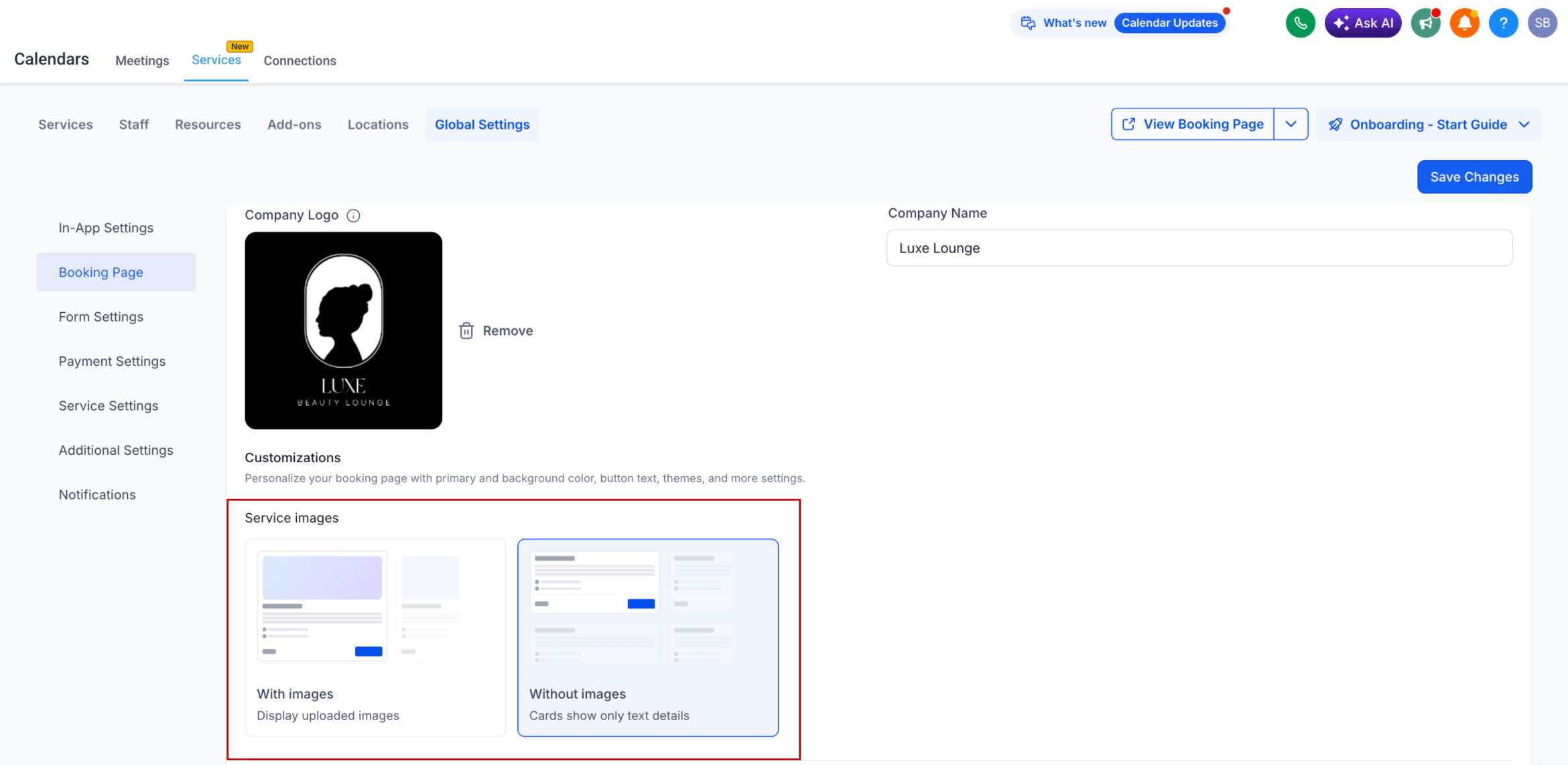
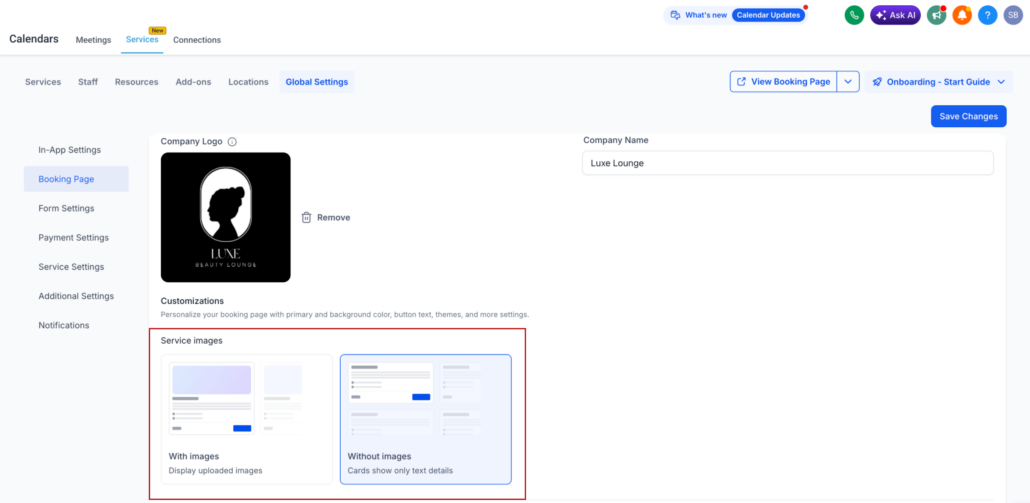
We’ve introduced a new setting to control service image visibility on the booking page.
You can now choose whether to display images or switch to a cleaner, text-focused layout.
—
- Global Setting: Choose to show or hide service images on the booking page.
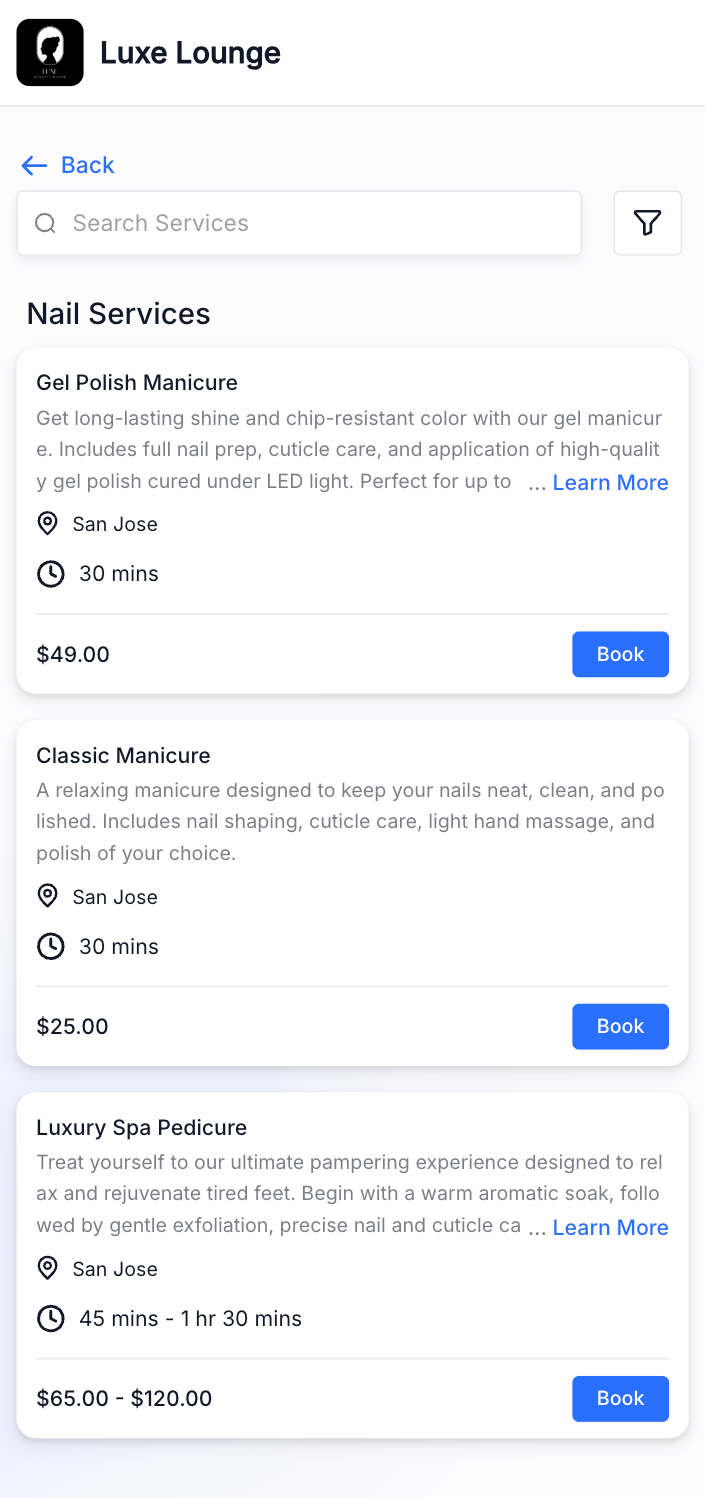
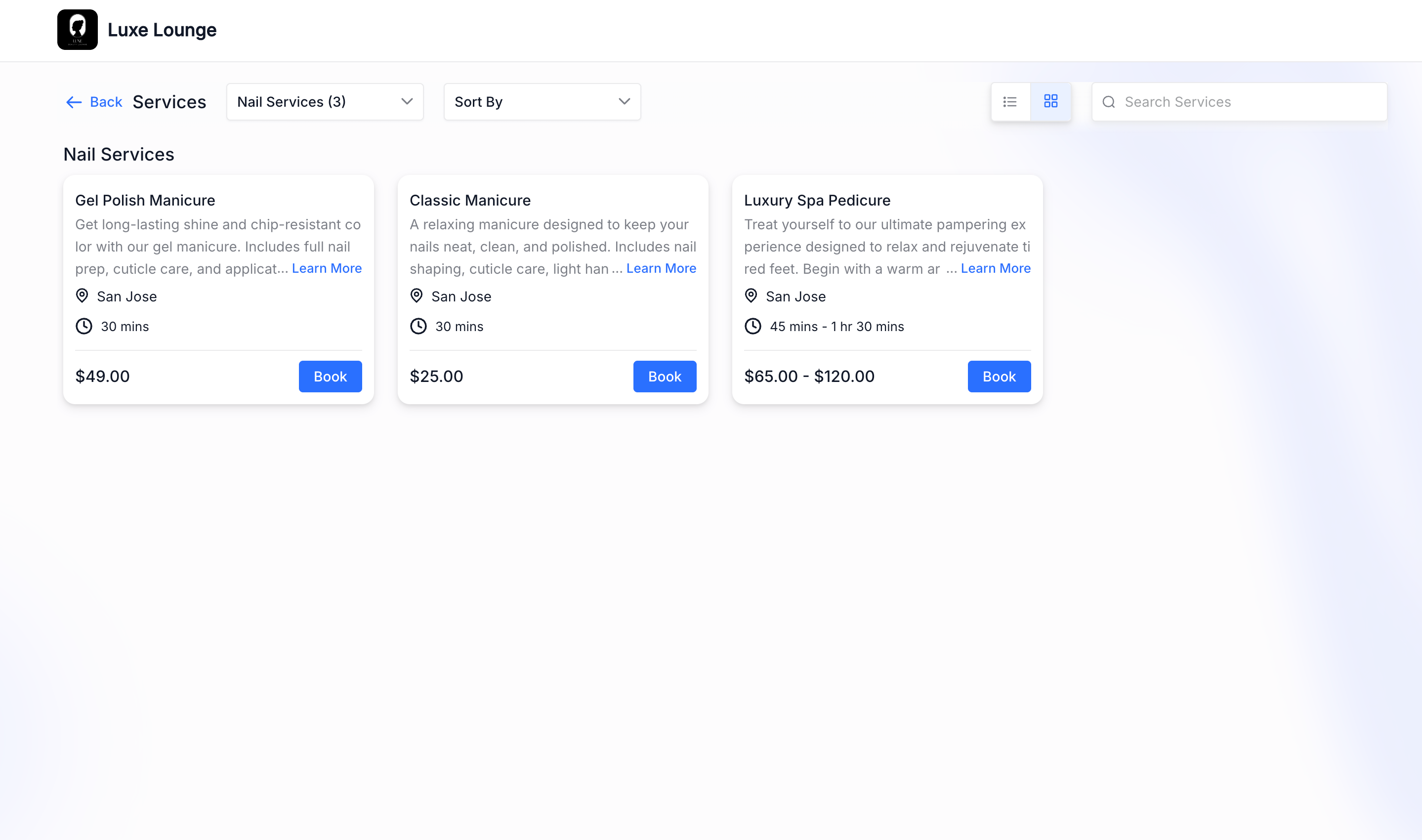
- When Turned Off: Images will be completely hidden throughout the booking process.
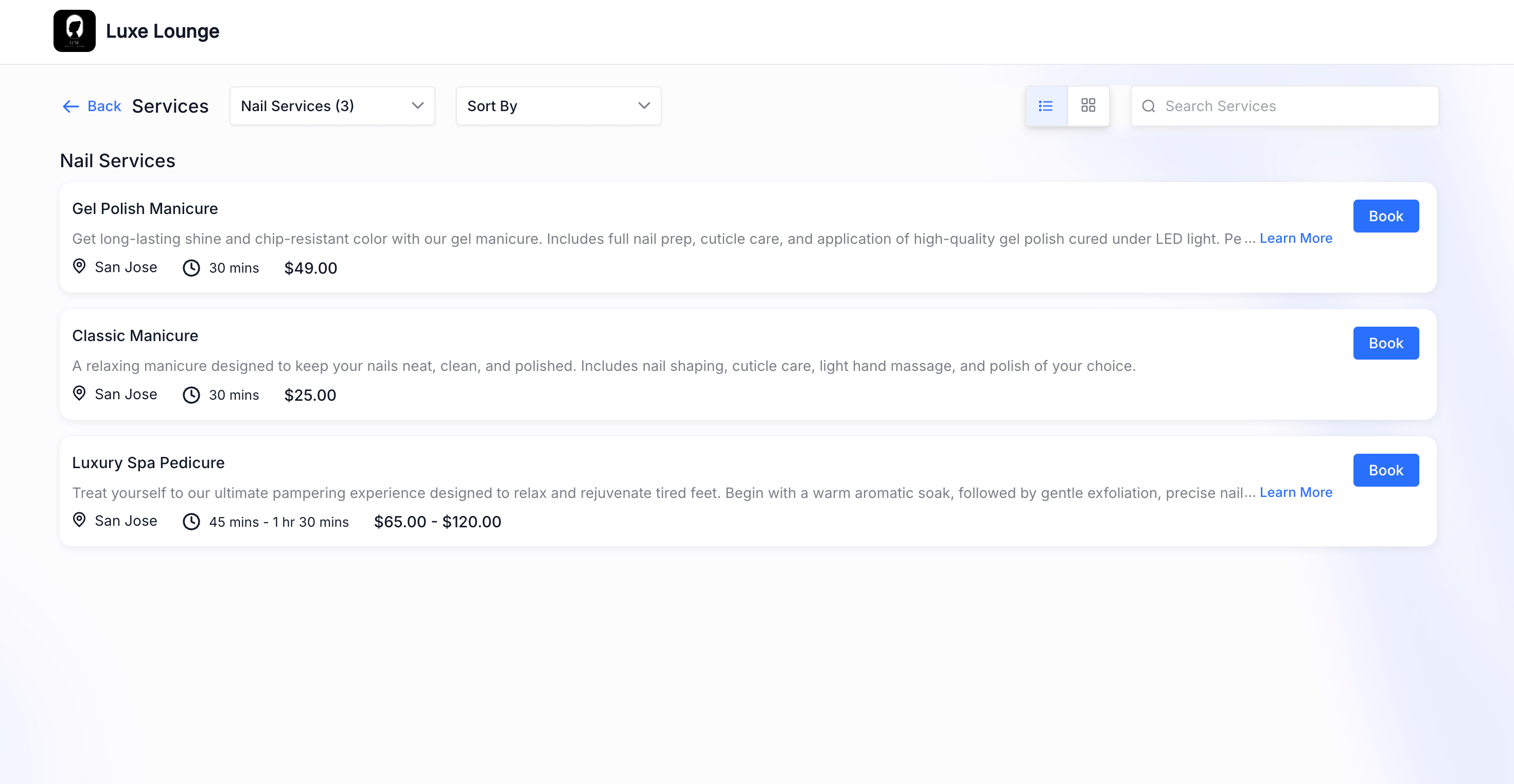
- Layout Adjustment: Automatically switches to a full-width, text-first view.
- Increased Visibility: Service details such as name, description, price, and duration will have more space.
- When Turned On: The booking page will behave as it does currently.
- Layout Preference: You can continue using Card or List view layouts according to your preference.
—
—
- A Cleaner Experience: Creates a more focused booking experience.
- Faster Navigation: Helps customers scan services quickly and make decisions effortlessly.
- Optimised Space: Reduces unused space, particularly on mobile devices.
- Control Over Presentation: Gives businesses greater control over how services are displayed.
—
This update enables you to design a booking experience that best suits your business—whether visual or text-focused.