
• Shopping Cart Shopping Cart
    0Shopping Cart
Clixio
  • Features
  • Pricing
  • FAQ
  • Blog
  • Log in
  • Free Trial
  • Menu Menu

Recurring Tasks | Clixio Changelog

October 22, 2024/in What's New?

Recurring Tasks

Recurring tasks allow you to set up tasks that repeat at specified intervals, reducing the need to manually create duplicate tasks.

When creating a recurring task, you can configure the following settings:

Frequency:

Choose how often the task should repeat (e.g., hourly, daily, weekly, monthly or yearly).

Create Even if Previous Task is Overdue

: Ensures that new instances of the task are created according to the schedule, even if previous occurrences haven’t been completed.

Create

: Create a fresh new task or Update an existing task into a recurring task

Edit

: Changes to a recurring task can be applied to all future occurrences or to a single instance, giving flexibility in adjusting schedules as needed.

Delete:

Users can delete all upcoming tasks in the series or just a specific occurrence.

Restore:

Deleted recurring tasks can be restored if needed, allowing users to bring back any instances that were accidentally removed.

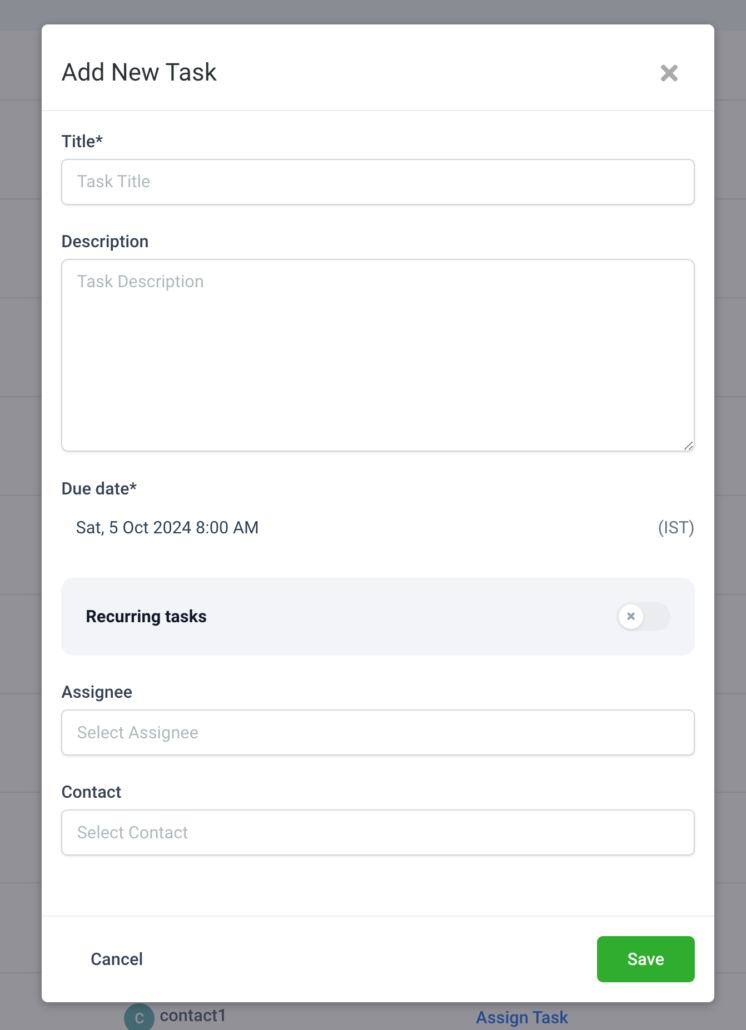
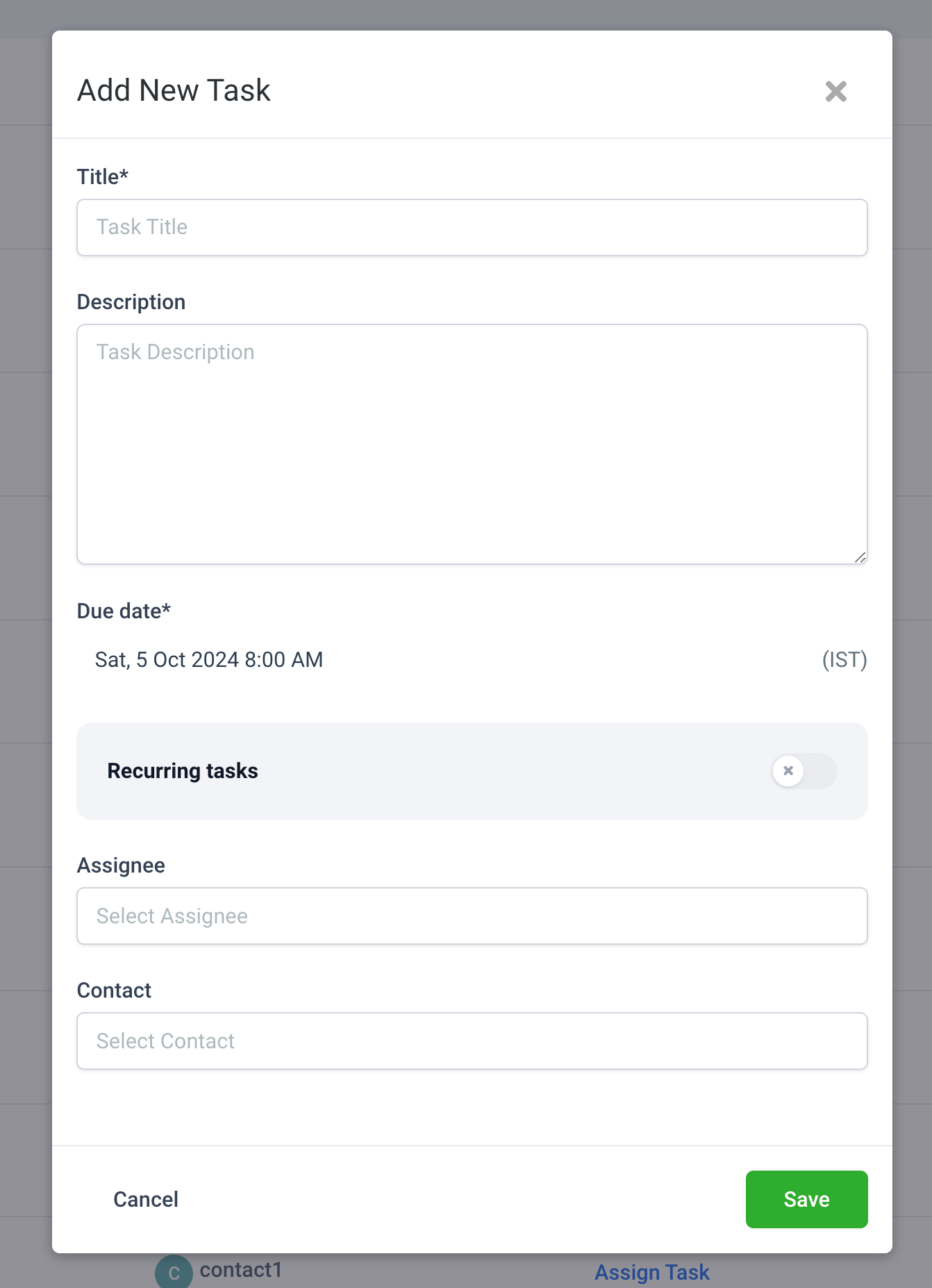
  • From Tasks, Contacts or Companies page(s) – open Add New Task modal.
Screenshot 2024-10-04 at 4
  • Enter Task Details: Fill in the task name, description, and any other details relevant to the task.
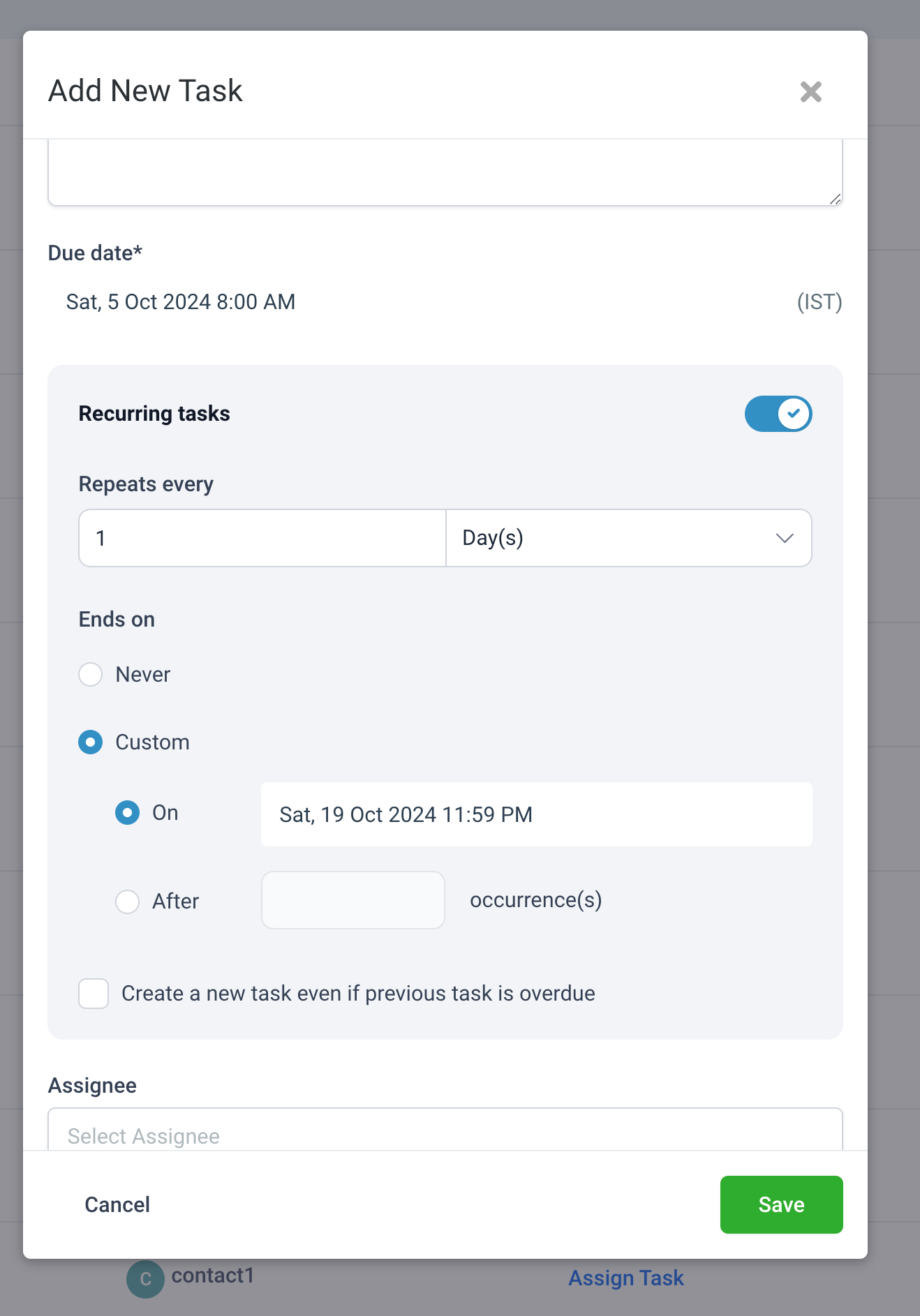
  • Set Recurrence:
  • Toggle on Recurring Tasks.
  • In the Repeats Every field, specify the recurrence interval (e.g., every 1 day, every 2 weeks, every month).
  • Choose Ends On options
  • If desired, check the option to Create a new task even if the previous task is overdue, ensuring that tasks appear on schedule even if earlier ones aren’t completed.
Screenshot 2024-10-04 at 4
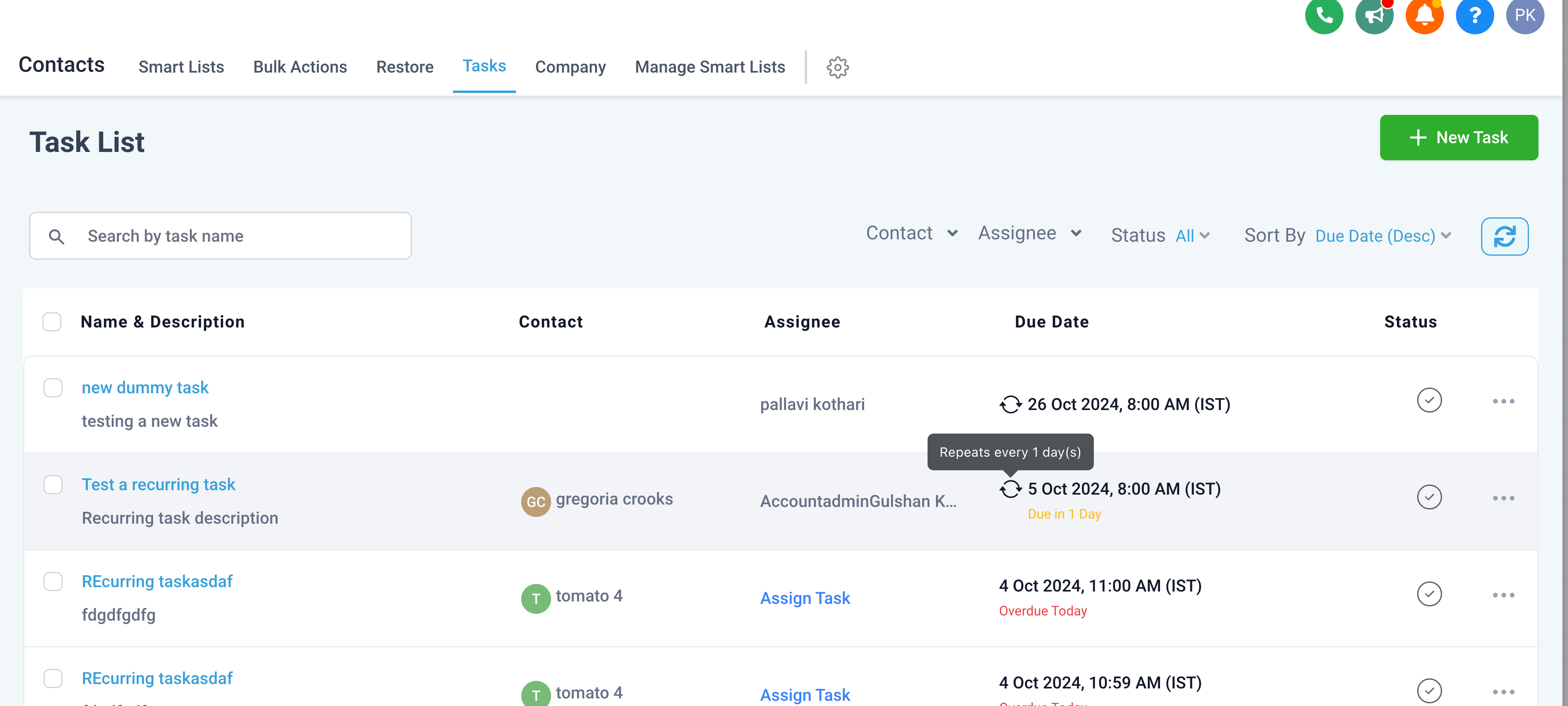
  • Assign Task: Select the Assignee and Contact if relevant.
  • Click Save to create the task and start the recurrence.
Screenshot 2024-10-04 at 4
https://clixio.io/wp-content/uploads/2024/10/3b433599146d5cc2a5f7fa70135c2452.png 1854 1342 Clixio.io https://clixio.io/wp-content/uploads/2023/08/clixio-logo-dark.png Clixio.io2024-10-22 03:00:002024-10-22 03:00:00Recurring Tasks | Clixio Changelog

RSS Latest Feature Updates

  • Store Deletion Behavior Update | Clixio Changelog April 23, 2026
  • Terms & Conditions Consent at Store Checkout April 23, 2026
  • Social Planner: Community now in Comment Management April 23, 2026
  • Opportunity Smart Lists | Clixio Changelog April 22, 2026
  • WhatsApp Calling (Closed Beta) | Clixio Changelog April 22, 2026
  • Printful Auto Shipping Profile & Live Rates at Checkout April 22, 2026
  • AI Pages — Customization & Content Enhancements April 21, 2026
  • Delete Schema Markup Feature | Clixio Changelog April 21, 2026
  • Custom Date Reminder: Now for Custom Objects, Opportunities and Companies April 21, 2026
  • Conversation AI – Services Calendar V2 Enhancements April 21, 2026
Book a demo
See Clixio working
for your business, live.

30 minute call with our team. Personalised to your industry, no hard sell.

Book your free demo
14 day free trial · Cancel anytime
Clixio - Marketing and sales automation

Marketing & sales automation built for Australian service businesses. One platform, one flat rate, genuinely easy to use.

Product
Features Pricing How it works Latest updates
Company
Blog FAQ Get support Account transfers
Legal
Privacy Policy Terms & Conditions
© Clixio. All rights reserved. Made with ♡ in Australia.
Scroll to top Scroll to top Scroll to top