• Shopping Cart Shopping Cart
    0Shopping Cart
Clixio
  • Features
  • Pricing
  • FAQ
  • Blog
  • Log in
  • Free Trial
  • Menu Menu

Product Details Page Customization (Desktop Media Size & Layout)

March 13, 2026/in What's New?

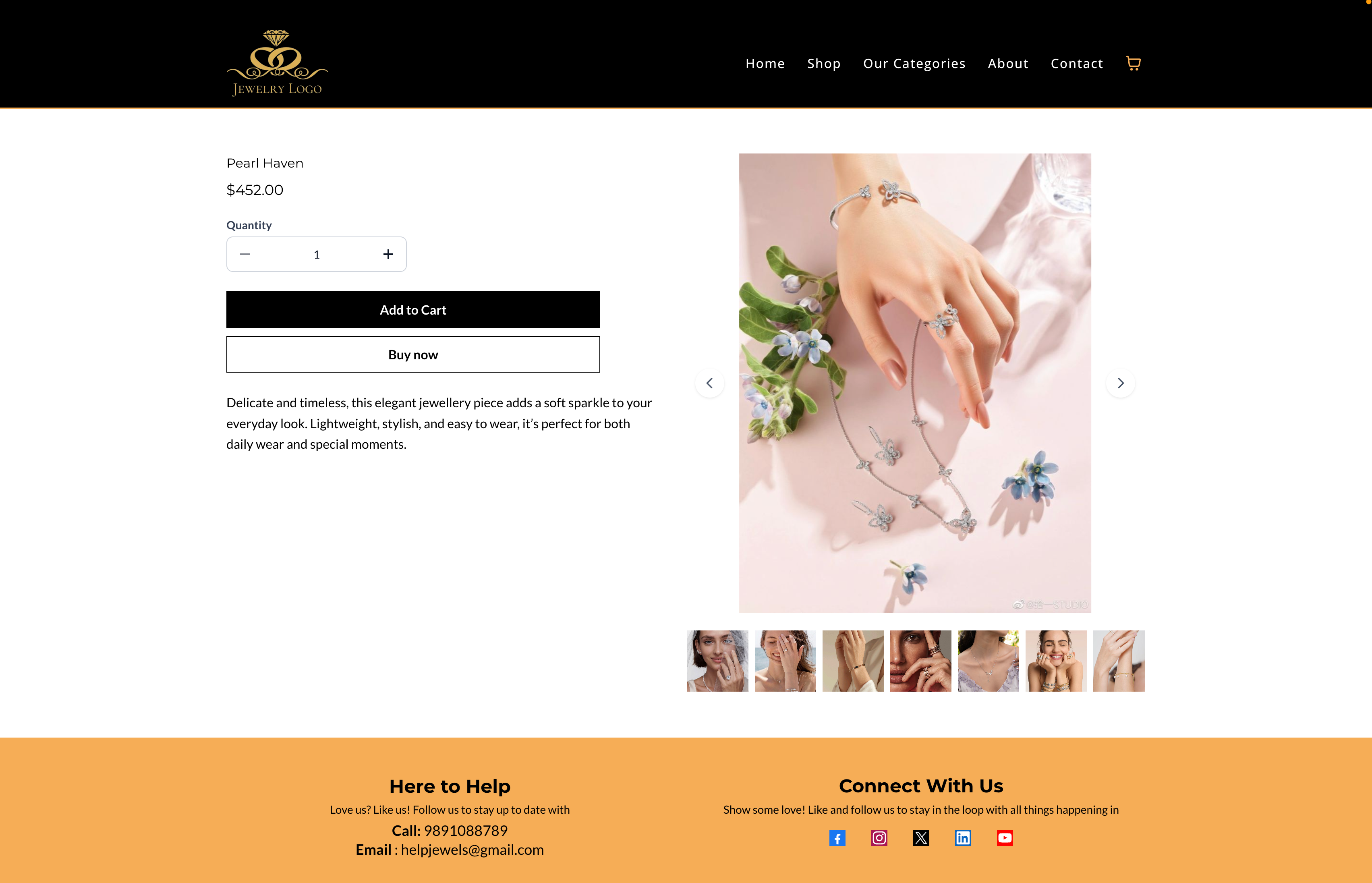
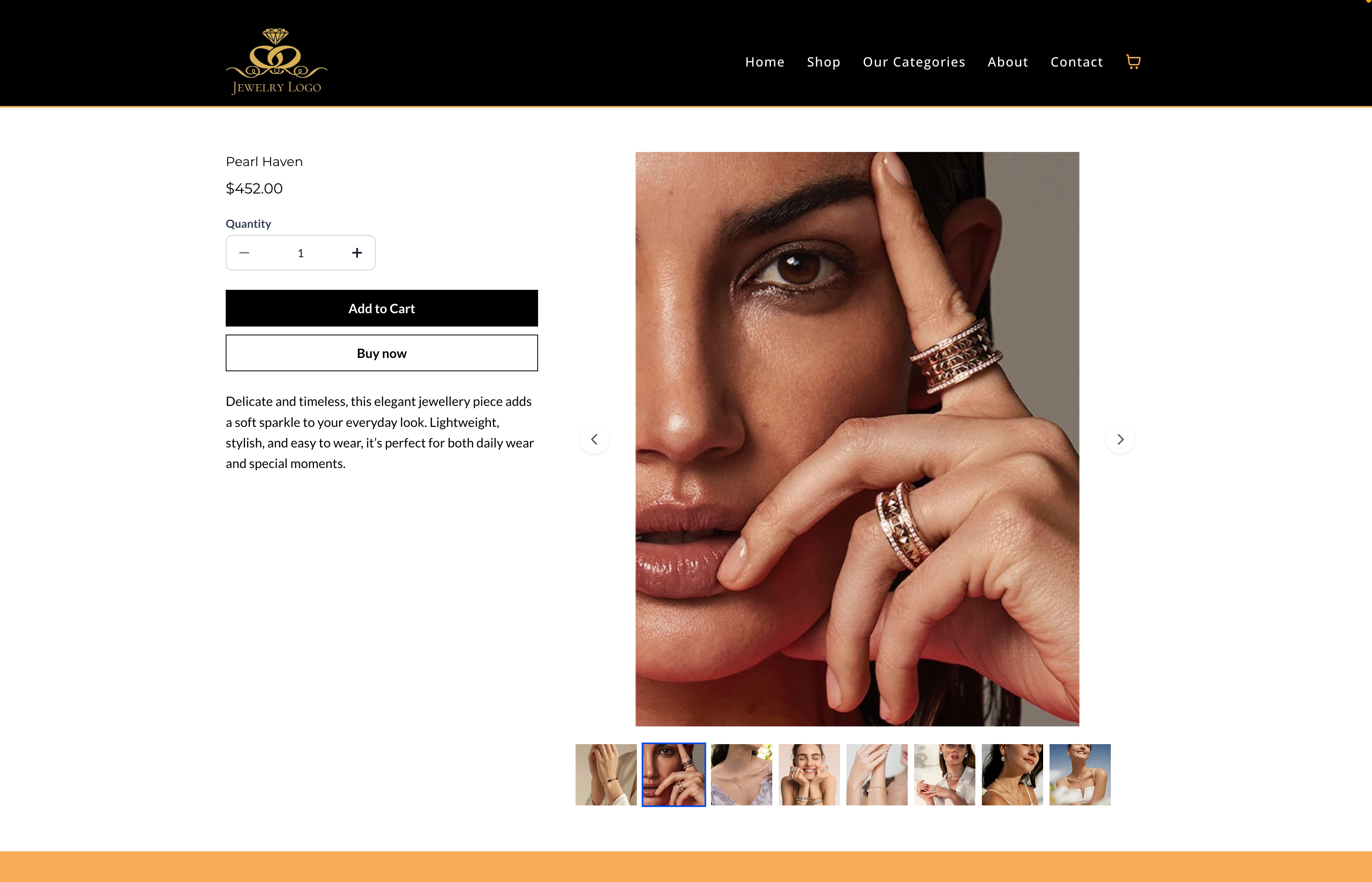
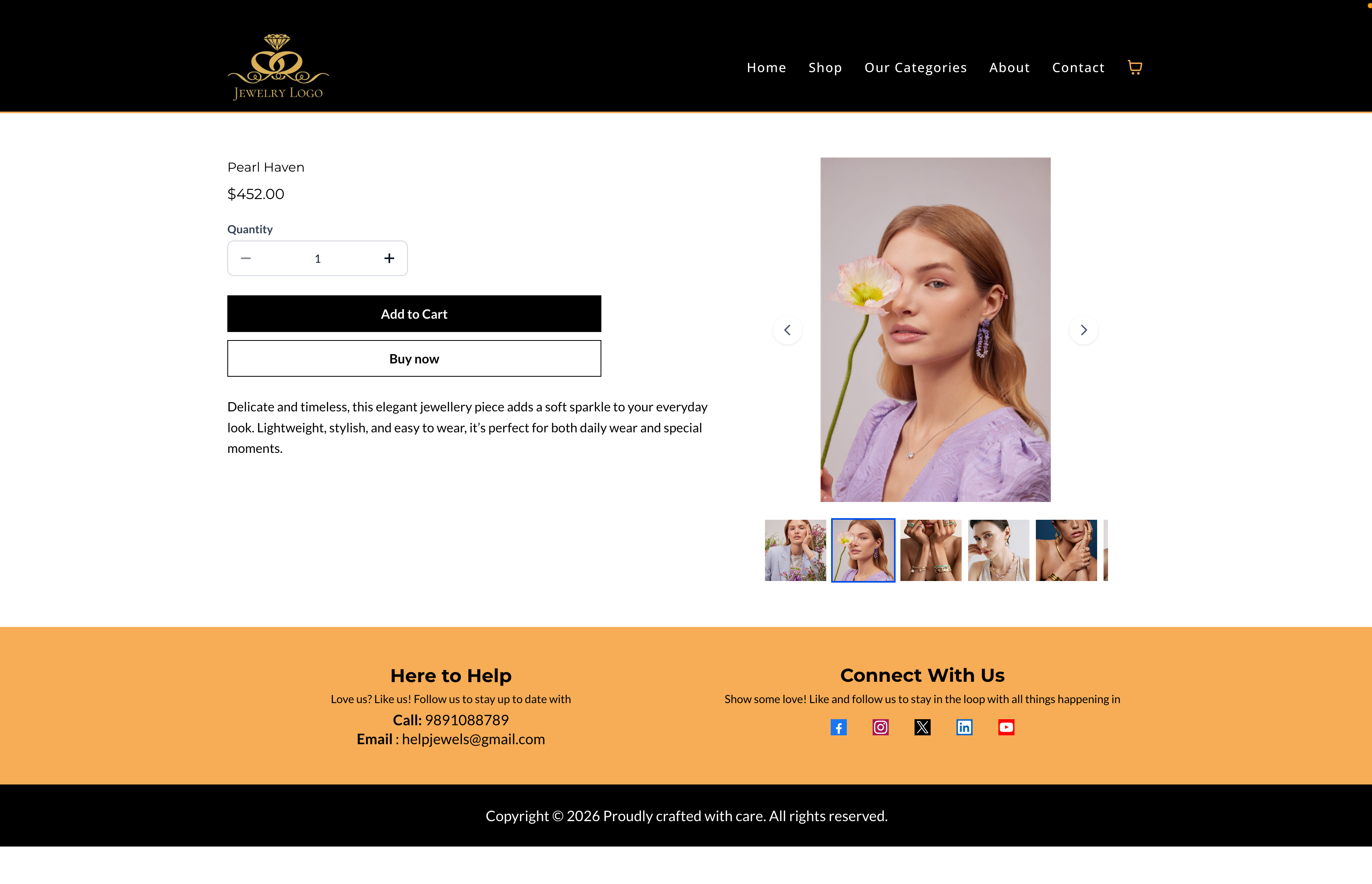
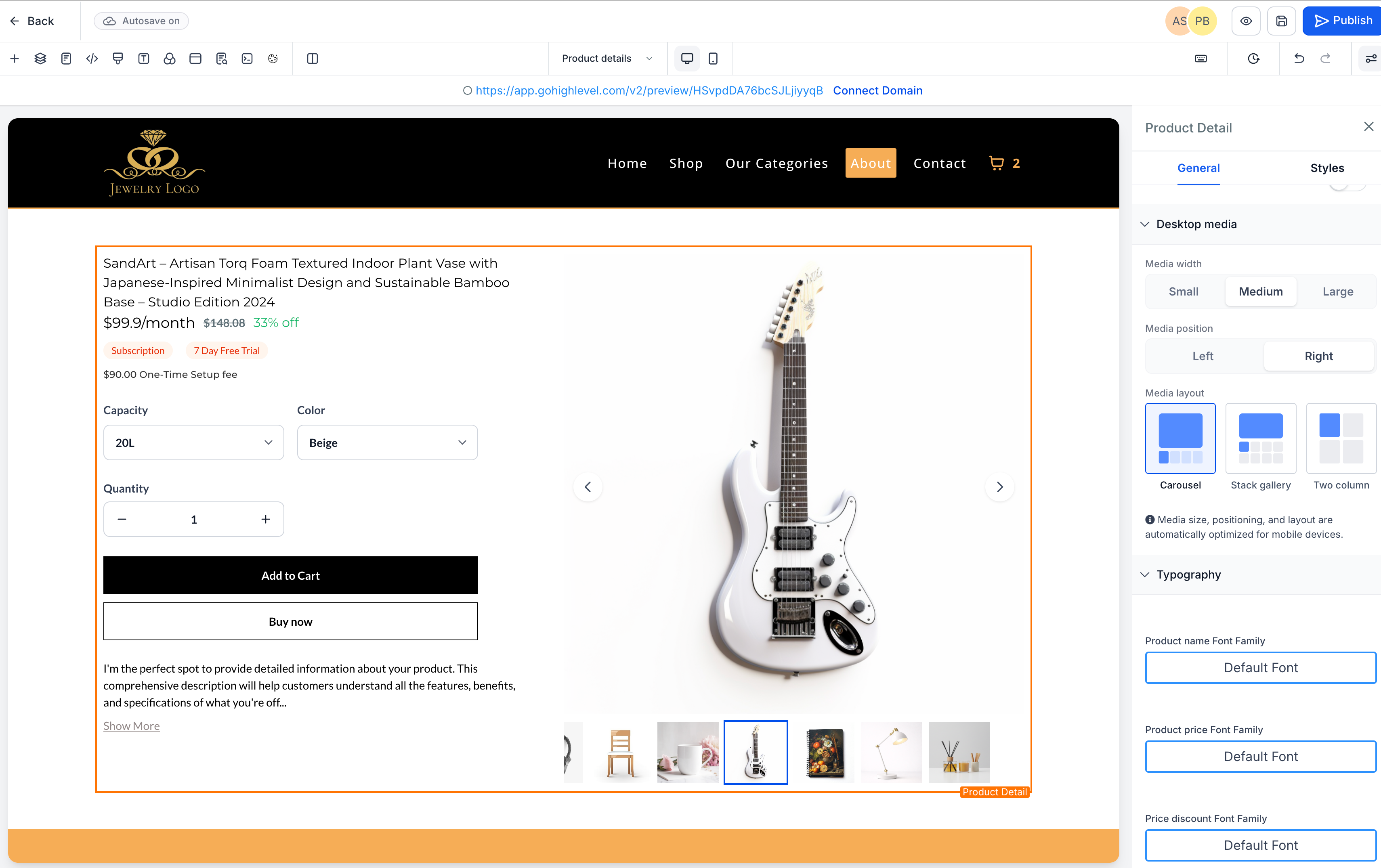
We’ve introduced new customisation options for the Product Details Page (PDP) on desktop, providing store owners with greater control over how product media and information are displayed. These updates enhance layout flexibility and assist merchants in aligning product pages with their brand design.

Directional Layout Alignment

  1. The PDP layout now follows a directional alignment instead of centre-based justification.

  • The improved visual structure creates a clearer separation between product images and product information.

Custom Product Layout Positioning

  1. Store owners can now select the alignment of the Product Details Page layout on desktop.

  • The product media section can be positioned on either the

    left

    or

    right

    relative to the product details.

Adjustable Product Image Size

  1. There is now an option for merchants to control the size of the product image on desktop.

  • Three preset options are available:

    Small, Medium, and Large

    .

  • These controls offer more flexibility for different store styles while maintaining responsive behaviour across devices.

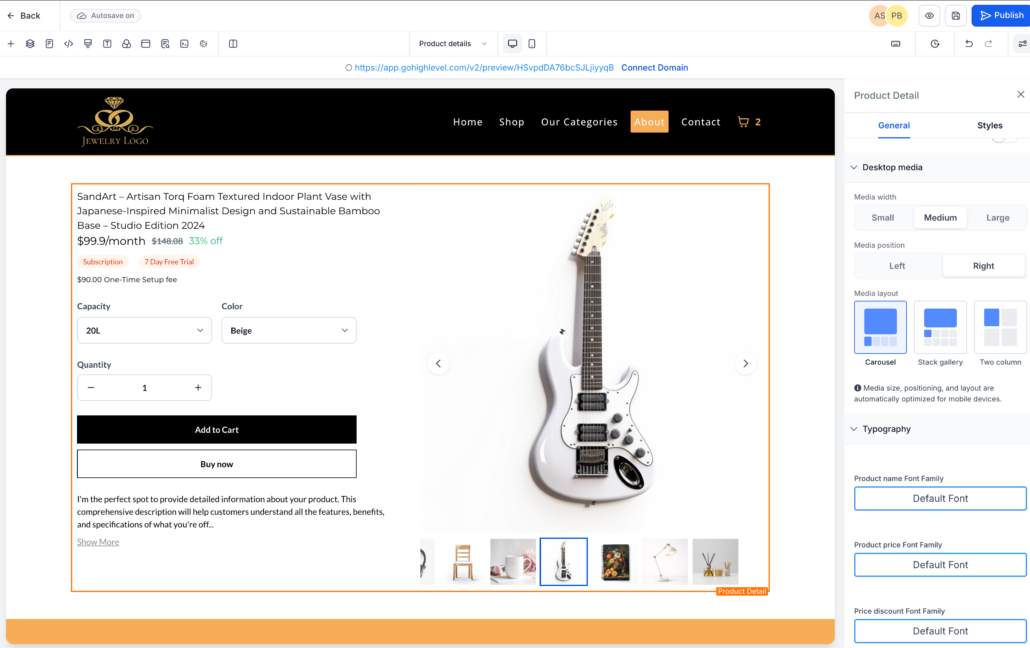
To customise your Product Details Page:

  1. Open your

    Store Builder

    and edit the

    Product Details Page

    .

  2. Select the

    Product Details element

    in the builder.

  3. In the

    Settings panel

    , locate the

    Desktop media options

    .

  4. Choose the desired

    Media position (Left or Right)

    .

  5. Select the

    Media width

    — Small, Medium, or Large.

  6. Save and publish the page to apply the changes.
  • The customisation settings currently apply to

    desktop layouts

    .

  • On mobile and tablet devices, the layout automatically stacks vertically for optimal responsiveness.
  • Image scaling maintains safe boundaries to prevent distortion when using larger sizes.
image
image
image
image
https://clixio.io/wp-content/uploads/2026/03/dbd480ffe2d9b103b1491e9ca298ac0d-scaled.png 1609 2560 Clixio.io https://clixio.io/wp-content/uploads/2023/08/clixio-logo-dark.png Clixio.io2026-03-13 08:25:002026-03-13 08:25:00Product Details Page Customization (Desktop Media Size & Layout)

RSS feed: Latest Feature Updates Latest Feature Updates

  • Improved: Dynamic Value Chips with Improved error segmentation September 4, 2026
  • 📞 More Reliable Missed Call Text Back with Smarter Number Selection September 4, 2026
  • 🔐 Client Portal: “User login” Workflow Trigger Now Supports the New Client Portal Experience September 3, 2026
  • 📢 Carrier Fee Pricing Update – Effective October 1, 2026 September 3, 2026
  • Privacy Policy + T&C URLs on Toll-Free Verification September 2, 2026
  • Workflow Builder: Pick an Email Sender Domain for Each Workflow! August 28, 2026
  • Certificate AI Beta is now live August 27, 2026
  • 📅 Date Range Setting Can Now Count Only the Days You Actually Work August 27, 2026
  • Schedule Availability with Custom Open & Expiry Experiences – Form, Survey & Quiz August 27, 2026
  • WhatsApp messaging limits: now shown at the portfolio level August 27, 2026
Book a demo
See Clixio working
for your business, live.

30 minute call with our team. Personalised to your industry, no hard sell.

Book your free demo
14 day free trial · Cancel anytime
Clixio - Marketing and sales automation

Marketing & sales automation built for Australian service businesses. One platform, one flat rate, genuinely easy to use.

Product
Features Pricing How it works Latest updates
Company
Blog FAQ Get support Account transfers
Legal
Privacy Policy Terms & Conditions
© Clixio. All rights reserved. Made with ♡ in Australia.
Scroll to top Scroll to top Scroll to top