
Pipeline Navigation Improvements & Stage Colors
Managing pipelines has become quicker and more visual.
What’s New
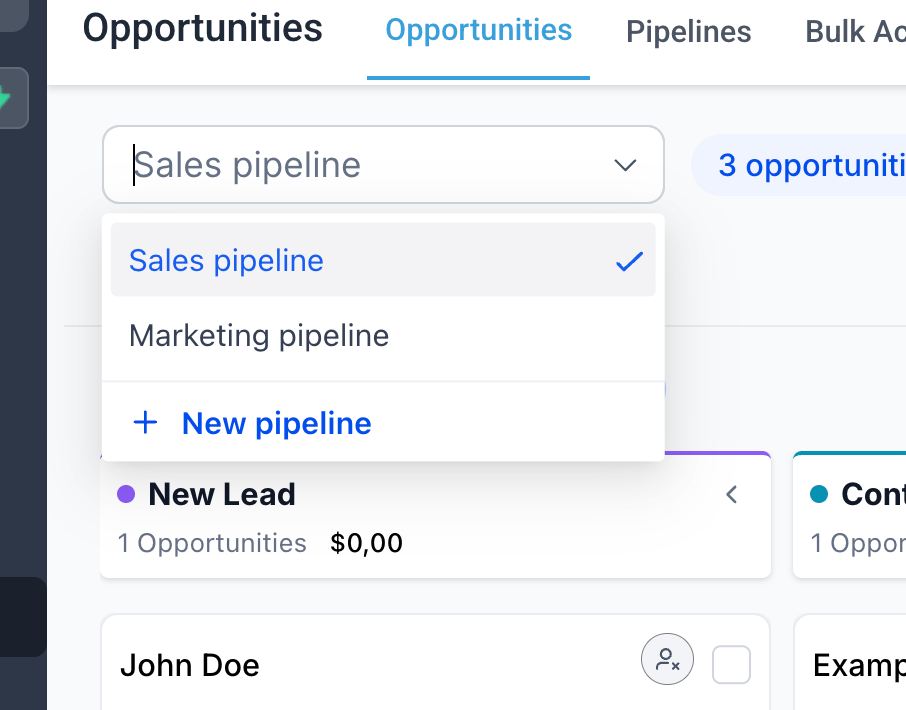
- Create and edit pipelines directly from the pipeline dropdown
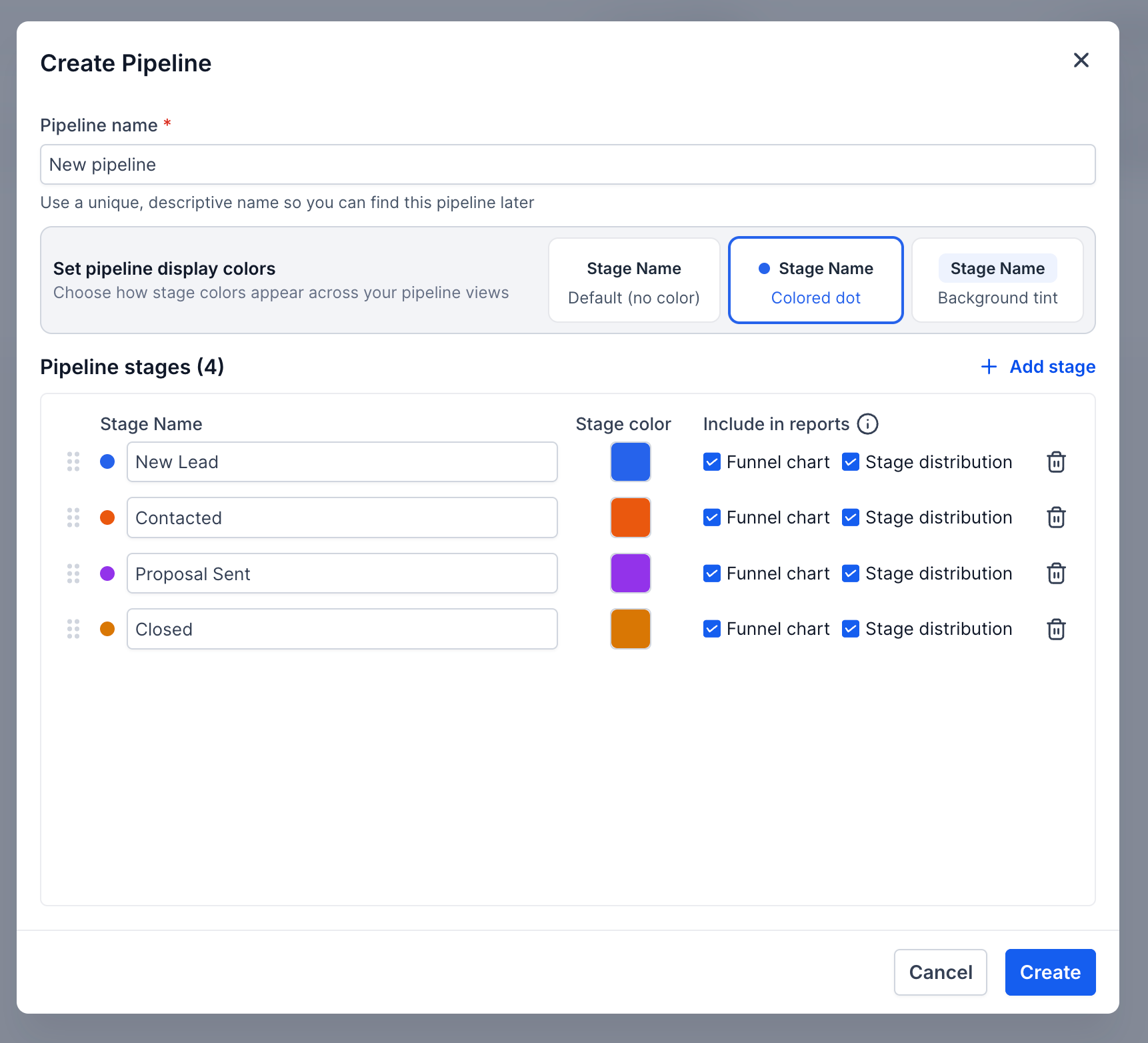
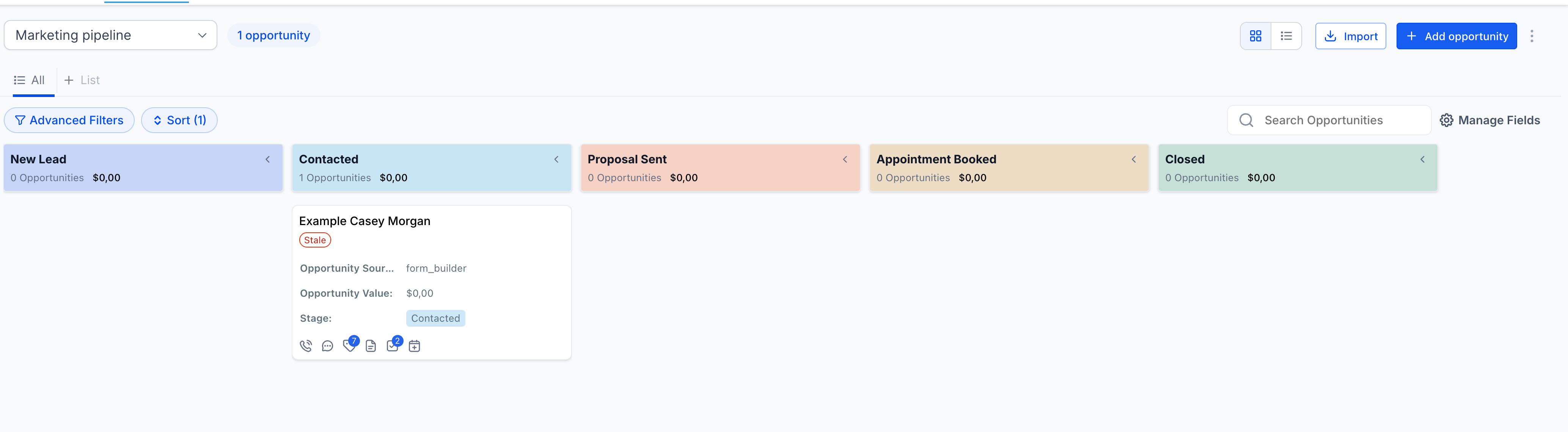
- Assign colours to each stage within a pipeline
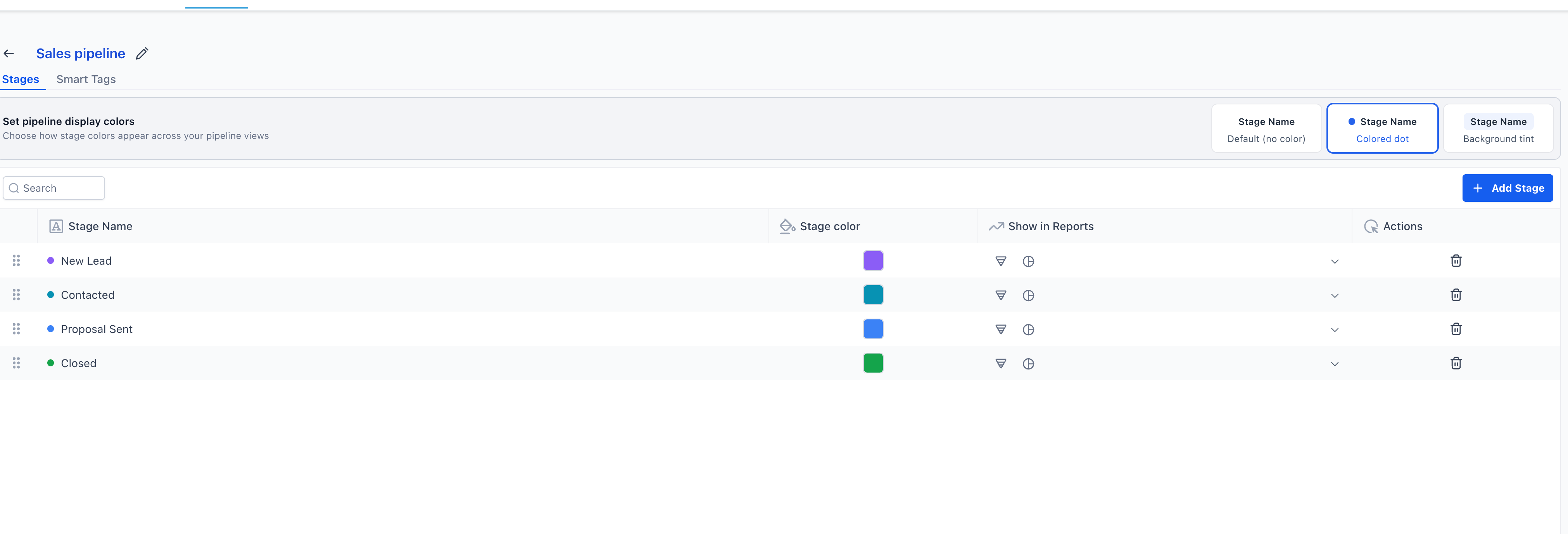
- Choose how colours appear: Default (no colour), Coloured dot, or Background tint
- Stage colours now reflect across key views such as Kanban and record details
How It Works
- Open the pipeline dropdown in Opportunities
- Click + New pipeline to create instantly
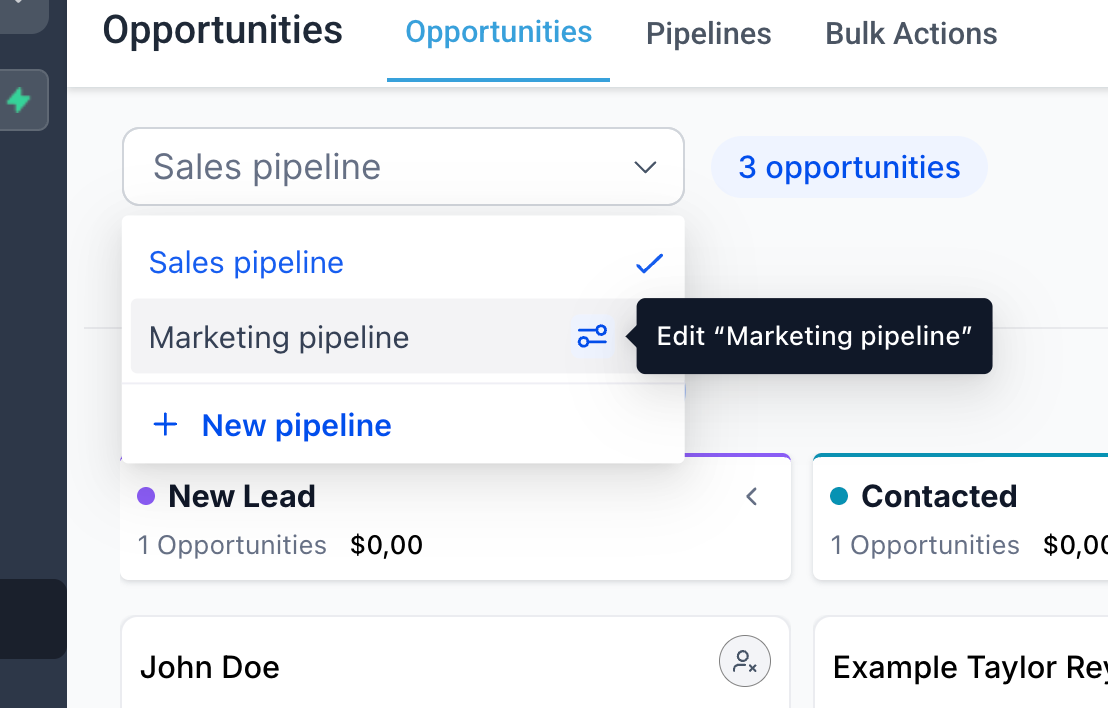
- Use the edit icon next to any pipeline to modify it
- Create or edit a pipeline to assign stage colours
- Select your preferred display style (dot or background tint)
Why This Matters
- Faster pipeline management without additional navigation
- Improved visual clarity across stages and deals
- Enhanced ability to scan pipelines and prioritise work
- Consistent experience across various views
Notes
- Colour preferences apply at the pipeline level
- All users see the same stage colour configuration