• Shopping Cart Shopping Cart
    0Shopping Cart
Clixio
  • Features
  • Pricing
  • FAQ
  • Blog
  • Log in
  • Free Trial
  • Menu Menu

Monday.com actions and triggers | Clixio Changelog

February 6, 2026/in What's New?
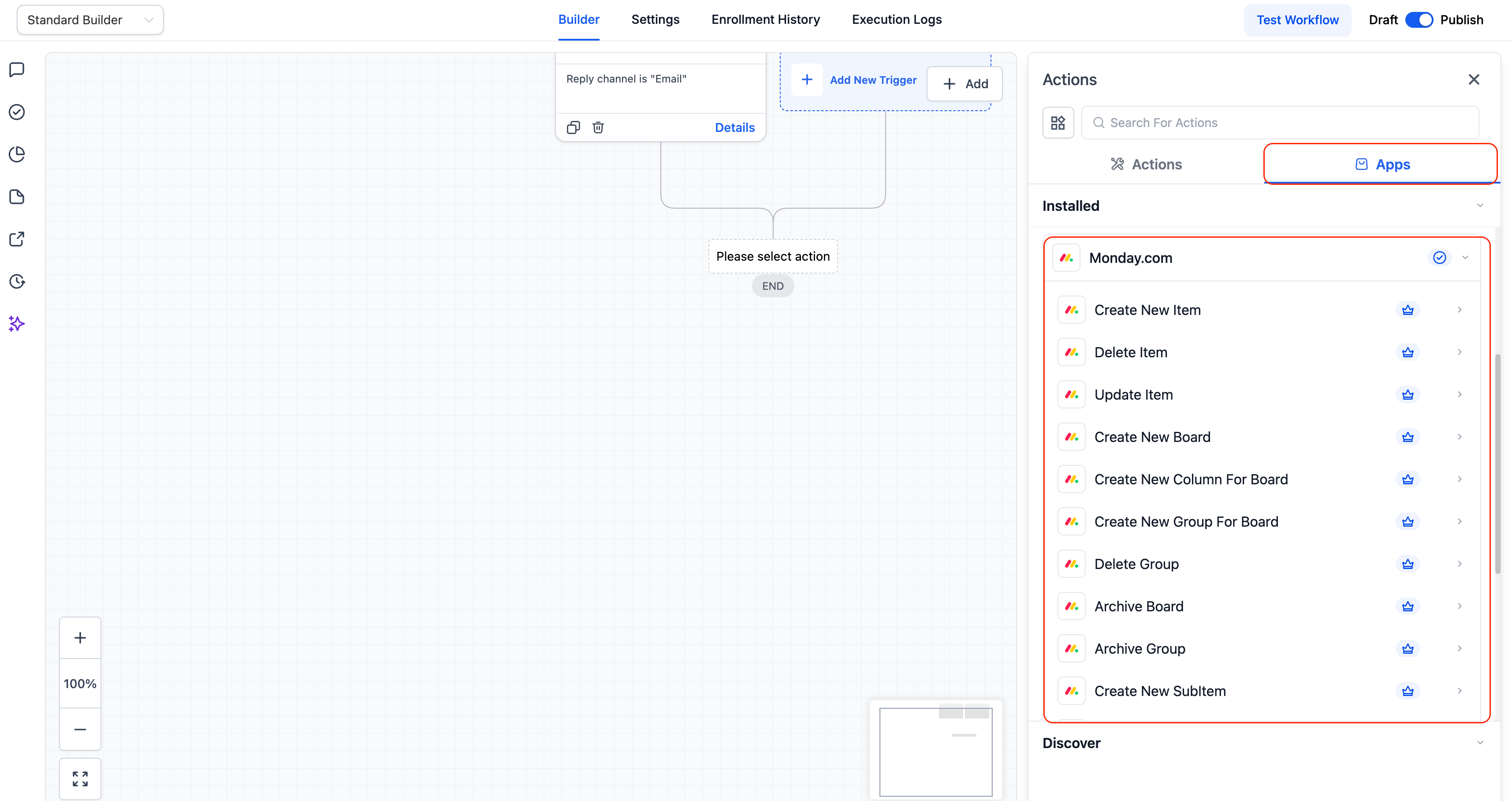
Seamless Integration with Monday.com We’ve added native Monday.com actions and triggers to Clixio Workflows, enabling real-time automation between Clixio and Monday boards. This integration eliminates the need for third-party tools like Zapier or Make and allows teams to sync boards, items, statuses, and updates directly within Clixio.
Enhanced Workflow Support Clixio Workflows now support actions and triggers with Monday.com, allowing agencies and teams to automate project management, onboarding, and internal operations without manual coordination or external automation platforms.
Available Triggers These triggers fire in near real-time when activity occurs in Monday.com:

Any Column Value Changed in Board – Triggers when a specific column (status, date, owner, etc.) is updated.

Any Item Moved to a Group – Triggers when an item moves between groups on a board.

New Board – Triggers when a new board is created.

New Item in a Board – Triggers when a new item is added to a board.

New Subitem in Board – Triggers when a subitem is created under an item.

New Update in Board – Triggers when a comment or update is added to an item.

New User – Triggers when a new user joins the Monday.com workspace.
Manage Monday.com from Clixio Automate and manage Monday.com directly from Clixio workflows:

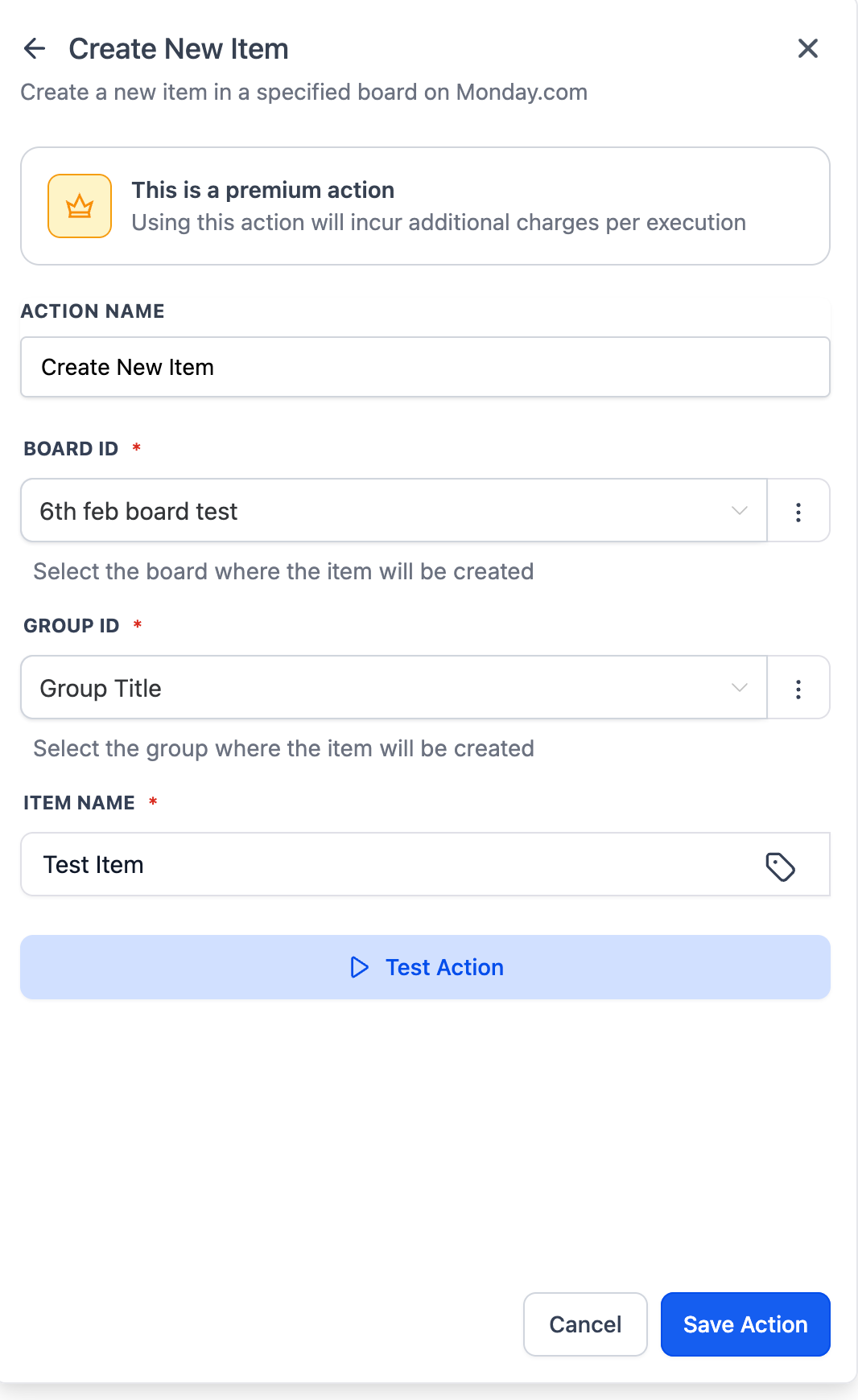
Create New Board / Group / Column / Item / Subitem – Dynamically build Monday structures from workflows.

Update Item / Update Subitem – Update statuses, owners, dates, and custom columns.

Archive Board / Archive Group – Automatically archive completed boards or groups.

Delete Item / Delete Group – Remove items or groups when they are no longer needed.

Get Board Items – Retrieve all items from a board for syncing or reporting.

Find Items by Column Value – Search items using status, owner, or custom columns.

Find Items by ID – Locate a specific item using its Monday item ID.
Screenshot 2026-02-06 at 12
Screenshot 2026-02-06 at 17
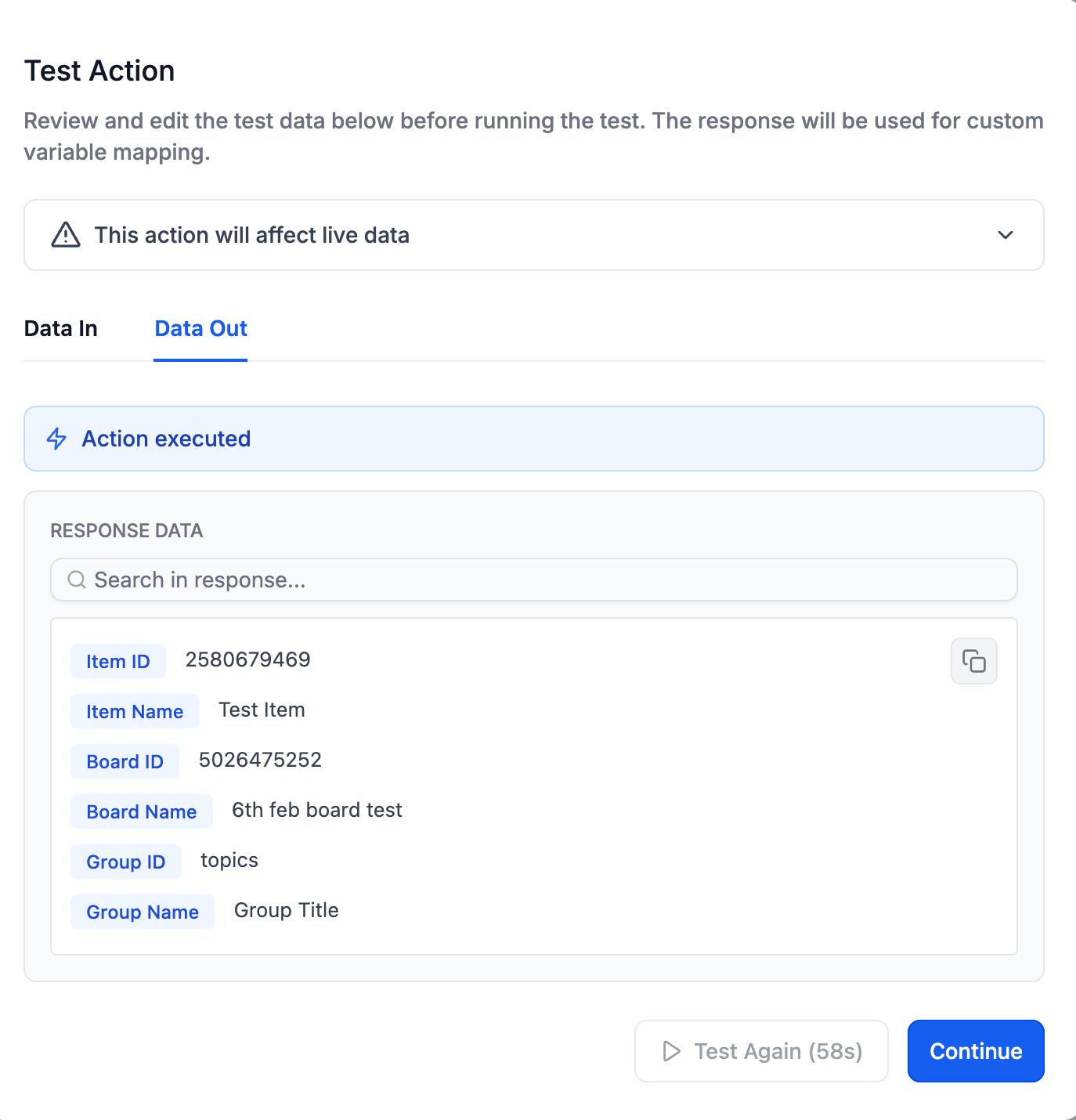
Test Action Feature We have launched Monday.com actions with a test action feature, allowing users to test the action before execution. Users can save the schema and reuse it in subsequent actions as custom values.
Screenshot 2026-02-06 at 17

Why It Matters

Teams often manage projects in Monday.com while running CRM, communication, and automation flows in Clixio. With native Monday.com actions and triggers, users can:

• Keep Clixio and Monday perfectly synchronised

• Eliminate reliance on Zapier, Make, or custom webhooks

  1. Client Onboarding Automation
Automatically sync new onboarding items from Monday.com into Clixio CRM, notify account managers, and update item statuses once CRM actions are completed.
  1. Project Status → Client Communication

Trigger emails, Slack notifications, or notes when a Monday item’s status changes (e.g., when a project is marked “Completed”).

  1. Internal Task Sync Across Tools
When a task is created in Monday.com, automatically create corresponding tasks in ClickUp or other tools, while maintaining cross-system references and visibility.
  1. In Workflows, search for Monday.com triggers or actions.
  2. If your account is already connected, configuration fields will appear automatically.
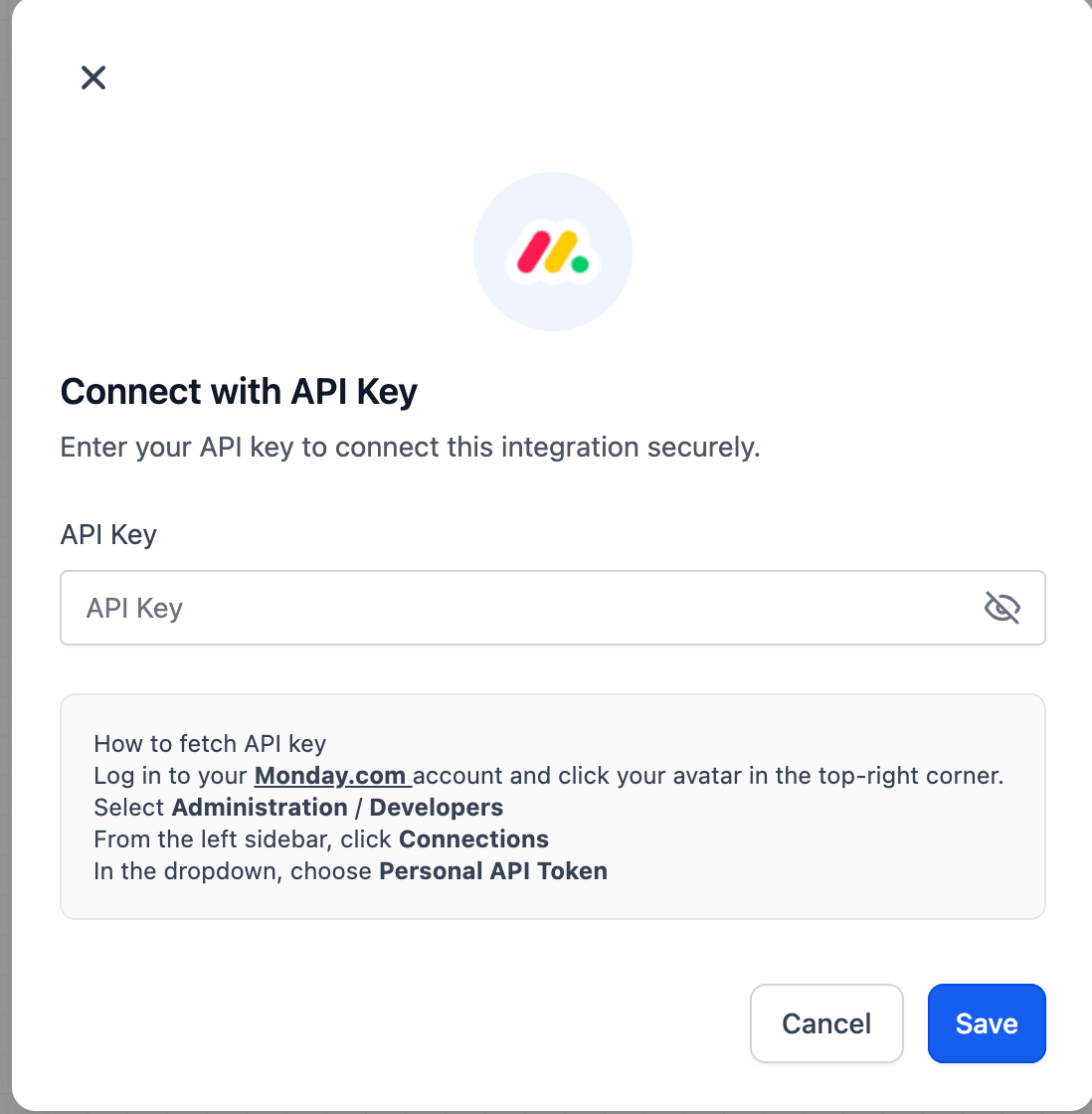
  3. If not, click Connect Now and authenticate via Monday.com API key.
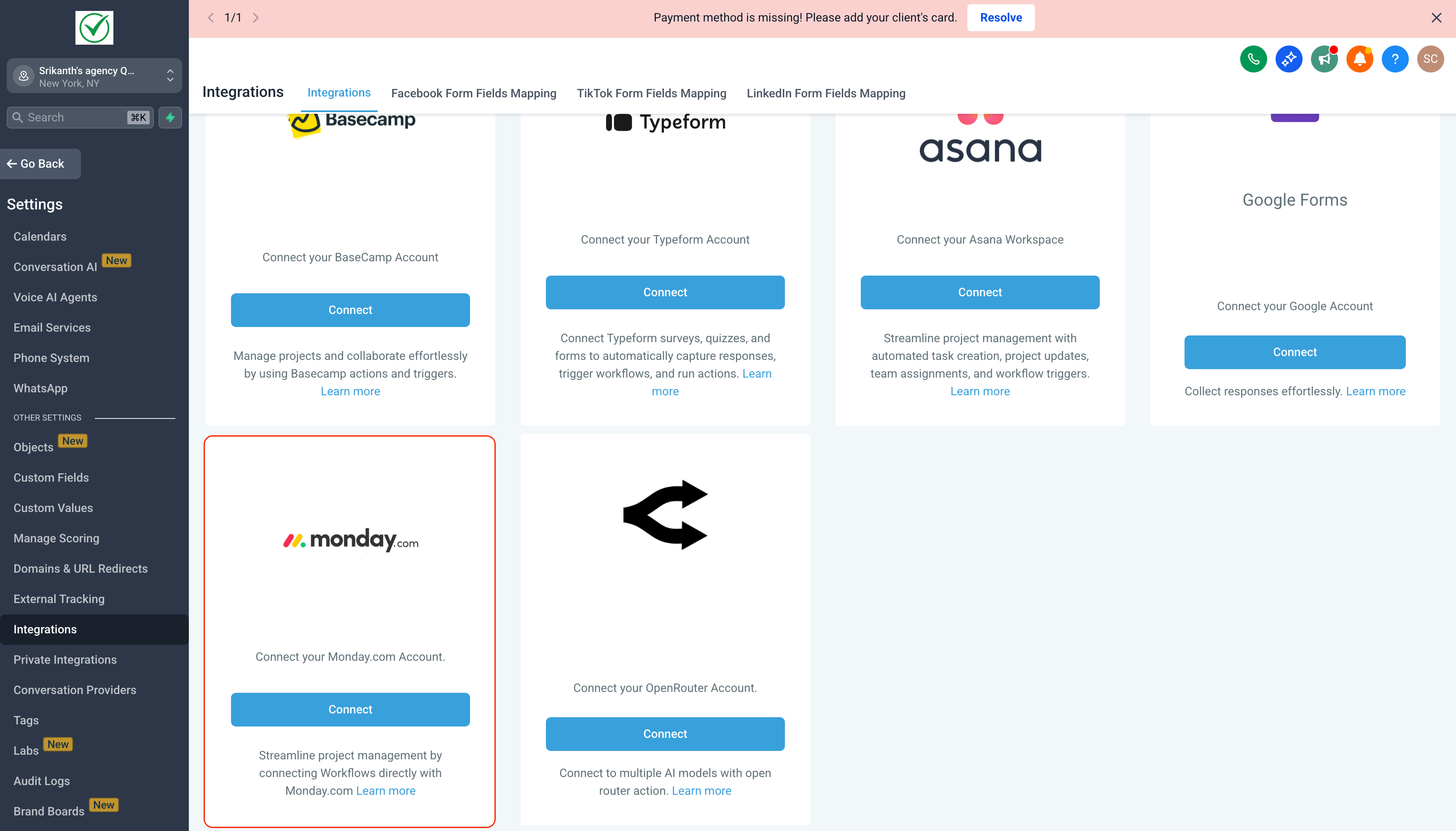
  4. You can also connect anytime via:
monday
Screenshot 2026-02-06 at 17
https://clixio.io/wp-content/uploads/2023/08/clixio-logo-dark.png 0 0 Clixio.io https://clixio.io/wp-content/uploads/2023/08/clixio-logo-dark.png Clixio.io2026-02-06 21:48:002026-02-06 21:48:00Monday.com actions and triggers | Clixio Changelog

RSS feed: Latest Feature Updates Latest Feature Updates

  • Improved: Dynamic Value Chips with Improved error segmentation September 4, 2026
  • 📞 More Reliable Missed Call Text Back with Smarter Number Selection September 4, 2026
  • 🔐 Client Portal: “User login” Workflow Trigger Now Supports the New Client Portal Experience September 3, 2026
  • 📢 Carrier Fee Pricing Update – Effective October 1, 2026 September 3, 2026
  • Privacy Policy + T&C URLs on Toll-Free Verification September 2, 2026
  • Workflow Builder: Pick an Email Sender Domain for Each Workflow! August 28, 2026
  • Certificate AI Beta is now live August 27, 2026
  • 📅 Date Range Setting Can Now Count Only the Days You Actually Work August 27, 2026
  • Schedule Availability with Custom Open & Expiry Experiences – Form, Survey & Quiz August 27, 2026
  • WhatsApp messaging limits: now shown at the portfolio level August 27, 2026
Book a demo
See Clixio working
for your business, live.

30 minute call with our team. Personalised to your industry, no hard sell.

Book your free demo
14 day free trial · Cancel anytime
Clixio - Marketing and sales automation

Marketing & sales automation built for Australian service businesses. One platform, one flat rate, genuinely easy to use.

Product
Features Pricing How it works Latest updates
Company
Blog FAQ Get support Account transfers
Legal
Privacy Policy Terms & Conditions
© Clixio. All rights reserved. Made with ♡ in Australia.
Scroll to top Scroll to top Scroll to top