Media Center Folder Upload & Download
Enhancements to the Media Center have been implemented, introducing new folder upload and download capabilities, along with several performance and usability improvements.
This update facilitates the management of large groups of files by allowing you to upload complete folders, download folders as zip files, and track progress more clearly while maintaining the original folder structure.
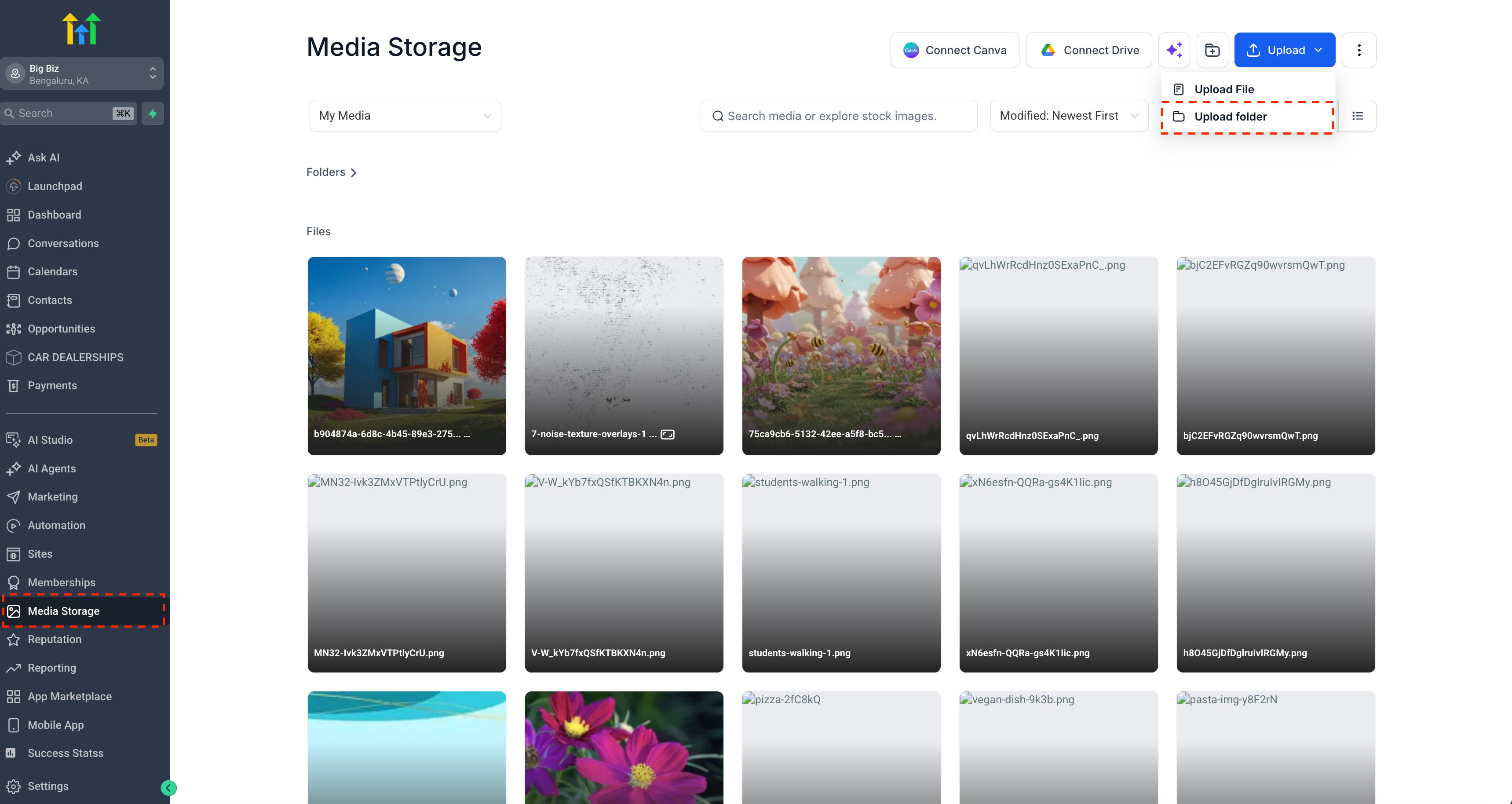
- A new Upload Folder option has been added in the Media Center.
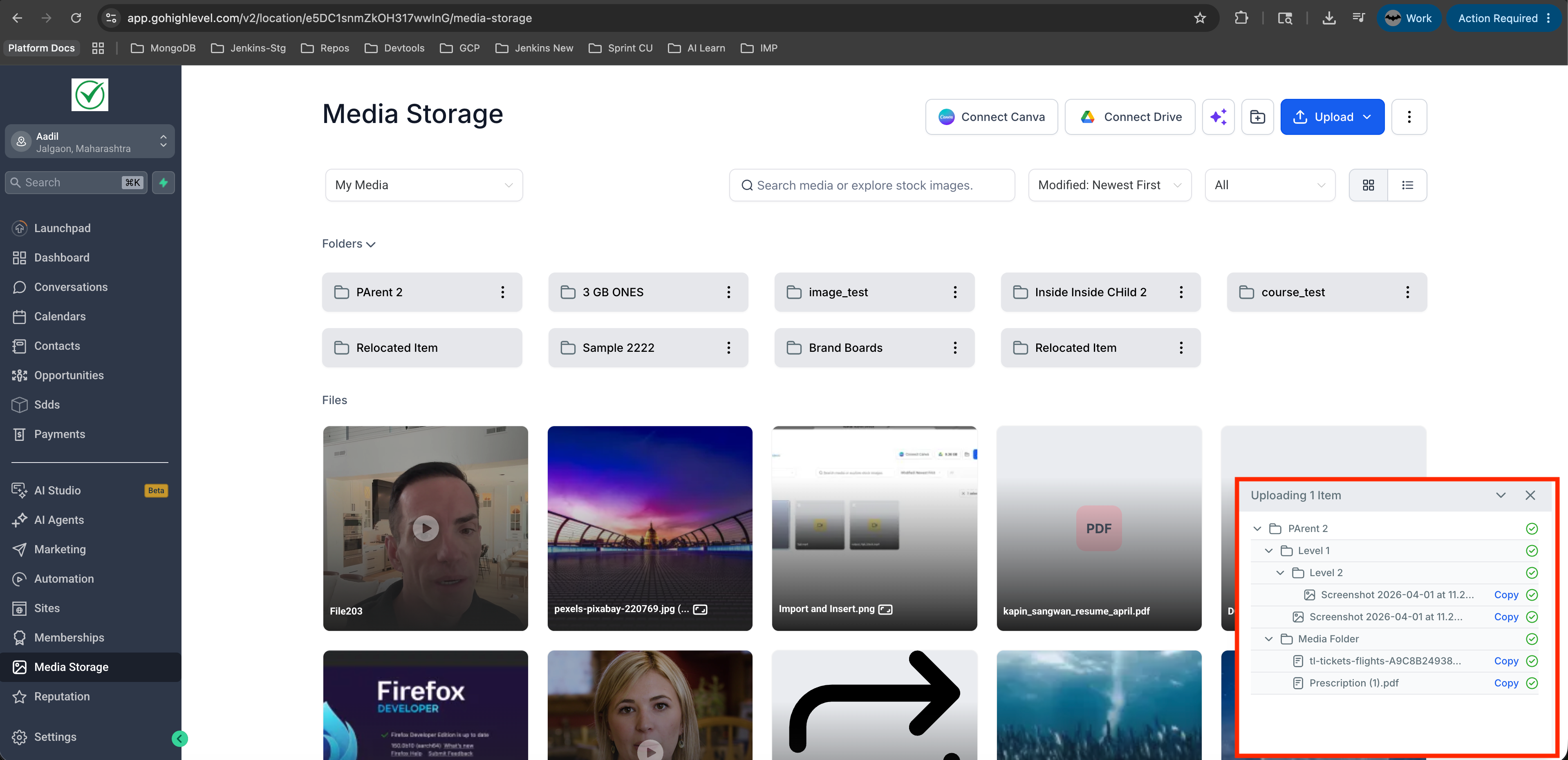
- You can now upload entire folders, including subfolders and files, in one go.
- Drag and drop now supports folders, multiple folders, and mixed uploads that include both folders and individual files.
- Support for downloading folders as a single zip file has been introduced.
- Upload progress now presents a clearer folder-based view, showcasing nested files and subfolders.
- Folder uploads and downloads now preserve the original folder structure.
- Sorting has been improved, so the order you select in the main grid is reflected in the Move to Folder modal.
- Upload and download performance has been enhanced for larger batches of files.
- Clearer handling has been added for upload limits, skipped files, and partial completion states.
- Open the Media Center.
- In the header, you will now see Upload Folder next to Upload File. You can also drag and drop folders directly into the Media Center.
- To download a folder, use the Download option on a folder to save it as a zip file.
- Significantly speeds up the uploading and organisation of large batches of media.
- Helps preserve the folder structure without the need for manual reorganisation.
- Improves visibility into upload and download progress.
- Reduces friction when transferring media in and out of the Media Center.