• Shopping Cart Shopping Cart
    0Shopping Cart
Clixio
  • Features
  • Pricing
  • FAQ
  • Blog
  • Log in
  • Free Trial
  • Menu Menu

Learn More Using AI | Clixio Changelog

June 30, 2025/in What's New? Automations

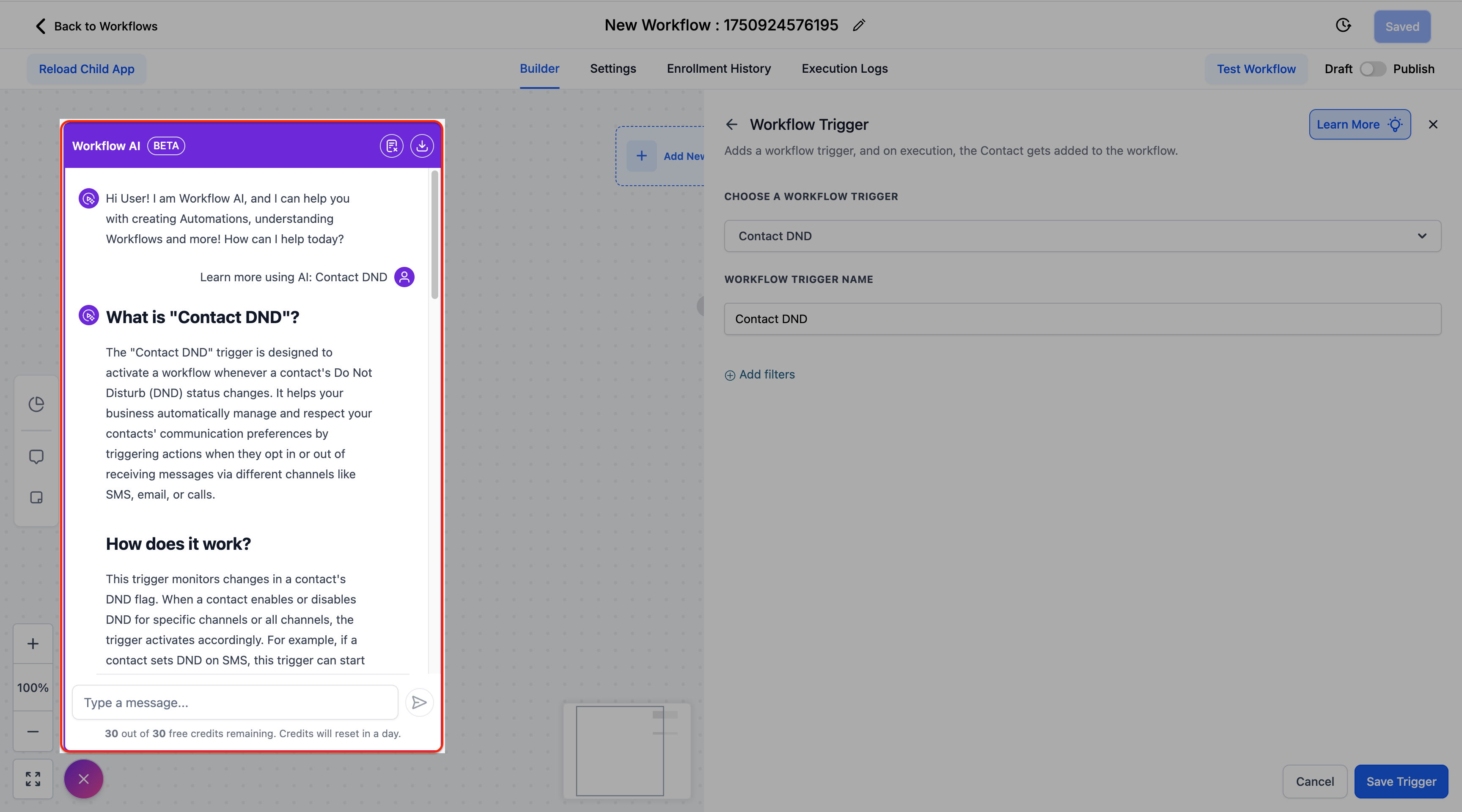
We have introduced an intelligent help system directly within the Workflow Builder to provide instant, contextual guidance on triggers and actions.

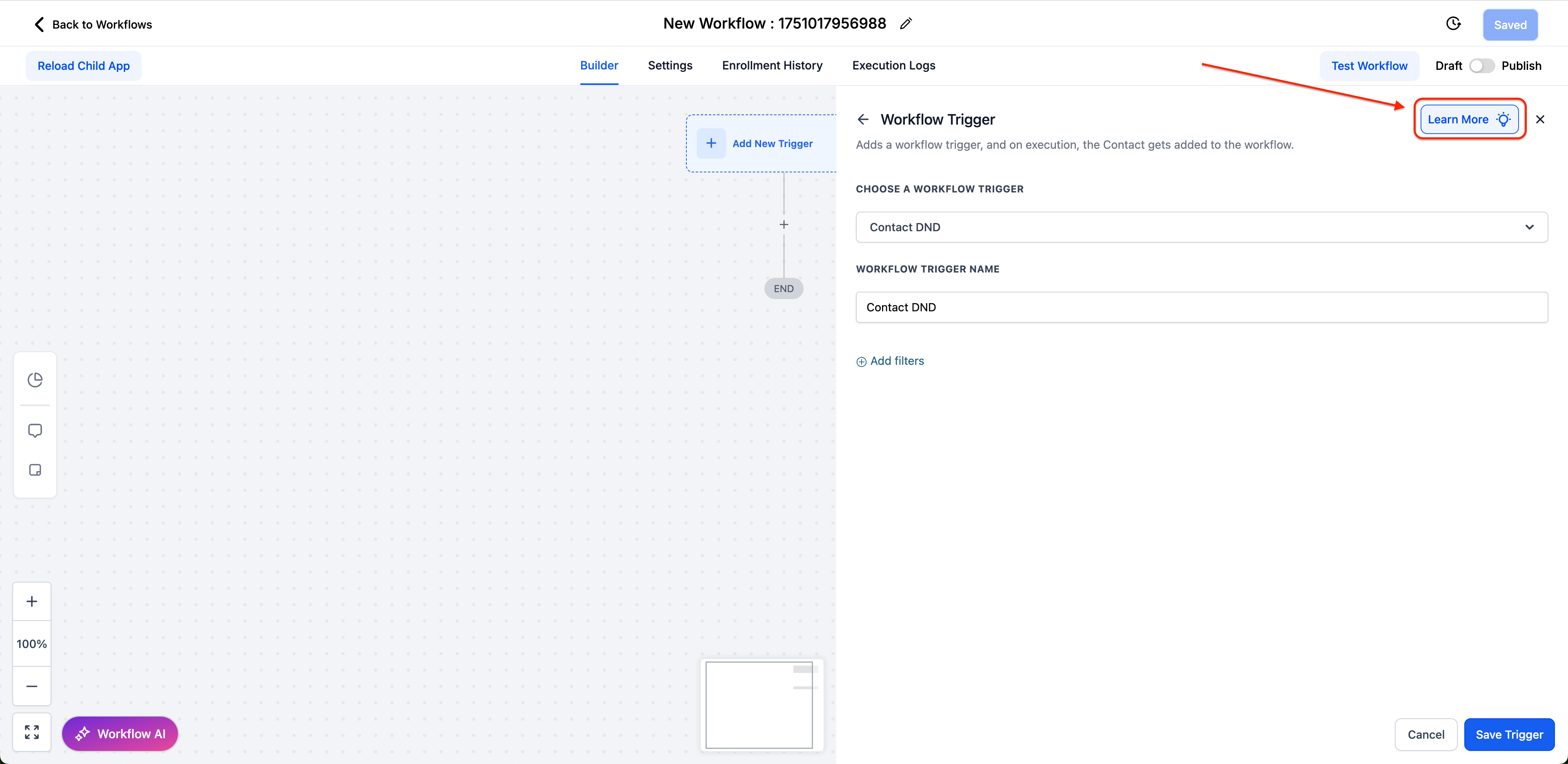
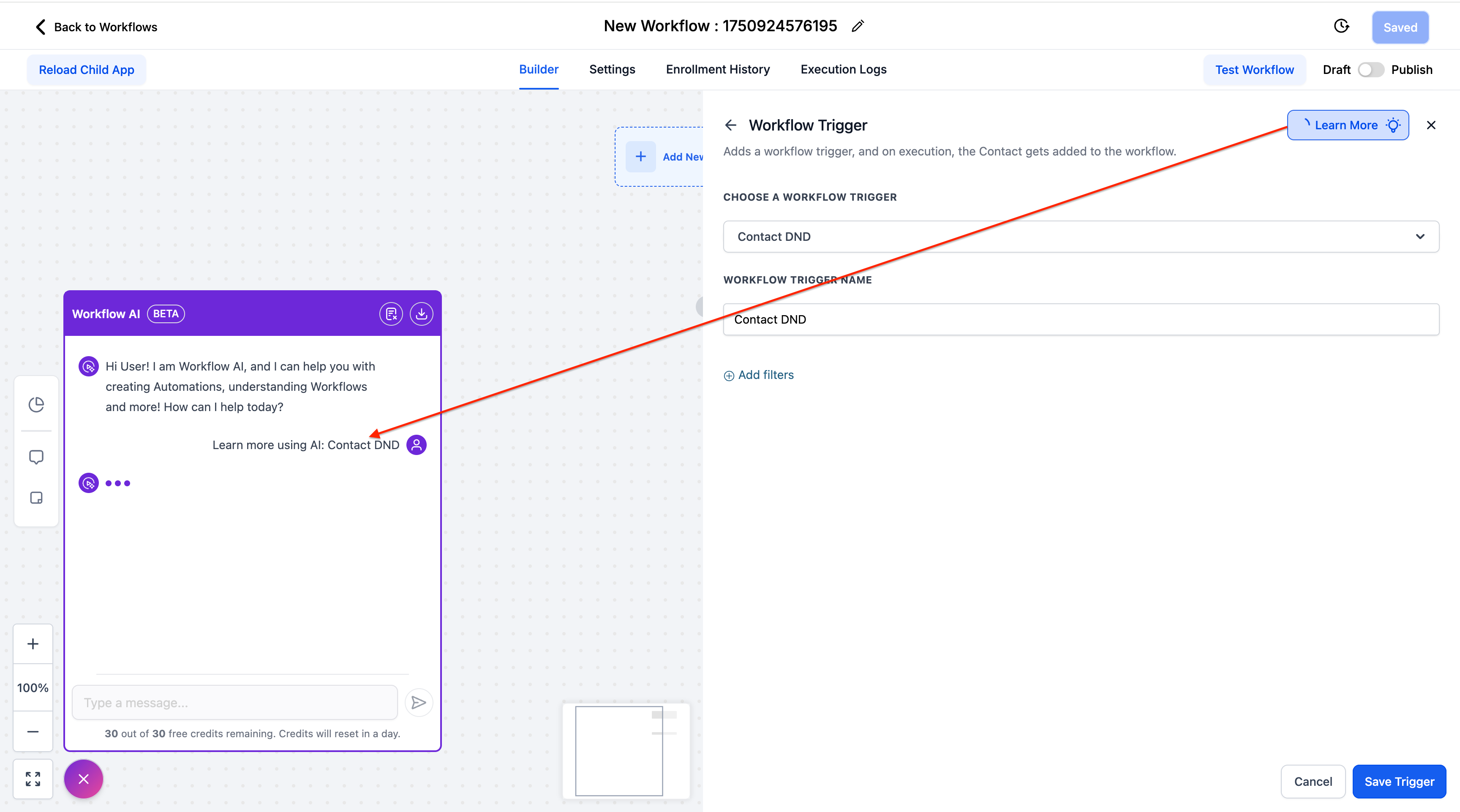
  • Contextual AI Assistant – Click the blue “Learn More” button in any trigger/action configuration panel to open the Workflow AI Assistant, which offers detailed explanations, setup instructions, and real-world use cases.

  • Completely Free – This feature does not count against Workflow AI credits or usage limits.

  • Interactive Help – Ask follow-up questions and receive tailored responses specific to the element you are configuring.

  • Comprehensive Coverage – Available for all standard triggers and actions (marketplace elements coming soon).

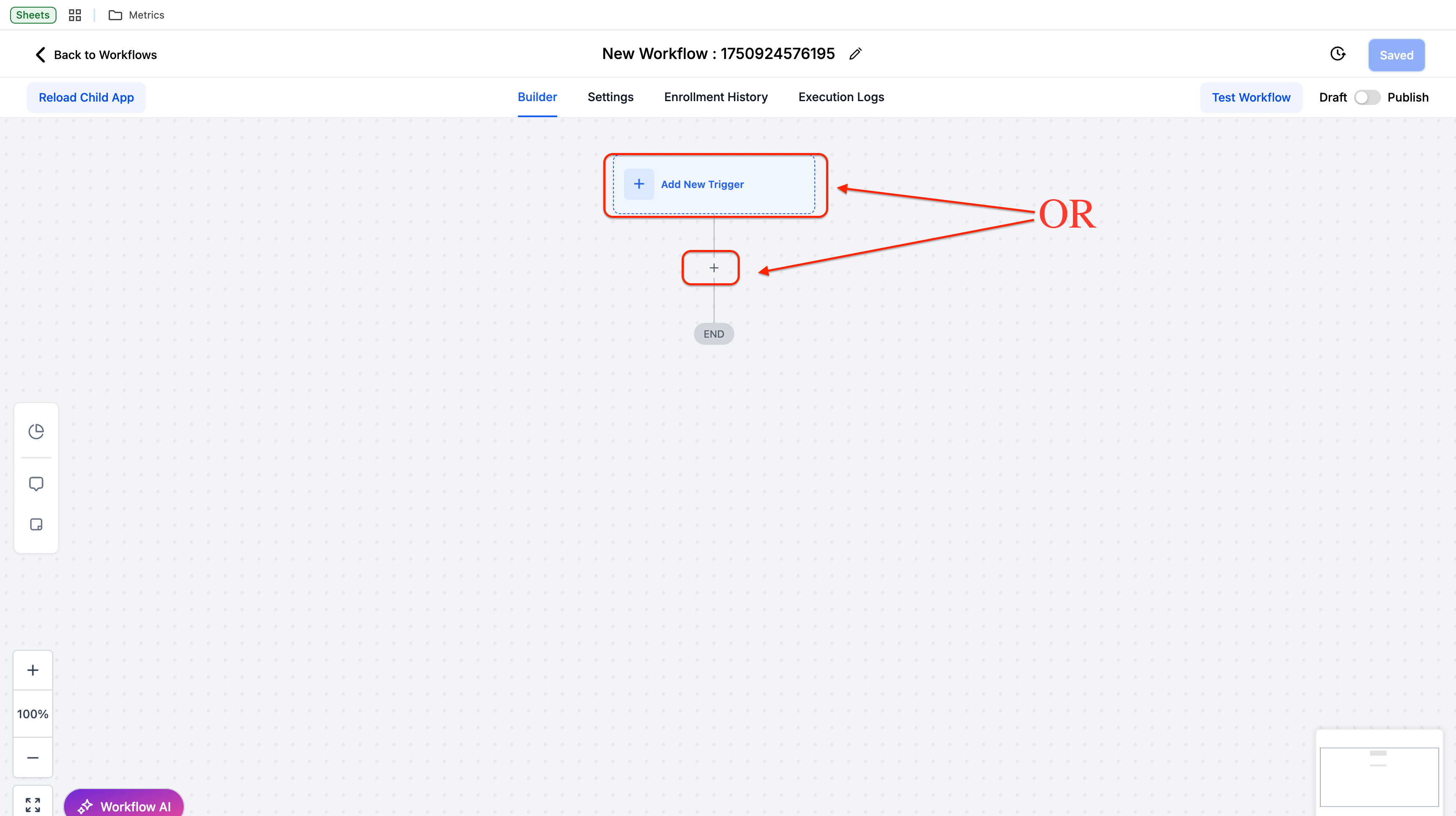
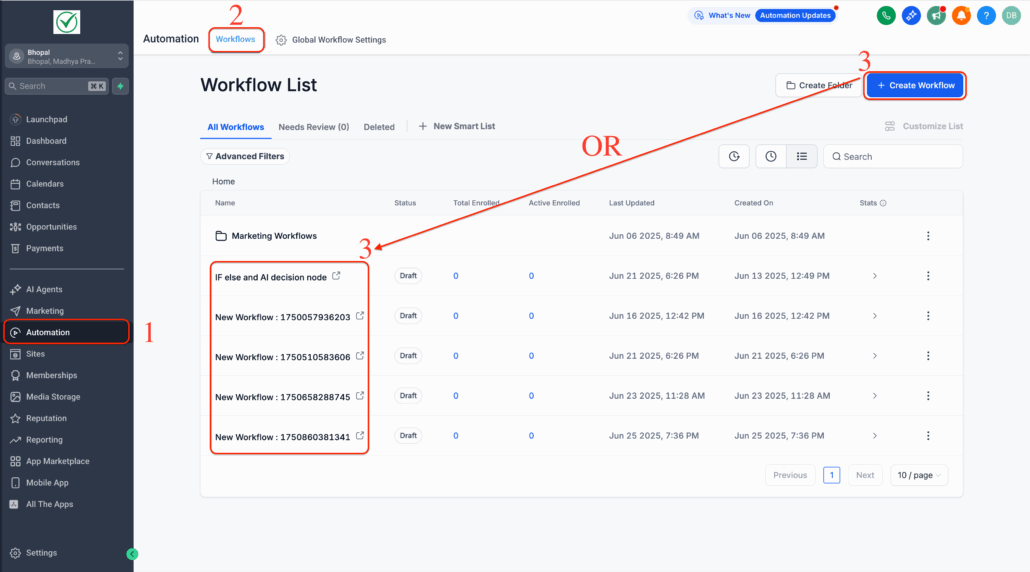
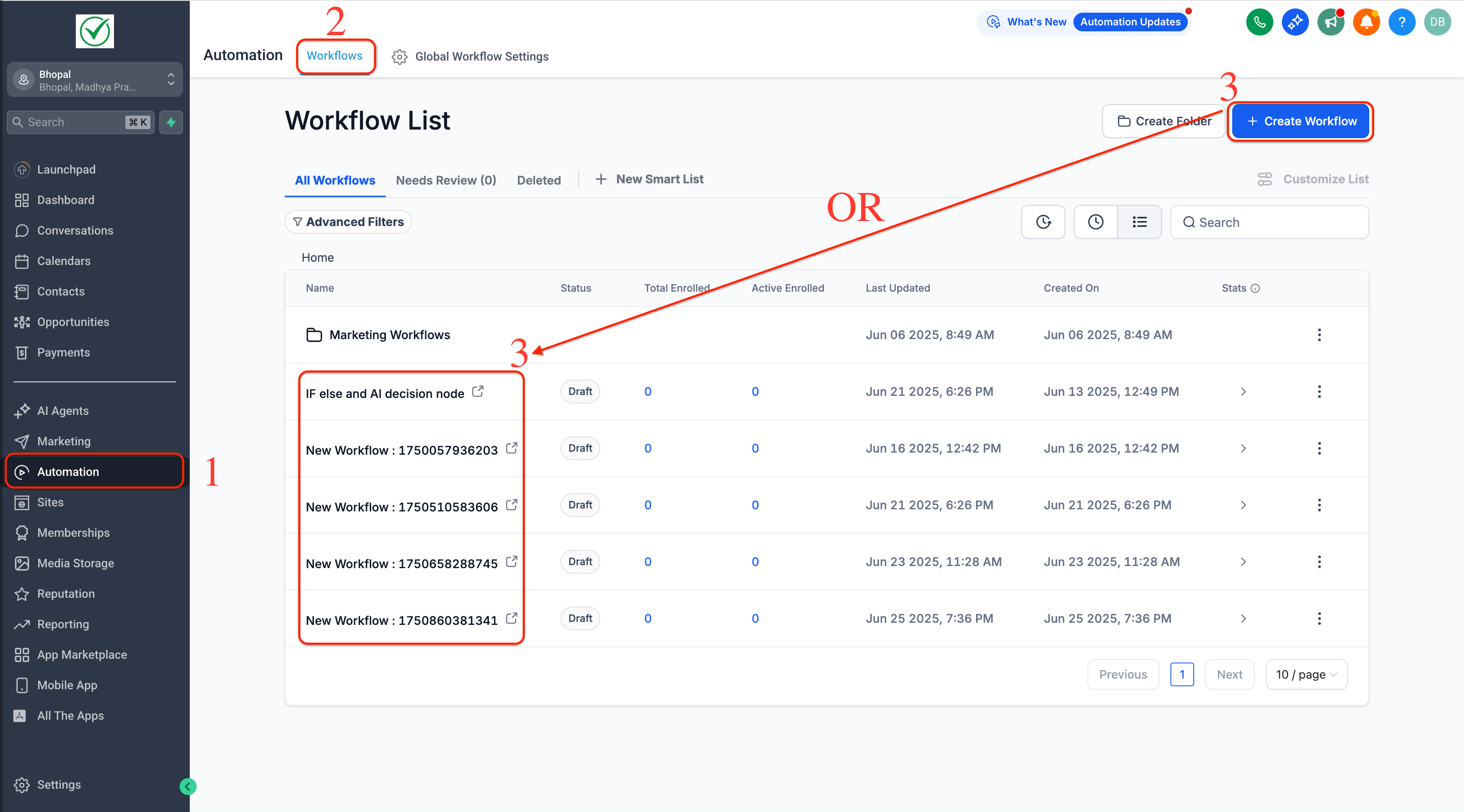
  1. Navigate to Automation → Workflows and open any workflow.
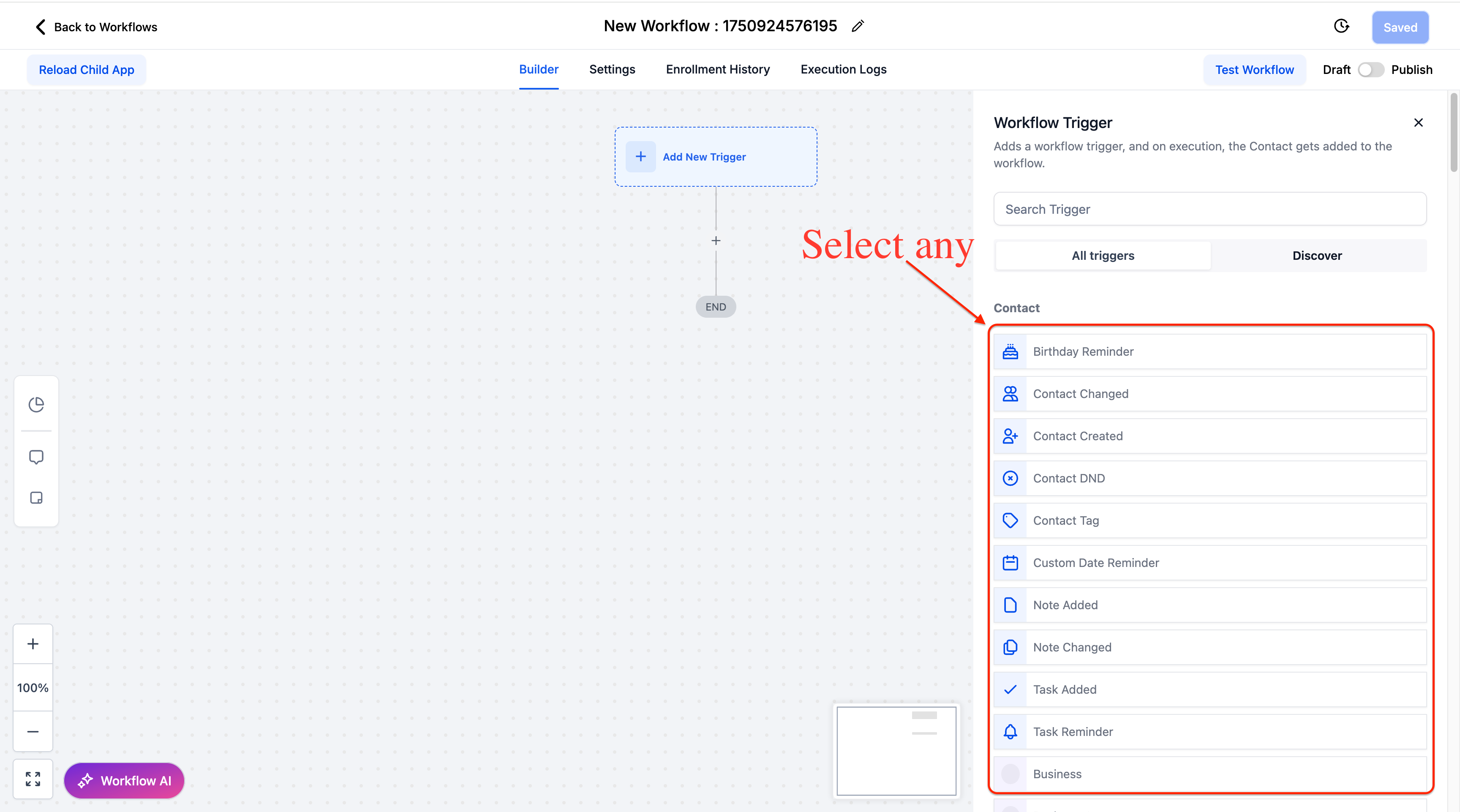
  2. Add or configure a trigger/action.
  3. Click the “Learn More” button (blue bulb icon) in the top-right corner.
  4. Review AI-generated guidance and ask custom questions in the Workflow AI Assistant.
Screenshot 2025-06-26 at 7
Screenshot 2025-06-26 at 2
Screenshot 2025-06-30 at 10
Screenshot 2025-06-26 at 2

This feature reduces the learning curve for workflow configuration, decreases support tickets, and helps users discover advanced functionality they might otherwise miss.

The AI provides instant access to setup instructions, validation requirements, and practical examples, all without leaving the Workflow Builder.

Getting Started:

The Learn More button appears automatically in all trigger and action configuration panels. Simply click it whenever you need guidance on how a feature works or how to configure it properly.

https://clixio.io/wp-content/uploads/2025/06/5d4b42ad4c989bf7dbebc29d6e284ac4-scaled.png 1421 2560 Clixio.io https://clixio.io/wp-content/uploads/2023/08/clixio-logo-dark.png Clixio.io2025-06-30 15:54:002025-06-30 15:54:00Learn More Using AI | Clixio Changelog

RSS feed: Latest Feature Updates Latest Feature Updates

  • Improved: Dynamic Value Chips with Improved error segmentation September 4, 2026
  • 📞 More Reliable Missed Call Text Back with Smarter Number Selection September 4, 2026
  • 🔐 Client Portal: “User login” Workflow Trigger Now Supports the New Client Portal Experience September 3, 2026
  • 📢 Carrier Fee Pricing Update – Effective October 1, 2026 September 3, 2026
  • Privacy Policy + T&C URLs on Toll-Free Verification September 2, 2026
  • Workflow Builder: Pick an Email Sender Domain for Each Workflow! August 28, 2026
  • Certificate AI Beta is now live August 27, 2026
  • 📅 Date Range Setting Can Now Count Only the Days You Actually Work August 27, 2026
  • Schedule Availability with Custom Open & Expiry Experiences – Form, Survey & Quiz August 27, 2026
  • WhatsApp messaging limits: now shown at the portfolio level August 27, 2026
Book a demo
See Clixio working
for your business, live.

30 minute call with our team. Personalised to your industry, no hard sell.

Book your free demo
14 day free trial · Cancel anytime
Clixio - Marketing and sales automation

Marketing & sales automation built for Australian service businesses. One platform, one flat rate, genuinely easy to use.

Product
Features Pricing How it works Latest updates
Company
Blog FAQ Get support Account transfers
Legal
Privacy Policy Terms & Conditions
© Clixio. All rights reserved. Made with ♡ in Australia.
Scroll to top Scroll to top Scroll to top