Inbound Email Trigger for Workflows
You can now initiate a workflow whenever an inbound email is received in your mailbox. This includes cold emails from new senders, warm emails from existing contacts, and, if permitted, replies within ongoing threads. This feature allows you to automate lead capture, routing, support intake, and follow-up from the moment an email arrives.
Every inbound email represents a potential lead, support request, or ongoing deal. Now, your workflows can respond instantly. The Inbound Email trigger activates as soon as emails arrive, including initial messages from individuals not yet in your CRM. This means sales teams can automatically route and respond to cold inquiries, support teams can assign incoming requests without manual sorting, and operations teams can start processes as soon as a signed document or form lands in the inbox.
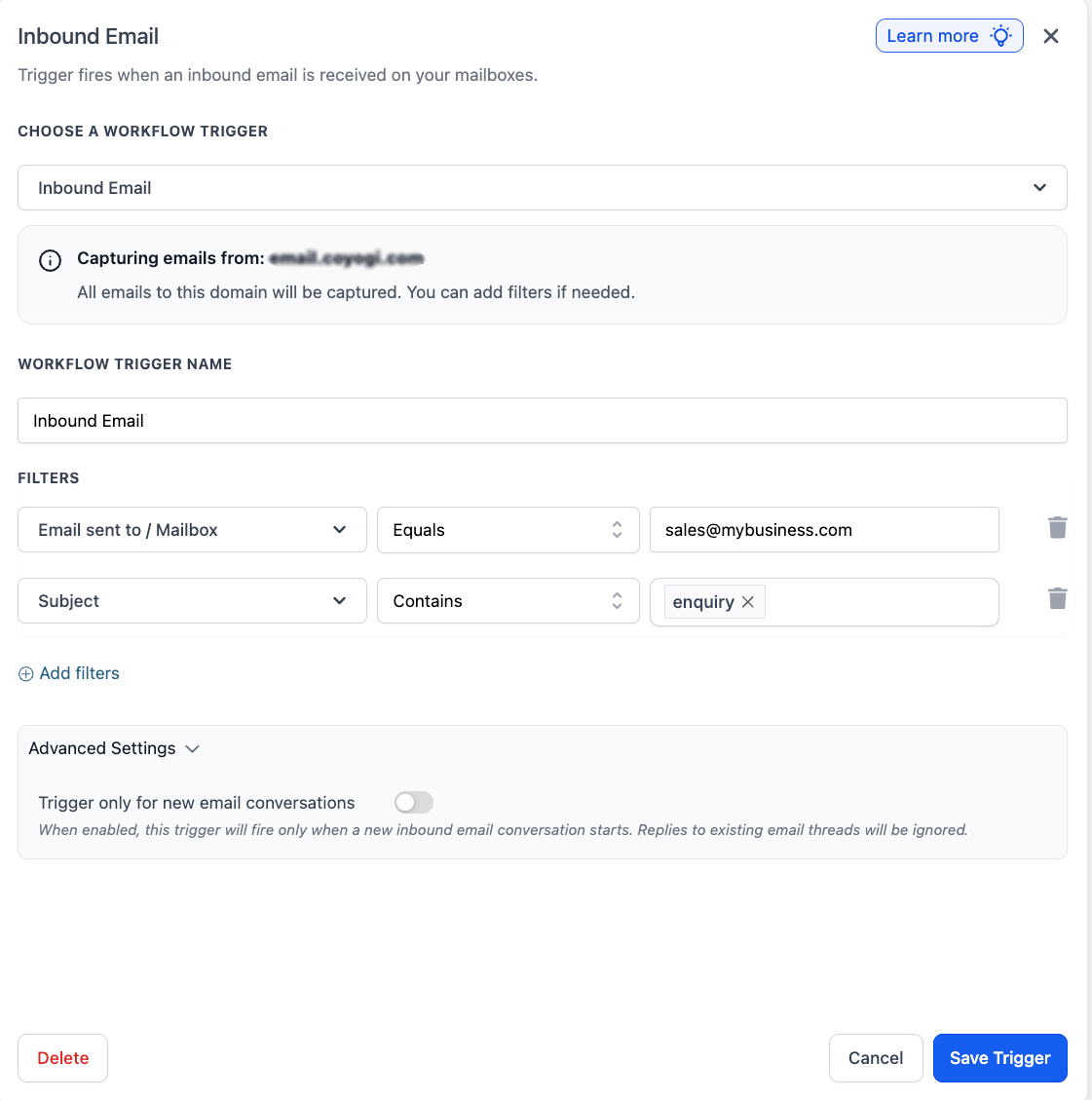
The trigger activates when an inbound email is received and can be refined with filters for mailbox, sender, CC, subject, body, attachments, and whether the message is linked to a workflow. You can also opt to run it only for new email conversations, which helps to prevent retriggering on every reply within the same thread.
- Email Sent To / Mailbox – Matches the receiving mailbox.
- From – Matches the sender’s email address.
- CC – Checks copied recipients.
- Subject – Matches the email subject line.
- Body (plain text) – Checks the email body.
- Has Attachments – Verifies whether attachments are included.
- Replied to Workflow – Checks if the email originated from a specific workflow.
- Contact Tag – Filters based on whether the contact has or does not have a specific tag.
- {{message_id}} – Unique message ID of the inbound email.
- {{subject}} – Subject line of the inbound email.
- {{body_plain}} – Plain-text body content of the email.
- {{from.email}} – Sender’s email address.
- {{from.name}} – Sender’s display name.
- {{cc}} – CC recipients of the inbound email.
- {{inboundEmail.bodyFullPlain}} – Full Body (Includes reply thread)
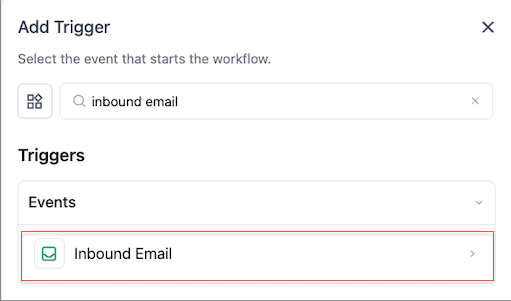
- Go to Automations > Workflows > Add Trigger and select the Inbound Email trigger.
- Add filters based on mailbox, sender, subject, body, attachments, or workflow reply source.
- Save the trigger, then add actions such as create contact, assign, tag, notify, or reply.
- Inbox routing: Identify which mailbox received the email and direct sales@, support@, or billing@ traffic into different workflow paths.
- Subject-based assignment: Quickly route emails with subjects like “refund”.
- Attachment intake: Trigger only when attachments are present, allowing teams to react to forms, documents, or proofs immediately.
- First-touch autoresponder: Utilise the inbound email body in downstream actions to send a more contextual initial response.
- Full cold inbound capture is supported for LC Email dedicated domains and Mailgun dedicated domains. Gmail/Outlook two-way sync, shared domains, and other SMTP configurations do not support full cold inbound capture.
- This trigger operates independently from Customer Replied, allowing both to exist simultaneously. In some instances, an email may match both triggers, so filters and the reply tracking settings can help manage overlap.
- Each sub-account should utilise its own dedicated email subdomain. Reusing the same domain across multiple sub-accounts may lead to unpredictable inbound routing.