• Shopping Cart Shopping Cart
    0Shopping Cart
Clixio
  • Features
  • Pricing
  • FAQ
  • Blog
  • Log in
  • Free Trial
  • Menu Menu

🏷️ Improved Calendar Settings Experience

February 25, 2026/in What's New?

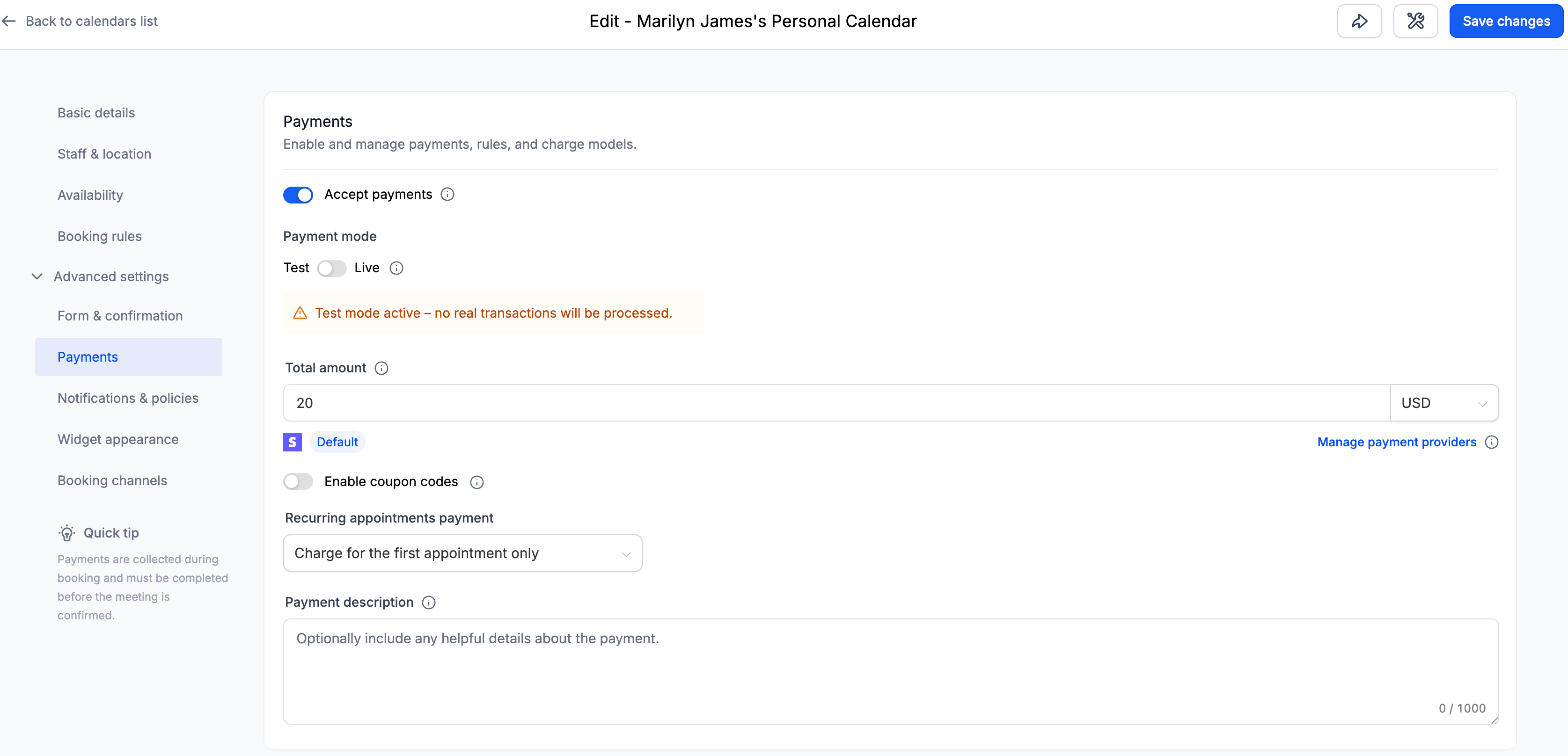
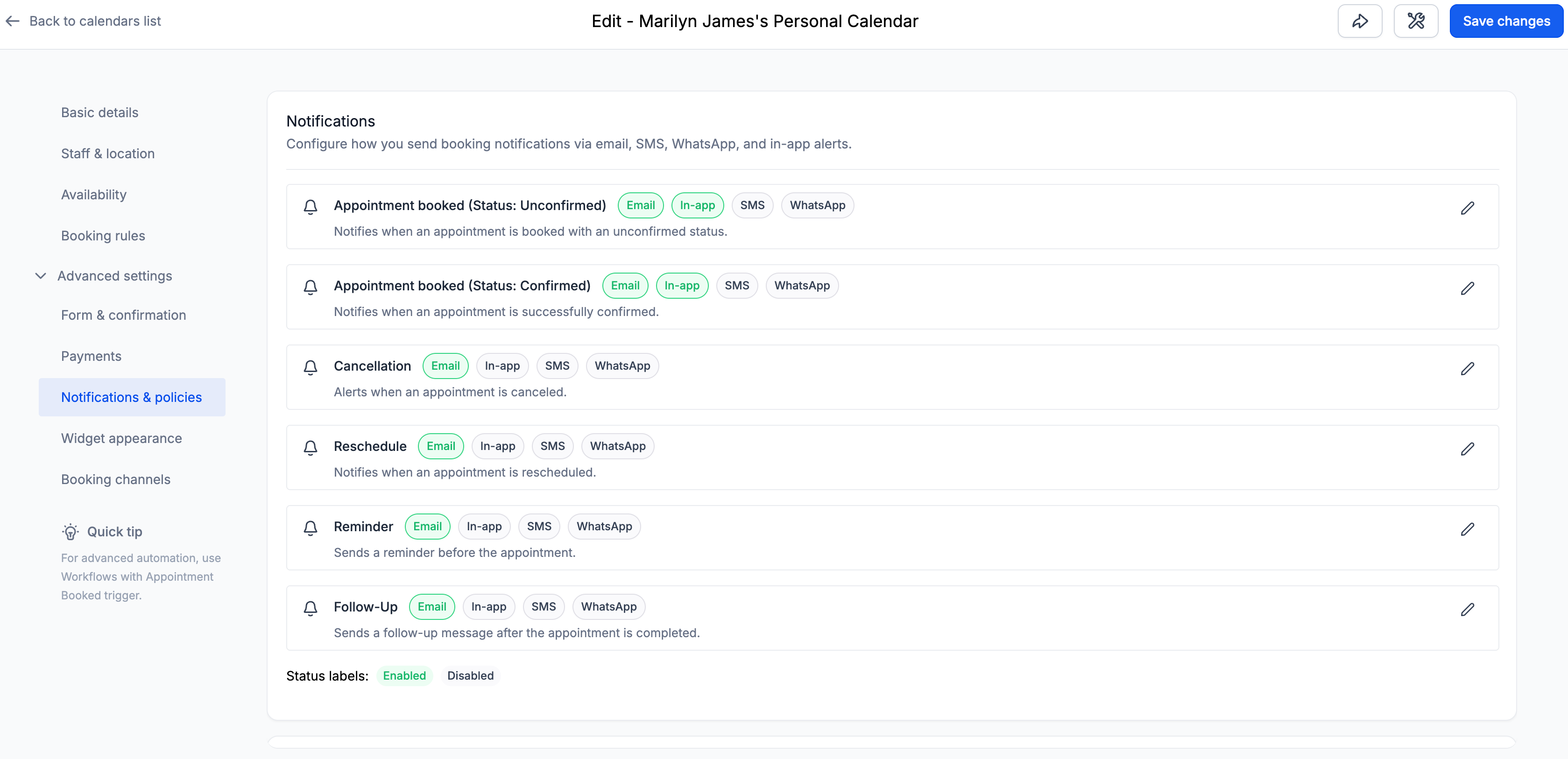
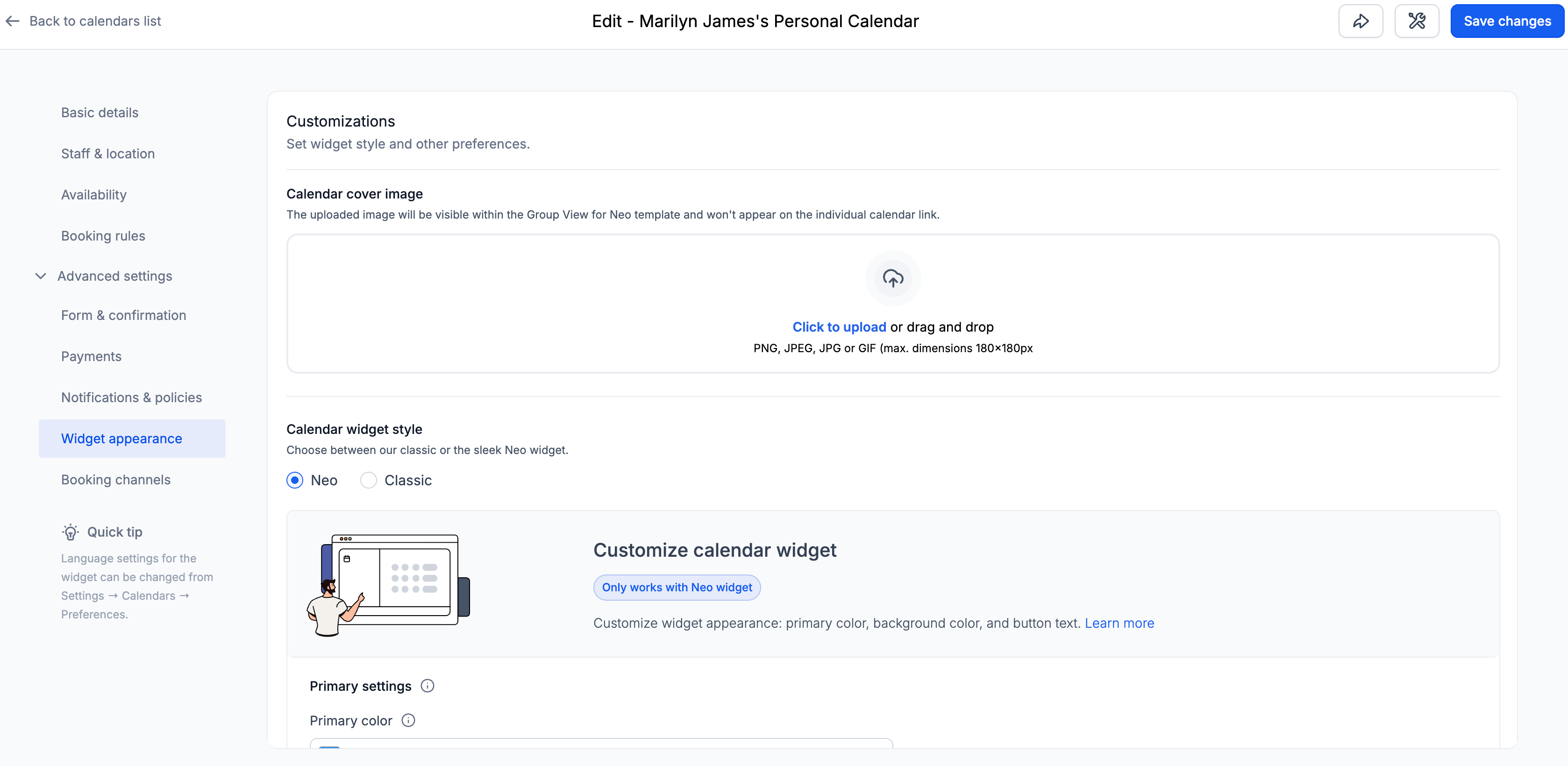
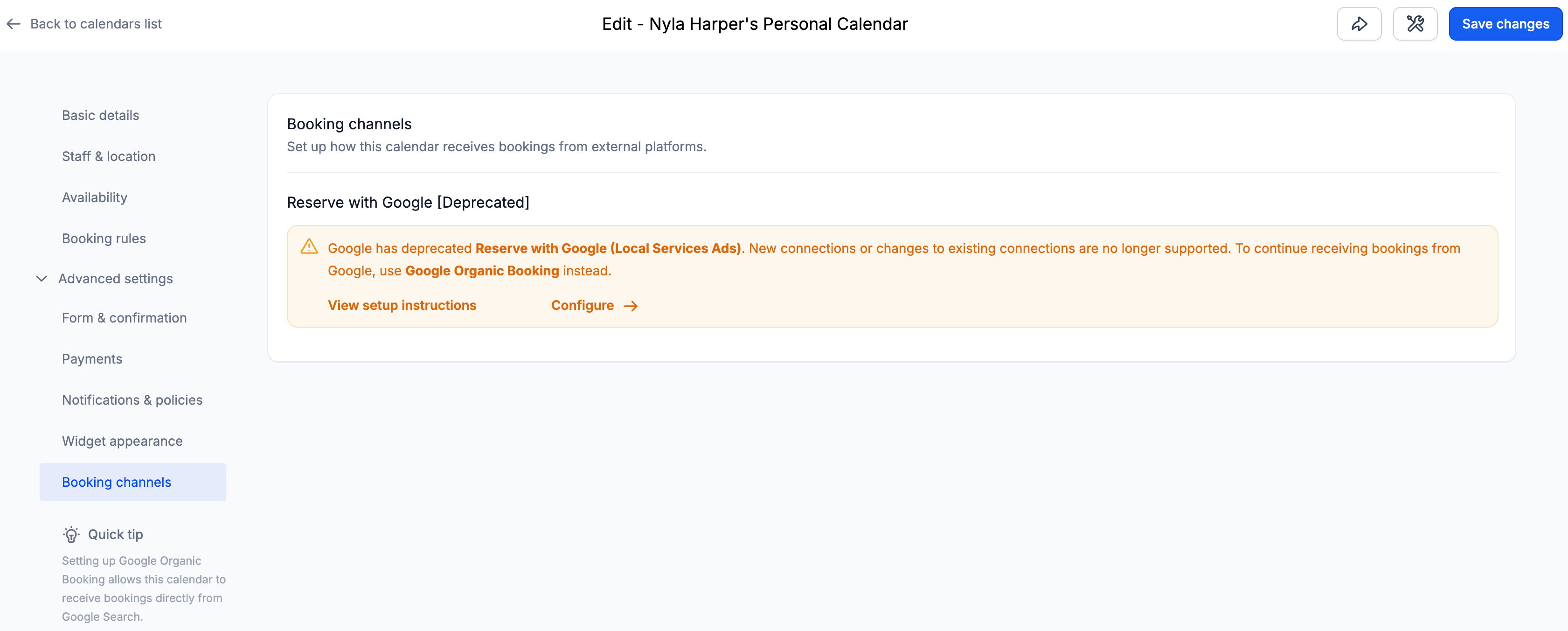
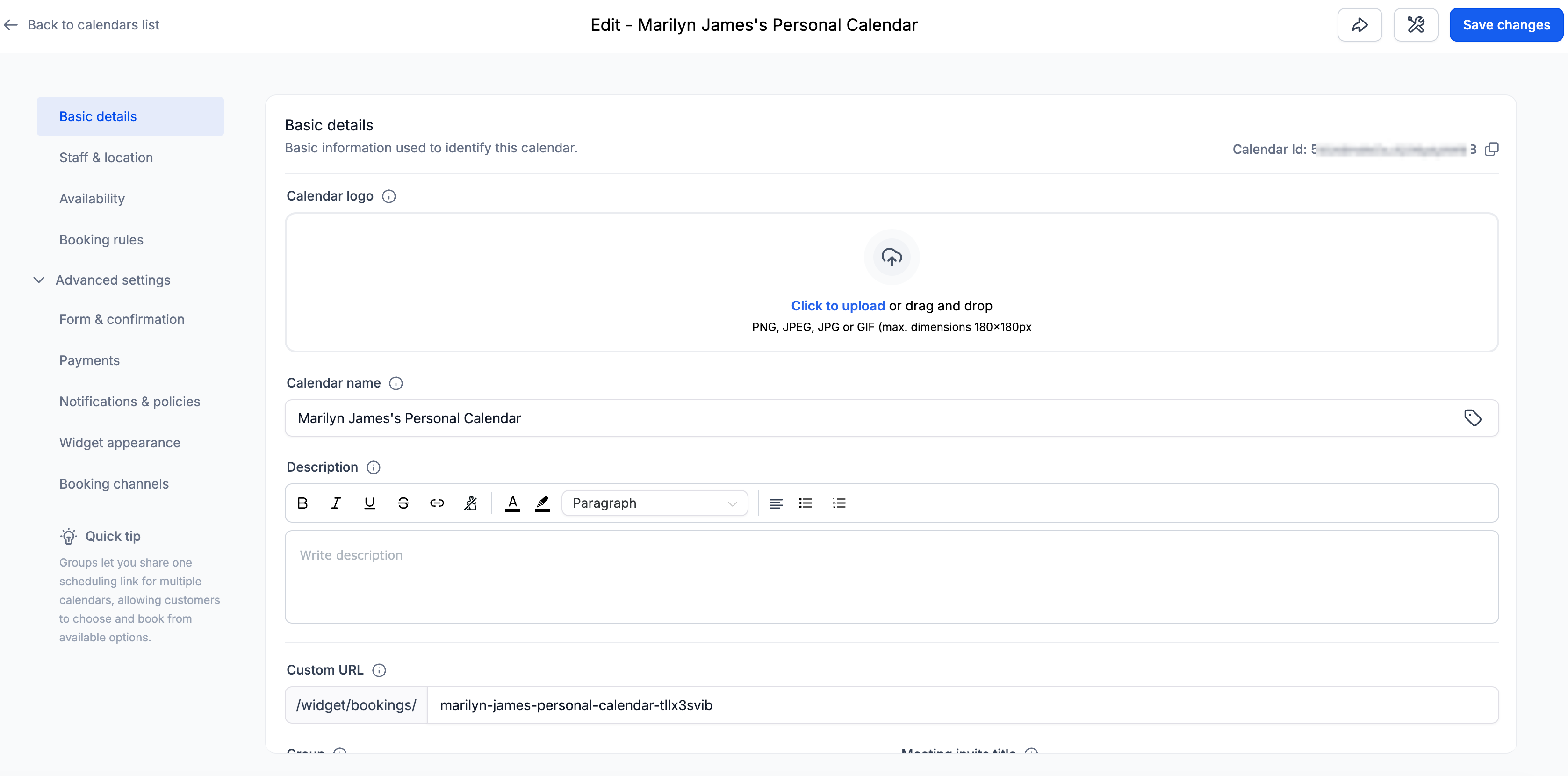
We’ve redesigned the Calendar Settings experience to enhance clarity, structure, and navigation ease.

This update introduces a cleaner information architecture with logically grouped sections, contextual helper text, and a wider layout for improved readability.

The goal is to help you configure calendars faster — with less scrolling and confusion.

✅ Clear & Structured Settings Layout

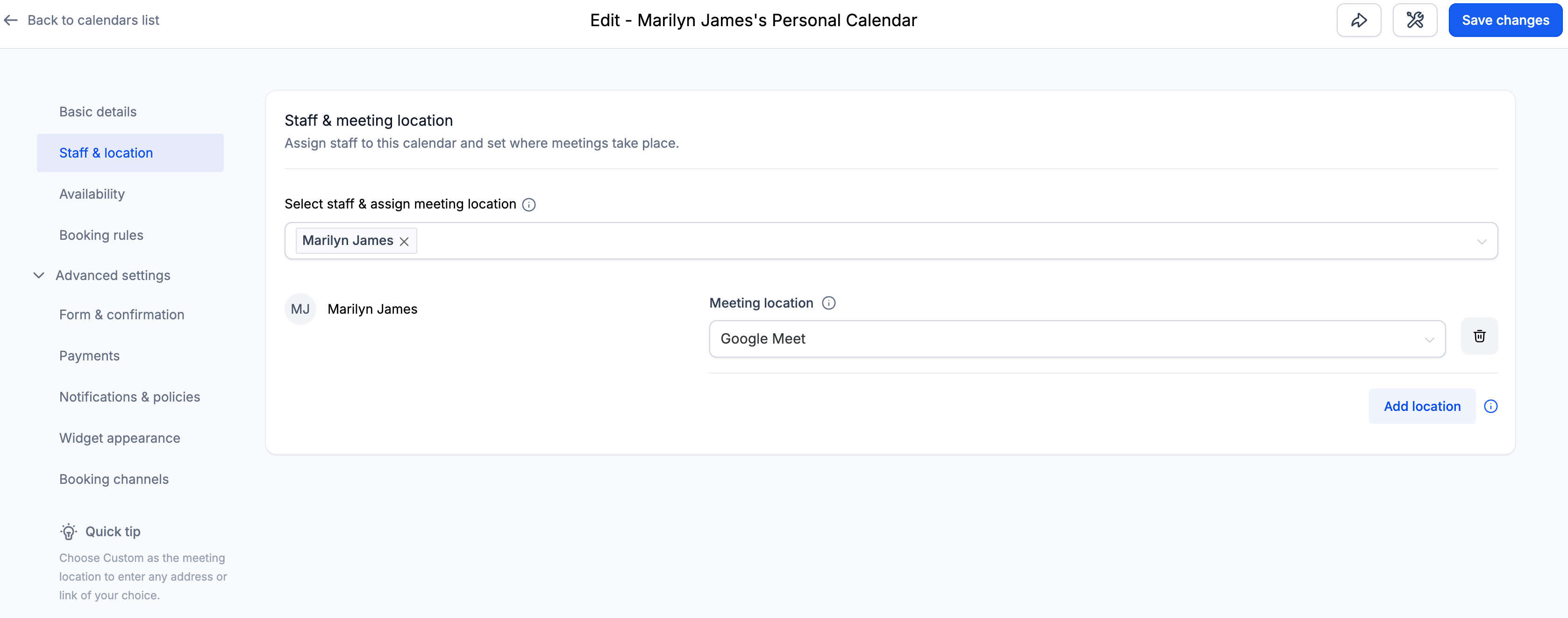
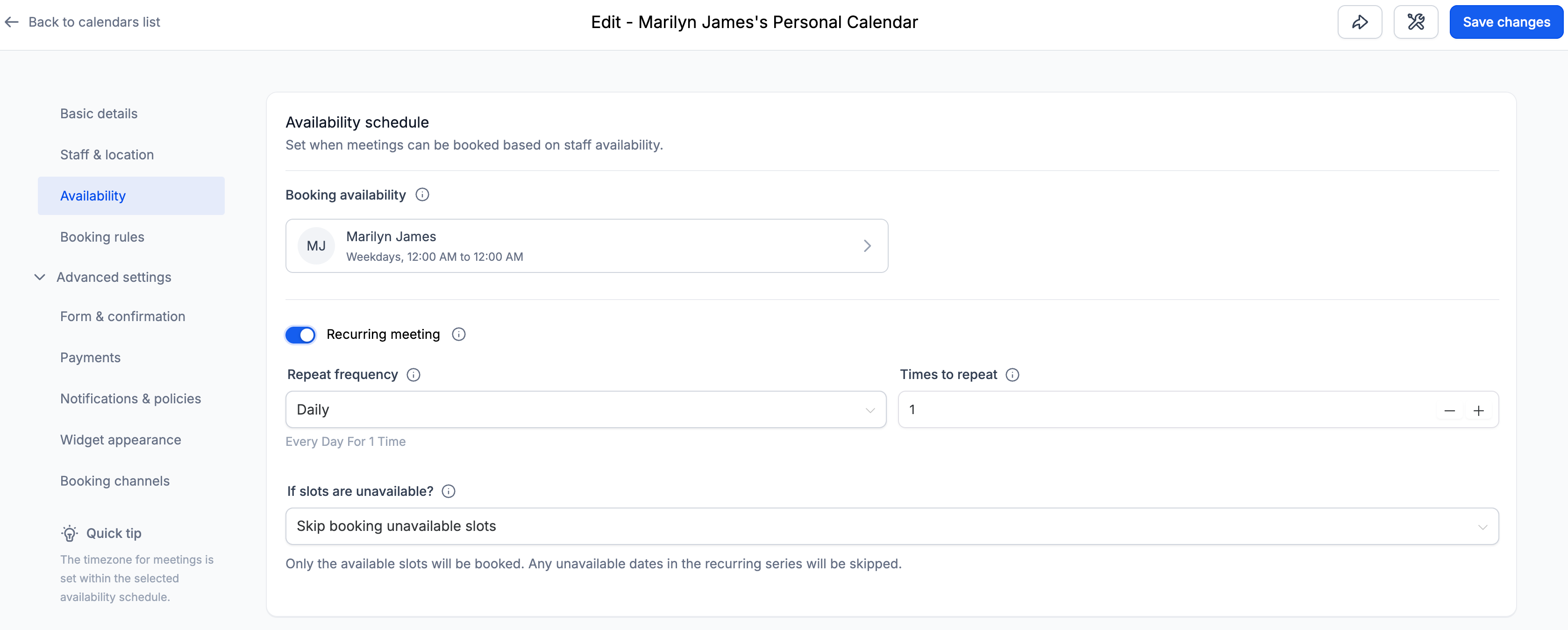
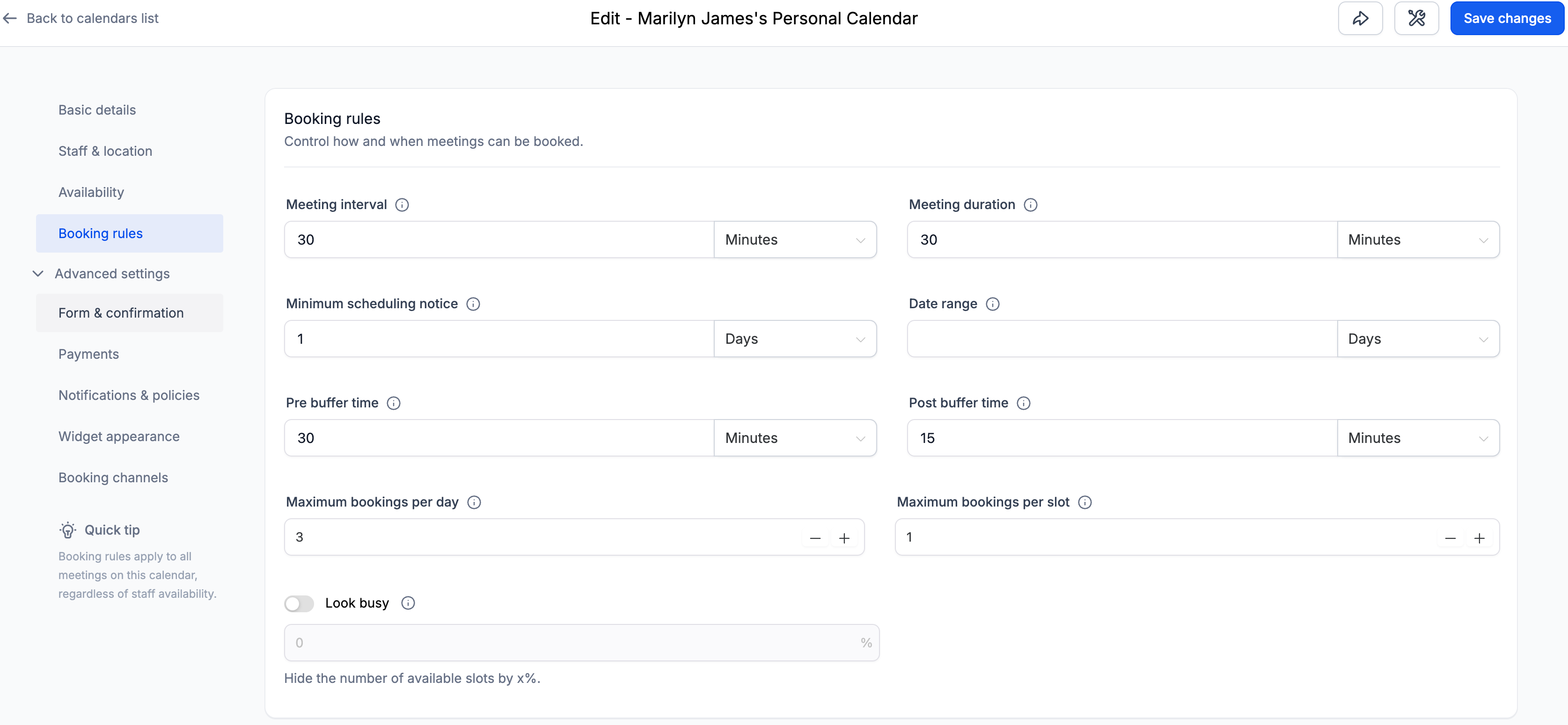
Calendar settings are now organised into clearly defined sections:

  • Basic details

  • Staff & location

  • Availability

  • Booking rules

  • Advanced settings

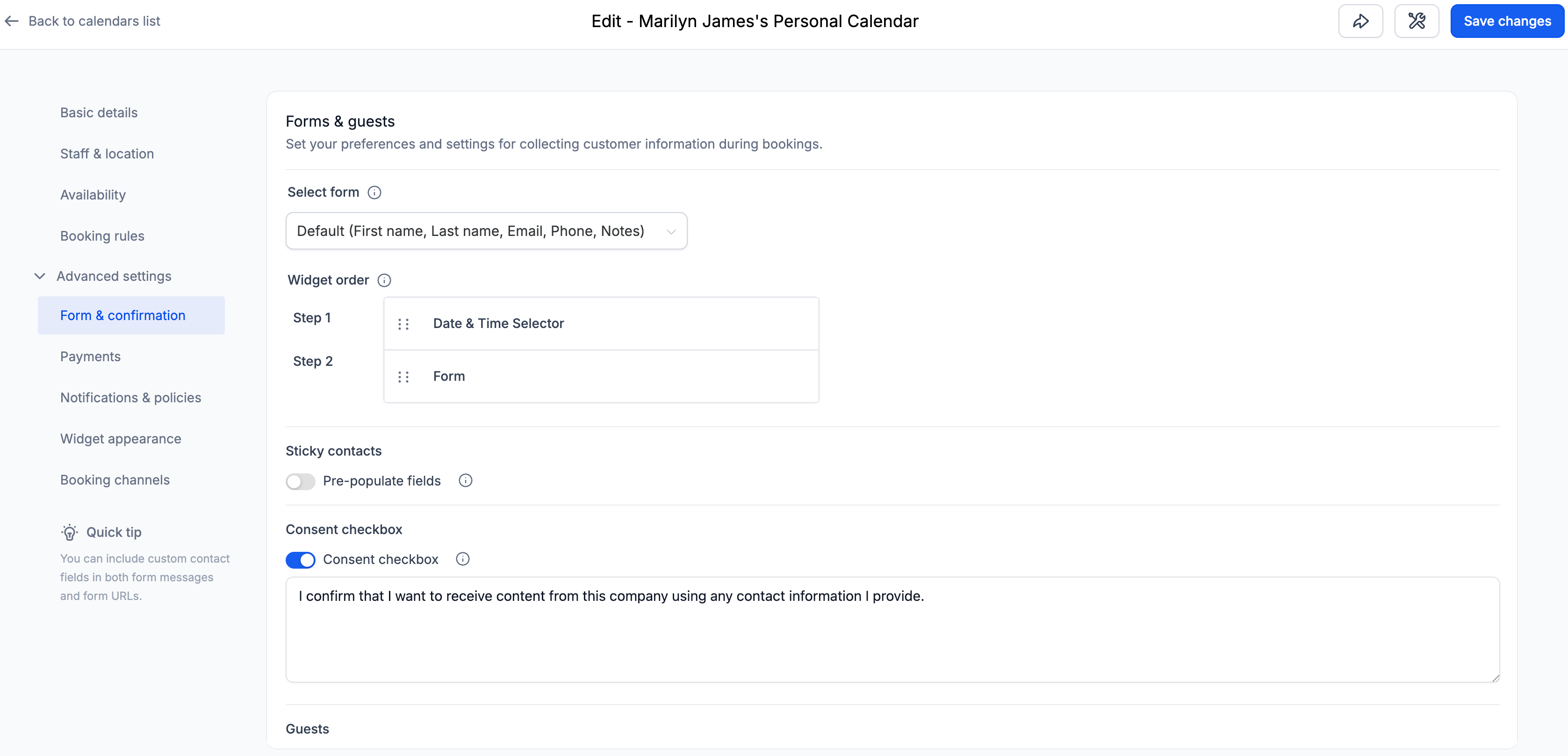
Within Advanced Settings, you will find:

  • Form & confirmation
  • Payments
  • Notifications & policies
  • Widget appearance
  • External sync (Event Calendars)
  • Booking channels (Other Calendar Types)

Each section now contains only relevant settings, making navigation more intuitive.

✅ Contextual Helper Text

Each section includes concise helper texts explaining the purpose of associated settings, which improves discoverability and reduces configuration confusion — particularly for new users.

✅ Wider Layout for Better Readability

The Calendar Settings panel now spans a larger portion of the screen.

This improvement:

  • Reduces unnecessary vertical stacking
  • Improves spacing between fields

The layout remains fully responsive across standard screen sizes.

Navigate to:

Calendars → Calendar Settings → Meetings → Edit Calendar

You will now see the updated structure and improved layout.
Screenshot 2026-02-25 at 10

https://clixio.io/wp-content/uploads/2023/08/clixio-logo-dark.png 0 0 Clixio.io https://clixio.io/wp-content/uploads/2023/08/clixio-logo-dark.png Clixio.io2026-02-25 15:29:002026-02-25 15:29:00🏷️ Improved Calendar Settings Experience

RSS feed: Latest Feature Updates Latest Feature Updates

  • Improved: Dynamic Value Chips with Improved error segmentation September 4, 2026
  • 📞 More Reliable Missed Call Text Back with Smarter Number Selection September 4, 2026
  • 🔐 Client Portal: “User login” Workflow Trigger Now Supports the New Client Portal Experience September 3, 2026
  • 📢 Carrier Fee Pricing Update – Effective October 1, 2026 September 3, 2026
  • Privacy Policy + T&C URLs on Toll-Free Verification September 2, 2026
  • Workflow Builder: Pick an Email Sender Domain for Each Workflow! August 28, 2026
  • Certificate AI Beta is now live August 27, 2026
  • 📅 Date Range Setting Can Now Count Only the Days You Actually Work August 27, 2026
  • Schedule Availability with Custom Open & Expiry Experiences – Form, Survey & Quiz August 27, 2026
  • WhatsApp messaging limits: now shown at the portfolio level August 27, 2026
Book a demo
See Clixio working
for your business, live.

30 minute call with our team. Personalised to your industry, no hard sell.

Book your free demo
14 day free trial · Cancel anytime
Clixio - Marketing and sales automation

Marketing & sales automation built for Australian service businesses. One platform, one flat rate, genuinely easy to use.

Product
Features Pricing How it works Latest updates
Company
Blog FAQ Get support Account transfers
Legal
Privacy Policy Terms & Conditions
© Clixio. All rights reserved. Made with ♡ in Australia.
Scroll to top Scroll to top Scroll to top