Email Notification Preferences for Client Portal (including communities, courses, certificates)
We’re excited to introduce the new Email Notification Preference feature in the Client Portal. This update gives client portal owners more control over the email notifications they send from child apps, streamlining communication and reducing inbox clutter.
With this release, client portal owners can now easily manage the email notifications they send from various child apps within the Client Portal. This means client portal owners can choose which types of emails they want to send, giving them more control over their inbox. Instead of being overwhelmed by unnecessary notifications, client portal owners can now opt to send only the most relevant ones.
- Centralised management of email preferences for all child apps.
- Client portal owners can enable or disable email notifications for specific child apps in a single place.
- This reduces email overload and improves overall communication effectiveness.
- This setting is enabled for the locations and client portal owners with access to either Communities or Certificates
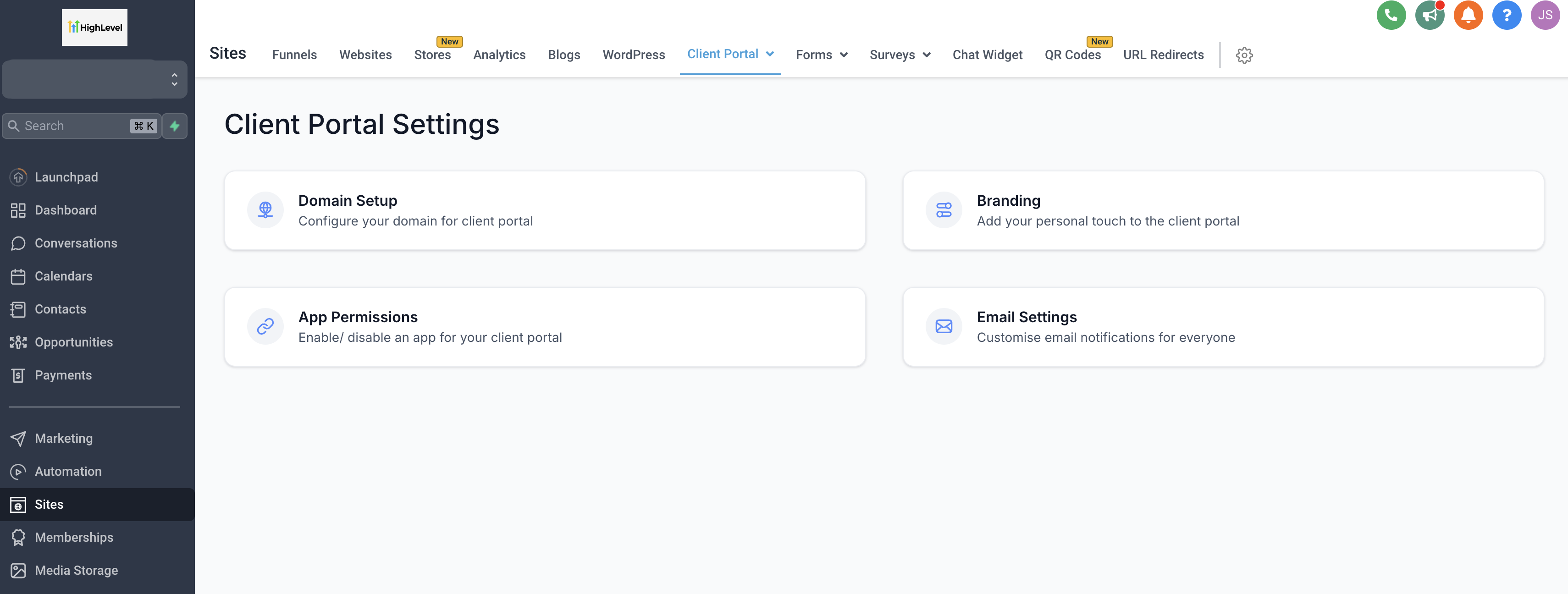
- Go to Sites -> Client Portal -> Settings -> Email Settings
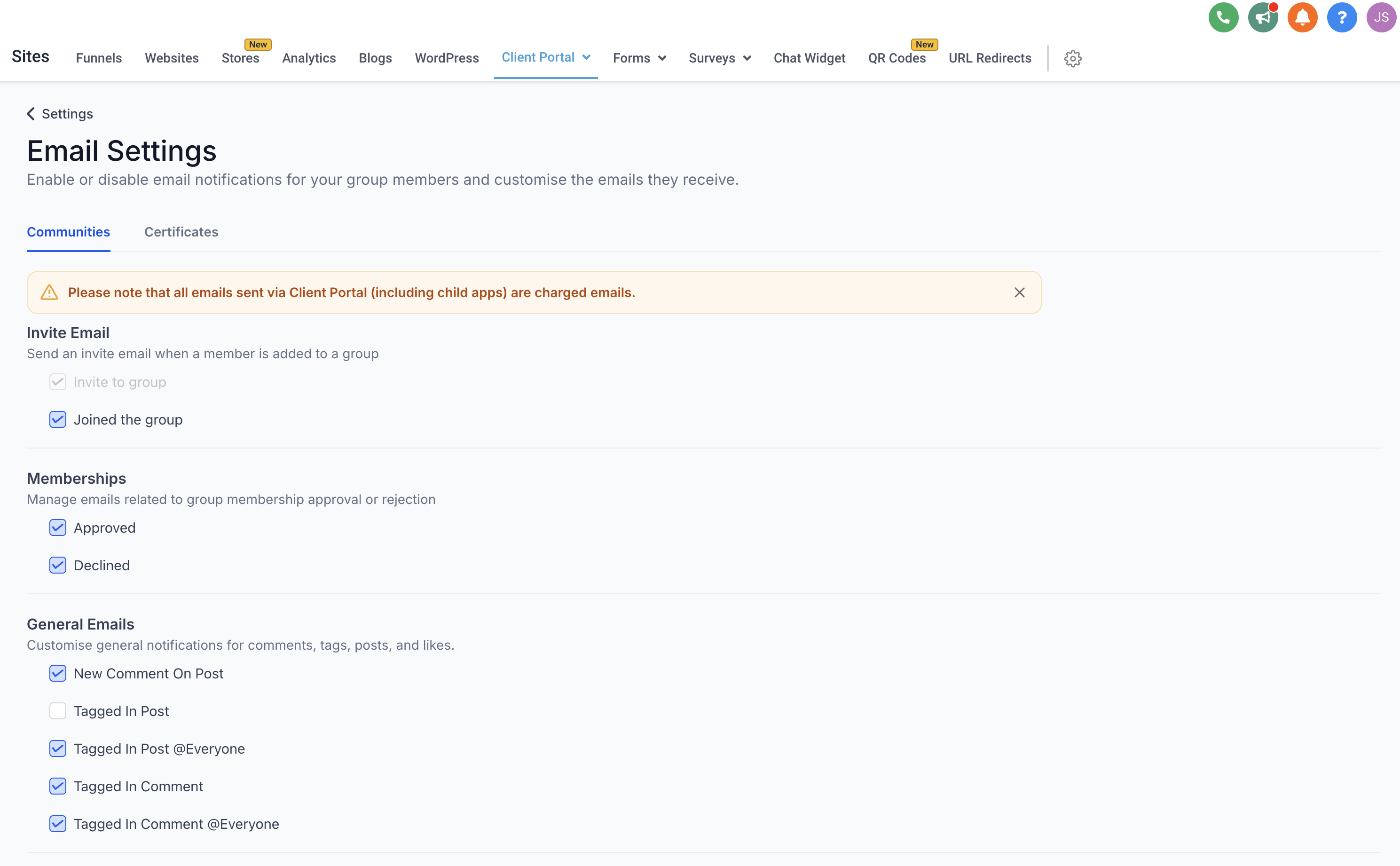
- Depending on your access to specific child apps (Communities, Certificates, etc.), you will see options to enable or disable email notifications for each corresponding child app.
- Adjust your preferences as needed, based on location and the specific child apps you have access to.
- Streamlined User Experience: This feature helps client portal owners to manage their inboxes by allowing them to tailor their email preferences based on child apps they interact with. Users are no longer burdened by unwanted notifications, leading to a more personalised experience.
- Reduced Support Tickets: By giving client portal owners the direct control over the emails they send, we anticipate a significant reduction in support tickets related to disabling notifications, as users won’t be overwhelmed by all notification emails.
- Increased Efficiency: This provides client portal owners with a more efficient way to stay informed about relevant child app activities without sifting through a cluttered inbox.
Ability to change email templates is coming up soon