Easier Calendar Setup with Auto-Navigation to Missing Fields
Improved Calendar Setup Experience
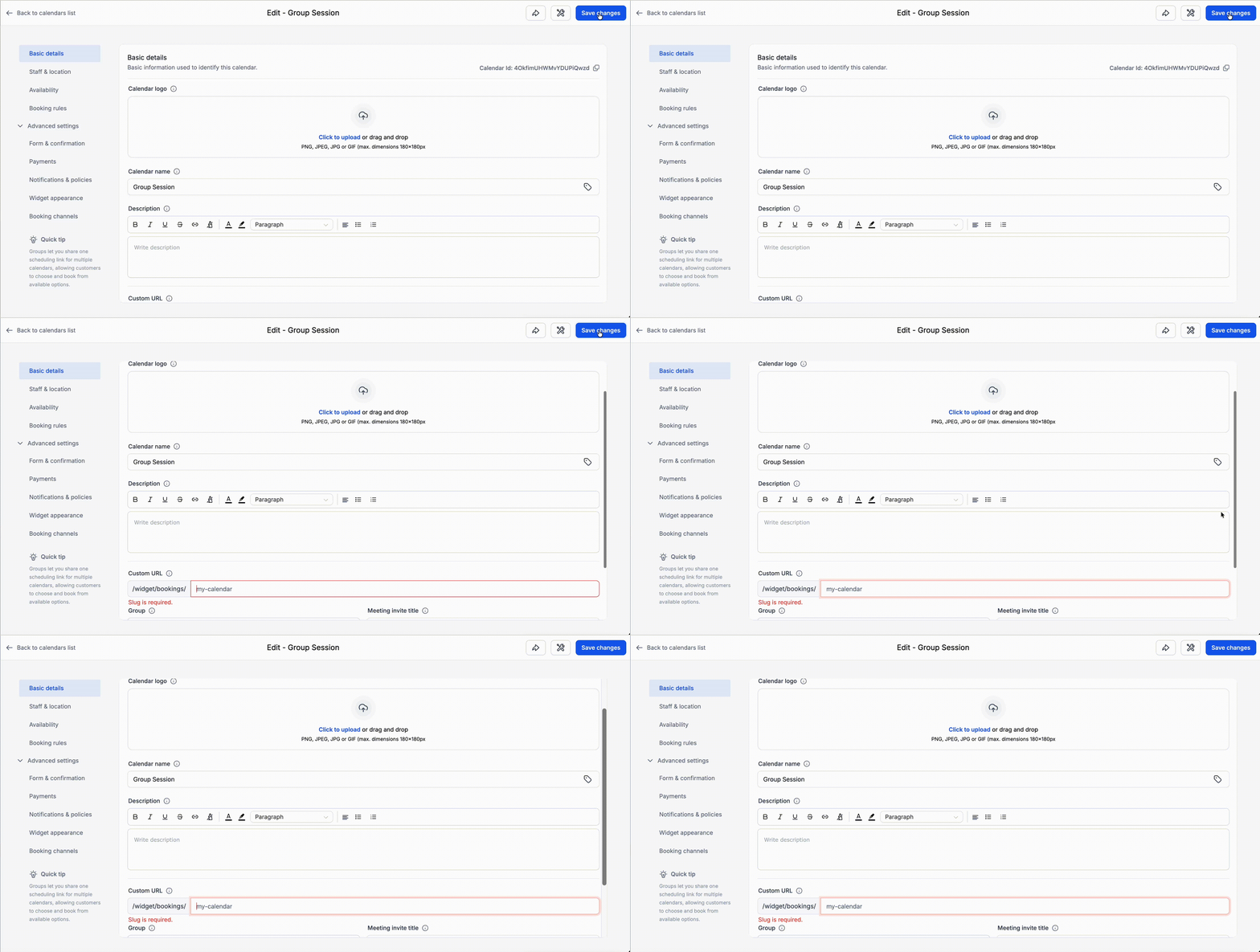
We’ve enhanced the calendar setup process to make it easier to identify and rectify missing required fields while editing and saving a calendar.
Previous Issues
Previously, when required fields were missing in the current tab, clicking “Save changes” would not complete the action — but the interface did not indicate the exact issue. This often resulted in confusion regarding whether the calendar was saved, leading to unnecessary troubleshooting.
With this update, you will now be directed straight to the field that requires attention.
- Eliminates confusion when changes do not get saved.
- Assists users in quickly identifying what needs to be corrected.
- Reduces unnecessary support queries.
- Facilitates a smoother and more intuitive calendar setup.