• Shopping Cart Shopping Cart
    0Shopping Cart
Clixio
  • Features
  • Pricing
  • FAQ
  • Blog
  • Log in
  • Free Trial
  • Menu Menu

Documents and Contracts: Send Documents via SMS now!

August 29, 2025/in What's New? Automations, Documents & Contracts


Documents and Contracts: Send Documents via SMS now! | Clixio Changelog


  • You can now send documents via SMS.
  • Send through SMS only, or combine with Email + SMS for maximum visibility.
  • Configure global defaults for Document Sent and Document Signed notifications.
  • Create and use custom SMS templates (via Snippets) to send personalised messages.
  • Adjust the sending channel directly in workflows or on individual sends for flexibility.
  1. Set Global Defaults
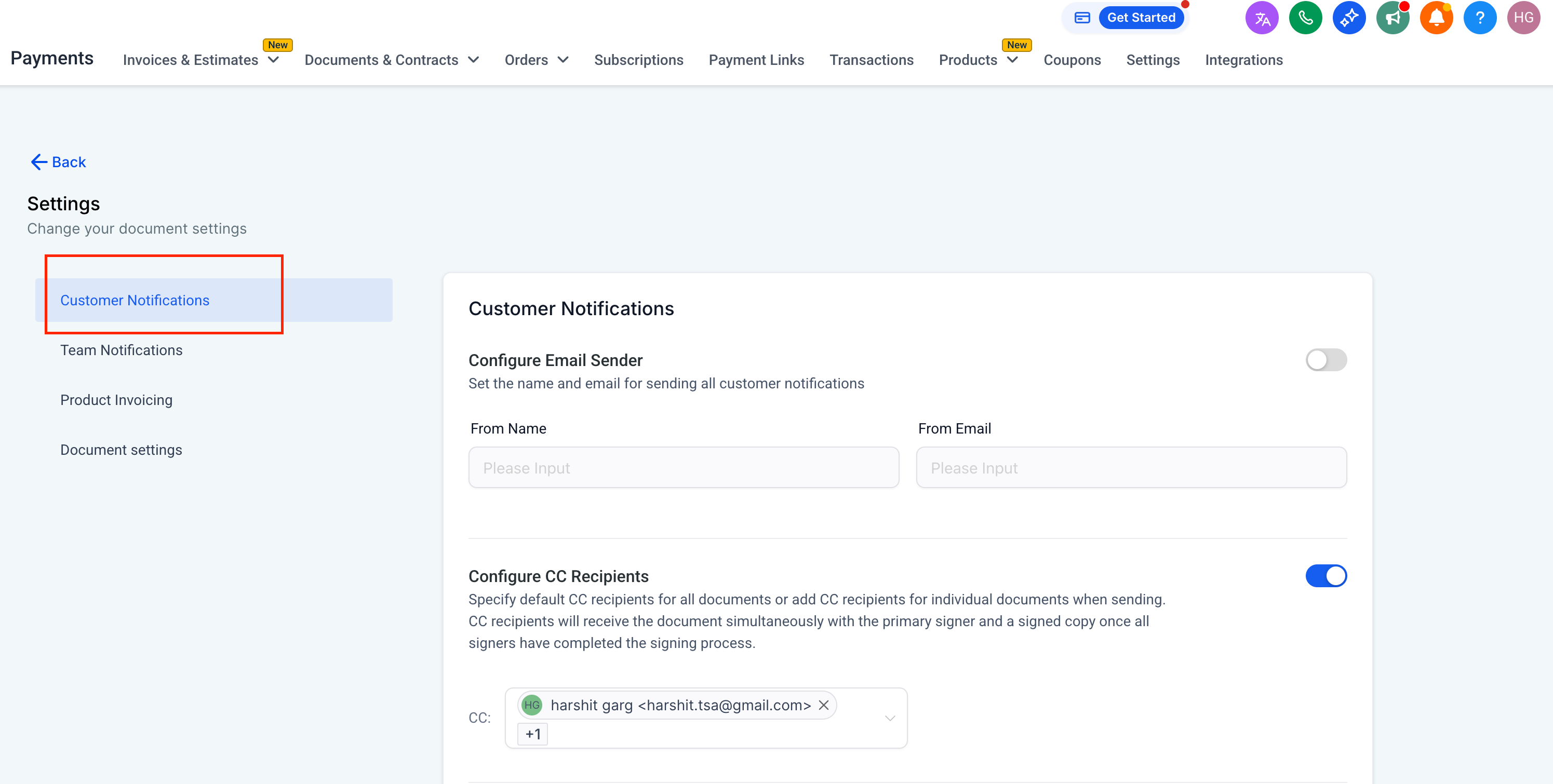
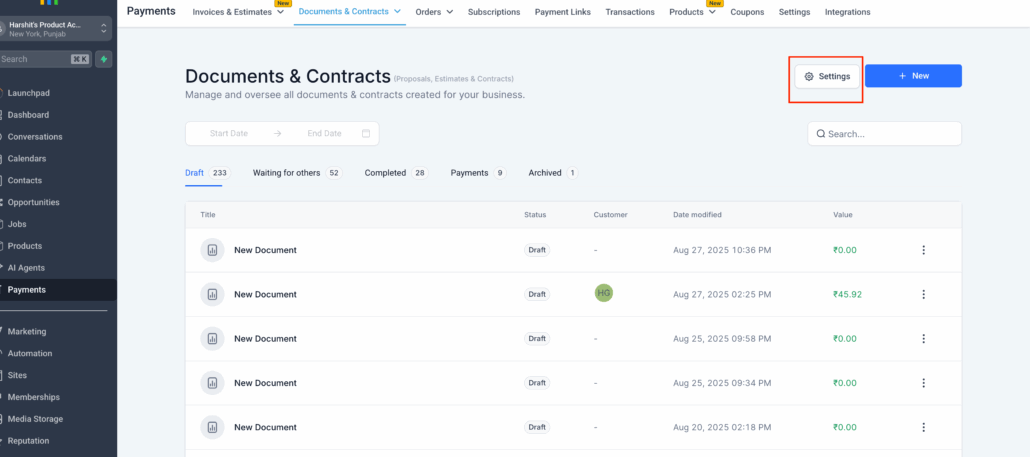
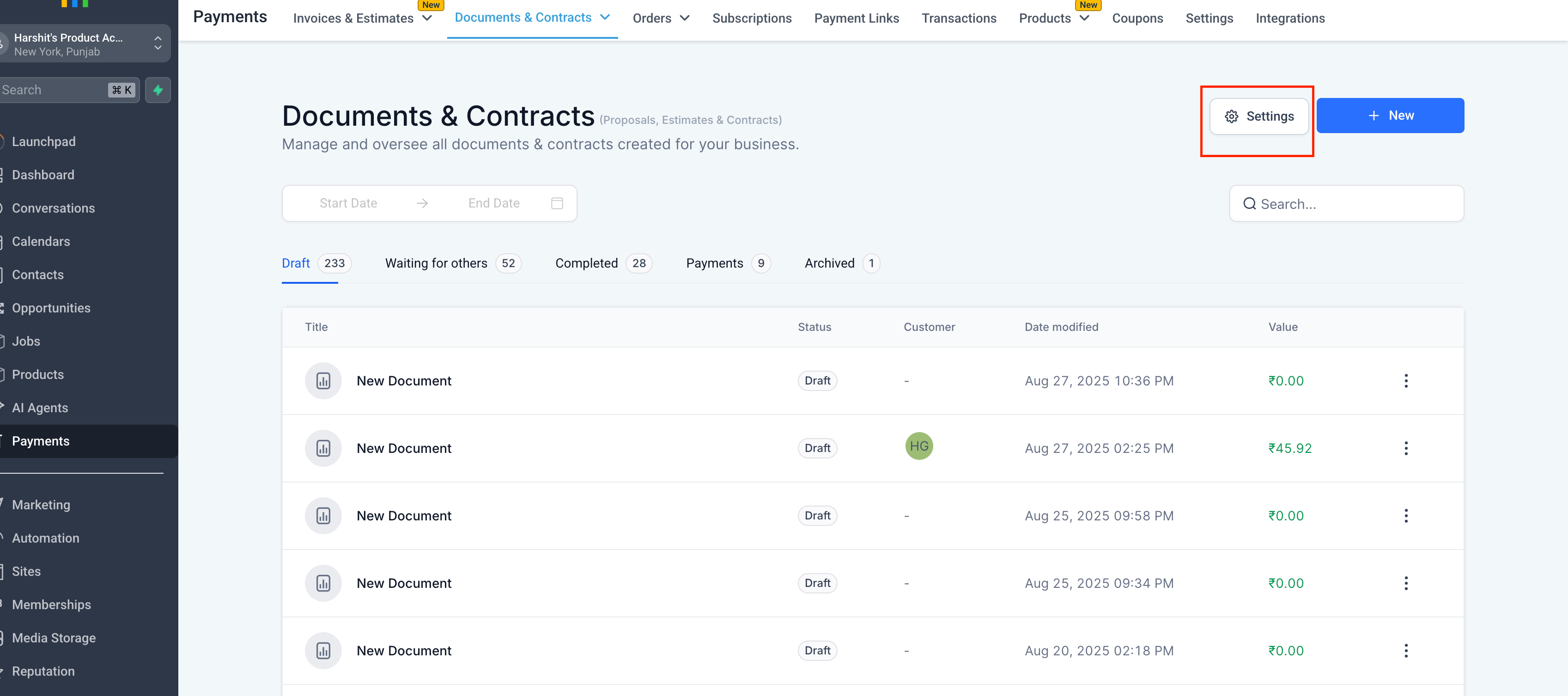
  • Navigate to Documents & Contracts → Settings → Customer Notifications.
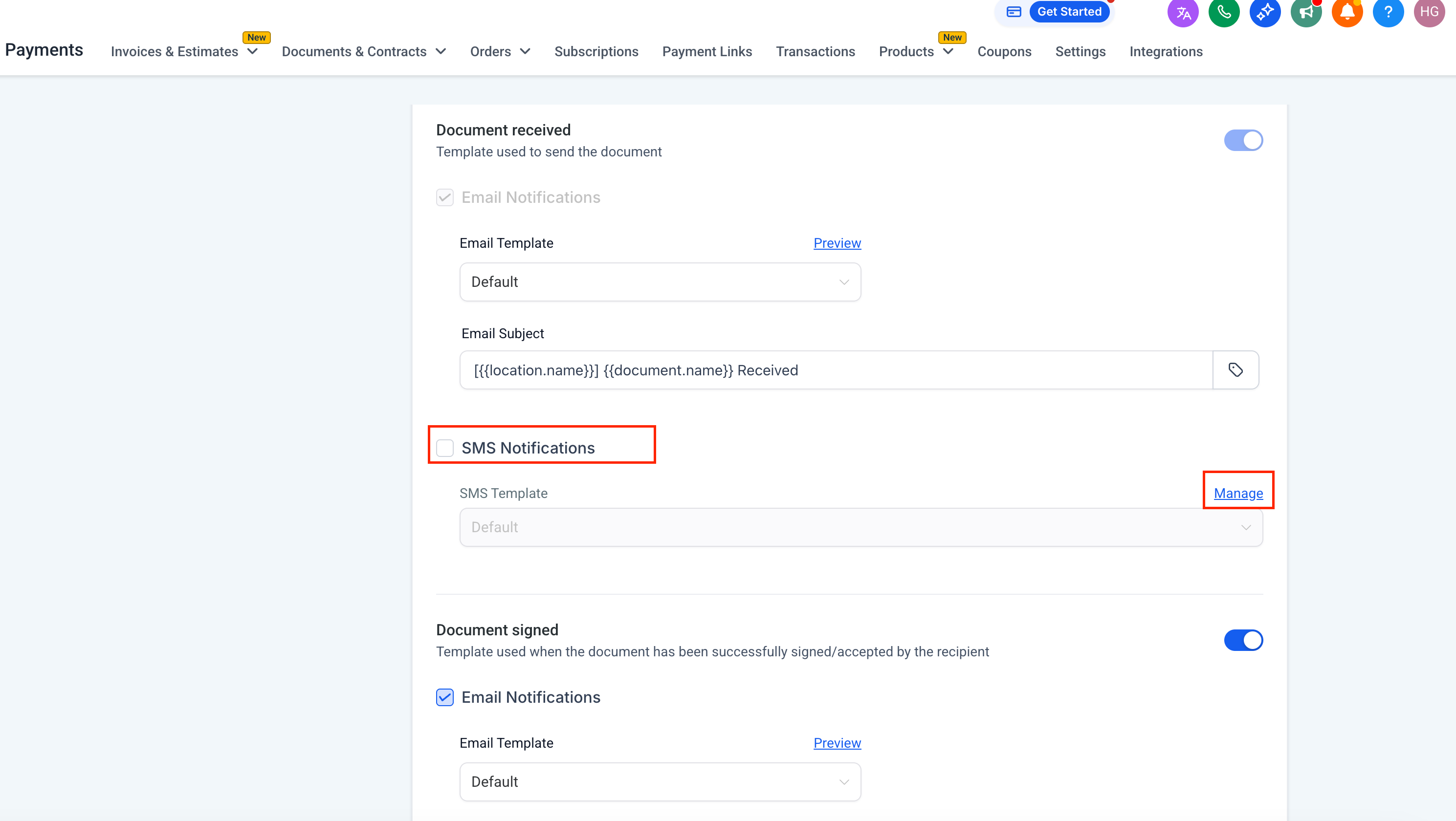
  • Under Document Received and Document Signed, choose your default delivery method:
  • SMS only
  • Email + SMS
  • Save your settings.

Note:

  • Document Received follows defaults but can be overridden later if needed.
  • Document Signed will always follow this global setting.
Screenshot 2025-08-29 at 12
  1. Create SMS Templates with Snippets
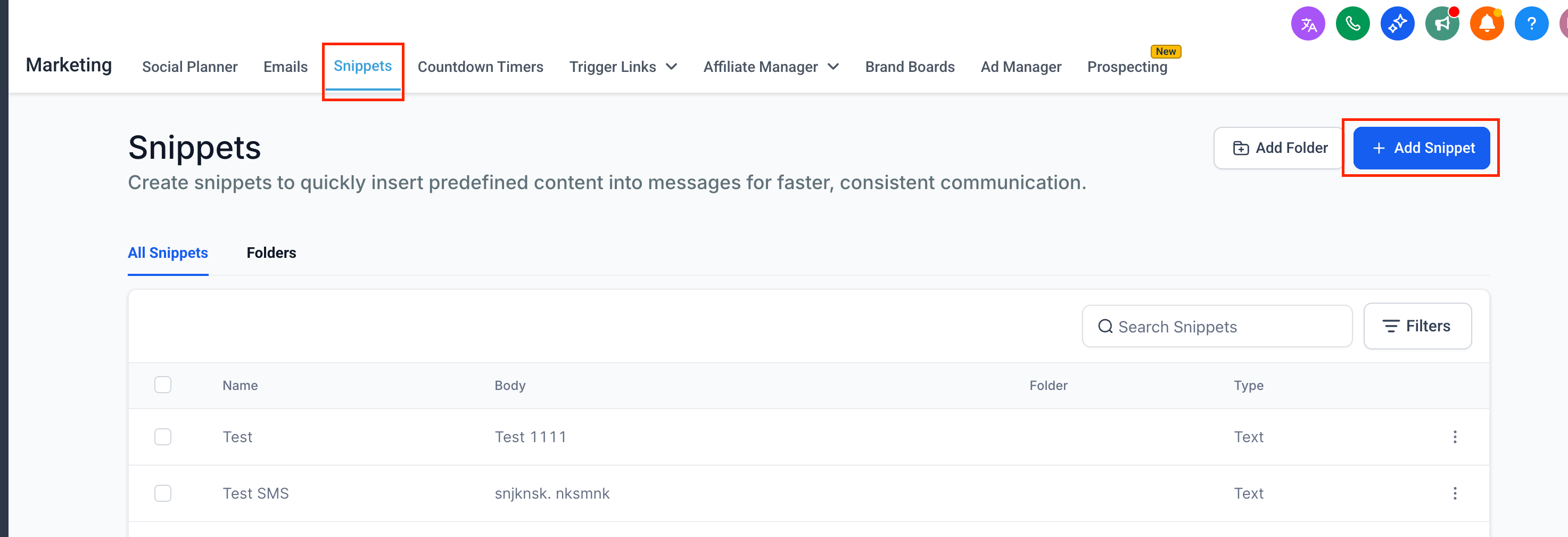
  • Go to Marketing → Snippets.
  • Click New Snippet and choose SMS as the type.
  • Write your SMS content (keep it concise and clear, e.g., “Your document is ready, please review and sign”).
  • Save your snippet — it will now be available when sending documents individually or while setting global defaults.
Screenshot 2025-08-29 at 12
  1. Send Documents Individually
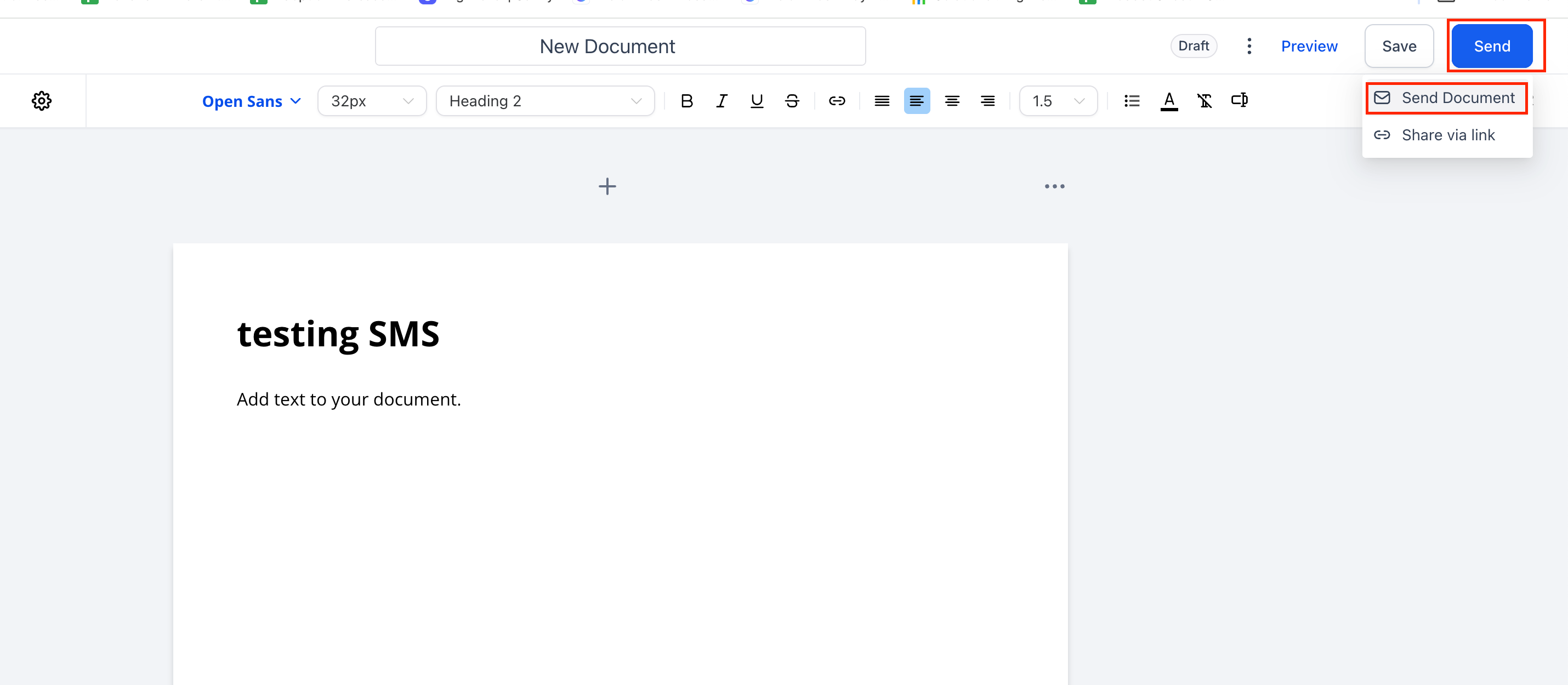
  • Open the document you want to send.
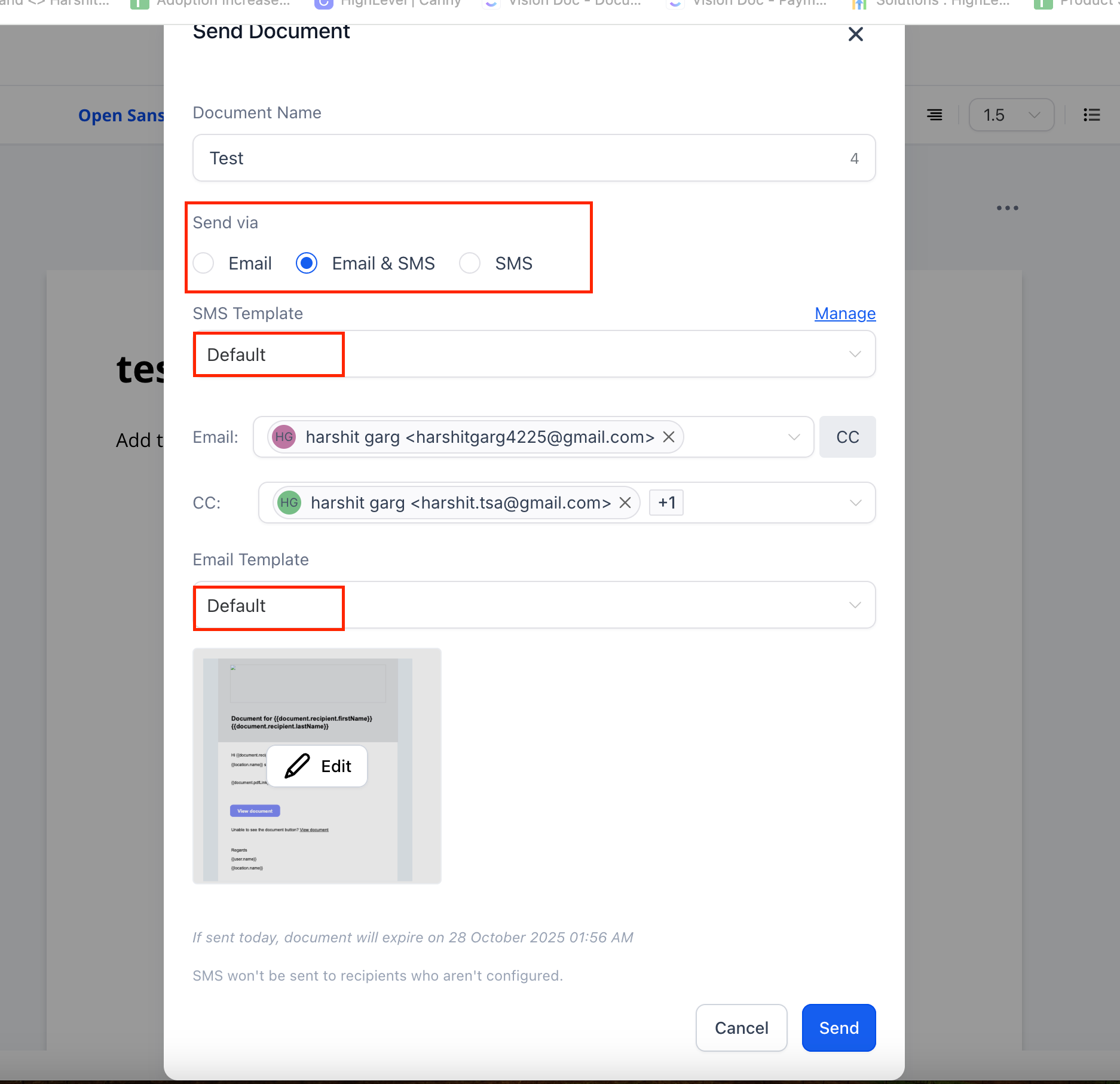
  • Click Send.
  • Select the channel: Email, SMS, or both.

If using SMS:

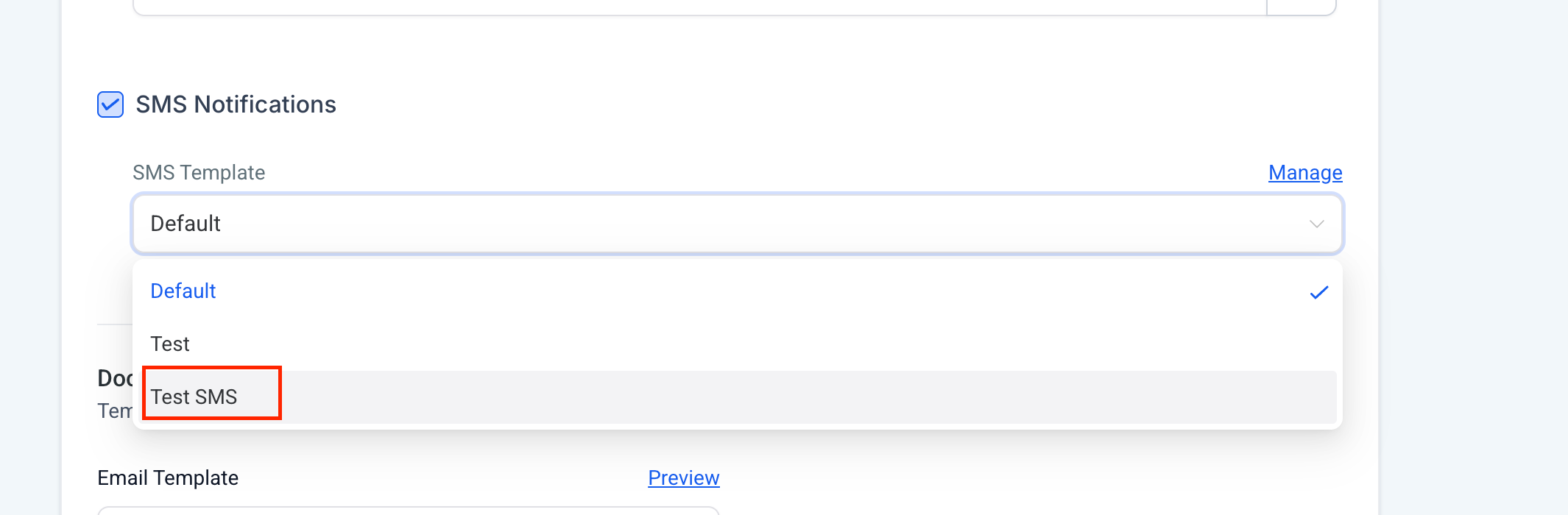
  • Pick your preferred SMS template (created via Snippets).
  • Review and send.
Screenshot 2025-08-29 at 12
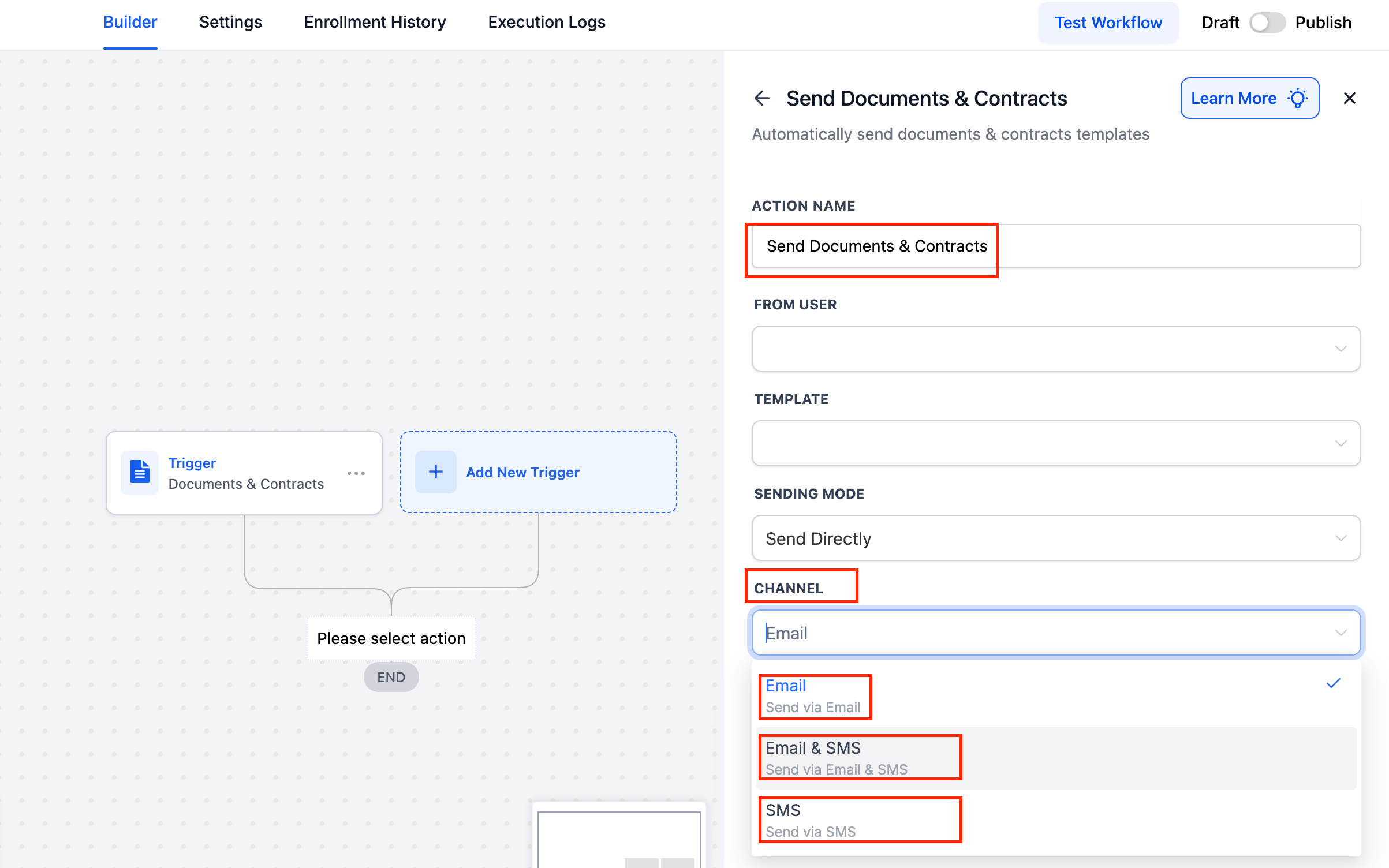
  1. Send Documents via Workflows
  • Open Automation → Workflows.
  • Add a Send Document action.
  • Choose the channel: Email, SMS, or both.
  • Save the workflow.
  • Here, the system will follow the default SMS content/template.
Screenshot 2025-08-29 at 12
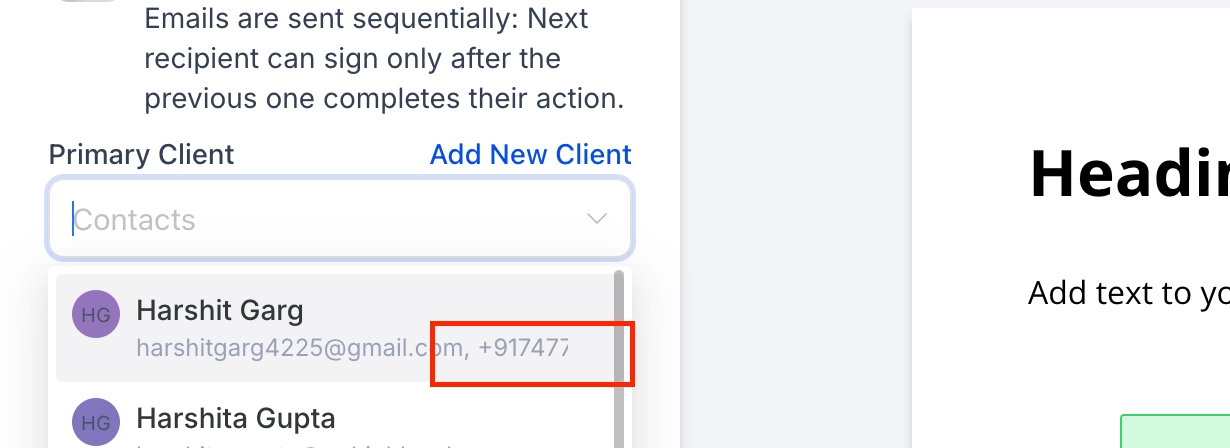
  1. View Users’ Contact Information When Adding Recipients to Documents
Screenshot 2025-08-26 at 14
  • Agencies informed us that emails are often overlooked, whereas SMS messages are immediately noticed. This update ensures:
  • Documents reach clients more swiftly through their preferred channel.
  • Global defaults save time, while individual sends allow for customisation as needed.
  • With SMS delivery, your documents are now faster, smarter, and more reliable.

https://clixio.io/wp-content/uploads/2025/08/d1cbfdf204020e335a8e40b44892253f-scaled.png 1136 2560 Clixio.io https://clixio.io/wp-content/uploads/2023/08/clixio-logo-dark.png Clixio.io2025-08-29 17:41:002025-08-29 17:41:00Documents and Contracts: Send Documents via SMS now!

RSS Latest Feature Updates

  • Store Deletion Behavior Update | Clixio Changelog April 23, 2026
  • Terms & Conditions Consent at Store Checkout April 23, 2026
  • Social Planner: Community now in Comment Management April 23, 2026
  • Opportunity Smart Lists | Clixio Changelog April 22, 2026
  • WhatsApp Calling (Closed Beta) | Clixio Changelog April 22, 2026
  • Printful Auto Shipping Profile & Live Rates at Checkout April 22, 2026
  • AI Pages — Customization & Content Enhancements April 21, 2026
  • Delete Schema Markup Feature | Clixio Changelog April 21, 2026
  • Custom Date Reminder: Now for Custom Objects, Opportunities and Companies April 21, 2026
  • Conversation AI – Services Calendar V2 Enhancements April 21, 2026
Book a demo
See Clixio working
for your business, live.

30 minute call with our team. Personalised to your industry, no hard sell.

Book your free demo
14 day free trial · Cancel anytime
Clixio - Marketing and sales automation

Marketing & sales automation built for Australian service businesses. One platform, one flat rate, genuinely easy to use.

Product
Features Pricing How it works Latest updates
Company
Blog FAQ Get support Account transfers
Legal
Privacy Policy Terms & Conditions
© Clixio. All rights reserved. Made with ♡ in Australia.
Scroll to top Scroll to top Scroll to top